
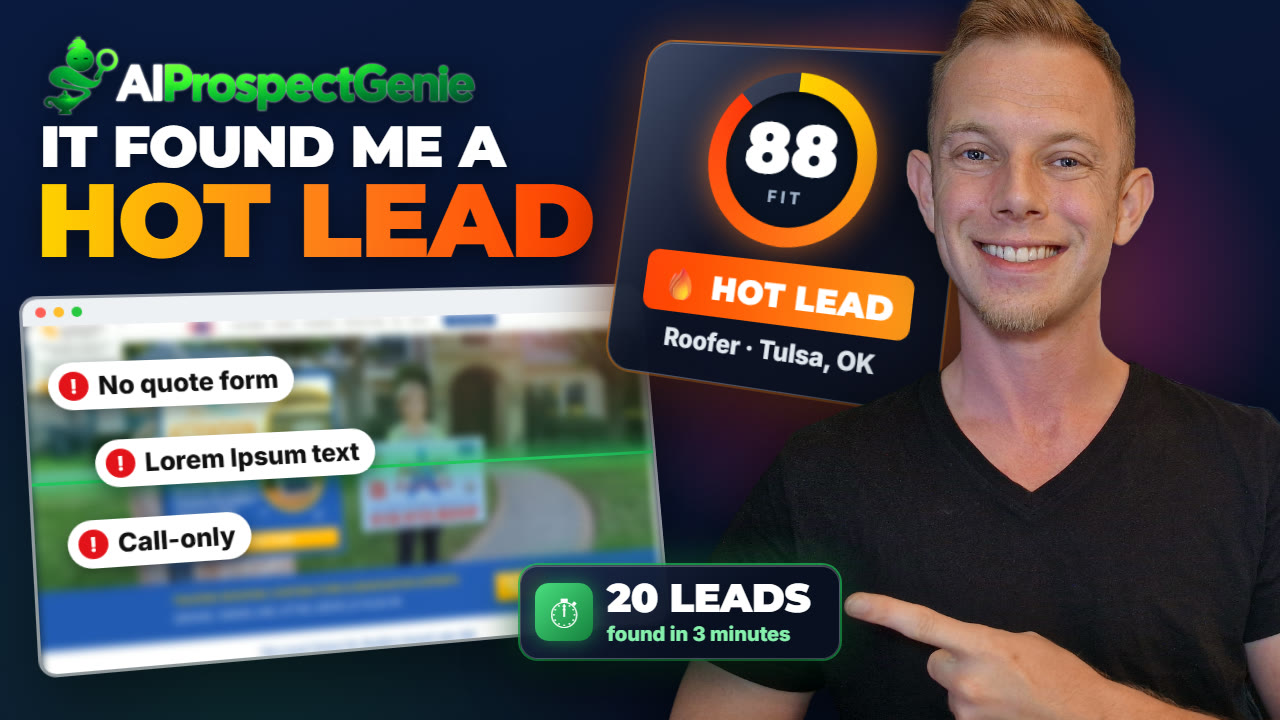
Hands-on review + bonuses
AI Prospect Genie Review: Watch It Find 20 Leads and Write the Pitch
I ran it on a real offer: website rebuilds for roofers in Tulsa. Every step is in the video.
4.4 / 5 my rating · product by Wayne Crowe
 Get AI Prospect Genie + My 11 Bonuses →
$27 one time · 14-day refund guarantee
Want every upgrade? Get the Bundle for $297 →My test run
From an empty campaign to a written pitch in under 8 minutes
20leads
20 Tulsa roofing leads found in about 3 minutes10strong fits
10 of the 20 scored as strong fits, with reasons from each website20seconds
About 20 seconds to write a personal email to the best lead$27one time
$27 one time for the front end, with a 14-day refundWorth it if you sell a service to local businesses, and finding and pitching them is what holds you back.
Skip it if you are not selling a service. It finds and pitches clients, it does not build what you sell them.
My Verdict for AI Prospect Genie
AI Prospect Genie bonus package
11 bonuses to close the clients it finds
Buy through my link and you get my agency kit, from pricing your offer to the follow-up that gets the reply. All 11 are exclusive to my link.
Bonus 1
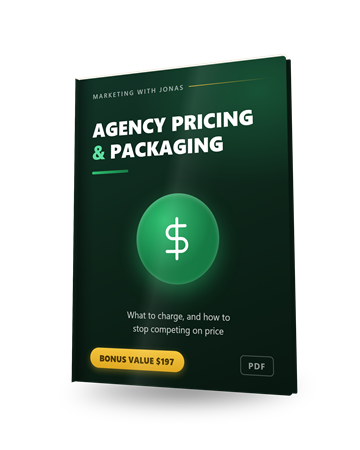
Agency Pricing & Packaging Guide (PDF)
Three service packages with price bands, how to set your price from the client's customer value, answers to the four objections and a one-page proposal. Fill in the campaign's pricing field with confidence.
$197 value
Bonus 2
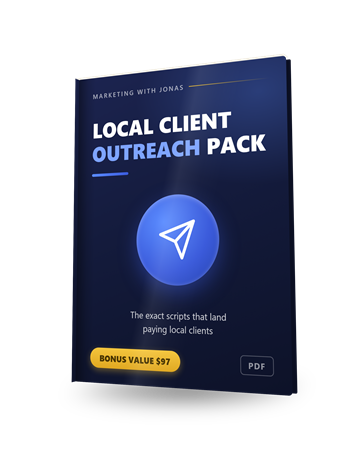
Local Client Outreach Pack (PDF)
Cold-email follow-ups, DM and walk-in scripts and objection answers. Send the AI's email first, then use these for the second and third touch.
$97 value
Bonus 3
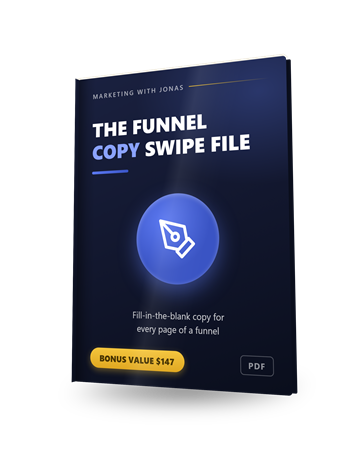
The Funnel Copy Swipe File
Every email ends with a button to your agency page. These fill-in-the-blank templates help you write the page it lands on.
$147 value
Bonus 4
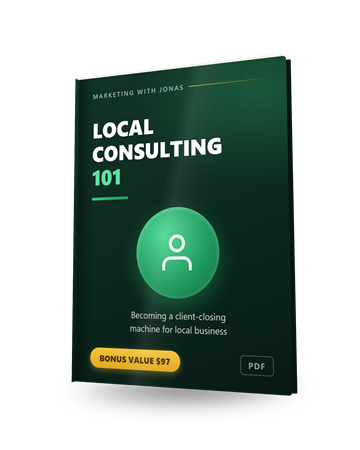
Local Consulting 101
How to run the call when a roofer replies: the conversation, the objections you will hear and how to price a monthly retainer.
$97 value
Bonus 5
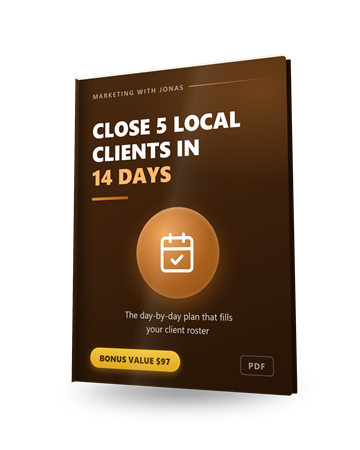
Close 5 Local Clients in 14 Days
A day-by-day plan for your first client roster. With 20 scored leads per search, the fortnight's schedule is realistic.
$97 value
Bonus 6
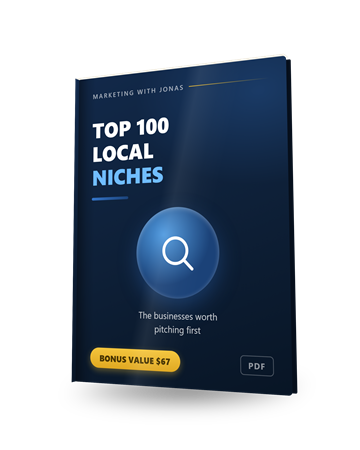
Top 100 Local Niches
The hundred local business types worth pitching. Each one is a new search term for the lead finder, city after city.
$67 value
Bonus 7
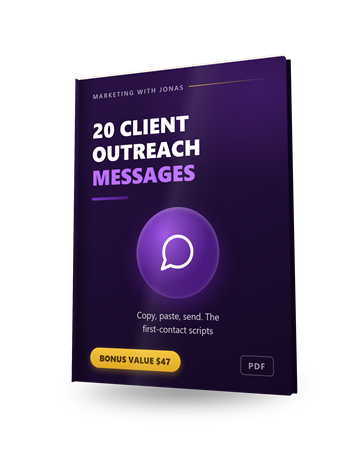
20 Client Outreach Messages
Twenty first-contact messages for social and DMs, for the leads that came back without an email address.
$47 value
Bonus 8
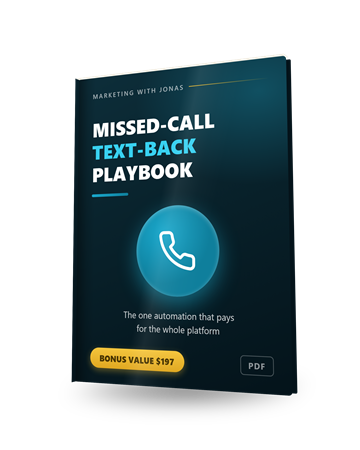
The Missed-Call Text-Back Playbook
Call-only businesses like the roofers in this review lose jobs to missed calls. A second service to sell them, built end to end in a GoHighLevel-style platform like MegaBuilder.
$197 value
Bonus 9
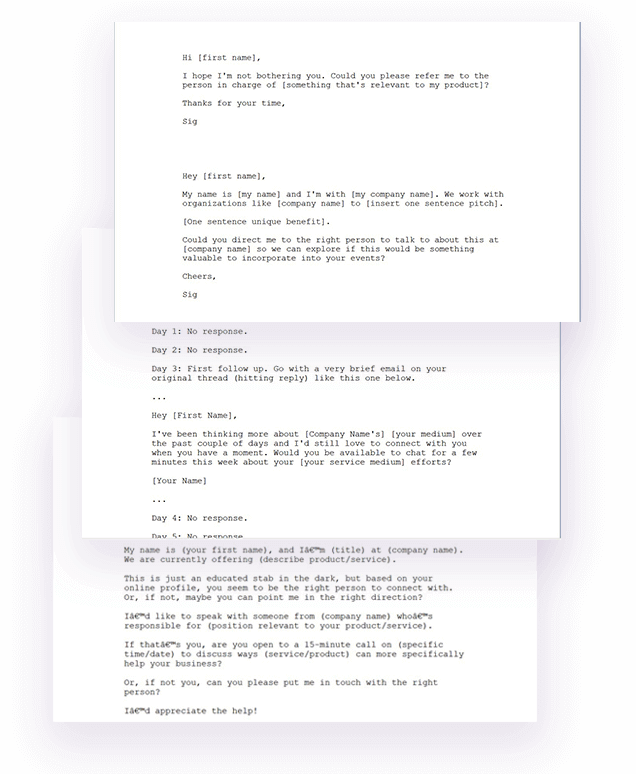
4-Part Client-Getting Email Sequence
A cold-to-client email sequence for local businesses. Use it as the follow-up after the AI's first email.
$297 value

Bonus 10
High-Paying Clients Secrets
An 8-part video course on landing bigger clients: positioning, qualifying, the sales process, objections and pricing.
$197 value

Bonus 11
1-on-1 Personal Mentoring
A direct line to me on WhatsApp about your offer, your first campaign or what to charge. Send text, voice notes or screenshots and I will tell you what I would change.
$497 value
Pricing and upgrades
Start at $27. Add an upgrade only if you need it.
Front EndStart here
AI Prospect Genie Core
$27one-time
- Google Maps lead finder
- 500 lead credits
- AI Lead Analyst with fit scores
- Personal AI outreach emails
- Notes and pipeline
- 14-day refund guarantee
- Optional Unlimited add-on: $27 a month
BundleEverything
AI Prospect Genie Bundle
$297one-time
The front end plus all 4 upgrades:
- MegaBuilder Prospect Follow-up System $47
- VibeGenie Core + CMO $67
- AI Services Platform $97
- DFY First Client Campaign $297
Bought one by one: $535
Optional upgrades
Upgrade 1My pick
MegaBuilder Prospect Follow-up System
$47one-time
- Leads import with their emails
- Done-for-you follow-up workflow
- Agency page to book calls
- Email marketing, CRM, pipelines, calendar
Add it to send and follow up from inside the app.
Upgrade 2
VibeGenie Core + CMO
$67one-time ($47 downsell)
- Find demand for AI apps and software
- Validate ideas
- Sales copy and marketing materials
Upgrade 3My pick
AI Services Platform
$97one-time
- AI website and app building
- AI chatbots
- AI voice agents
- Google Review AI
Add it if you need a way to build what you sell.
Upgrade 4
DFY First Client Campaign
$297one-time
- The vendor's team builds the solution for your first client
My honest read on the funnel. Start with the $27 front end: everything up to the approved email in this review ran on it, and Copy HTML gets the email into any tool you already use. Add MegaBuilder if you want to send and follow up without leaving the app, and the AI Services Platform if you need a way to build the websites, chatbots or voice agents you sell. If you want both, look at the bundle.
Read the full written review
What AI Prospect Genie does, in one sentence
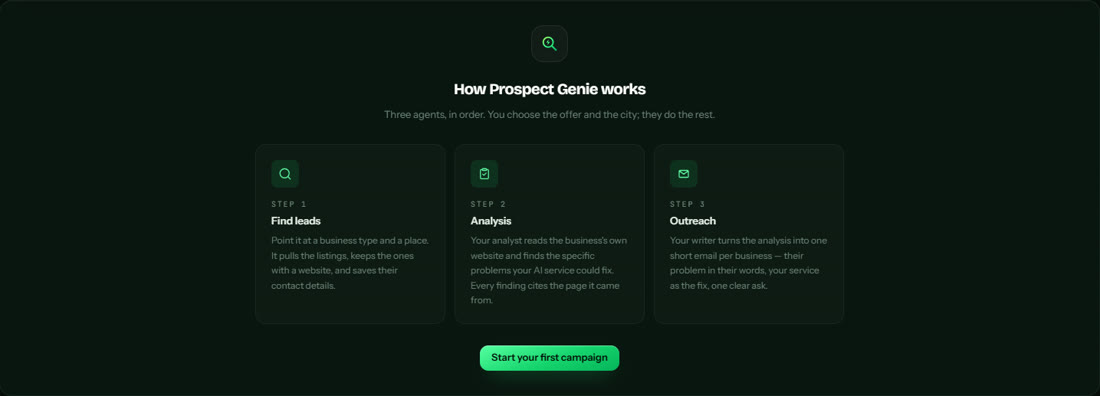
You tell it what you sell, which kind of business and which city, and three AI agents find those businesses on Google Maps, read each one's website to spot what it is missing, and write a personal email pitching your fix.
The sales page sells the dream of landing clients for simple AI services without cold, generic pitches. So in this AI Prospect Genie review I ran the whole thing on one real offer: website rebuilds for roofing contractors in Tulsa, Oklahoma. Every number below is from that run.
Who this is for
You want to sell a service to local businesses, and finding and pitching them is the part that stops you.
The new AI or web agency
You know what you want to sell. AI Prospect Genie tells you who to sell it to and what to say first.
The freelancer who builds websites
Point it at one trade in one city and get a ranked list of businesses whose sites need you.
The local marketer
Already selling chatbots, reviews or automation? Add your own services and it pitches whichever fits each business.
Agencies outside the US
Search any city and write the emails in one of 16 languages, so the same workflow runs in your own market.
Who should skip it: anyone who is not selling a service to businesses. AI Prospect Genie finds and pitches clients; it does not build the website, chatbot or voice agent you sell them.
How To Use AI Prospect Genie, step by step
This is the run behind my AI Prospect Genie review: one offer, one trade, one city, from an empty campaign to an approved email.
Step 1: Pick your offer and your city
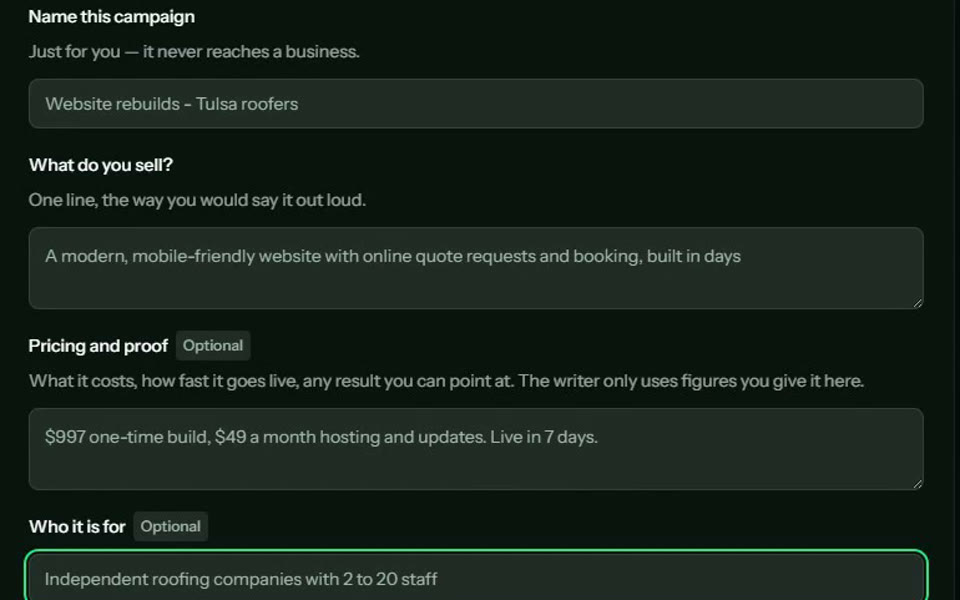
A new campaign asks what you sell, in one line, the way you would say it out loud. Mine: a modern, mobile-friendly website with online quote requests and booking. You can add your pricing and proof (the writer only uses figures you give it), who the offer is for, the tone of the emails and one of 16 languages.
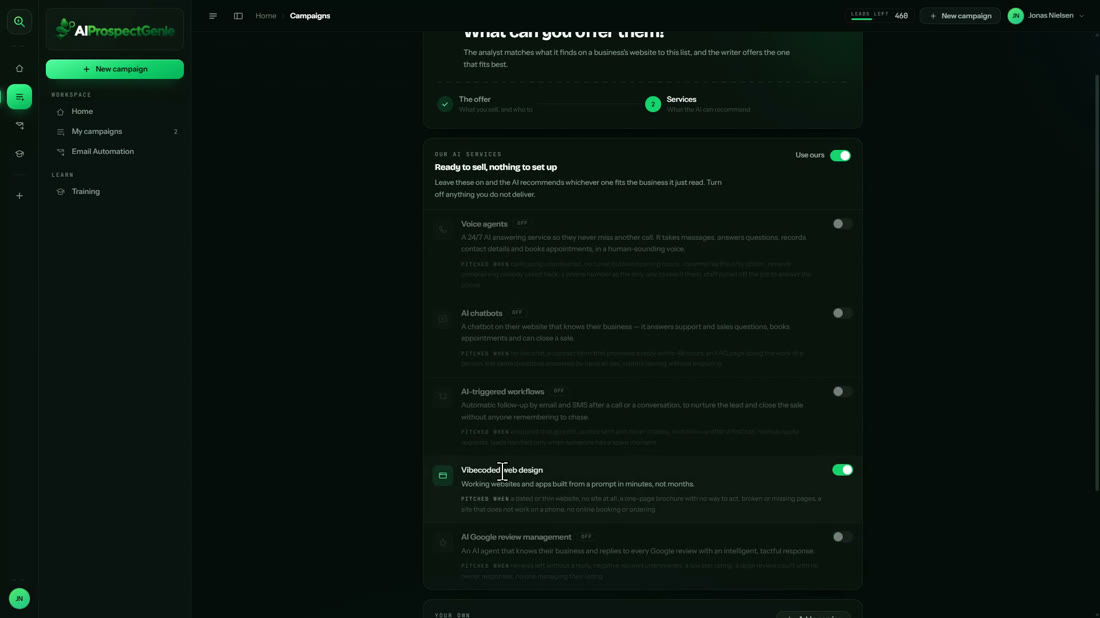
Next come the services the AI is allowed to recommend. Voice agents, chatbots, AI workflows, web design and Google review replies are built in, each with the signs that tell it when to pitch it, and you can add your own.
Step 2: Find the businesses
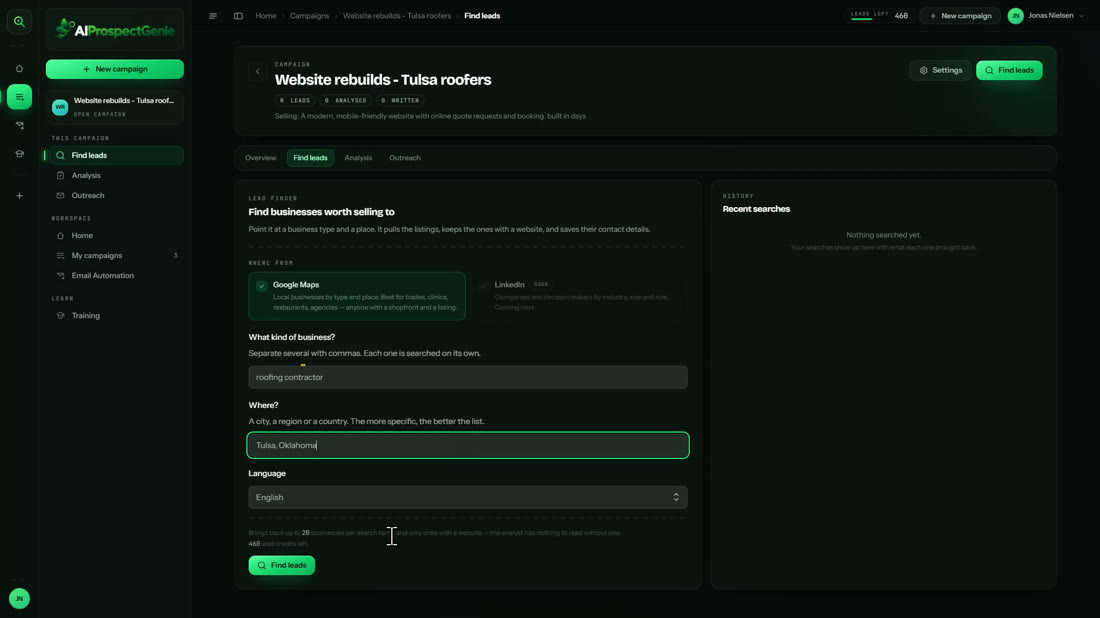
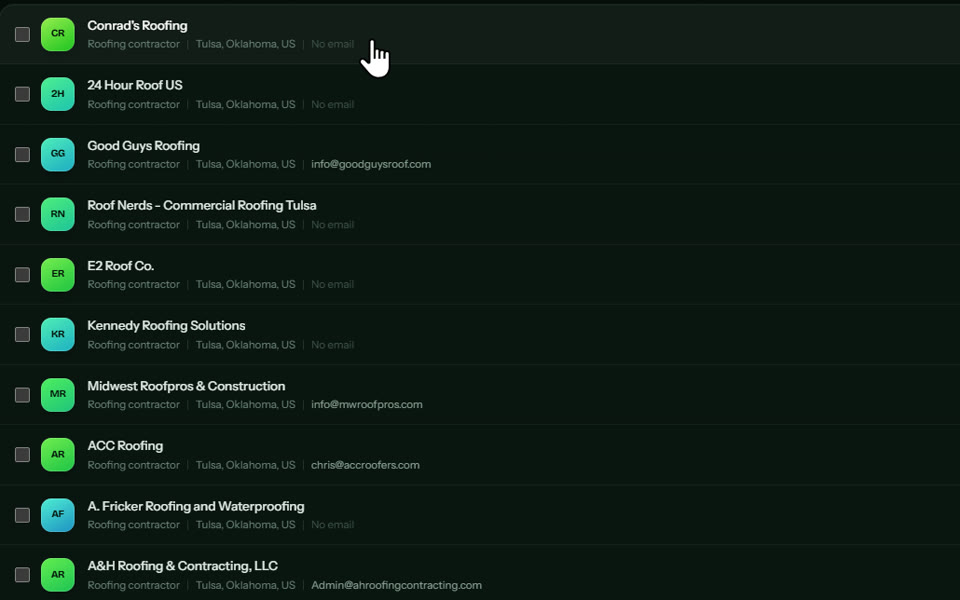
I typed roofing contractor and Tulsa, Oklahoma. The lead finder searches Google Maps (LinkedIn is listed as coming soon), brings back up to 20 businesses per search term and keeps only the ones with a website, because the AI needs a site to read. A few minutes later I had 20 Tulsa roofers with phone numbers, websites and, for 7 of them, an email address. For the rest, you have the phone number.
Step 3: Qualify them
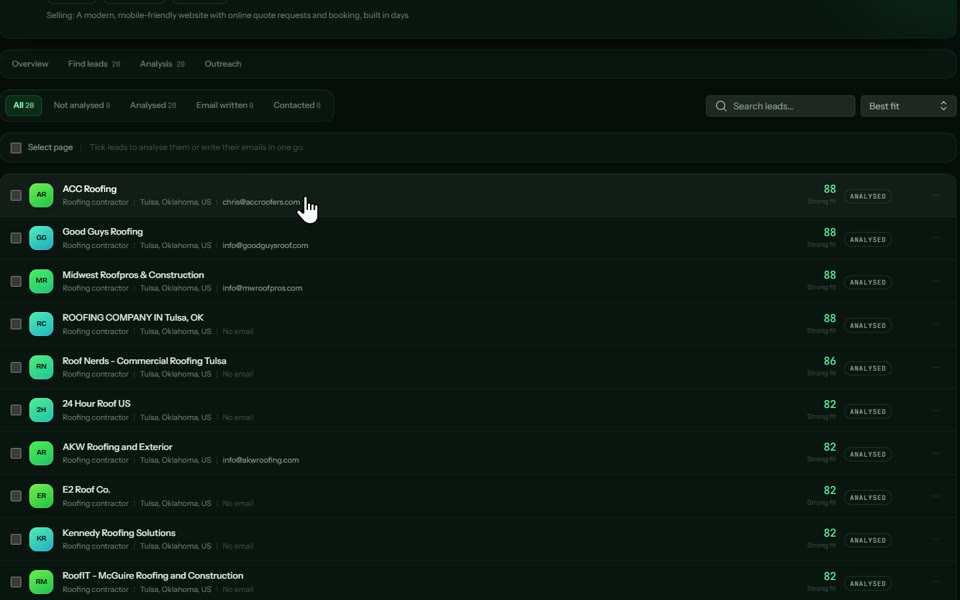
I ticked all 20 and clicked Analyse. The Lead Analyst reads each business's own website and gives it a fit score from 0 to 100 against your offer, with the problems it found, each one quoting the page and linking to it.
| Fit label | Scores | Roofers |
|---|---|---|
| Strong fit | 82 to 88 | 10 |
| Worth a shot | 62 to 72 | 4 |
| Long shot | 42 to 58 | 4 |
| Poor fit | 22 and 28 | 2 |
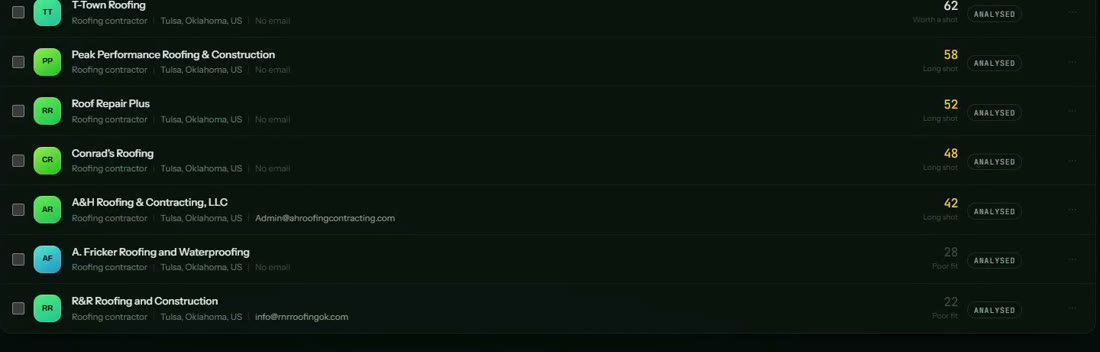
The top scorer was ACC Roofing at 88. The analyst found that the Recent Projects on its homepage still carry the template's dummy Lorem Ipsum line, that the copy promises a form to schedule an inspection that is not on the page, and that every button leads to a phone call. Each finding links to the exact page.

Step 4: Write the email
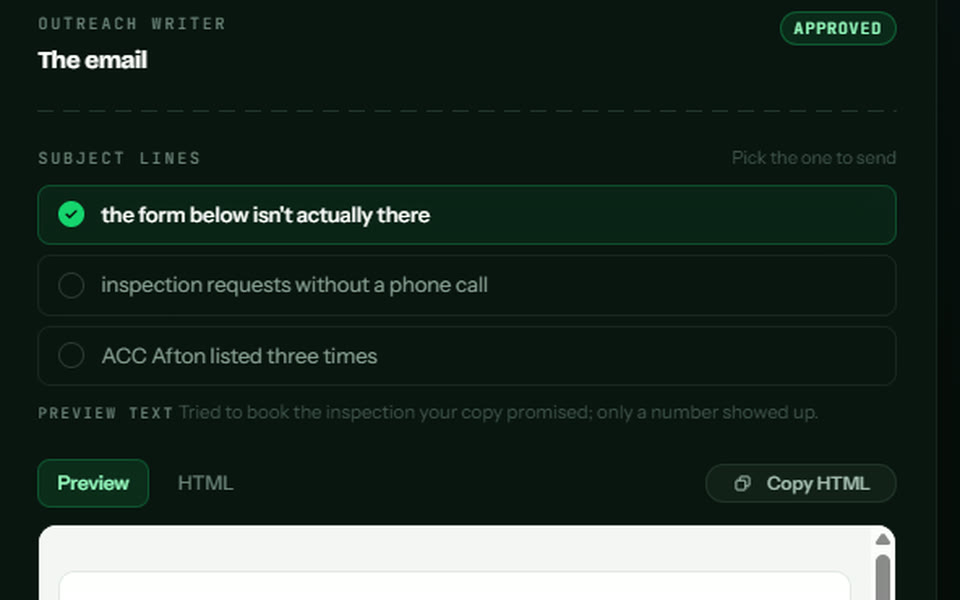
One click on Write the email and about 20 seconds later you get three subject lines, preview text and a short HTML email built around what the analyst found. ACC's email opens with the missing inspection form and the placeholder text, offers one service (the website) and ends with a button to your agency page. You can edit it, rewrite it or approve it, and Approve all drafts handles a whole campaign at once.
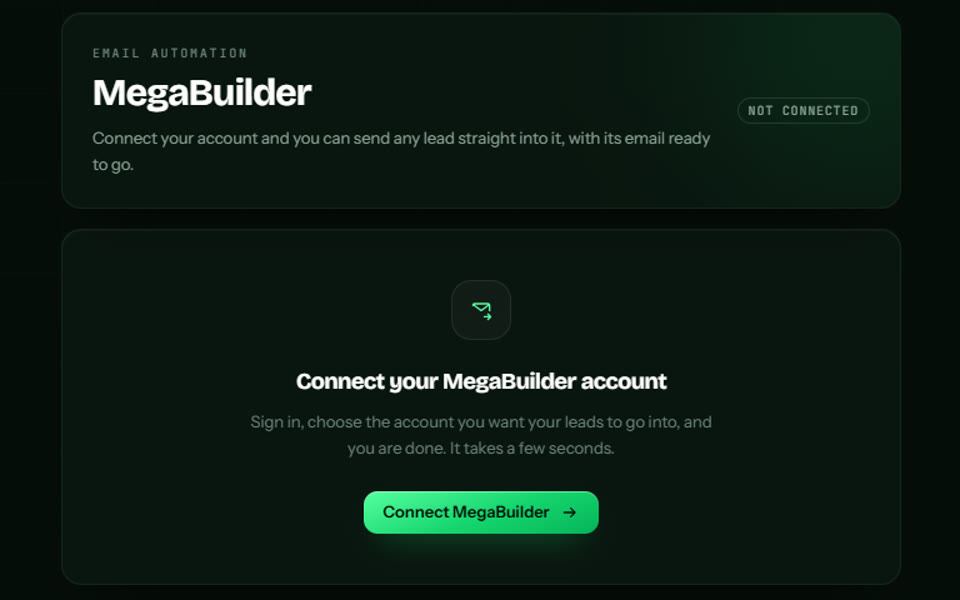
Then you send it. On the $27 front end you click Copy HTML and paste it into your own email tool. With the optional MegaBuilder upgrade, you connect your account once and each lead goes into MegaBuilder with its email ready to send and follow up.
Step 5: Follow up and deliver
Every lead has a notes field and a simple pipeline: mark it contacted, replied, won or lost. Once a roofer says yes, you build the site with your own tools, or with the AI website builder in the optional AI Services Platform upgrade.
What I measured
| Action | Result |
|---|---|
| Find 20 Tulsa roofers | about 3 minutes |
| Leads with an email address | 7 of 20 |
| Analyse all 20 at once | about 4 minutes |
| Strong fits (82 or higher) | 10 of 20 |
| Write one email | about 20 seconds |
| Lead credits used | 20 (1 per lead, 500 on the front end) |
5 Steps To Your First Website Client With AI Prospect Genie
1. Pick your offer and city
One line on what you sell, optional pricing and ideal client, the tone and the language. I chose website rebuilds for Tulsa roofers.
2. Find
Roofing contractor in Tulsa, Oklahoma: 20 businesses with websites in about 3 minutes, 7 of them with an email address.
3. Qualify
All 20 analysed in about 4 minutes and sorted by best fit. Ten scored 82 or higher; the top one, 88.
4. Prospect
Three subject lines and a personal email built on what the AI found on the roofer's site, in about 20 seconds.
5. Send and follow up
Copy the HTML into your own email tool, or connect the optional MegaBuilder upgrade to send and follow up from one place.
Key Features & My Honest Take
- Campaign setup (offer, pricing, ideal client, tone, 16 languages)Two minutes of setup that shapes every analysis and email. The pricing field is optional and the writer never invents figures.
- Built-in AI services with pitch triggersFive ready-made services, each with the signs that trigger it, plus your own. Switch off what you do not deliver and every pitch stays on your offer.
- Google Maps lead finderFast and simple: business type plus place. Up to 20 businesses per search term, so search several related terms for a bigger list.
- Contact detailsPhone and website on every lead, email where the business publishes one (7 of 20 Tulsa roofers). The phone covers the rest.
- Lead Analyst with fit scoresThe standout. It reads the business's own site, scores it against your offer and quotes the exact page, so you can check every claim.
- Personal outreach emailsThree subject lines, preview text and a short HTML email per lead, built on the findings. Edit, rewrite or approve.
- Bulk analyse and bulk writeTick 20 leads and analyse them in one go; Approve all drafts handles the rest.
- Notes and pipelineMark leads contacted, replied, won or lost and keep call notes on each one. Simple, and enough to stay organised.
- Email sending and follow-upSending from the app needs the optional MegaBuilder upgrade. On the front end you copy the HTML into your own email tool.
Pros
- Every finding quotes the business's own website and links to the page, so your pitch is specific and checkable.
- Honest fit scores: it tells you who not to pitch as clearly as who to call first.
- One trade in one city went from empty campaign to approved emails in under 15 minutes.
- The offer, services, tone and 16 email languages keep every email on your offer, in or outside the US.
- Phone numbers on every lead, so no-email businesses are still a call away.
Cons
- Sending and follow-up from the app need the optional MegaBuilder upgrade; on $27 you copy each email into your own tool.
- It finds and pitches the client; building the website, chatbot or voice agent is up to you or the AI Services Platform upgrade.
Pricing details
The front end is AI Prospect Genie Core at $27, a one-time launch price with a 14-day refund guarantee. It covers steps 1 to 4 of this review: the lead finder with 500 lead credits, the Lead Analyst and the personal emails. At checkout there is an optional Unlimited add-on at $27 a month for unlimited leads and analysis.
The upgrades add sending and delivery. MegaBuilder ($47) is the follow-up platform: leads import with their emails, plus a done-for-you follow-up workflow, an agency booking page, CRM, pipelines and calendar. The AI Services Platform ($97) is where you build what you sell: AI websites and apps, chatbots, voice agents and Google review replies. The Bundle is everything for $297.
Video transcript
00:00 Intro
This is Jonas and welcome to this AI Prospect Genie review. I've been inside it for a few days and I've used it to find 20 roofing companies in Tulsa, analyze every single website and write a personal email for each one. In this video I'll show you exactly what it is, the five steps to your first website client, the pricing and the upgrades and my exclusive bonuses that you get if you do decide to buy AI Prospect Genie through my link.
00:28 What AI Prospect Genie is
So what is AI Prospect Genie? It's a prospecting app for people who want to sell AI services to local businesses like websites, chatbots, or voice agents. You tell it what you're selling, which kind of business you want, and in which city and it goes and finds those businesses for you on Google Maps. Then the AI actually reads each business's own website and tells you exactly what's missing, like an outdated design, no online booking, or no way to request a quote. It gives every business a fit score, so you know who's worth contacting, and then it writes a personal email for each one built around the problems it found. So instead of sending the same generic pitch to 100 businesses, every email shows the owner that you've actually looked at their business, and that makes landing your first client a whole lot easier. Now let me show you how it works. Let me show you how it works.
01:25 Step 1: Pick your offer and city
Step one is deciding what you're selling and who you're selling it to. So I click New Campaign, and the first thing it asks for is a name. I'm calling mine Website Rebuilds Tulsa Roofers because that's exactly the plan. I'm going to sell modern websites to roofing companies in Tulsa, Oklahoma. Then you describe your offer in one line, the way you'd say it out loud. Mine is a modern, mobile-friendly website with online quote requests and booking. Down here you can add your pricing and any proof you have, and the writer only uses the numbers you put in here so it never makes up a price. I'm going with $997 for the build and $49 a month for hosting. And then who it's for, which for me is independent roofing companies with two to 20 staff. You can also pick the tone of the emails. I'm going with consultative, which means it leads with what it found on their website, and you can write the emails in 16 different languages so this works outside the US as well. On the next page you choose the services it's allowed to recommend. It comes with five ready-made services like voice agents, chatbots, and AI build websites, and each one has a list of signs that tell it when to pitch it. Since I'm only selling websites, I'm turning the other four off so every single email will be about the website. Then I hit create and find leads.
03:00 Step 2: Find the businesses
Step 2 is finding the businesses. The lead finder searches Google Maps and LinkedIn is listed as coming soon. I type in Roofing Contractor and then the city which is Tulsa, Oklahoma. Every search brings back up to 20 businesses per search term and it only keeps the ones that have a website because the AI needs a website to read. Each lead costs one credit and the front end comes with 500. I hit find leads and it goes to work. You can leave the page while it runs and a couple of minutes later I've got 20 roofing companies in Tulsa with their phone numbers, their websites and the email addresses it could find. Seven of these 20 came back with an email address which is pretty normal for local businesses and for the rest you've still got the phone number.
03:50 Step 3: Qualify them with AI
Step three is qualifying them. I tick select page. I hit analyze. And now the AI goes through all 20 websites one by one. This all runs in the background and it took about four minutes for all 20. Then I sort them by best fit. And as you can see the strongest one scored 88 out of 100. Further down you've got the weaker fit so you know exactly who to email first and who you can probably skip. So let's open ACC Roofing which got an 88. Up here you get a quick summary of the business. And right next to the score it tells you why it's a good fit. Basically their website is exactly the gap that my offer fills. And this is the part I really like under what they're losing money on it found that their homepage still has the placeholder text from the template. So it literally says, Lorem Ipsum under recent projects. It also noticed that the site keeps telling people to use the form below but there's no working form. So everything has to go through the phone. Further down it tells you which service to pitch them, what you could actually do about it. And a few things that are worth knowing before you reach out. Every finding quotes the website and links to the exact page so you can check it yourself. So if I click the link here's their website and when I go down to recent projects and hover over the photos, there it is, Lorem Ipsum right on their homepage. That's the kind of detail that makes a roofer actually read your email.
05:30 Step 4: The personal email
Step four is the actual prospecting email. Back in the app, I hit write the email and it only takes a moment. You get three different subject lines to pick from like the form below isn't actually there which is a pretty good reason to open an email if you're the owner. And here's the email itself. It opens with how it tried to book the free inspection that their website promises and only got a phone number and then it points out the Lorem Ipsum on their recent projects. So it's not a template with the name swapped in. It's written for this one roofer and it ends with a button that links to your booking page. You can switch over to the HTML and you can copy the whole email with one click and paste it into whatever email tool you're already using. Underneath it even tells you why it went with this angle and if you don't like it you can rewrite it or edit it yourself when you're happy you just hit approve. All your emails end up in the outreach tab ready to go if you want them sent automatically with follow ups that needs the optional MegaBuilder upgrade which I'll get to in a minute. On the front end you simply copy them over or you pick up the phone because you've got the number right there.
06:50 Add your own service
You're not stuck with the five built-in services either. In the campaign settings you can add your own, so I'm adding local SEO pages which means a page for every service and every town a roofer covers. You describe what the service does and then the signs that tell the AI when to pitch it like no pages for the towns they serve or placeholder text left on the site. Then I add it and save the campaign. Now I go back to ACC Roofing and under the three dots I hit re-analyse. A little while later it's read the site again and as you can see my local SEO pages now shows up as a best fit as well because it noticed that all their services are crammed onto one page and Tulsa doesn't even have its own page. So now I've got a second thing to sell the same roofer.
07:47 Pricing and upgrades
The front end of AI Prospect Genie is $27 and that's a one-time payment. It comes with 500 lead credits, the AI analysis and the email writer, so everything I've shown you so far. On the order form there's an optional add-on for $27 a month which gives you unlimited leads and unlimited analysis. Then there are a few upgrades. The first one is MegaBuilder for $47 which is the follow-up system so your leads and their emails go straight into it ready to send and follow-up with a customer database and a booking calendar. The second one is VibeGenie for $67 which helps you find AI products to sell. The third one is the AI Services Platform for $97 where you can build the websites, chatbots and voice agents you're selling and the last one is a done for you campaign for $297 where the team builds the solution for your first client. If you want everything there's also a bundle for $297. If you're serious about selling AI services I'd look at MegaBuilder and the AI Services Platform because those cover sending the emails and delivering the work and you've got a 14-day money back guarantee so you can try it out without any risk.
09:12 Verdict and my bonuses
So is AI Prospect Genie worth it? If you want to sell AI services or websites to local businesses and finding the right clients is what's holding you back, then I think it's a really solid tool. It finds the businesses, it reads their websites for you, and it writes an email that actually shows you've looked that ACC Roofing email is something I'd be happy to send myself. Just keep in mind that the front end is the prospecting part. If you want the email sent automatically or the tools to build what you sell, that's in the upgrades I showed you. And if you do decide to get AI Prospect Genie through my link, you also get my exclusive bonus package, which is all about closing the clients it finds. You get my agency pricing and packaging guide, my local client outreach pack, a funnel copy swipe file, local consulting 101, close five local clients in 14 days, my top 100 local niches, 20 client outreach messages, the missed call text back, playbook, a four part client getting email, sequence high paying clients secrets, and one on one personal mentoring with me. You can click the link below in the video description, which will take you to my full review page with all the bonuses. If you have any questions, please leave a comment below in the YouTube comment section and I'll get back to you as soon as possible. So with that being said, thanks for watching this AI Prospect Genie review and I'll see you either on the inside or in another video.
FAQ
What is the verdict of this AI Prospect Genie review?
Worth it if you sell a service to local businesses and finding and pitching them is what holds you back. In one run it found 20 Tulsa roofers, scored every one and wrote a personal email for the best fit, built on what it found on their site.
Does AI Prospect Genie send the emails for me?
On the $27 front end you click Copy HTML and send from your own email tool. Sending and follow-up from the app need the optional MegaBuilder upgrade.
Where does it find the businesses?
Google Maps, up to 20 businesses per search term, and only ones with a website. LinkedIn is listed as coming soon.
Does every lead come with an email address?
No. It saves the email where the business publishes one (7 of 20 Tulsa roofers in my test). Every lead has a phone number and website.
Does it build the website or chatbot I sell?
No. The front end finds, qualifies and pitches the client. The building tools are in the optional AI Services Platform upgrade, or you use your own.
How many leads do I get?
The front end comes with 500 lead credits, one per lead found. The Unlimited add-on removes the limit.
Is there a refund policy?
Yes, a 14-day refund guarantee.
Last updated

Jonas Nielsen
Marketing software reviewer
I've tested 100+ marketing tools hands-on and publish full demos and honest verdicts on YouTube, where 4,800+ people follow along. I only recommend software I've actually logged into and used myself.