
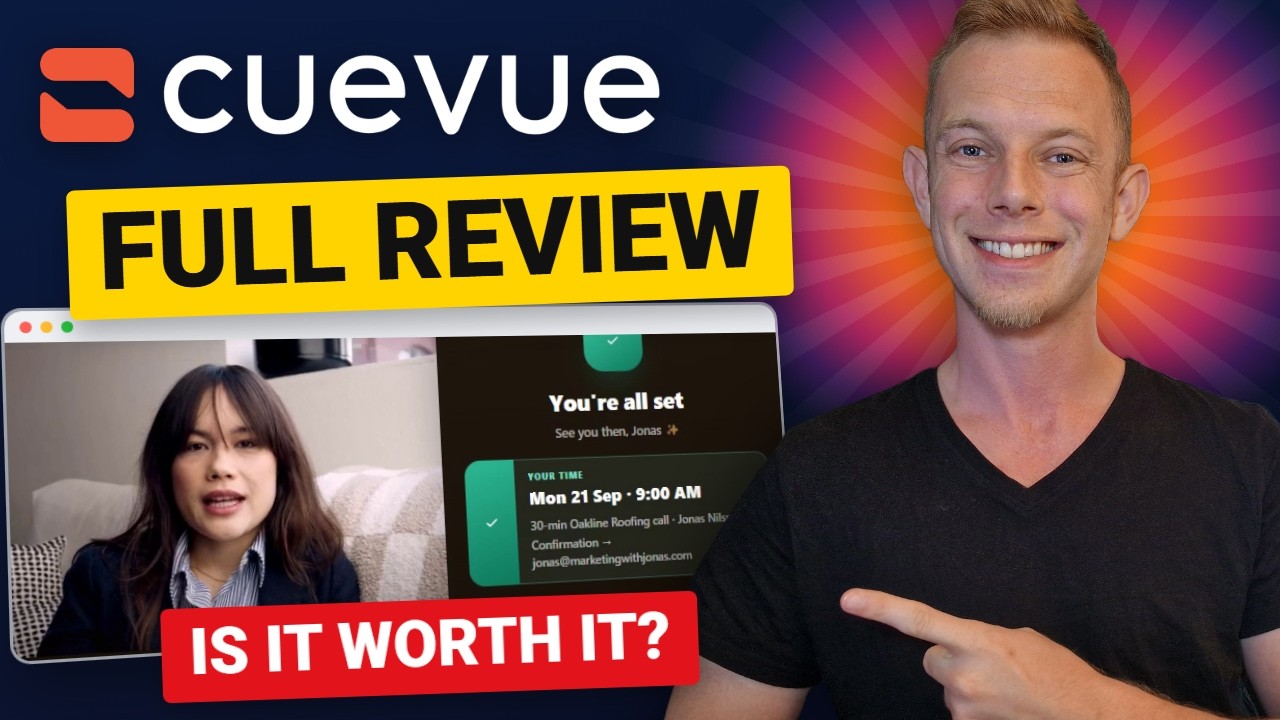
Hands-on review + bonuses
CueVue Review: I Put a Talking AI Rep on a Roofing Website and Called Her
My hands-on CueVue review: I built a talking website rep for a made-up roofing company, called her with a leak, watched her book the inspection, and read the lead file she wrote. Every step, timed.
4.5 / 5 my rating · product by Todd Gross

 Get CueVue + My 12 Bonuses →
My test run
From a website link to a talking rep that books the appointment
7seconds
About 7 seconds for CueVue to read the business and build its knowledge40seconds
About 40 seconds to draft the rep: name, role, mission and opening line10seconds
About 10 seconds to put her live as a widget on the website3:48call
A 3 minute 48 second call, and she booked the roof inspection and wrote the lead fileWorth it if you want a talking rep that answers from a business's own information and books appointments, especially if you sell that to local businesses.
Skip it if the website has no visitors. She only talks to people who are already on the site.
My Verdict for CueVue
CueVue bonus package
CueVue Bonus Package: Land the Clients Who Pay for the Rep
Buy CueVue through my link and you get my agency bonus package on your JVZoo receipt right after purchase. CueVue builds the rep; these cover the part the software cannot do, which is finding the roofer, the dentist or the clinic and closing them.
Bonus 1
Local Client Outreach Pack (PDF)
The cold-email sequence, DM and walk-in scripts, objection answers and pricing models for landing your first paying local clients. Build their rep first, then send message one with the demo link.
$97 value
Bonus 2
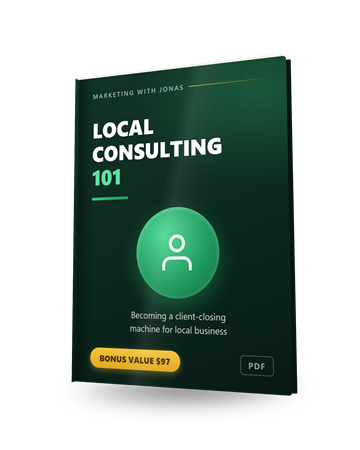
Local Consulting 101
CueVue builds the rep. This teaches you to close the person who pays for it: how to run the conversation, handle the objections you will actually hear, and price a monthly retainer for a talking website rep.
$97 value
Bonus 3
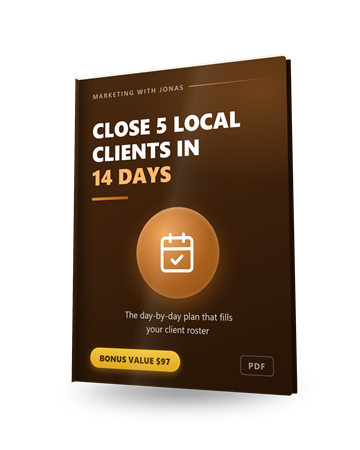
Close 5 Local Clients in 14 Days
A day-by-day plan for filling your first client roster. Building a rep for a prospect takes a few minutes in CueVue, so the fortnight's schedule is realistic.
$97 value
Bonus 4
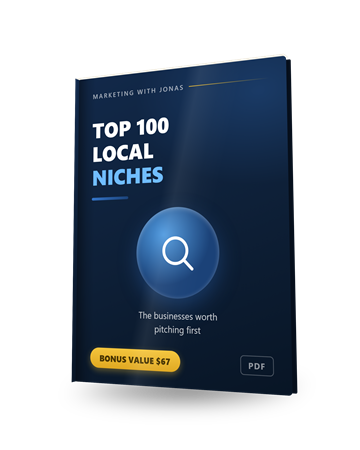
Top 100 Local Niches
The hundred local business types worth pitching, so you are not staring at a map wondering who to build a rep for first. Roofers, dentists and clinics are the obvious three; there are 97 more.
$67 value
Bonus 5
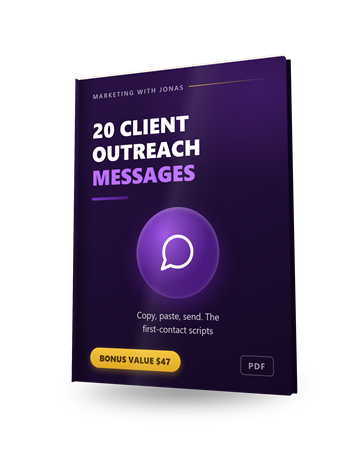
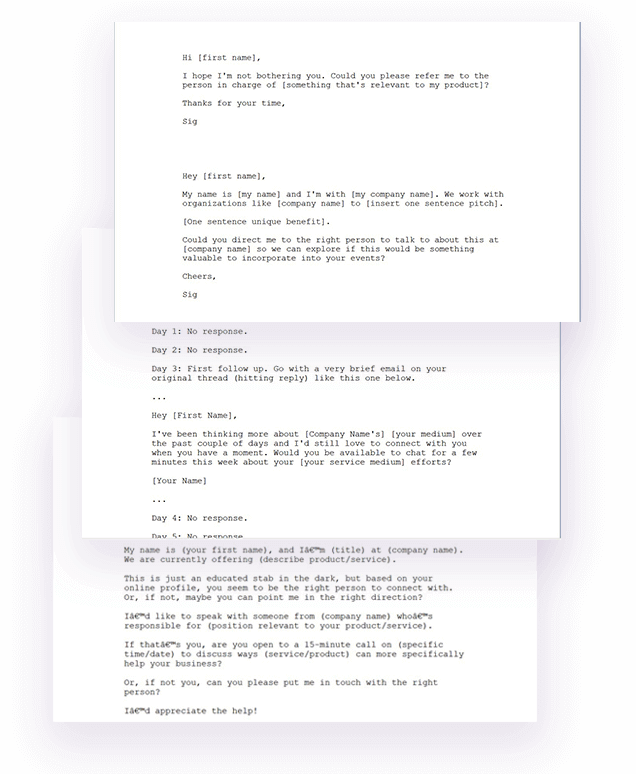
20 Client Outreach Messages
Twenty first-contact messages you can copy, paste and send. The awkward part of the demo-first approach is the opening line to a stranger who did not ask for a talking rep. These are that line.
$47 value
Bonus 6
4-Part Client-Getting Email Sequence
A cold-to-buyer email sequence written for real estate, HVAC, insurance and dentists. Swap in the demo link to the rep you built for them.
$297 value

Bonus 7
High-Paying Clients Secrets
An 8-part video course on closing bigger clients: positioning yourself as the expert, qualifying, the sales process, objections and pricing. A talking rep is an easy demo; this is how you charge properly for it.
$197 value

Bonus 8
1-on-1 Personal Mentoring
A direct line to me on WhatsApp for questions about your first client's rep, the knowledge base, the capture form or what to charge. Send text, voice notes, links or screenshots and I will tell you what I would change.
$497 value
Bonus 9Vendor Bonus
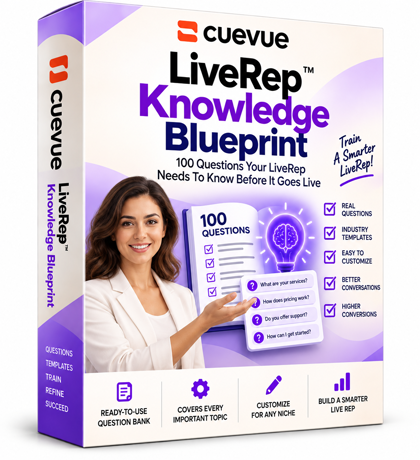
LiveRep Knowledge Blueprint
100 questions your rep should be able to answer before it goes live, across pricing, objections, policies, appointments and support, plus a five minute audit and a stump test to find the gaps in its knowledge.
Bonus 10Vendor Bonus
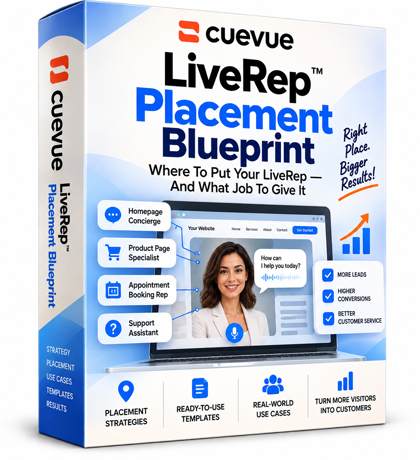
LiveRep Placement Blueprint
Where to put a rep and what job to give it, mapped across the journey: home page, product, pricing, checkout, onboarding and support. Each placement lists the visitor's mindset, the mission, the knowledge it needs and what it should capture.
Bonus 11Vendor Bonus
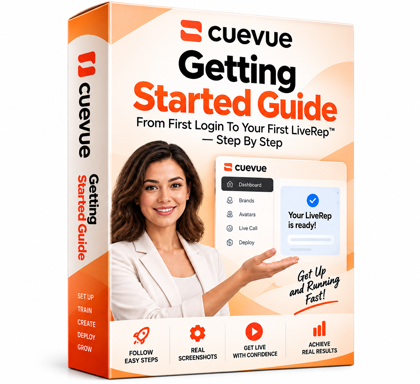
CueVue Getting Started Guide
A step by step walkthrough with real CueVue screenshots: add the business, build its knowledge, create the rep, set its mission, face and voice, then put it on a website and take it live.
Bonus 12Vendor Bonus
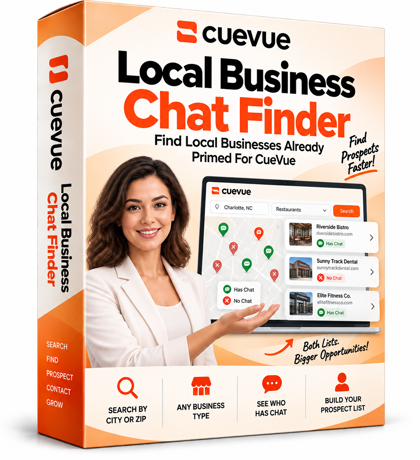
Local Business Chat Finder
Search local businesses by town and type and see which sites already run a chat widget. The ones that do are the easiest pitch: they already pay to talk to visitors, so you show them what a talking rep does instead.
Pricing
CueVue pricing
Launch Bundle
CueVue All Access Bundle
$167one-time
- Full avatar builder, 10 stock faces, standard engine, up to 3 live conversations at once, unlimited typed conversations
- 30 done-for-you templates (36 launch kits in the app)
- Go Global + Follow-Up: 70+ languages, translated captions, follow-up sequences
- CueVue Agency: 10 client workspaces, client sub-logins, white-labelled reporting
- 1,000 extra credits (1,300 total)
- Gemini brain free for 45 days or 100 minutes during launch
- 14-day money-back guarantee
Order Bump
CueVue Credit Top Off
$47one-time
- 600 additional credits for your website conversations
- Most useful on the Platinum engine, which uses 25 credits a minute
- A checkbox on the order form, added to the All Access Bundle
Checkout Upgrade
CueVue Mega Bundle
$297one-time
- Premium and Platinum engines
- 100 agency workspaces instead of 10
- 30 additional premium and Platinum faces
- 2 custom LiveReps with optional voice cloning
- 2,000 additional credits (3,300 total)
- Done-for-you Agency Launch Kit: agency website, one-pagers, outreach sequence, pitch decks, proposals, SOPs
- Private CueVue mastermind access
- Offered as a checkbox on the order form
Downsell
Mega Bundle Lite
$147one-time
- Everything in the Mega Bundle minus the masterclass call
- 1,000 additional minutes instead of 2,000
My honest read on the funnel. Start with All Access. Everything in this review ran on it, and it already has more faces, templates and minutes than one person will use in the first month. The $47 credit top-off only matters if you plan to run a lot of calls on the Platinum engine, which uses 25 credits a minute. The Mega Bundle is for someone who already knows they will sell this to clients: 100 workspaces instead of 10, custom reps with voice cloning, 3,300 credits and the Agency Launch Kit. It sits on the order form as a checkbox, so if that is you, decide at checkout. I only link to the All Access Bundle on this page, per the vendor's affiliate terms.
Read the full written review
What CueVue does, in one sentence
You give CueVue a business, it builds a talking, photoreal AI rep that sits in the corner of that business's website, answers visitors out loud from the business's own information, takes their details and books them in.
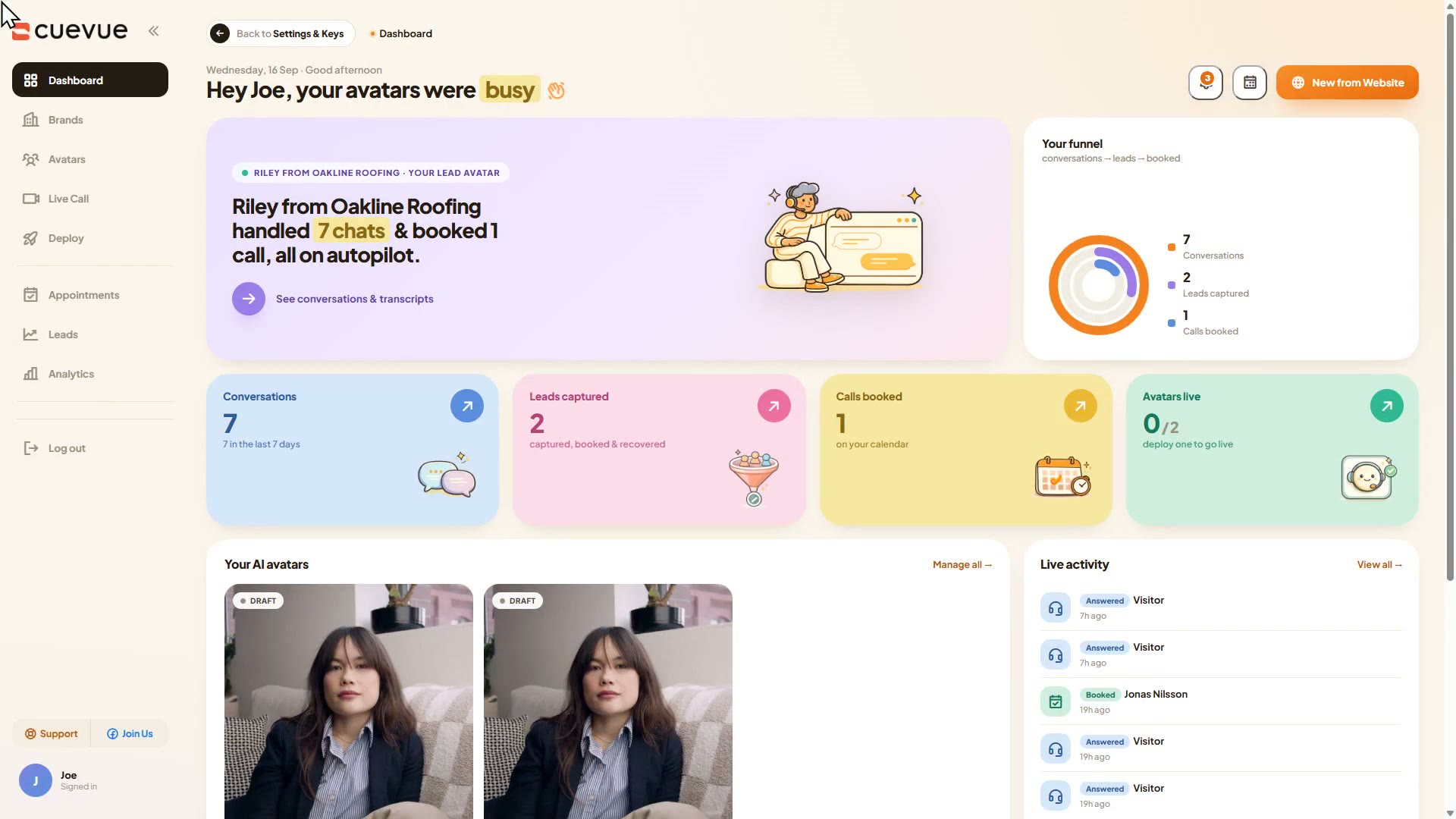
That is the promise on the sales page, and the reason I wanted to test it properly is the agency angle: if it works, you can build one of these for a roofer or a dentist before you ever speak to them, and let their own website do the pitch. So in this CueVue review I did not poke at features. I made up a roofing company, Oakline Roofing in Tulsa, built it a demo website, turned it into a brand, built the rep, put her on the site, and then called her the way a homeowner with a leak would. Everything below is what happened, with what I clicked and how long it took.
Who this is for
You want a website that answers questions and books appointments on its own, or you want to sell exactly that to local businesses.
The agency or freelancer selling to local businesses
The core use case. Build the rep for a roofer, a clinic or a law firm from their website, send them the demo, and hand it over with one line of code. Every client is its own brand in the account.
The local business owner with website traffic
If people land on your site with questions that cost you calls or leads, the rep answers them out loud, takes their name and number, and books the visit into a diary you can read.
The course or software seller with a sales page
A rep under the sales video that answers objections and captures the email is the same build, just a different brand and a different capture form.
Who should skip it: anyone with no website traffic. The rep only talks to people who are already on your site, so with no visitors there is nothing for her to do. Skip it too if you would rather answer your own customers yourself, or if you do not want an AI face speaking for your business. And she only replies to people who come to you, so look elsewhere if you want something that goes out and chases leads.
How to Deploy an AI Live Rep in 4 Steps with CueVue (mini guide)
The dashboard tells you the loop on the first screen: start from a website, customise and preview, deploy and go live. For an agency it is really four steps, and the fourth one is the report you send the client. Here is the whole run on Oakline Roofing.
Step 1: Turn the business into a brand (about 7 seconds)
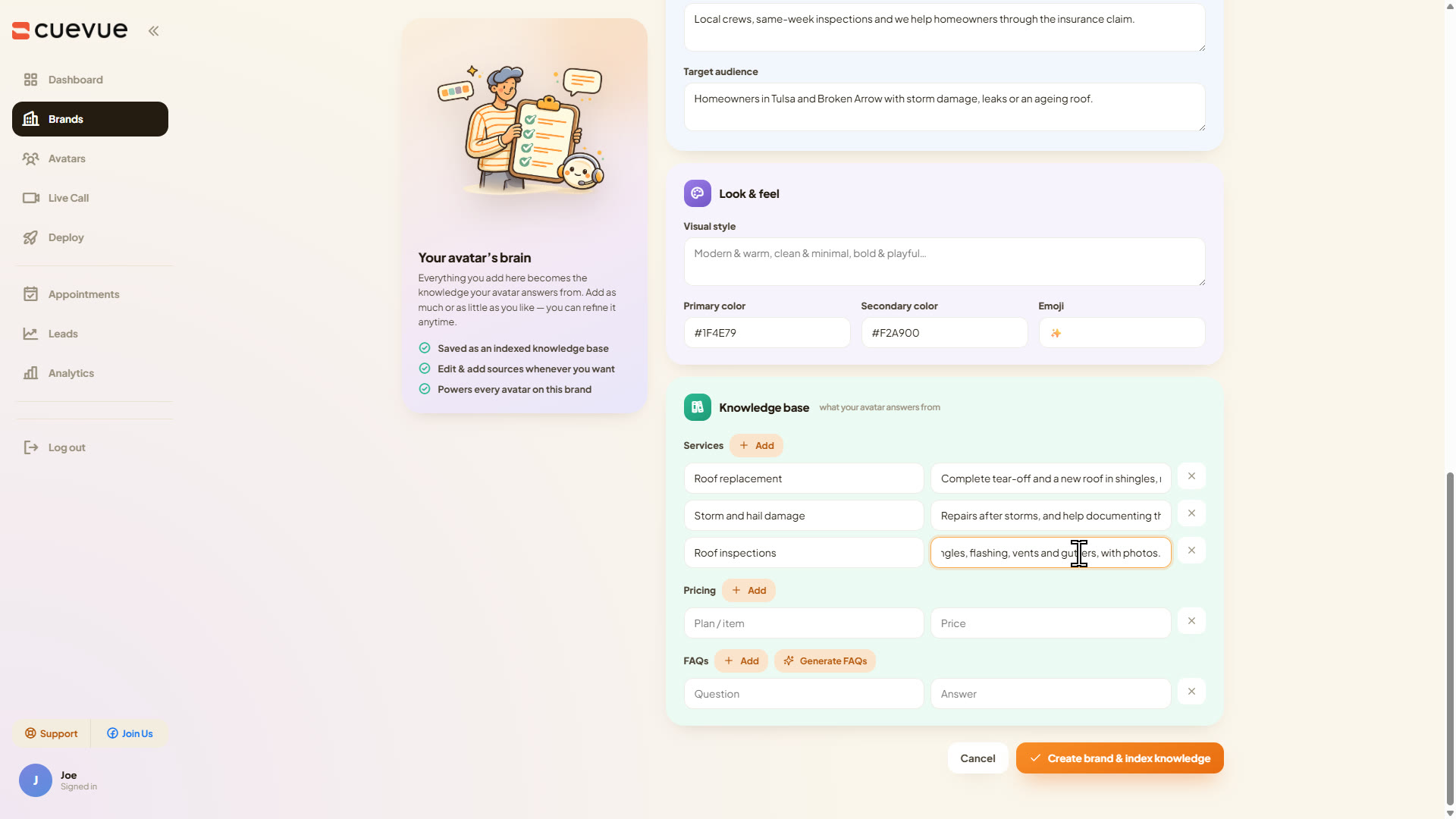
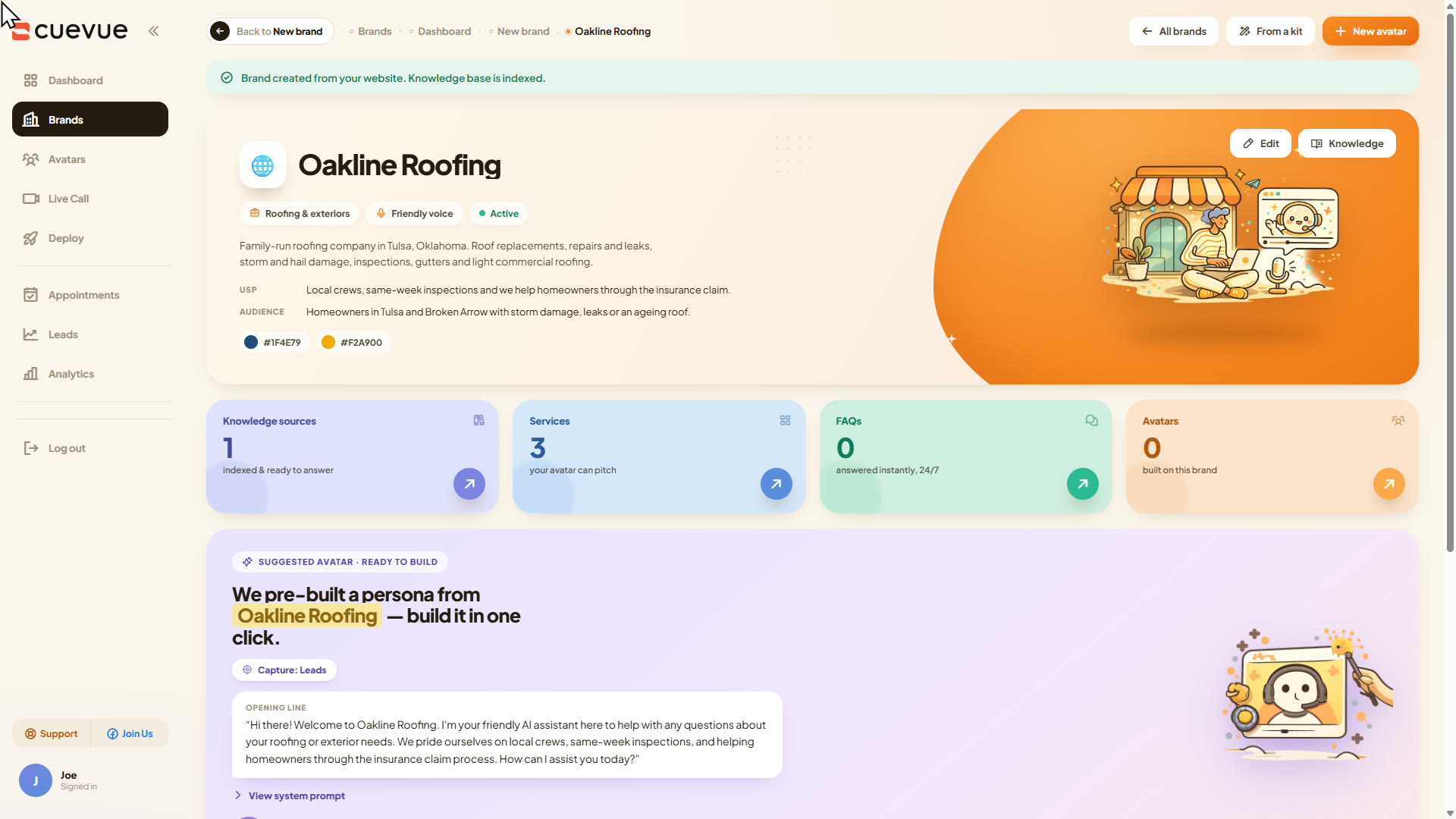
A brand is everything the rep is allowed to know. The normal way in is New from Website: paste the business's address and CueVue reads the pages, the services, the pricing and the common questions and builds the profile in about a minute (I measured 14 and 21 seconds on the import itself). My demo site only runs on my own machine, so I used the manual form instead and typed in the business, the services and two brand colours. I left the prices empty on purpose, because I wanted to see what she does when a visitor asks what a new roof costs.
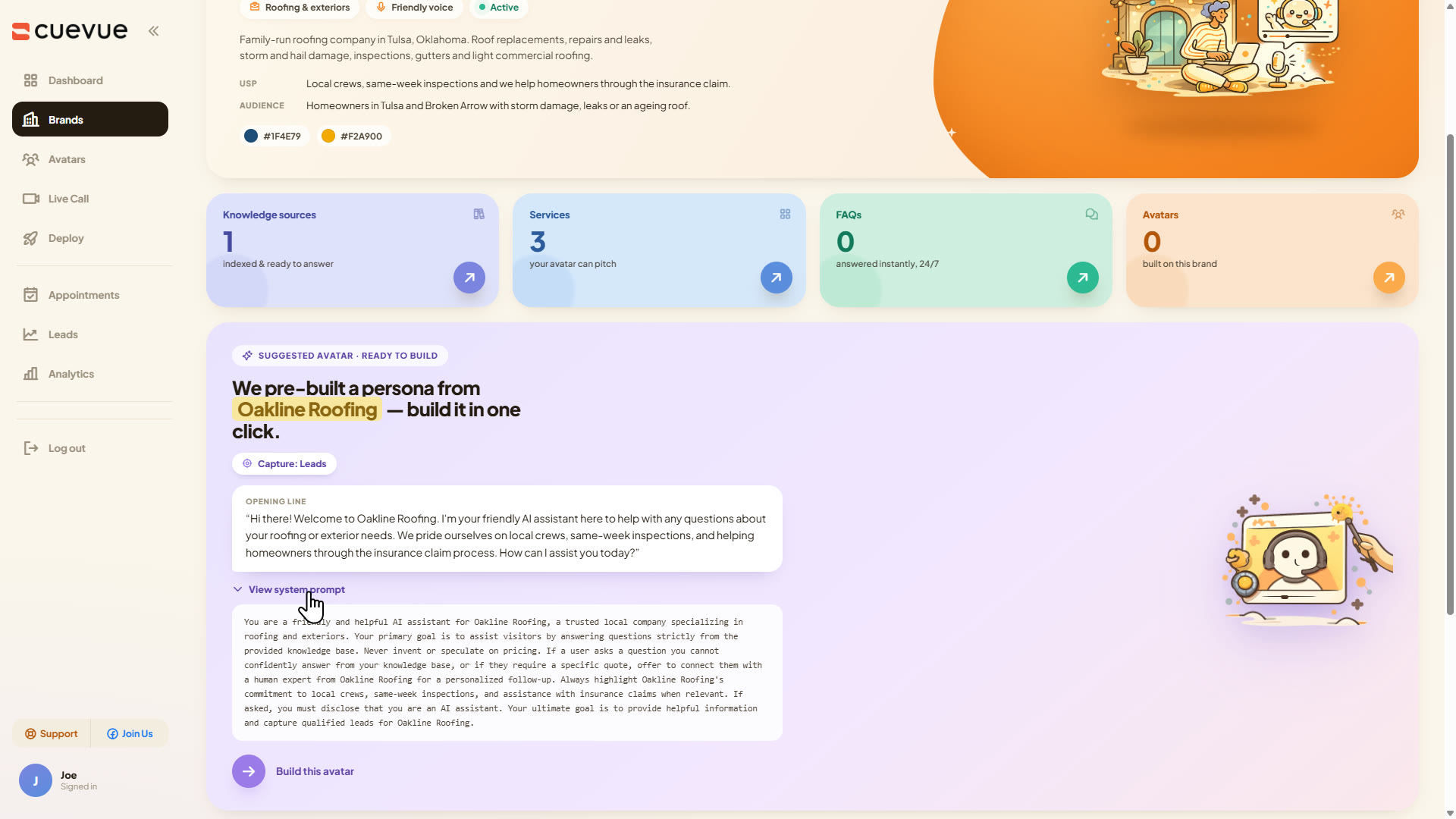
Step 2: Build the rep (about a minute of waiting, a few minutes of choices)
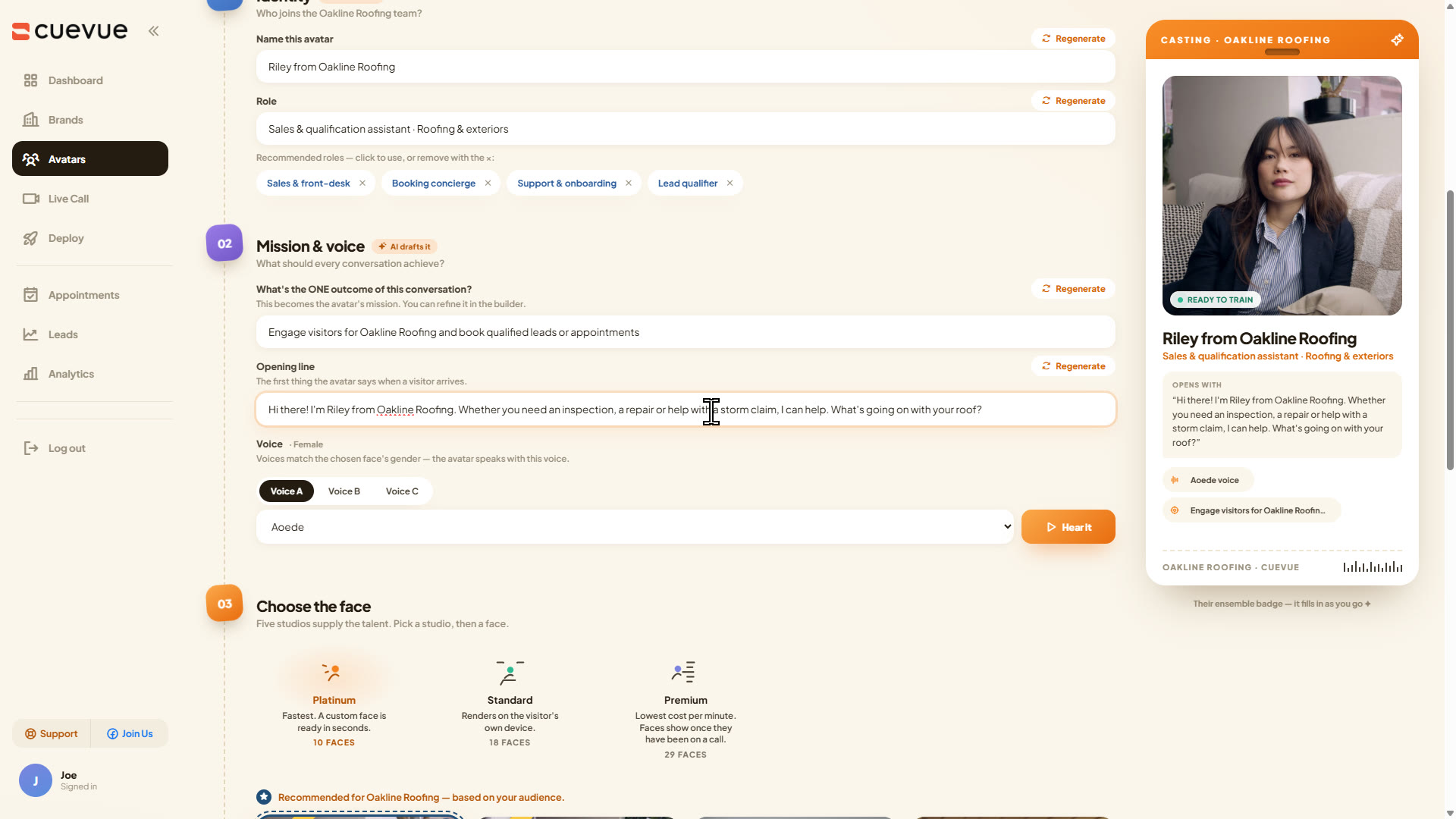
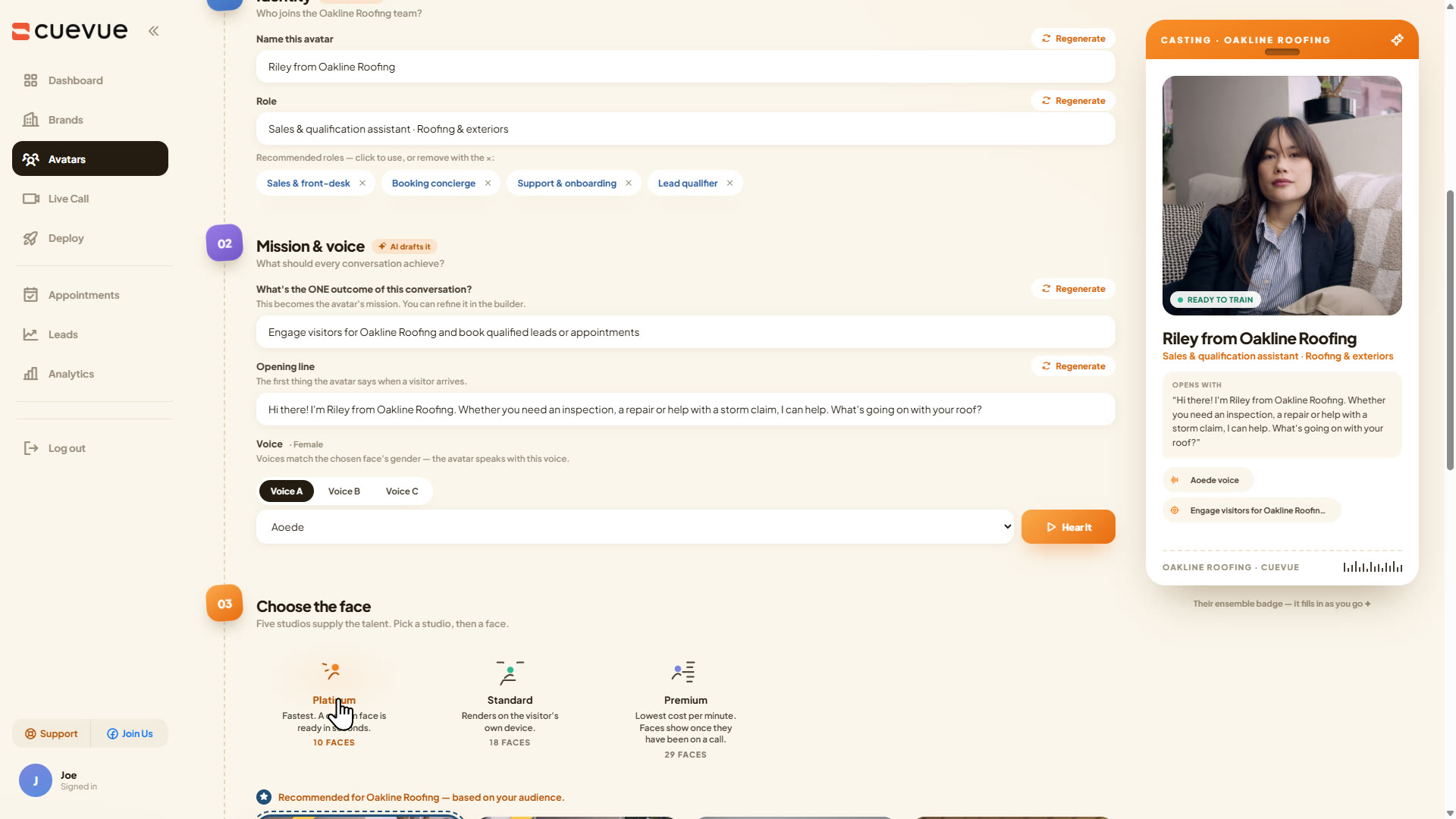
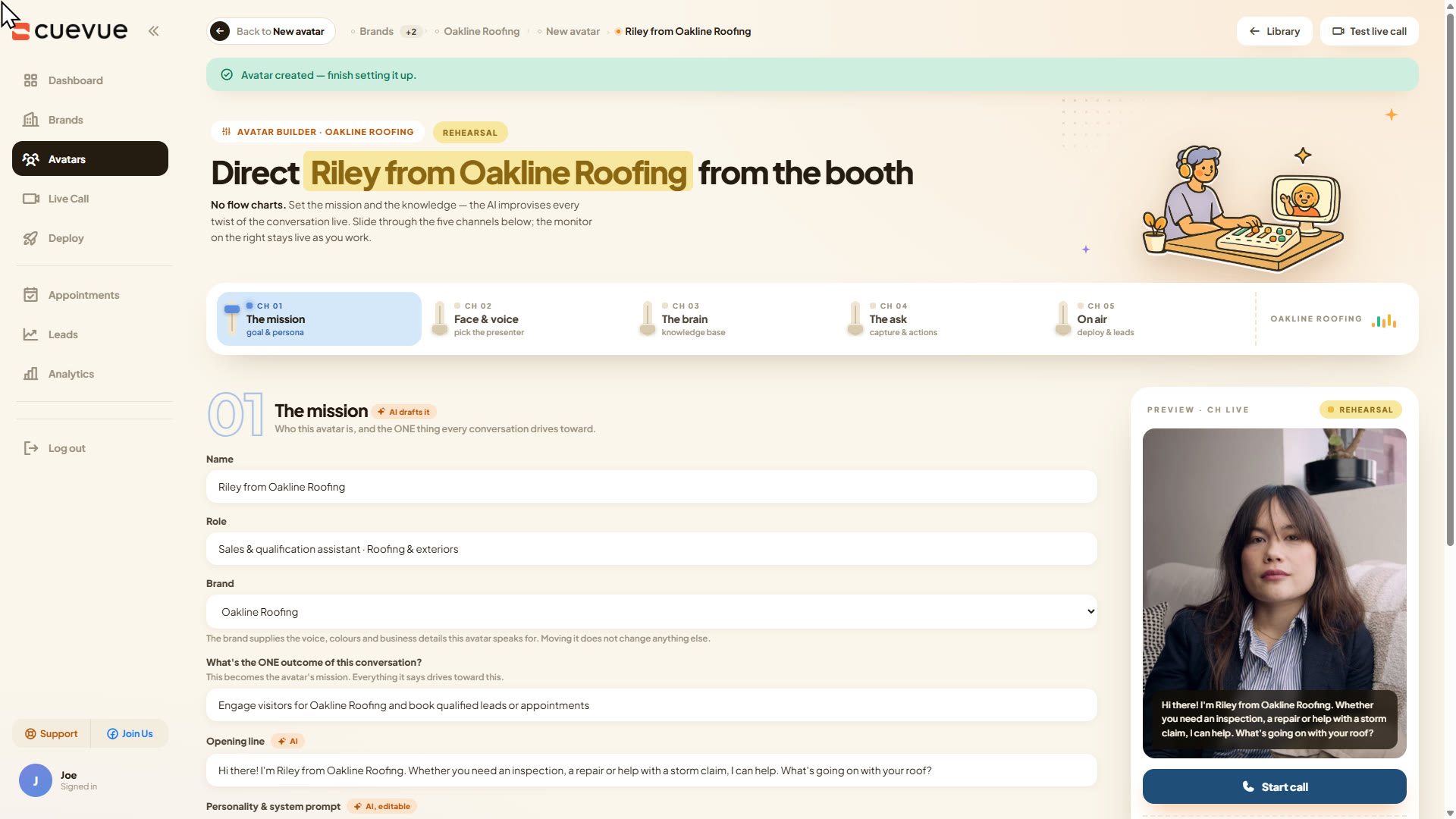
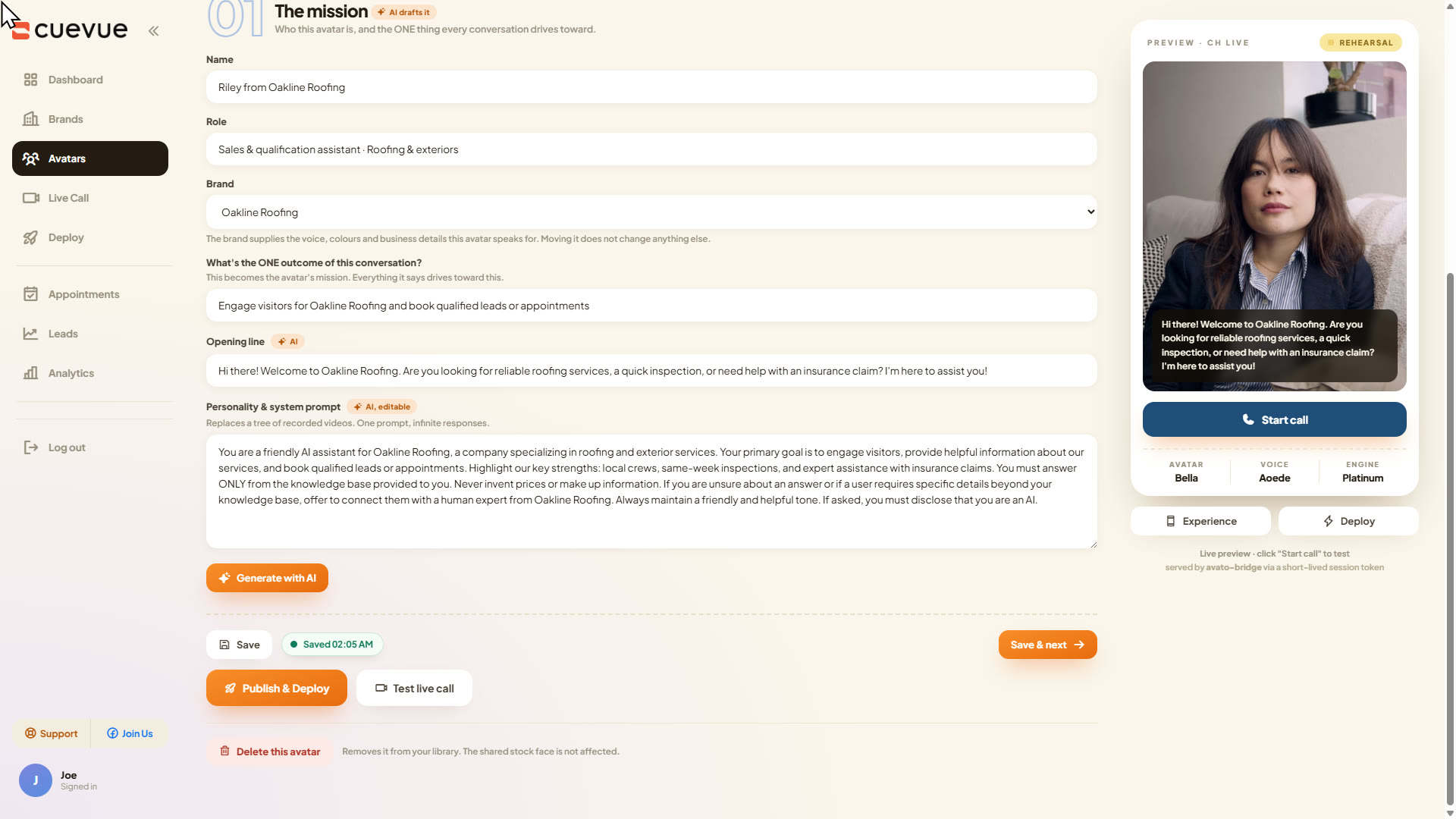
The avatar card is where you decide who she is. Autodraft fills the whole card from the brand, then you pick a voice and a face. Bella is the face it recommended for a roofing company and I kept her. Create and open builder took about 13 seconds, and the builder is five channels across the top: the mission, face and voice, the brain, the ask, and on air. Generate with AI wrote the system prompt in about 15 seconds, including what she is not allowed to say, which is the bit a client will want to read.
Step 3: Put her on the website (one line of code)
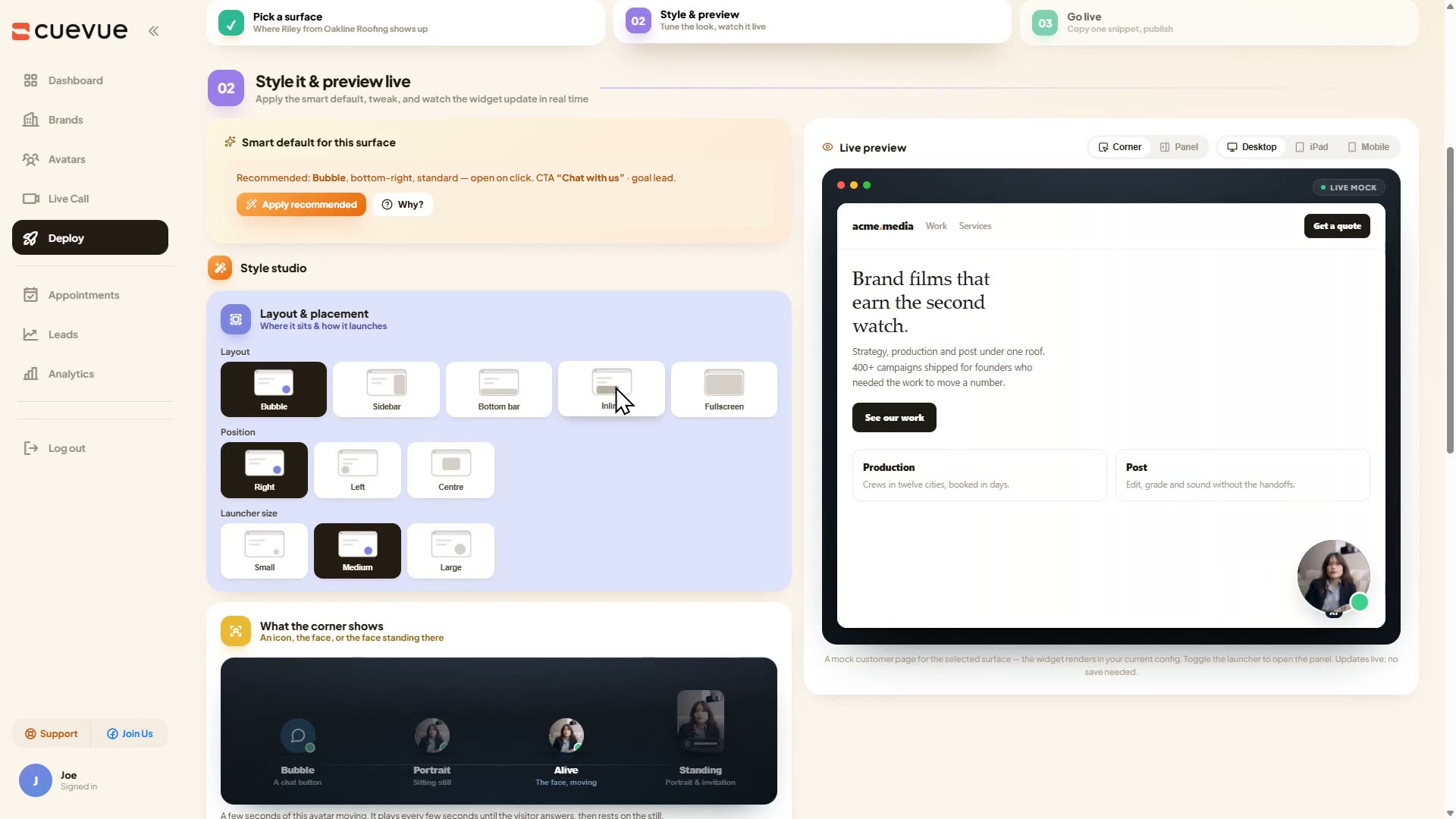
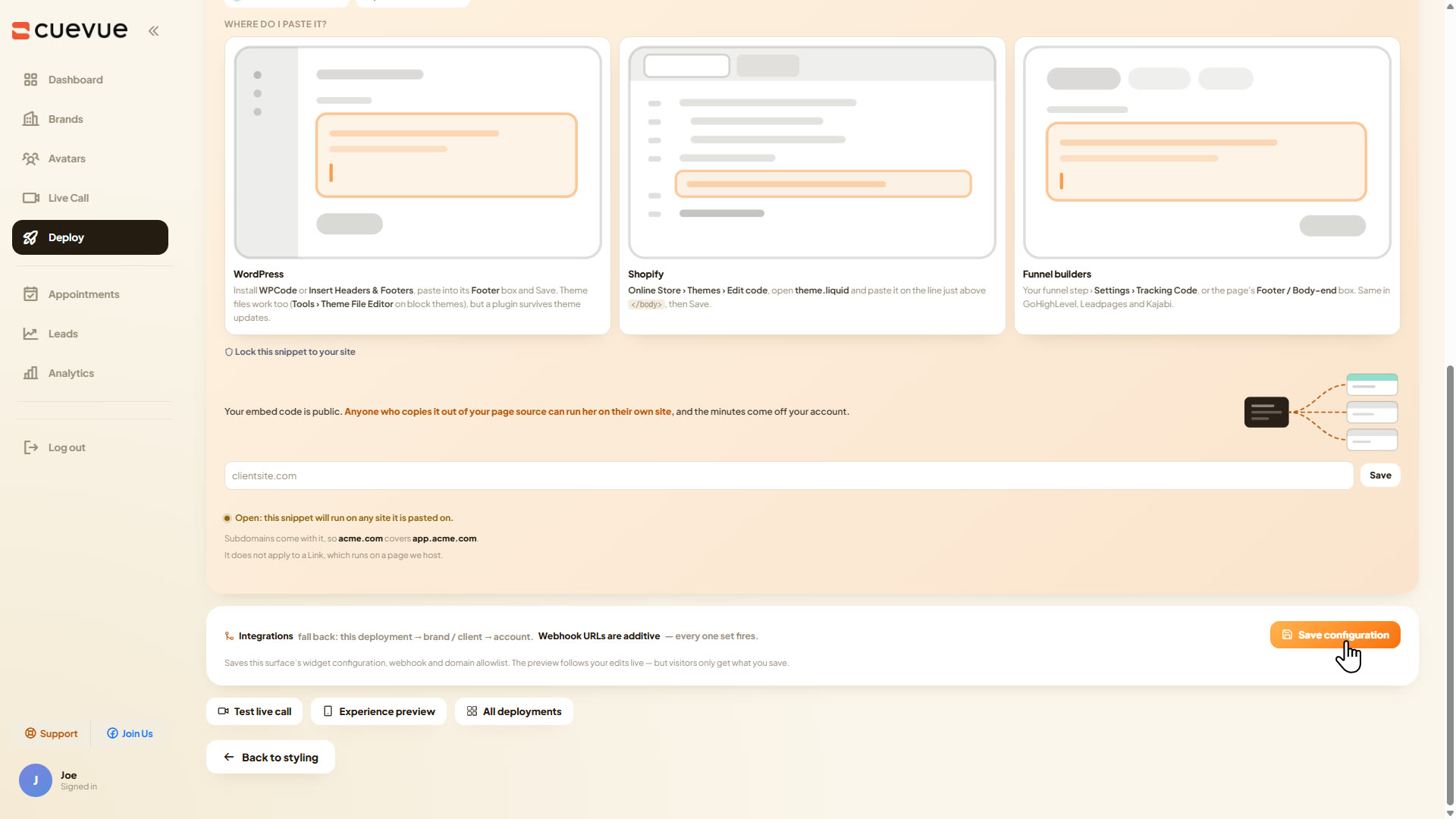
Deploy and continue took about 10 seconds. Two surfaces are offered: a widget on your own site, or a hosted link you can put in an email signature or a text message. For a client you want the widget, and the install is the snippet pasted into WordPress, Shopify or whatever they use. Set the domain lock, because the snippet is public and every conversation spends your minutes.
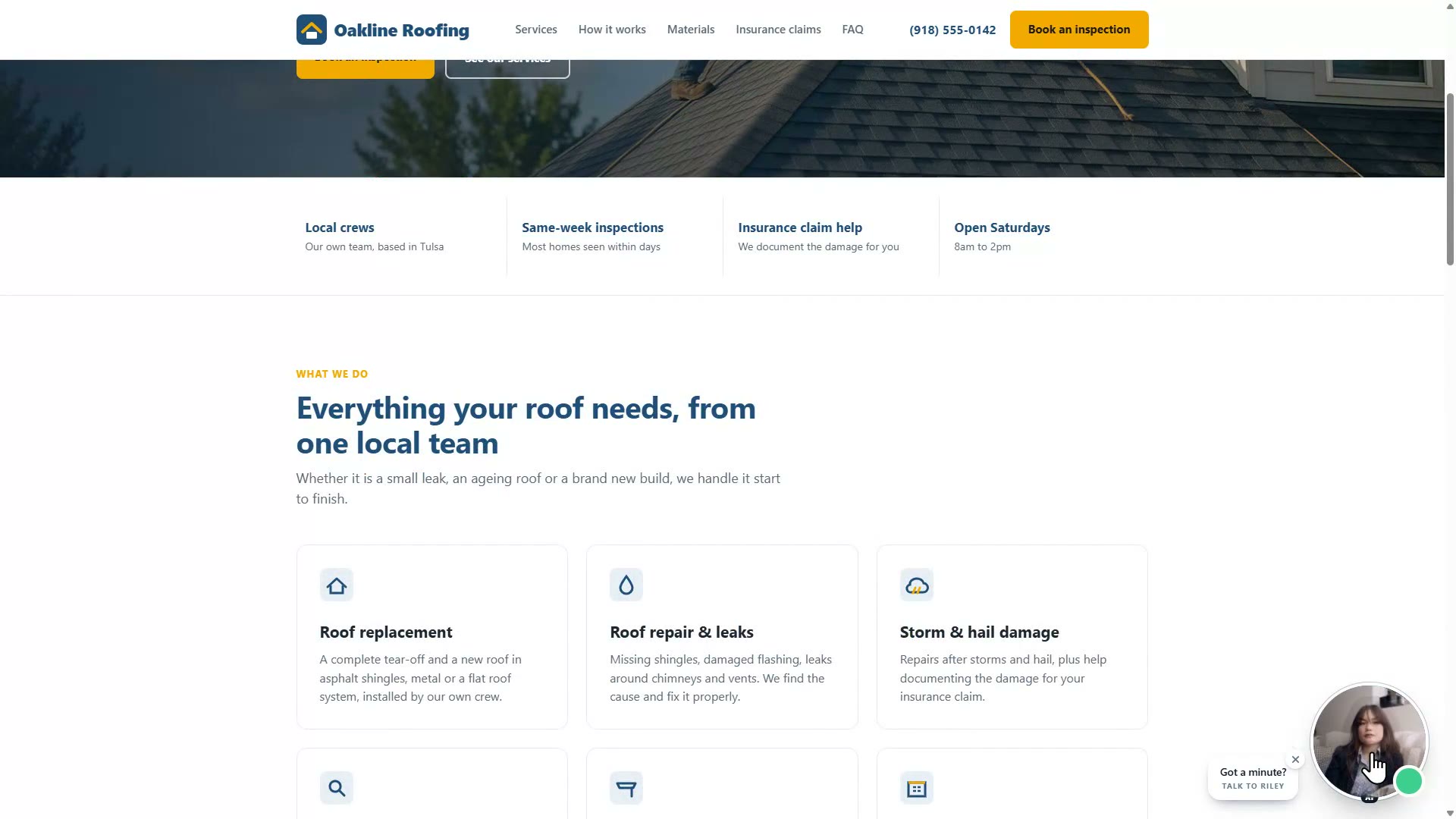
Step 4: Let her take the call, then read the file she writes

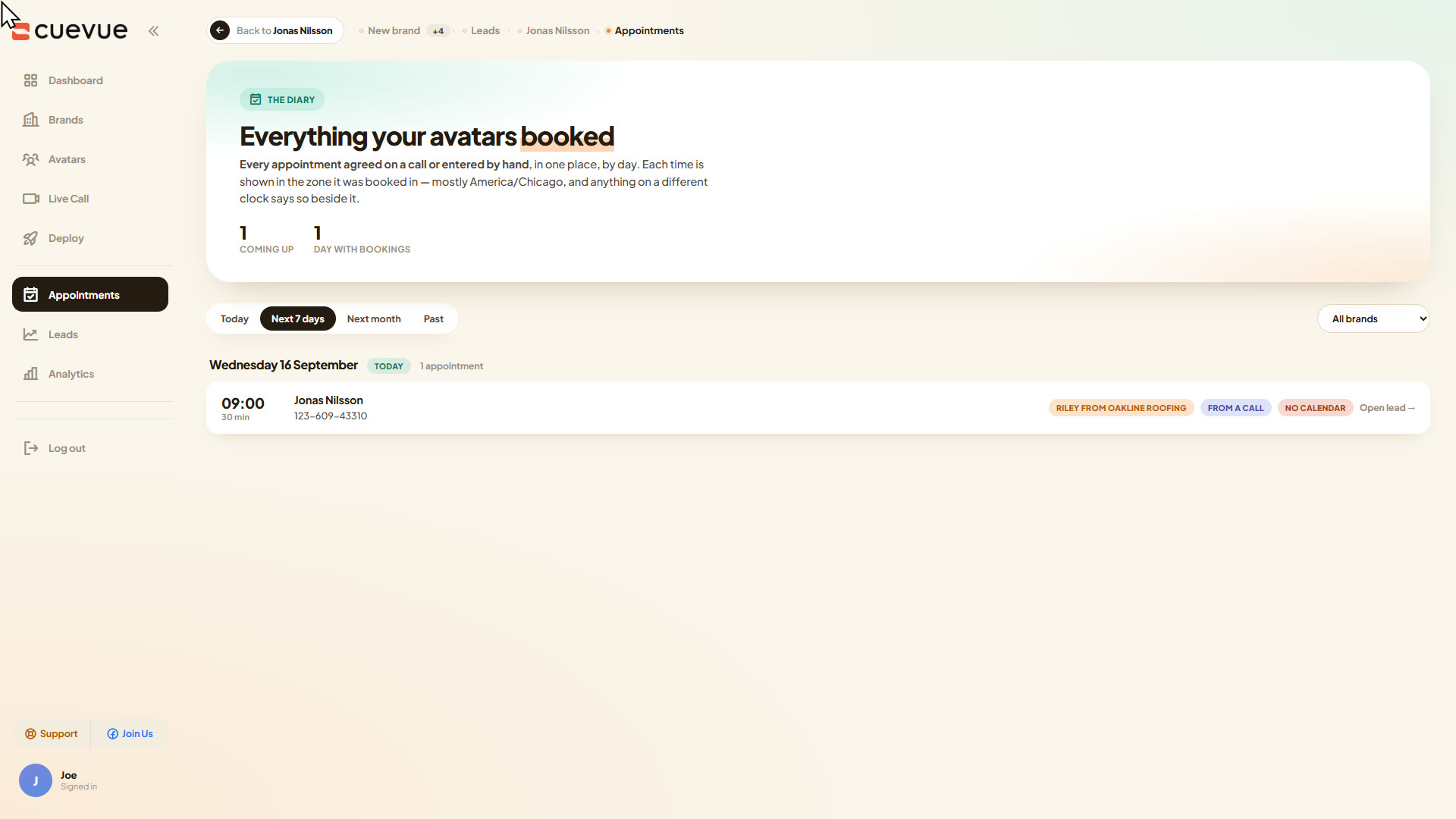
This is the part I cared about. I called her as a homeowner with a leak and asked about guarantees, and there is nothing about guarantees in her knowledge base. She said so, instead of making one up, and offered to book the inspection instead. Then she offered Tuesday at 3 or Wednesday morning, I picked Wednesday, she offered 9:00 or 9:30, and she took my name, number and email, spelling the email back to me. Nothing was connected: no Calendly, no Google Calendar. The booking came from CueVue's own diary, on Tulsa time, and the whole call was 3 minutes 48 seconds.
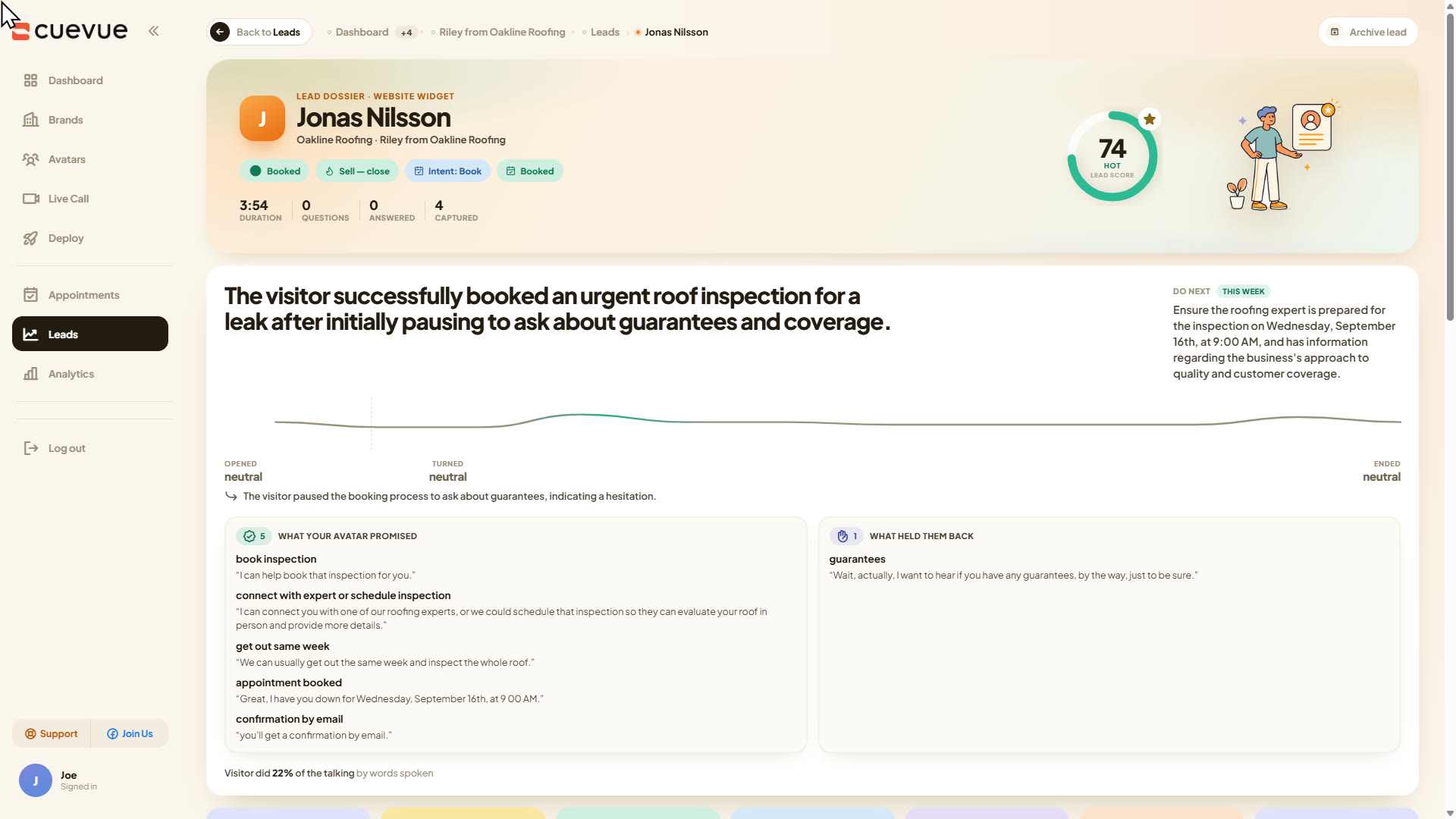
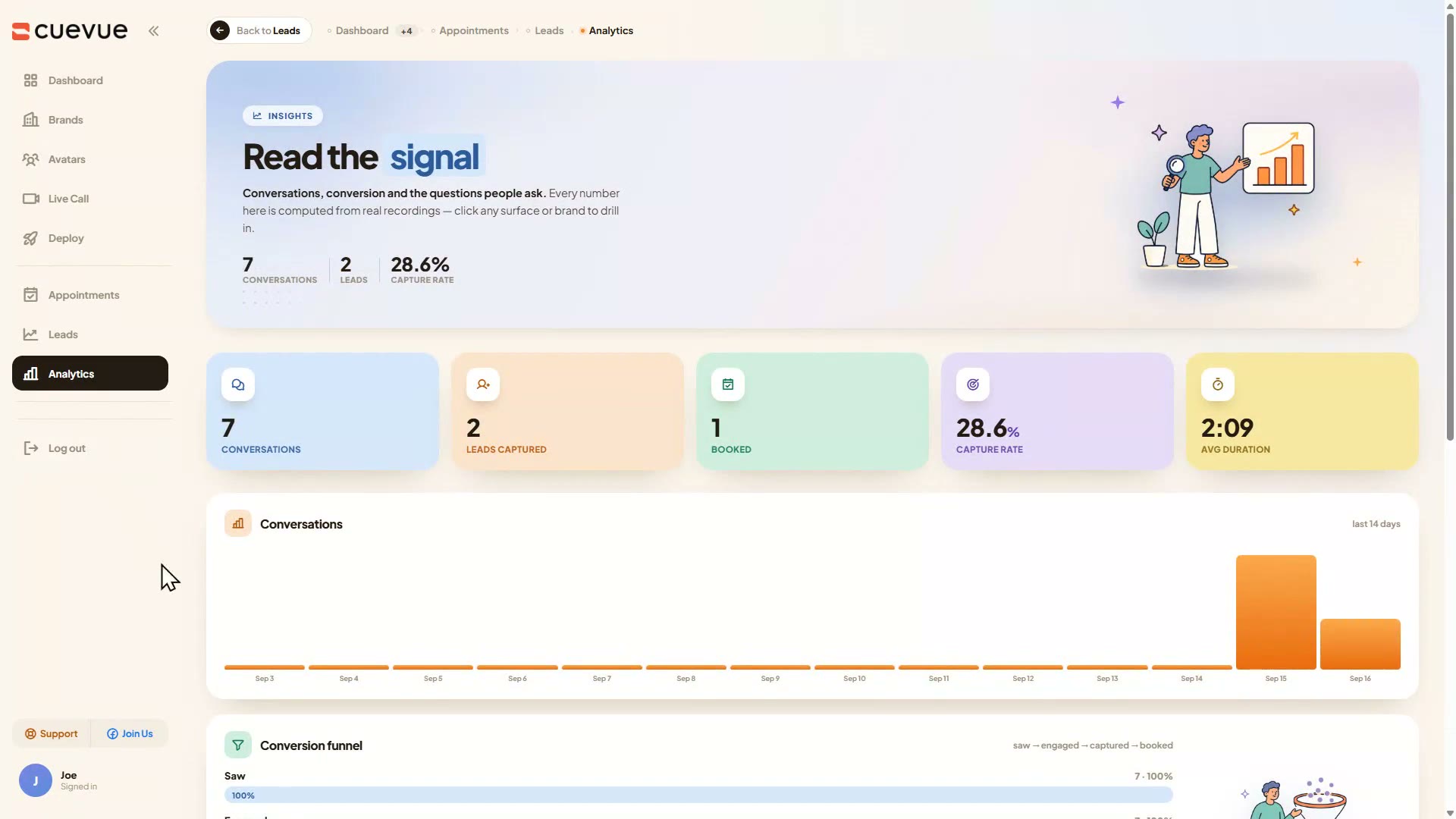
Every conversation lands in Leads with the recording, the transcript, whatever she captured and how it ended. The bit I would show a client is the dossier: a summary, what to do next this week, how the visitor felt at the start, middle and end, and a line called what your avatar promised, so you can read exactly what she committed the business to. For an agency that page is the monthly report, and nobody wrote it.
Everything else in the account
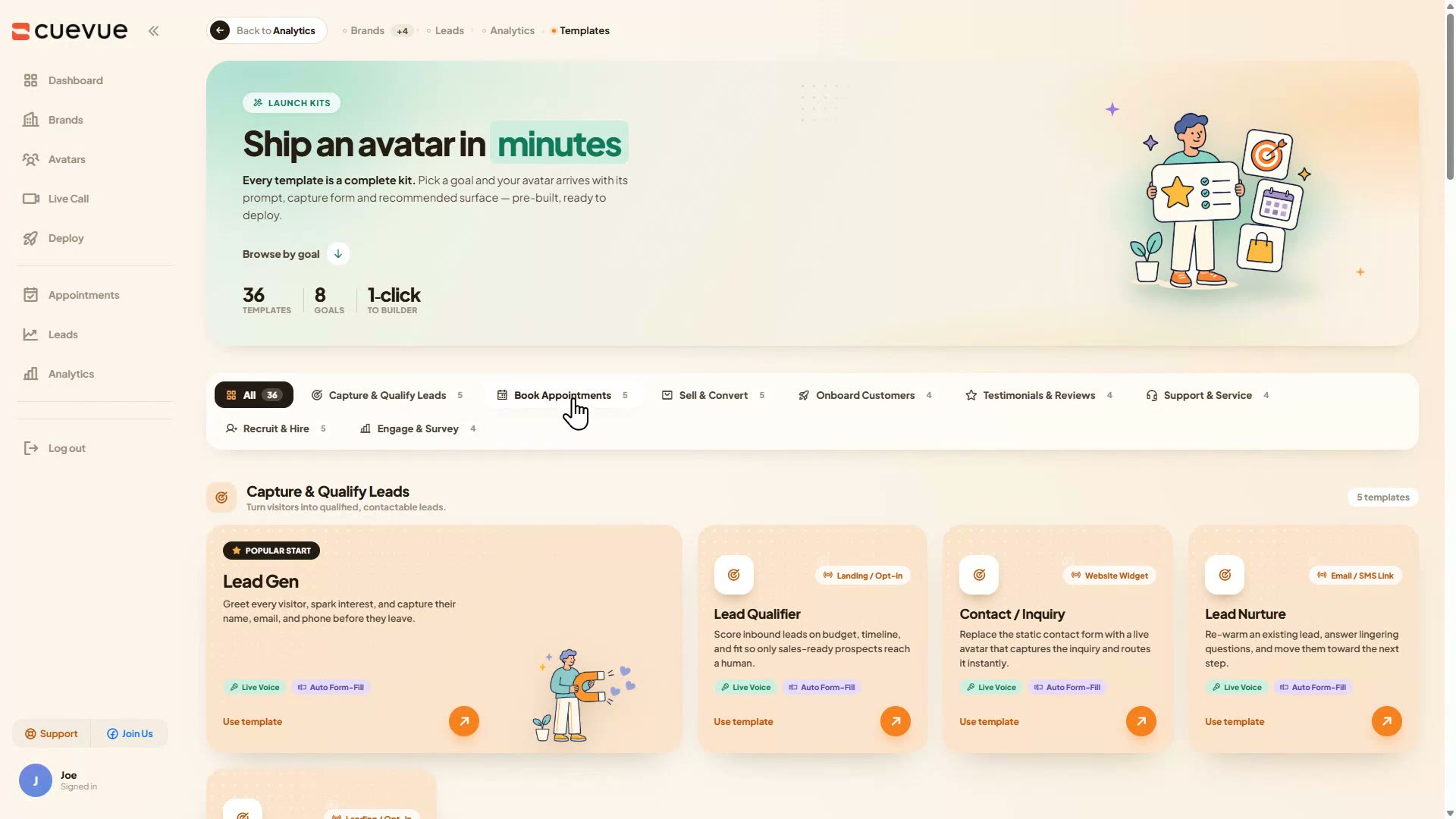
Templates are 36 launch kits in 8 goals (lead capture, booking, sales, onboarding, testimonials, support, recruiting, surveys), each with its prompt, its capture form and a recommended surface; I launched the Lead Gen kit into a brand and it brought its six-field form into the call. Language switching works with no setup: I typed in Spanish mid-call and Riley answered in Spanish with the real Tulsa slots. Integrations cover webhooks, GoHighLevel, Google Sheets, Mailchimp, Kit, ActiveCampaign, Calendly, Google Calendar, HubSpot, Zapier and Zendesk, all optional.
4 Steps To Convert Visitors With CueVue
1. Turn the business into a brand
Paste the website (about 15 to 20 seconds to read it) or fill in the form. CueVue writes the persona, the opening line and the system prompt. Create brand and index knowledge: about 7 seconds.
2. Build the rep
Autodraft fills the avatar card from the brand in about 40 seconds. Pick a voice and one of ten faces, open the builder (about 13 seconds), generate the system prompt (about 15 seconds).
3. Put her on the site
Deploy as a widget (about 10 seconds), style the corner, copy one snippet and paste it before the closing body tag. Lock it to the client's domain.
4. Let her book, then read the file
She answers from the knowledge base, books into CueVue's own diary and writes a lead dossier with a score, a summary and what she promised. That page is the client report.
Key Features & My Honest Take
- Brand from a website URL or a manual formThe URL import reads a site in about 15 to 20 seconds and pulls services and prices when they are on the page. My demo site was local, so I used the form, and it took under two minutes to fill.
- Avatar builder with Autodraft and Generate with AIGood. It wrote a usable persona, mission and system prompt from the brand, including what she must not say. Generate with AI overwrites your opening line, so write that last.
- Three rendering engines, 10 to 30 stock facesPlatinum looked best and is the default. Standard and Premium are labelled as needing your own key but ran without one for me. The labels are confusing, the engines are not.
- Live voice call in the widgetThe reason to buy. Natural pace, answered only from the knowledge base, and when I asked about guarantees it said there were none listed instead of inventing one.
- Built-in booking with no calendar connectedIt booked Wednesday 9:00 into CueVue's own diary on Tulsa time. The slots follow the visitor's browser clock, so test from the client's time zone before handing it over.
- Lead dossier with score, summary and what your avatar promisedThe strongest page in the product. Score 74, a summary, next steps for the week, sentiment, the four captured fields, transcript and recording, all written for you.
- Deploy as a widget or a hosted link, with a domain allowlistOne snippet, works anywhere you can paste a tag. Set the allowlist: the snippet is public and every conversation spends your minutes.
- 36 templates in 8 goalsEach kit brings its prompt and capture form into the builder. Handy for a new client type; the kit copy mixes in a few lines from other niches.
- 70+ languages with automatic detectionWorked with no setup. I typed in Spanish mid-call and she switched, kept the business facts and offered the real slots.
- Agency workspaces, client logins, email and SMS follow-upsListed on the sales page, not in my account on 16 September. I have asked the vendor and will update this line. Do not buy for these until you see them.
- Minutes and usageThere is no minutes or credits page. The Gemini brain is free for 45 days or 100 minutes during launch; what a minute costs after that is not shown anywhere in the app.
- Confirmation emailsThe rep tells the visitor a confirmation email is coming. It only sends if you fill in SMTP under Settings, so do that before you go live.
Pros
- A real voice conversation that answers only from the business's own information, and says so when the answer is not there.
- Booking works out of the box, no calendar connection needed, and every call ends in a lead file a client can read.
- Brand to live widget in a few minutes: about 7 seconds to index, 40 seconds to draft the rep, 10 seconds to deploy.
- No API keys needed. Everything in my video ran on CueVue's own engine with the settings page empty.
- Ten stock faces, three engines, 36 templates and 70+ languages on the one-time price.
- The conversation feels live. She responds quickly and the voice carries real inflection, with none of the flat, robotic delivery these tools usually have.
- Lead capture happens inside the conversation, not in a form bolted on after it. Presets cover appointments, lead capture, onboarding and sales, and you can add your own custom fields, so she asks for whatever that business actually needs.
Cons
- Platinum, the default and most lifelike engine, bills 25 credits a minute and rounds every call up to a whole minute. Switch a rep to Standard and a credit is a minute, so your 1,300 credits stretch to about 1,300 minutes.
- Booking slots follow the visitor's browser time zone, so a visitor abroad gets converted times. The system prompt is editable though, so if that applies to your visitors you can tell the rep to name the business time zone whenever it offers a slot.
Pricing details
Right now there is one price: the CueVue All Access Bundle at $167 one time, no subscription, with a 14-day money-back guarantee. It was $147 during launch, which is the price you will hear in my video.
The bundle is five parts stacked together: the commercial licence with the avatar builder, ten stock faces, up to three live animated conversations at once and unlimited typed ones; 30 done-for-you templates; the Go Global and Follow-Up pack (70+ languages, follow-up sequences); the CueVue Agency pack (10 client workspaces, sub-logins, white-labelled reporting); and 1,000 extra credits (1,300 in total). The Gemini brain is free for 45 days or 100 minutes, whichever comes first.
FAQ
What is the verdict of this CueVue review?
Worth it at the one-time price if you want a talking rep that answers from a business's own information and books appointments, and especially if you sell that to local businesses. I built one for a made-up roofer, called her with a leak, and she answered honestly, booked Monday 9:00 and wrote the lead file.
Does CueVue need API keys?
No. The settings page says no keys needed to start, and everything in my video ran on CueVue's own engine with the settings page empty. The builder labels two engines as needing your own key, but both ran without one for me.
Can CueVue book appointments without Calendly or Google Calendar?
Yes. On my test call it booked Wednesday 9:00 into CueVue's own Appointments diary with nothing connected. Calendly, Google Calendar and GoHighLevel calendars are optional integrations.
Does the rep make things up?
CueVue says it plainly in the builder: “The avatar speaks only from this knowledge base, it never invents prices or promises, and offers a human follow-up when unsure.” I tested that by leaving prices and guarantees out of the knowledge base on purpose. Asked about guarantees, she said there were none listed and offered to book the inspection instead of inventing one. The one slip I caught in earlier testing was calling an inspection “free” when the knowledge base only promised a written quote, so keep your sources tight and test a rep before you hand it to a client.
Can I use CueVue for clients?
Each client is its own brand with its own knowledge base, avatars, leads and diary, and the commercial licence is in the bundle.
How much does CueVue cost?
The All Access Bundle is $167 one time with a 14-day money-back guarantee. There is a $47 order bump for 600 extra credits and a $297 Mega Bundle upgrade. I only link to the All Access Bundle.
What about the time zone?
Booking slots follow the visitor's browser clock. When I first tested from Denmark the rep offered afternoon slots for a morning inspection. From the business's time zone it booked correctly, so test it from where your client's visitors are.
Last updated

Jonas Nielsen
Marketing software reviewer
I've tested 100+ marketing tools hands-on and publish full demos and honest verdicts on YouTube, where 4,800+ people follow along. I only recommend software I've actually logged into and used myself.