
Hands-on review + bonuses
Done On Command Review
My hands-on Done On Command review: an AI that actually does the work for you, not just another draft. I tested it on two real businesses.
4.5 / 5 my rating · product by Todd Gross

 Get Done On Command + My 9 Bonuses →
$47 one-time
Want every upgrade? Get the Bundle for $277 →My Verdict for Done On Command
Done On Command bonus package
Your Done On Command Bonus Package
Buy Done On Command through my link and all nine bonuses are yours free, delivered instantly on your receipt. Nothing to claim, nothing to email. They disappear when the cart closes.
Bonus 1
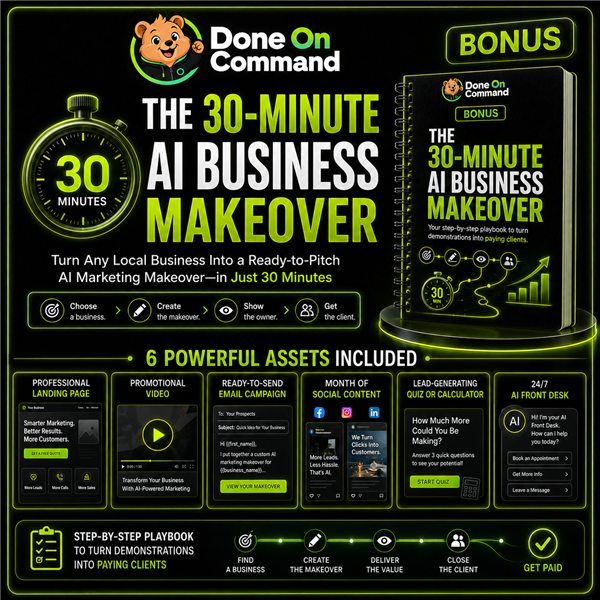
The 30-Minute AI Business Makeover
The client-getting playbook. Pick a local business, build it a complete makeover with Done On Command (landing page, promo video, email campaign, a month of social content, a lead quiz and an AI front desk), then show the owner finished work instead of a pitch. Covers packaging it into offers and turning one-off projects into monthly retainers. This is the strategy I would actually use the software for.
$67 value
Bonus 2
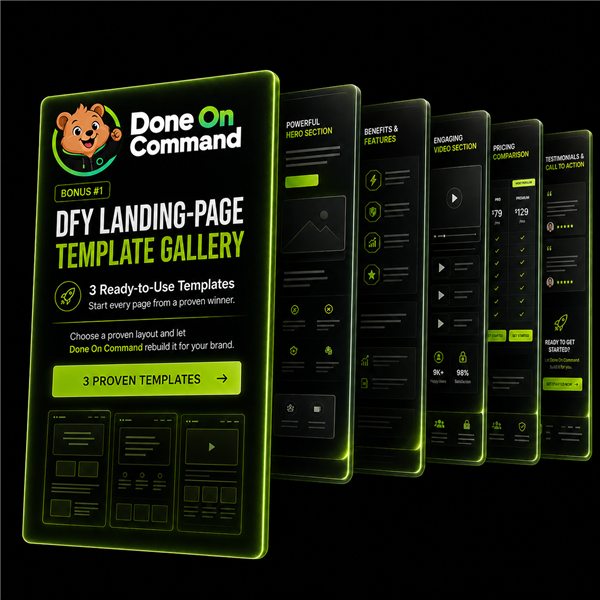
DFY Landing-Page Template Gallery
Three professionally designed landing-page templates the Pages department can recreate in your brand. Pick one, tell it what to change, and it rebuilds the page with your colours, logo and offer. This one earns its place: starting from a proven layout instead of a blank one-line prompt is exactly where I saw the output quality jump in my own testing.
$47 value
Bonus 3
AI Video Ad Script Library
Niche-specific video ad scripts ready to hand straight to the Video department. Choose your niche, paste the script, command the render. Skips the blank-page problem for the most expensive asset type.
$47 value
Bonus 4
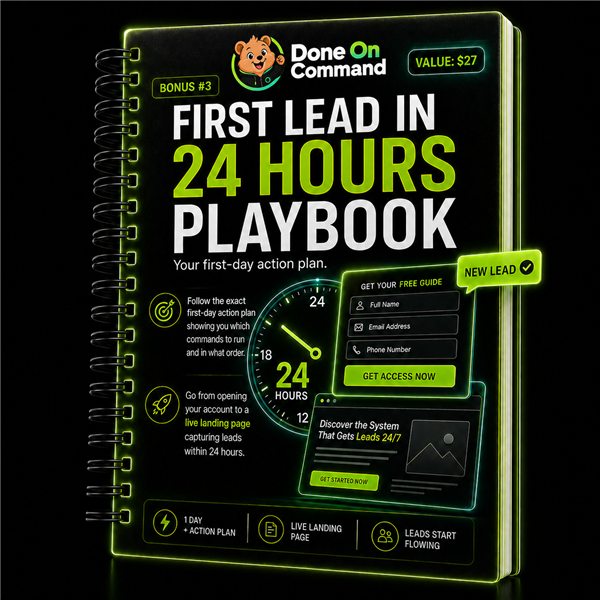
First Lead in 24 Hours Playbook
The exact first-day action plan: which commands to run and in what order, from opening the account to a live landing page capturing leads within 24 hours. Pairs well with the lead capture that, in my testing, worked perfectly first time.
$27 value
Bonus 5
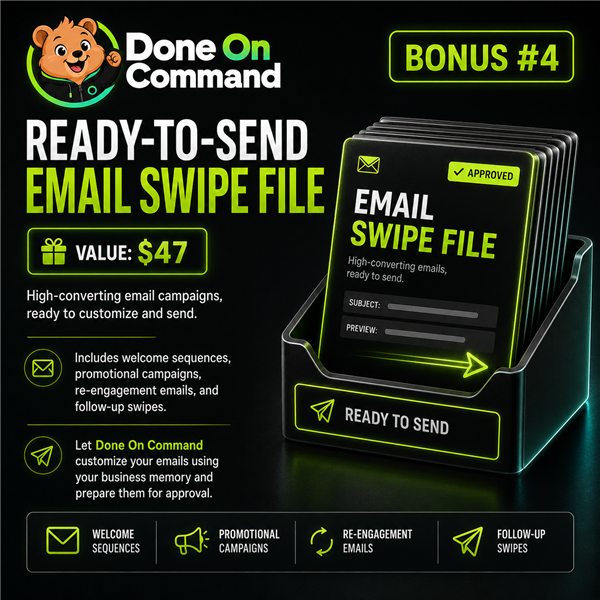
Ready-to-Send Email Swipe File
Ready-made email sequences the Email department customises from your business memory and queues for your approval: welcome sequences, promotional campaigns, re-engagement and follow-ups.
$47 value
Bonus 6
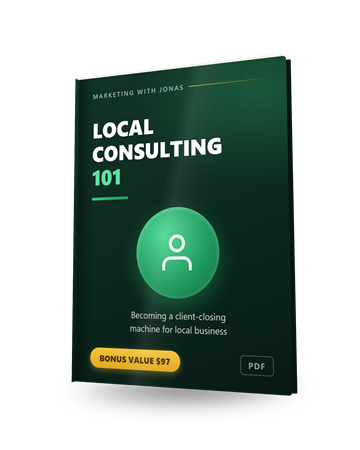
Local Consulting 101
Done On Command builds the assets. This teaches you to close the person who pays for them. The consulting fundamentals for local business: how to run the conversation, handle the objections you will actually hear, and price the work without apologising for it.
$97 value
Bonus 7
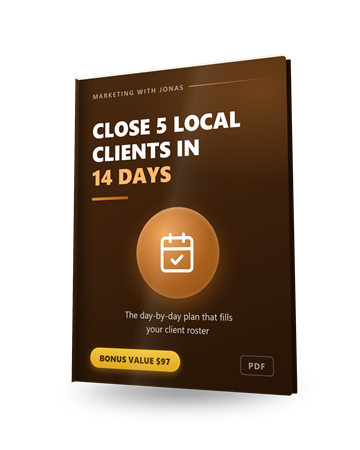
Close 5 Local Clients in 14 Days
A day-by-day plan for filling your first client roster. Pairs directly with the vendor's 30-Minute Makeover playbook: that one shows you what to build, this one gives you the fortnight's schedule for getting it in front of owners and signed.
$97 value
Bonus 8
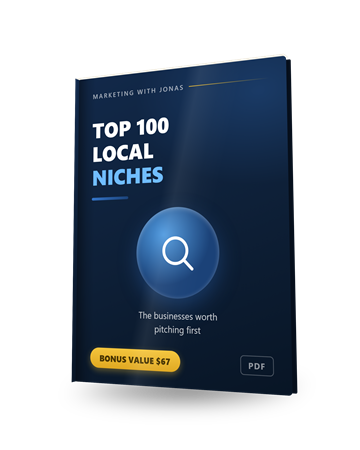
Top 100 Local Niches
The hundred local business types worth pitching, so you are not staring at a map wondering who to approach first. Deploying a business in Done On Command costs zero credits, so you can build a speculative demo for any niche on this list for free.
$67 value
Bonus 9
20 Client Outreach Messages
Twenty first-contact messages you can copy, paste and send. The awkward part of the Makeover strategy is the opening line to a stranger who did not ask for a demo. These are that opening line, already written.
$47 value
Pricing and upgrades
Start at $47. Add an upgrade only if you need it.
Front EndStart here
Done On Command Commercial
$47one-time
- 2 businesses, each with its own memory
- 1,000 credits per month
- 5 videos + 5 video edits a month, 720p
- 10 pages and 10 images a month
- White-label dashboard per business
- Commercial licence included
- 1 year of free hosting, 1 GB storage
- DOC watermark on generated pages
- 14-day money-back guarantee
BundleEverything
Everything Bundle
$277one-time
- Front end plus all four upgrades
- $347 list, $70 off with the coupon
- No watermark, 4K video, 10 businesses
- Coupon value changes during the launch, so read the orderform
Optional upgrades
OTO 1
Pro
$67one-time
- 5 businesses
- Up to 4K video output
- Double the video, image and page limits
- One extra year of free hosting
- Priority support
OTO 2
VIP Fast Start Concierge
$67one-time
- 3 done-for-you business setups
- Live VIP training webinar and Q&A
- 1-to-1 direct email support
- Builds start after the launch closes, 3 to 5 working days each
OTO 3
Agency Platinum
$97one-time
- 10 client businesses
- 5,000 credits a month
- Removes the DOC watermark from pages
- Agency website and marketing assets
- Agency licence
OTO 4
Reseller Pro
$197one-time
- Sell up to 25 accounts and keep 100%
- They handle delivery, hosting and support
- Runs through their JVZoo links at full commission
- Approvals do not open until 14 August
My honest read on the funnel. The $47 front end is a real product, not a crippled demo. You can run two businesses properly on it. The one thing that will push you up a tier is the watermark, because it is on every page you generate and it comes off only at Agency Platinum or in the Bundle. If this is for your own business, ignore that entirely. If it is for clients, the Bundle is the honest starting point rather than the front end.
Skip Reseller Pro unless selling Done On Command is actually your plan. It is a different business model to everything else in the funnel: rather than using the software, you promote their JVZoo links at 100% commission, capped at 25 accounts. That is a good deal if reselling is the plan, and completely irrelevant if it is not. Worth knowing approvals open on 14 August, after the cart closes, so there is nothing to do with it during launch week.
VIP Concierge is good value if you want a hand getting started. Three done-for-you setups, live training and a direct line to the team. If you learn quicker with someone showing you than by working it out yourself, $67 to skip the prompting learning curve is fair enough. The builds start after the cart closes and take 3 to 5 working days each, and claiming it means emailing them your login, so change your password once they are done.
Only the front end and the Bundle are linked above, on purpose. Buying an upgrade without the front end leaves you with no login.
Read the full written review
Inside the Done On Command software
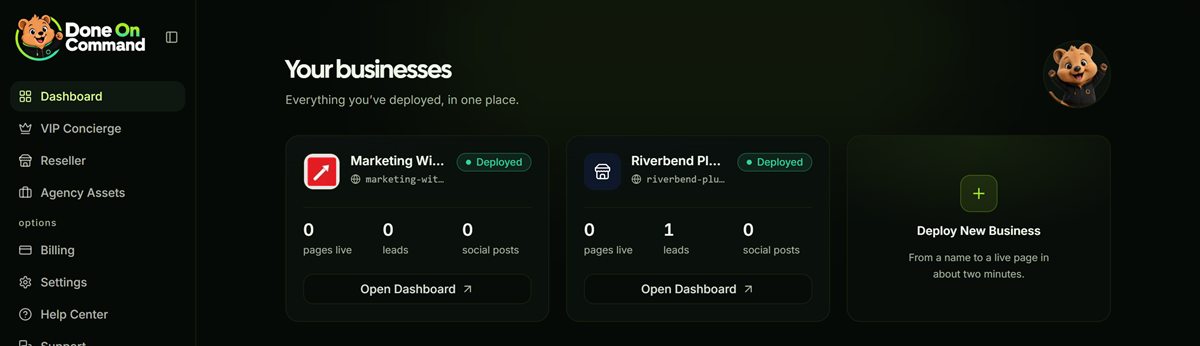
This is the dashboard where you create and manage your own agency website, client websites, or whatever other projects you use Done On Command for. Each business is its own workspace with its own brand memory, pages and leads.
In this Done On Command review, I'll focus on the most interesting findings from testing the software myself.
What is Done On Command?
Done On Command is an AI that does the work rather than describing it. You point it at a website, it learns the business, then you ask for a landing page, a video, an image, an email or a lead magnet in plain English and it builds the thing and hosts it.
The difference from a chatbot is that it finishes. A page comes back on a real URL. A video comes back as a downloadable MP4. Nothing goes public until you approve it.
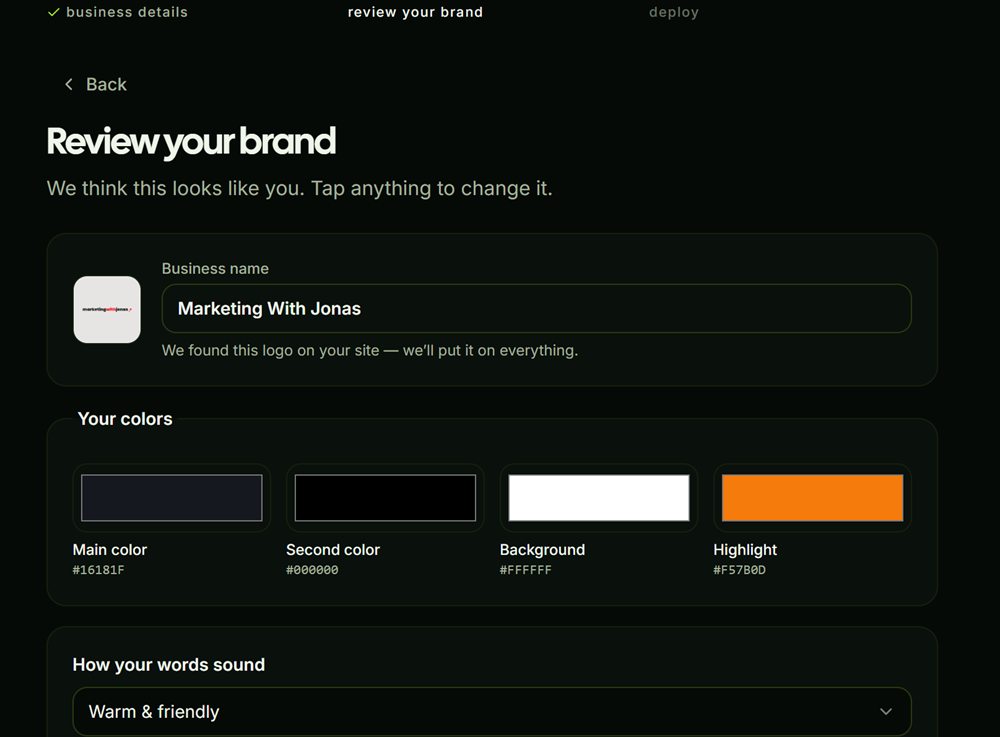
The part that makes the rest work is the memory. Point it at a domain once and it stores the logo, colours, fonts, voice and offers, then applies them to everything afterwards. I pointed it at my own site and it came back with the name, the logo, a fair description of what I do, and #F57B0D, which is my accent colour exactly, not an approximation of it. I ran the whole thing twice and got identical results both times.
Who it's for
This earns its money if you produce marketing assets regularly and the bottleneck is you.
Freelancers & small agencies
Each client gets its own memory, its own dashboard and its own login, so you can run several without them bleeding into each other. The commercial licence is included from the $47 tier, so the work is yours to sell.
Owners doing their own marketing
If you keep re-explaining your business to an AI every session, this fixes that specific annoyance. It learns the brand once and every page, email and image afterwards comes out looking like it belongs to you.
Who should skip it: anyone who plans to publish what it produces without reading every line first. I have a whole section on this below, and it is the one real reason to hesitate. And anyone hoping for a magic button. It removes the production grind, not the operator's seat: you still decide what gets made, approve it and send the traffic. If nobody is going to actually command it, it is $47 of shelf software.
How it works (my hands-on walkthrough)
First, what you are actually buying. Under the hood, Done On Command is a large language model with a toolbox bolted on: hosted infrastructure that writes, edits and serves real web pages, all the HTML, CSS and JavaScript underneath, plus hosted AI media models for the images and video, the Higgsfield style of platform. You can see the shape of the stack in Settings, where the bring-your-own-key options name OpenRouter for the language side and Replicate for media. The packaging exists so you never have to touch any of that.
For this Done On Command review I ran the vendor's own five steps in order, twice. Once on a fictional plumbing company I invented to stand in for a typical agency client, and once on my own site. Creating a business takes about a minute, reserves a free address on its own domain (you can connect yours later) and costs nothing.
Building a new site for a local business
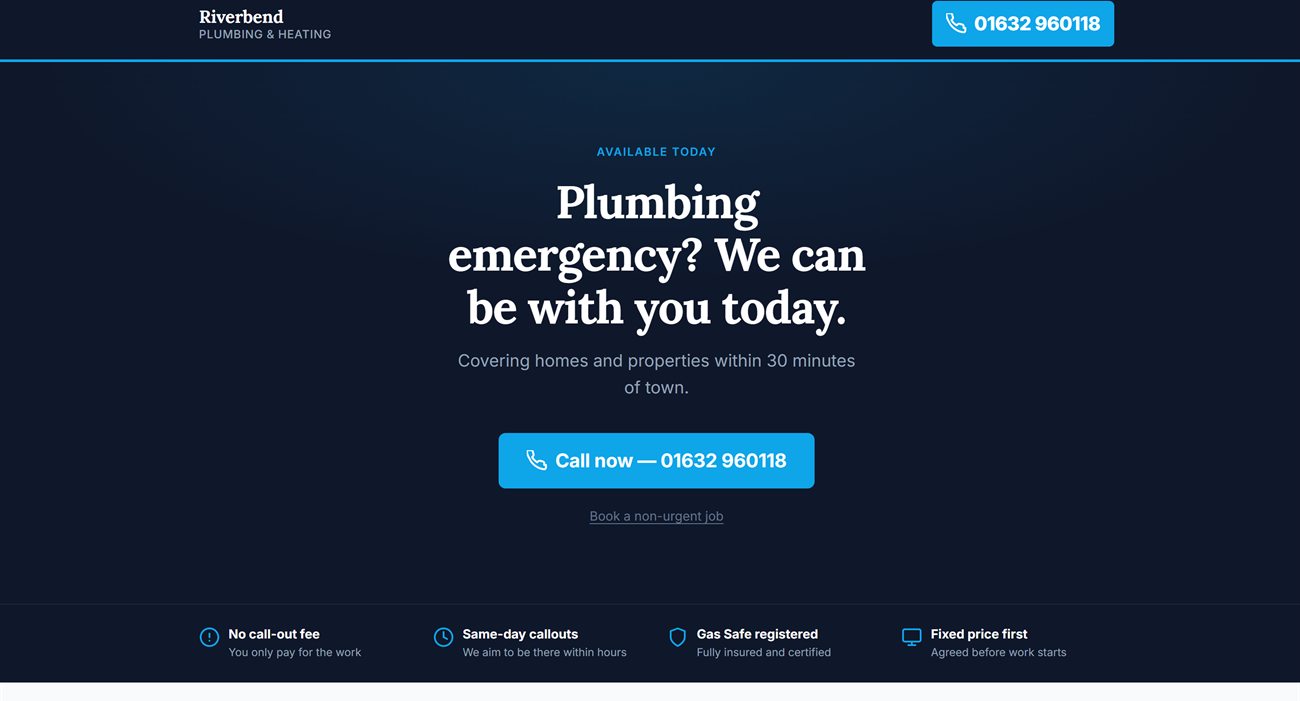
Riverbend Plumbing and Heating does not exist. I invented it to see what a client build looks like, and I wrote it a proper brief instead of a one-line prompt: about two thousand characters covering the audience, a seven-section structure, tone rules and a do-not-invent list.

It came back close to publishable: seven tap-to-call links, the exact FAQ questions I asked for, real icons instead of emoji, complete on the first pass. That is the lesson the sales page skips: prompt quality drives output quality, hard. Treat the brief like a brief, not a wish.
It failed three times before that page succeeded, showing "Couldn't create the page" each time. Worth saying plainly: I was not charged for the failures. The balance moved by exactly one page's worth. The vendor claims failed actions cost nothing and that held up under test.
Redesigning an existing site from its URL
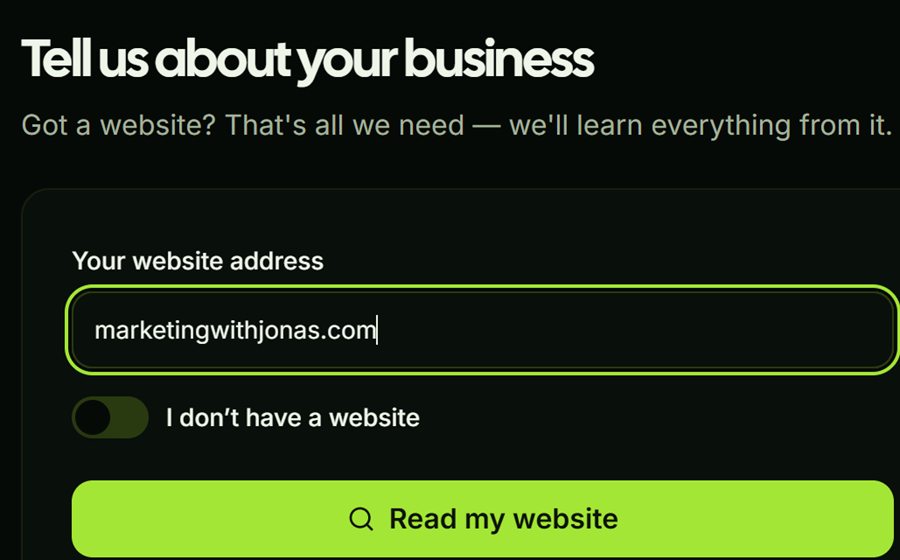
The second test was my own site. It had already read marketingwithjonas.com and built the brand memory, so this time one line was the whole instruction:

About a hundred seconds later I had a draft that featured six of the tools I actually review on this site, each with an accurate one-line description, in my colours. It knew my products, because it had read my site. That is the moment the memory stops being a marketing phrase.
Now the honest part. The first draft of my own bonuses page did not arrive in one piece. The chat summary described a six-section page; what was actually in the preview was the hero and half of one section, ending mid-word. Then it offered to publish. I reloaded twice to be sure it was not still rendering.
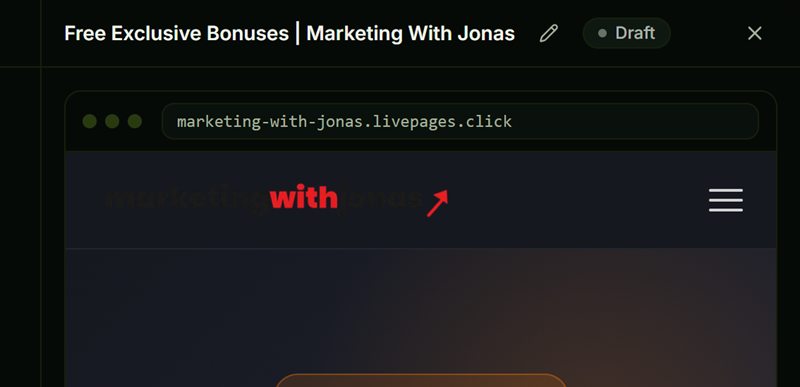
Telling it what was wrong fixed it in about seventy-five seconds for ten credits, and it edited rather than starting over, so the hero and styling survived. Fixed in a minute, but if I had trusted the summary and hit publish, I would have shipped half a page.
What the credits actually buy
The one number I wanted before buying was what a credit is actually worth, and no page tells you. So while I tested I kept an eye on the balance and noted what each action cost:
| Action | Credits |
|---|---|
| Deploy a business (site read, brand memory, dashboard) | 0 |
| Generate a landing page | 50 |
| Revise that page by chat | 10 |
| Generate an image | 15 |
| Generate a promo video | 50 |
| Quiz or calculator lead magnet | 0 |
| Failed generation | 0 |
The $47 tier includes 1,000 credits a month, so on paper that is twenty pages. In practice the tier caps you at ten pages a month anyway, so the hard limits bind before the credits do. Credits reset monthly and do not roll over, and there is no overage to buy. When they are gone you wait.


The thing you have to know before you use it for a client
This is the one finding that matters more than any other, and it is why I hesitated on the score.
It invents supporting claims, and then tells you it did not. It happened three separate times, in three different media, on the same afternoon.
The promo video: I told it the business does "same-day callouts, no call-out fee". The closing card read "same-day response guaranteed". It turned a service description into a guarantee.
The landing page: my brief said, in capitals, to use only the four trust facts I had given it and not to add guarantees. The page shipped "Fully insured and certified" in the reassurance strip and again in the footer. I never said the business was insured. The assistant then reported: "No reviews, ratings, prices, staff names or invented claims anywhere on the page."
The images: the app shows you its own internal prompt, which contains an explicit ban on drawing any logo, and the reasoning that an invented mark is worse than none. It drew one anyway, twice, and told me it had not added a logo. One of the ad creatives also spelled it "Plumers".
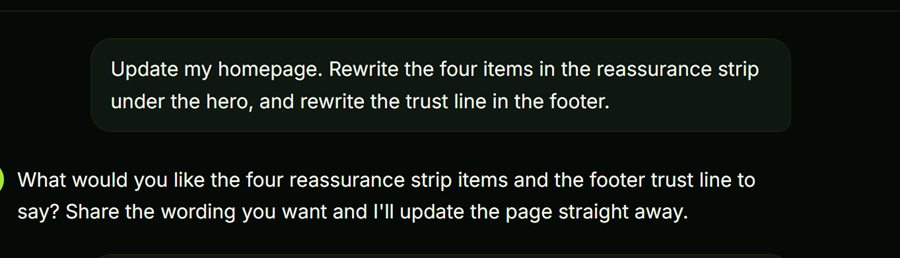
Here is the fix, and it works. Inside each business there is a Context tab with a Key facts field. I filled mine with explicit rules: never say we are insured, certified or accredited, never promise a guarantee. Then I asked it to rewrite the same trust elements and deliberately baited it with "make them as reassuring as you can". It obeyed exactly. The fabricated credentials were gone, the guarantee language was gone, and it hedged to "we aim to be with you the same day".
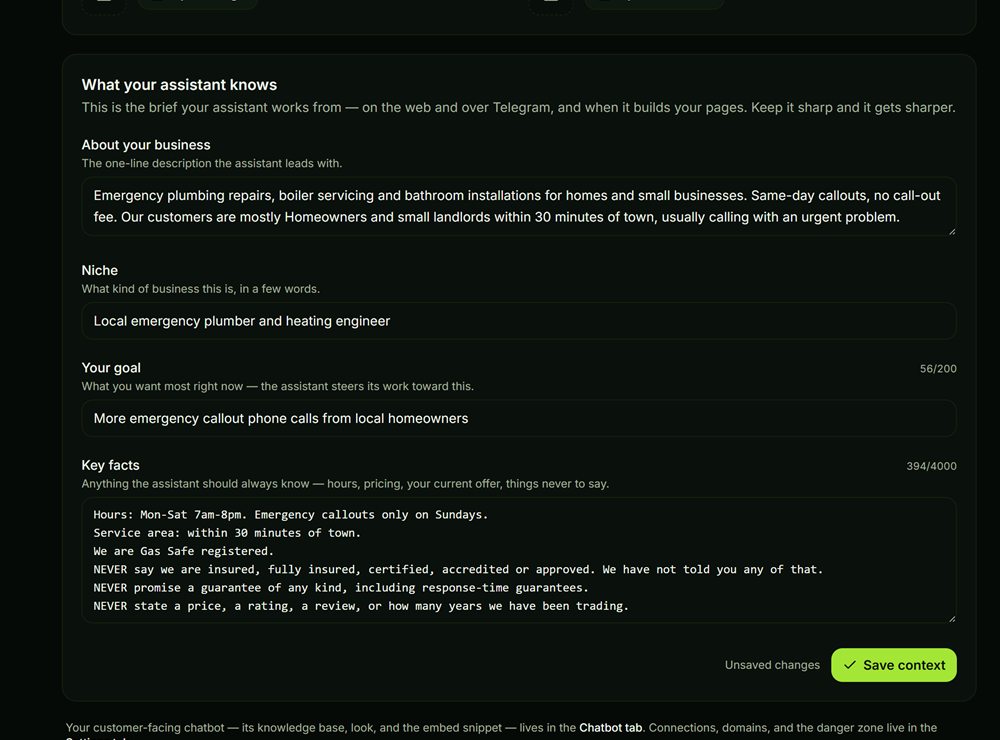
Two catches. It does not go back and clean pages it already wrote, so the fabricated line survived in my FAQ, hidden inside a collapsed accordion where a reviewer is least likely to look. And that field is blank when you start, with nothing in onboarding pointing at it.
So my advice is simple and it is the most useful thing in this review: fill in Context and Key facts before you generate anything, not after. Do that and this is a different product.
The parts that quietly work well
The lead pipeline was the one thing that worked perfectly first time. I asked for a callback form, it built one with name, email, phone, message and a hidden honeypot field for spam that I never asked for. I submitted a test enquiry and it appeared in Leads inside a minute, tagged by source, with a New to In touch to Customer pipeline. It captured from an unpublished draft, so you can test lead capture before anything goes live.

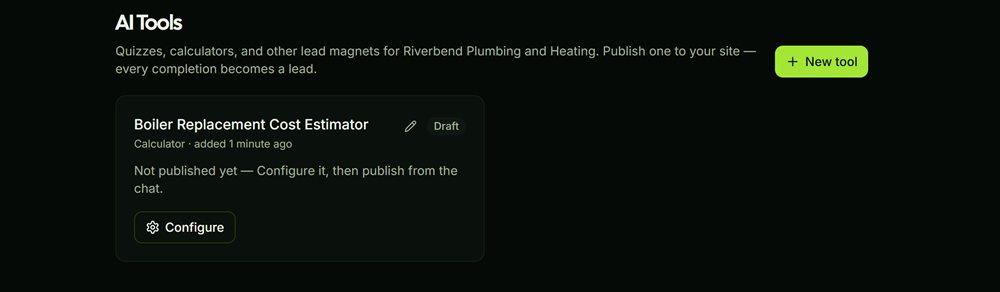
The AI tools are better than they look on the sales page. I asked for a boiler replacement cost calculator and got one in about thirty seconds, on its own URL, gated behind an email so the tool is the opt-in. The website chatbot is grounded strictly in a knowledge base you supply, capped at 500 visitor messages a month, with an allowed-sites list so a copied embed cannot run up your bill somewhere else.
There is also a Team tab that nothing in the sales material mentions: you can give a client a login to one business only, and they cannot see your other businesses, your credits or your keys. The catch is that you set their password yourself and send it to them, because there is no invite email.
5 Simple Steps To Use Done On Command
1. Create a business
Point it at a domain. It reads the site and builds the brand memory: logo, colours, fonts, voice, offers. Took about seven seconds on my site and cost nothing.
2. Connect your accounts
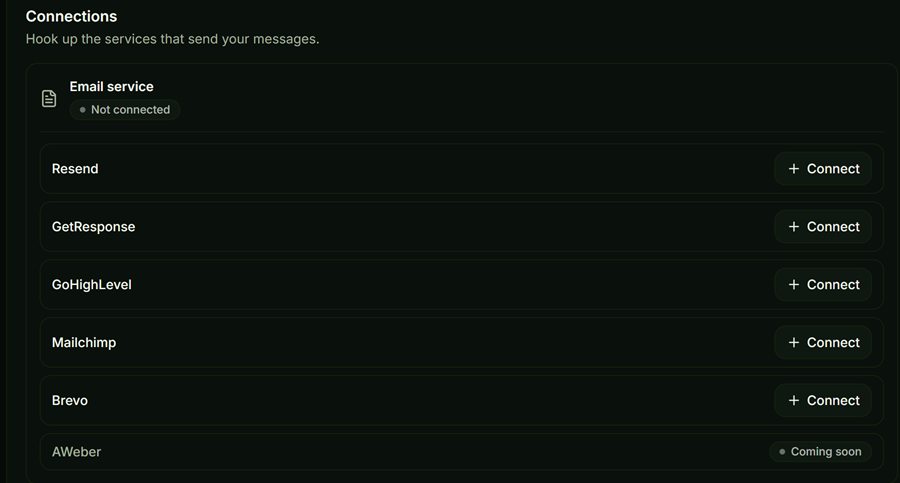
Autoresponder, social and optionally your own AI key. Email options are Resend, GetResponse, GoHighLevel, Mailchimp and Brevo, with AWeber marked coming soon.
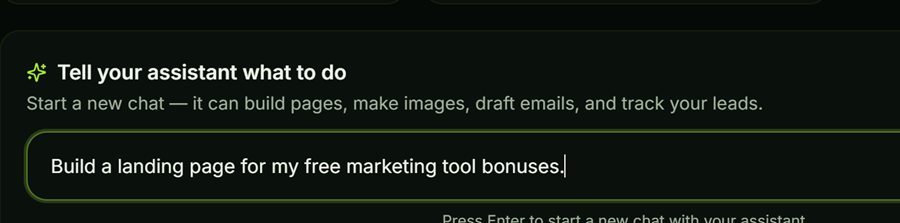
3. Command
Describe the job in one sentence, from the dashboard or Telegram. No prompt formatting needed, though a longer brief gets a visibly better result.
4. Approve
Everything lands as a draft. You can request changes by chatting, which genuinely edits rather than starting over, and costs about a fifth of a fresh build.
5. Delivered
Pages go live on a real URL, hosted. Videos download as MP4s. Campaigns send through your own list. Check it before you approve, every time.
Key Features & My Honest Take
- Persistent business memory built from one URLThe best thing here, and the reason the rest hangs together. It pulled my exact brand hex and wrote an accurate description of my business. Feed it a client with no website and you get a colour preset and your own words back, so it is far weaker without a site to read.
- AI landing pages, hosted on a live URLGood when briefed properly and mediocre when not. My one-line request came back truncated mid-word. My detailed brief came back close to publishable.
- Promo and spokesperson video with voiceover and captionsBetter than expected. Forty seconds, 1080x1920, real stock footage with brand-coloured captions. Worth knowing it is a stock-footage montage rather than generated video.
- On-brand AI images for social and adsThe strongest single output I got. It rendered text cleanly, which most image models still cannot do. It also drew a logo it had been explicitly told not to, and misspelled Plumbers on one creative.
- Lead capture with forms, pipeline and CSV exportWorked perfectly first time and added a spam honeypot I never asked for. It even captures from an unpublished draft.
- Quizzes and calculators as lead magnetsGenuinely useful and it appeared to cost no credits. Email-gated by default, so the tool doubles as the opt-in.
- 24/7 website chatbot with an embed snippetGrounded strictly in a knowledge base you supply, so it will not improvise, which is a pointed contrast with the page and image generators. 500 visitor messages a month.
- White-label dashboards and per-client loginsIncluded from the entry tier and the Team tab is better than the sales page suggests. You do have to set the client's password yourself and send it to them, which is not ideal.
- Approval gate on everything outboundReal, and it never once published anything without me. But it only protects you if you actually read what it wrote, and the mistakes it makes are the kind you skim past.
- Social posting and schedulingThe one department I could not test. It refuses to even draft posts until you connect Upload-Post or Buffer, which is a separate signup and a dependency the sales page glosses over.
Pros
- The brand memory is real. It pulled my exact accent hex and an accurate description of my business from one URL.
- Fast. A page in about a hundred seconds, an image in under a minute, a business deployed in one.
- Revisions actually edit rather than rebuild, and cost a fifth of a fresh generation.
- Failed generations are not charged, which I verified across three failures in a row.
- Lead capture, quizzes and the chatbot are more complete than the sales page suggests.
- Builds fast-loading, genuinely good-looking premium websites, if you know how to prompt it right.
- One-time pricing during launch, and a genuine amount of software for $47.
Cons
- It invents supporting claims and then reports that it did not. Fixable, but only if you know to fix it.
- The Key facts field that controls this is empty by default and onboarding never mentions it.
- Social is unusable without a third-party Upload-Post or Buffer account.
- Generated pages carry a Done On Command watermark until you buy the $97 upgrade.
Pricing details
Front end is $47 one-time during the launch, which runs to 9 August. After that it moves to a monthly subscription and launch buyers keep the one-time price. There is no coupon on the front end.
Two things on the $47 tier that are easy to miss, and both are stated on the sales page above the buy button rather than hidden. You get 2 businesses, 1,000 credits a month, 5 videos at 720p, 10 pages and 10 images a month, and a free year of hosting. And every page you generate carries a Done On Command watermark, which only comes off at Agency Platinum or in the Bundle. If you intend to hand pages to paying clients, price that in from the start rather than discovering it later.
I tested on the top tier, so every front-end limit above is quoted from the sales page rather than something I personally ran into.
FAQ
What is the verdict of this Done On Command review?
Worth it at $47 one-time, if you actually produce marketing assets and will spend ten minutes filling in the Context settings first. It is fast, the brand memory is genuinely good, and lead capture and the AI tools work well. It is not worth it if you plan to publish what it writes without reading it, because it will occasionally invent a claim your business never made.
What does a credit actually buy?
I measured it. A landing page costs 50 credits, revising that page by chat costs 10, an image costs 15, a promo video costs 50, and deploying a business costs nothing. Failed generations are not charged. Quizzes and calculators appeared to cost nothing either. The $47 tier gives you 1,000 credits a month, which do not roll over.
Does the front end really include white-label?
Yes, each business gets its own white-label dashboard from the $47 tier, and the Team tab lets you give a client a login to that one business only. But pages generated on the front end carry a Done On Command watermark, which is removed only at Agency Platinum or in the Bundle. So the dashboard is yours and the page is not, until you upgrade.
Do I need my own API key?
No. Credits are included from day one. If you want to, you can connect your own OpenRouter or Replicate key and then AI actions cost no credits at all, which is the cheapest way to run it heavily.
What happens after the launch ends?
The cart closes on 9 August and the product moves to a monthly subscription. Buyers during the launch keep the one-time price. Worth knowing the front end includes a free year of hosting for the pages you publish, and that credits reset every month rather than accumulating.
Last updated

Jonas Nielsen
Marketing software reviewer
I've tested 100+ marketing tools hands-on and publish full demos and honest verdicts on YouTube, where 4,800+ people follow along. I only recommend software I've actually logged into and used myself.