
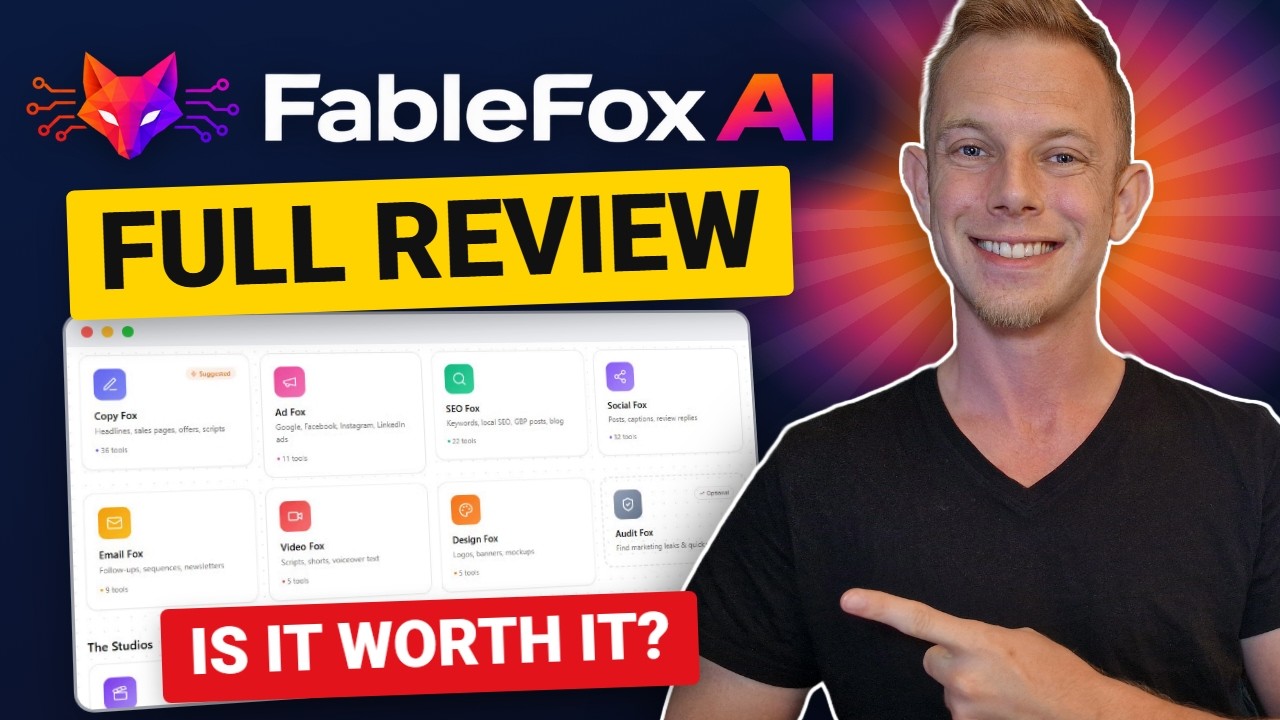
Hands-on review + bonuses
FableFox AI Review: Full Demo, Upgrade Details and My Bonuses
My hands-on FableFox AI review: I trained it on a made-up lawn care company's website and produced the month's posts, ads, emails, an ad image, a voiceover and a video clip. Every step, timed.
4.4 / 5 my rating · product by Firas Alameh

 Get FableFox AI + My 9 Bonuses →
$37 one-time
Want every upgrade? Get the Bundle for $347 →My Verdict for FableFox AI
FableFox AI bonus package
FableFox AI Bonus Package: Everything to Land the Local Clients
Buy FableFox AI through my link and you get my agency bonus package on your JVZoo receipt right after purchase. FableFox AI makes the month of marketing; these bonuses cover the part the software cannot do, which is finding the local business, starting the conversation and turning it into a client.
Bonus 1
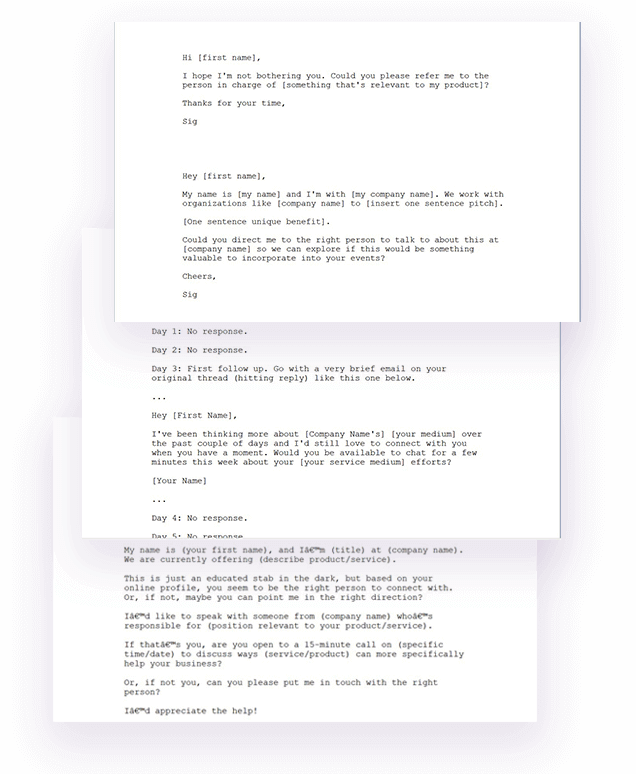
Local Client Outreach Pack (PDF)
The cold-email sequence, DM and walk-in scripts and objection answers for landing your first local clients. Run the Audit Fox on their website first, then send message one with the PDF attached.
$97 value
Bonus 2
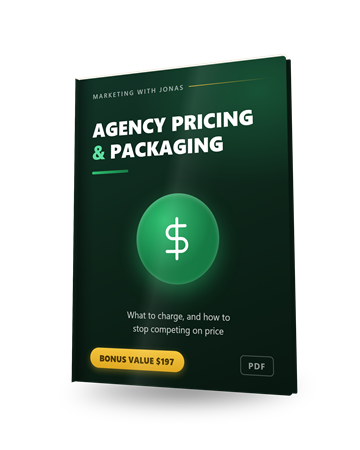
Agency Pricing & Packaging Guide (PDF)
How to package the posts, ads and emails from step 3 into three service tiers, how to set the price from the client's average customer value, answers to the four objections you will hear, and a one-page proposal.
$197 value
Bonus 3
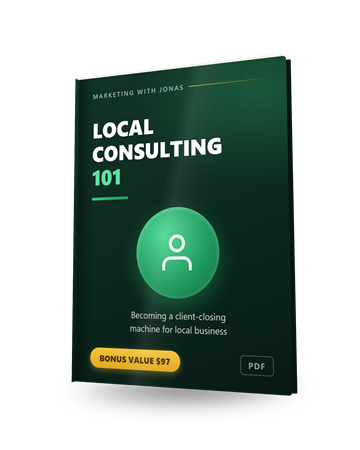
Local Consulting 101
FableFox AI makes the marketing. This teaches you the conversation with the owner who pays for it: how to run it and how to handle the objections you will actually hear.
$97 value
Bonus 4
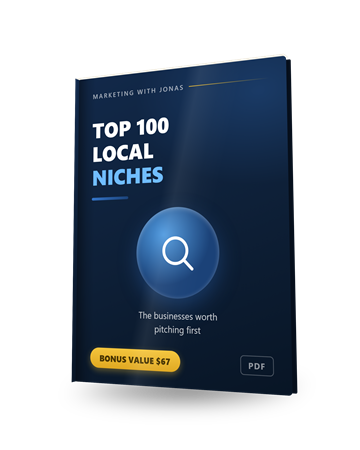
Top 100 Local Niches
The hundred local business types worth pitching, so you always know whose website to train your next Fox on. Lawn care is one of them; there are 99 more.
$67 value
Bonus 5
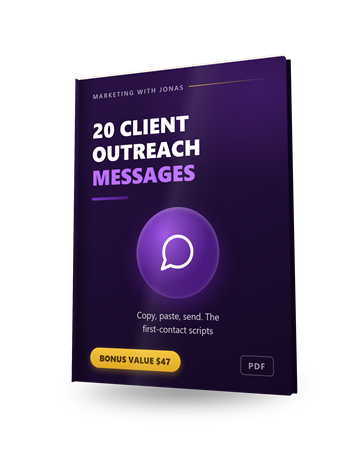
20 Client Outreach Messages
Twenty first-contact messages to copy, paste and send. Pair one with the Audit Fox report and you have a real reason to write to a business owner who never heard of you.
$47 value
Bonus 6
4-Part Client-Getting Email Sequence
A cold-to-client email sequence written for real estate, HVAC, insurance and dentists. Drop in the audit and a sample of the posts you made for them in FableFox AI.
$297 value
Bonus 7
Exclusive Agency Training
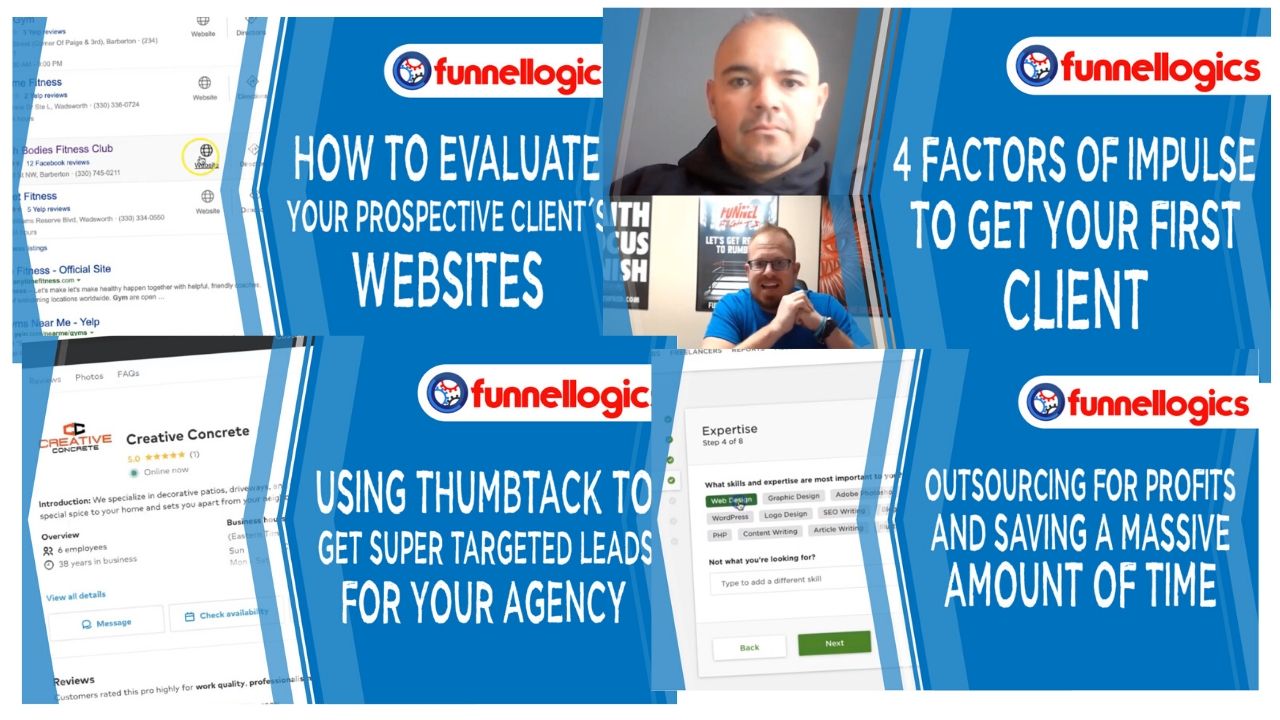
FunnelLogics Agency Edition: over an hour across 4 videos on evaluating prospects, what makes people buy, getting targeted leads and outsourcing the work so you can take on more clients.
$197 value

Bonus 8
1-on-1 Personal Mentoring
A direct line to me on WhatsApp for questions about training your first Fox, the audit, which tools to run for a client or how to package it. Send text, voice notes or screenshots and I will tell you what I would change.
$497 value
Bonus 9
The Vendor's FableFox AI Launch Bonuses
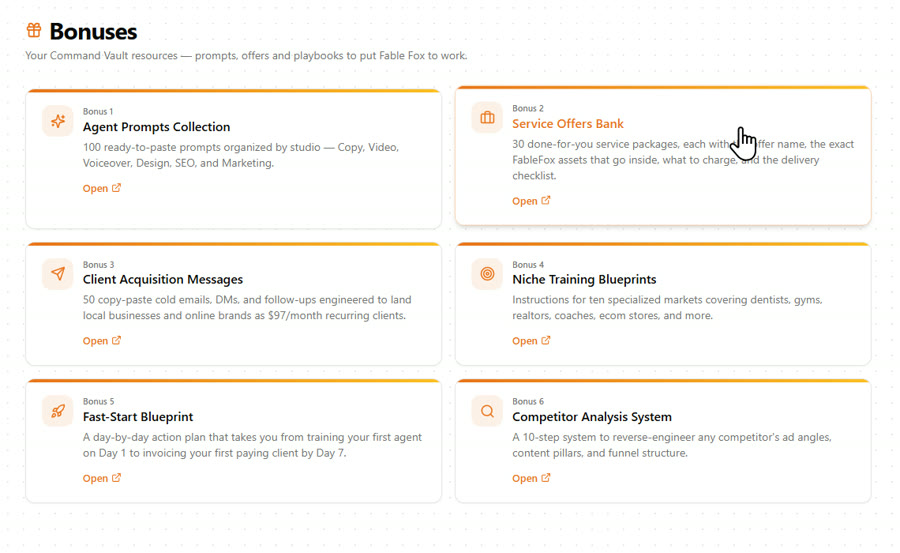
Firas includes his own launch bonuses with every copy: niche launch playbooks, a client kit, a 1,000-prompt vault, a content repurposing engine, a competitor analysis blueprint, an agency license with proposal templates, a sales letter and VSL script generator, an SEO toolkit and lifetime updates with a private community. Six more PDFs sit on the Bonuses page inside the app.
$870 value
Pricing and upgrades
Start at $37. Add an upgrade only if you need it.
Front EndStart here
FableFox AI Commercial
$37one-time
- Brand training from a link, a doc, a file or text
- Seven Foxes with 120 writing tools, plus the Audit Fox
- Motion, Art and Sound studios
- 250 credits a day, or your own OpenRouter key
- Commercial license, 12 months of hosting, 30-day guarantee
BundleEverything
FableFox AI Bundle
$347one-time
- The front end plus all four upgrades
- One payment instead of three yearly ones
- Coupon takes $50 off
Optional upgrades
Upgrade 1
FableFox AI Max
$197per year
- Talking avatar studio
- 100+ emotion-based voices
- Pre-trained sales and support chatbot agents
- Unlimited client projects
Upgrade 2
FableFox AI Unlimited
$127per year
- Removes the caps across the studios
- Unlimited trained Foxes and client workspaces
- The one to look at if you serve several clients
Upgrade 3
FableFox AI VSL Creator
$147per year
- 15+ sales script frameworks
- Scripts in 25+ languages
- Only if you write sales videos for a living
Upgrade 4
FableFox AI Client Finder
$97one-time
- Scans freelance job sites for open jobs
- Writes a tailored proposal for each one
My honest read on the funnel. For your own business, the $37 front end is all you need, and the daily credits go a long way. Three of the four upgrades are yearly, so if you want more than one of them, or you plan to run FableFox AI for several clients, the one-time bundle is the better deal. I could not test the upgrades, so those rows come from the vendor's bundle page.
Read the full written review
What FableFox AI does, in one sentence
You paste a business's web address, FableFox AI reads the page and builds a brand profile from it, and from then on its writing tools open with the forms already filled in for that business.
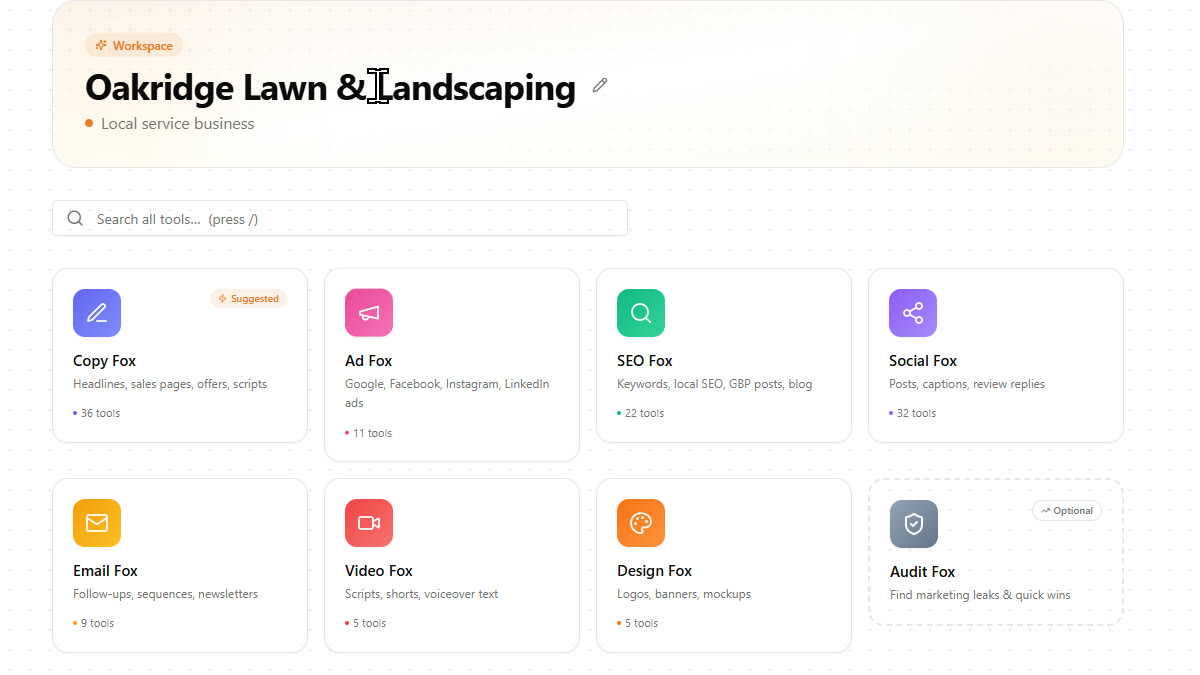
That is the whole idea, and it is a good one. Most AI tools make you explain the business again every time you open them. For this FableFox AI review I tested that idea properly: I took a made-up lawn care company, Oakridge Lawn & Landscaping in Boise, gave FableFox AI nothing but the link to its one-page website, and tried to get a full month of marketing out of it. Posts, ads, emails, an ad image, a voiceover and a video clip. Everything below is what happened, with the seconds and the credits.
Who this is for
You write marketing for a business, yours or someone else's, and you are tired of briefing the AI every single time.
The freelancer or agency doing local marketing
The core use case. Train a Fox on the client's website, run the audit to open the conversation, then produce the month's posts, ads and follow-ups in an afternoon.
The business owner who writes their own marketing
Train it once on your own site. After that the Google Business posts, the social calendar and the quote follow-ups come out in your tone with your prices in them.
The affiliate or product owner
It trains just as happily on a sales page. The vendor does exactly that in the training video, and the email and ad tools then write for that offer.
Who should skip it: anyone who doesn't write marketing for a business, their own or a client's. If you never post, run ads or send emails, there's nothing in here for you.
How To Use FableFox AI
This is the same run you see in the video, on the same business, in the same order.
Step 1: Train the Fox on the website (about 4 seconds)
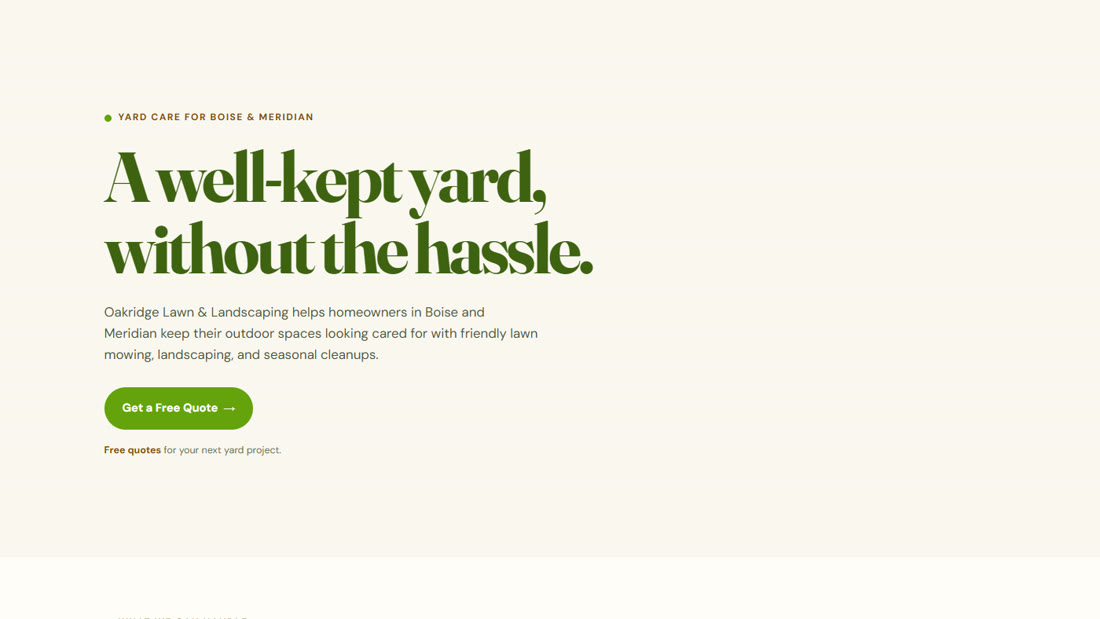
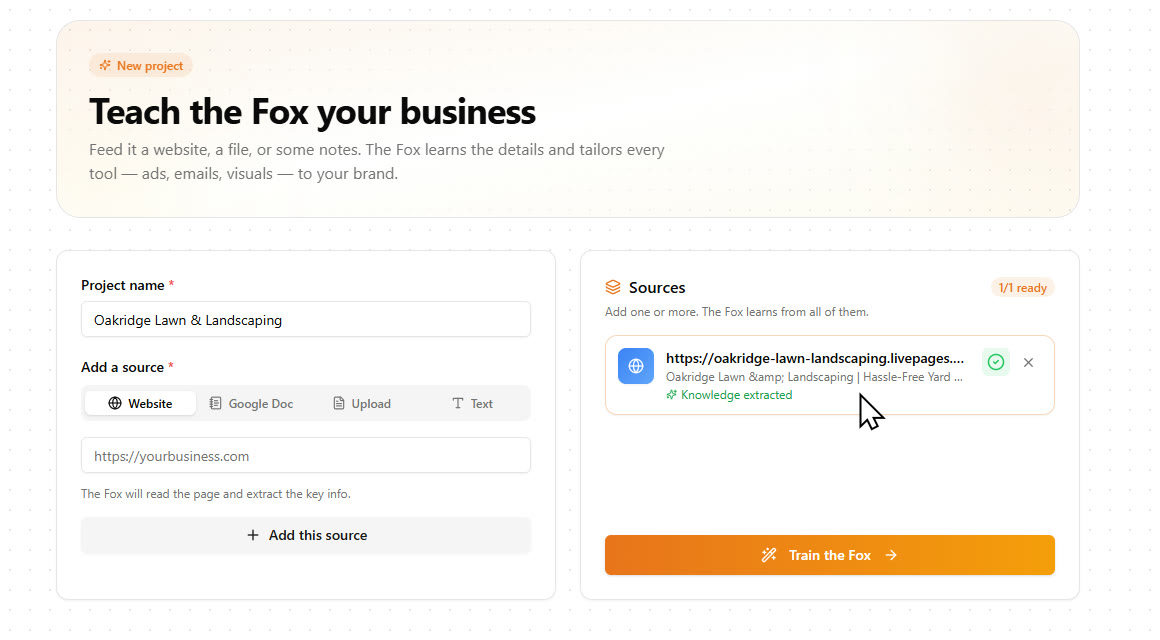
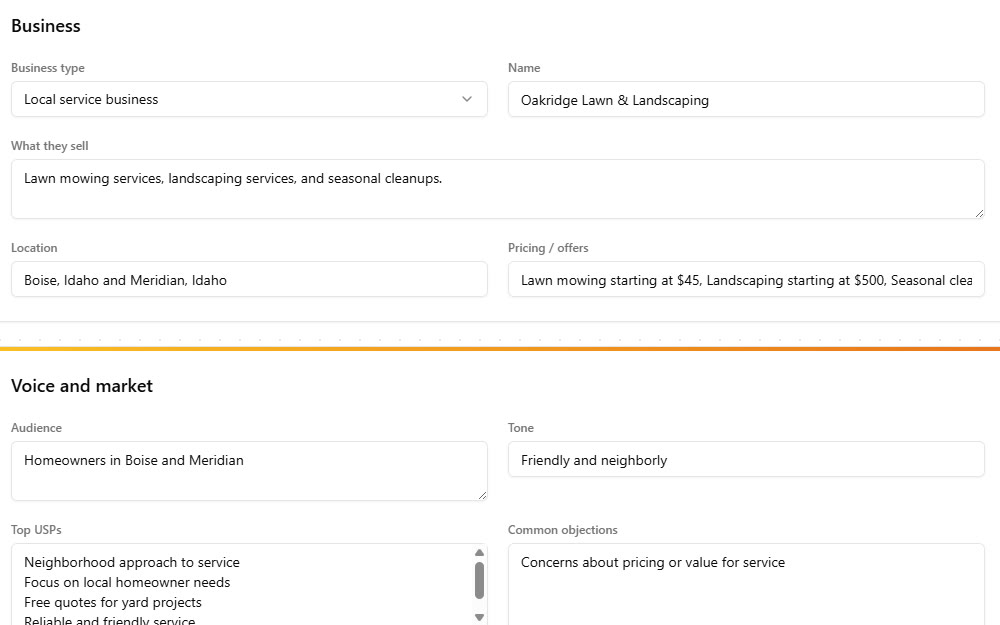
A new project takes a website, a Google Doc, an uploaded file or pasted text as its source, and you can add several. I pasted the Oakridge link and clicked Train the Fox. The badge on the next screen said it trained in 4 seconds.
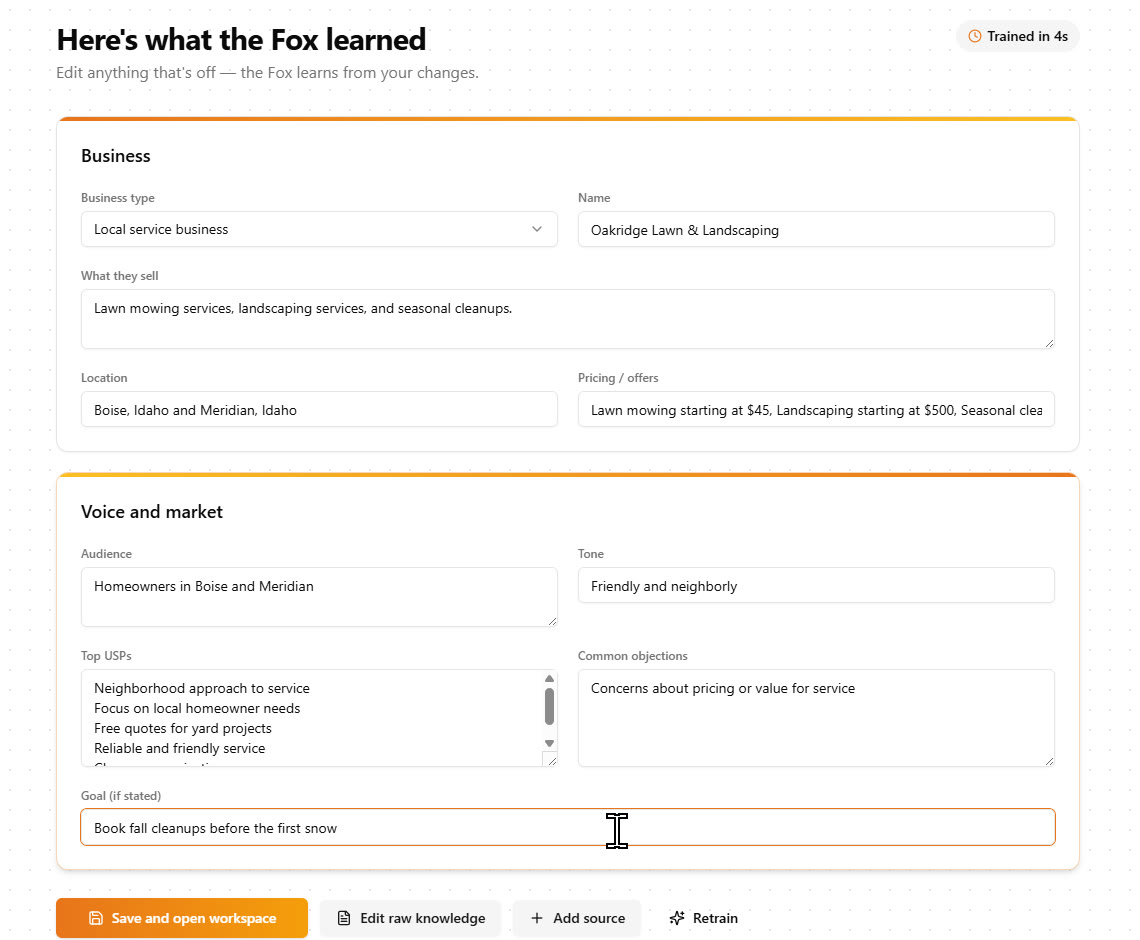
Every price, both towns and the tone were right, and every field can be edited. The goal field was empty, so I typed in that they want to book fall cleanups before the first snow. One thing to know: it reads the page you give it, so for a bigger site you add the services page and the about page as extra sources.
Step 2: Run the Audit Fox (free, about 5 seconds)
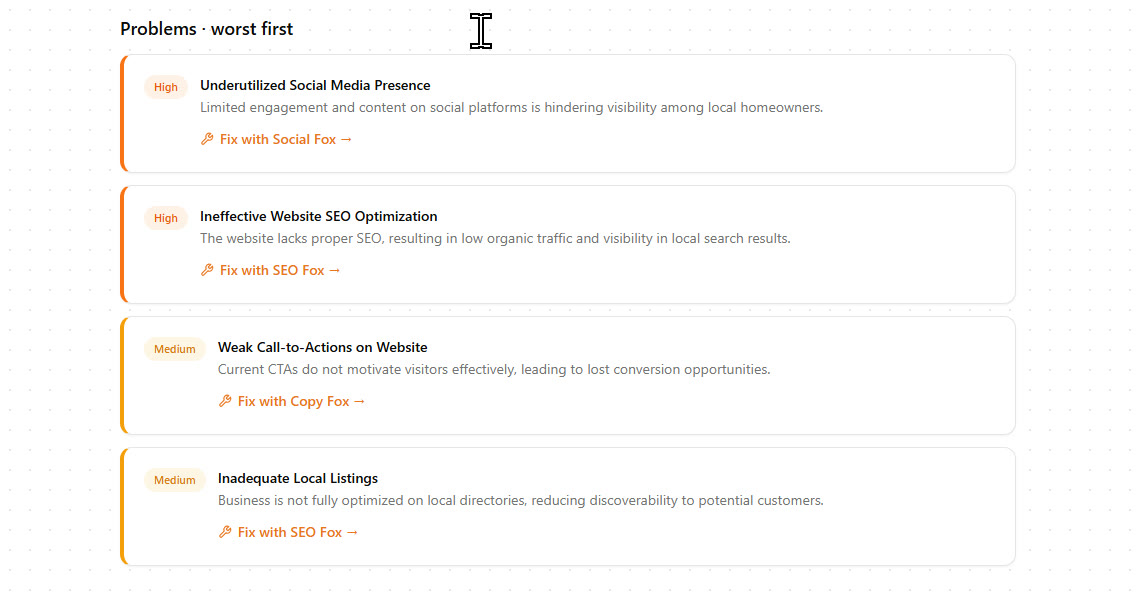
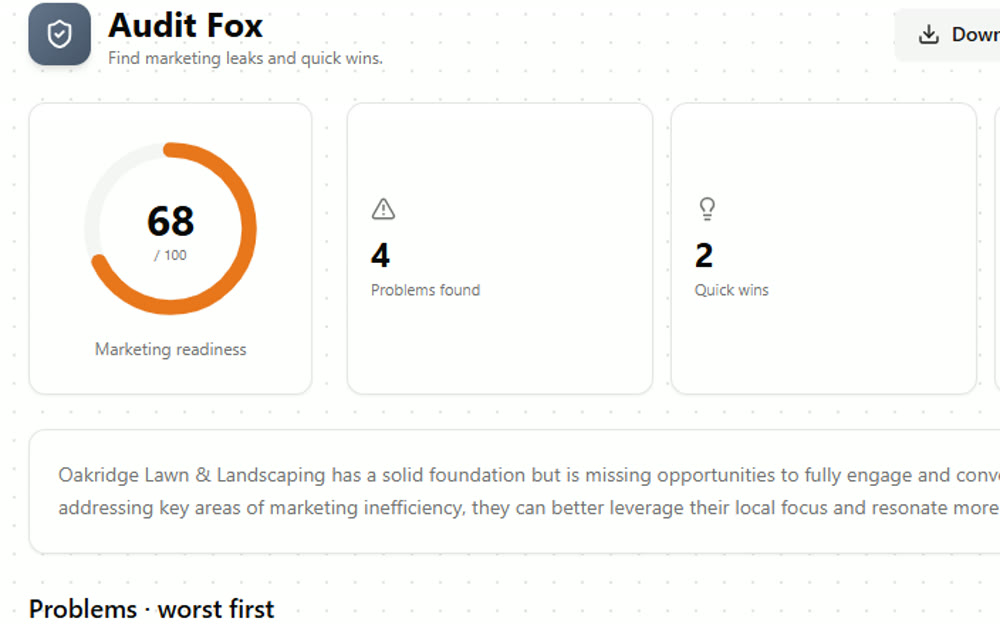
One click gives you a marketing readiness score, the problems ranked worst first, and a link from each problem to the Fox that fixes it. Oakridge scored 68 out of 100 with 4 problems and 2 quick wins. It works from the brand profile and the website, so treat it as a starting point for a conversation with the owner. You can download it as a PDF and send it to them, which is exactly how I would use it.
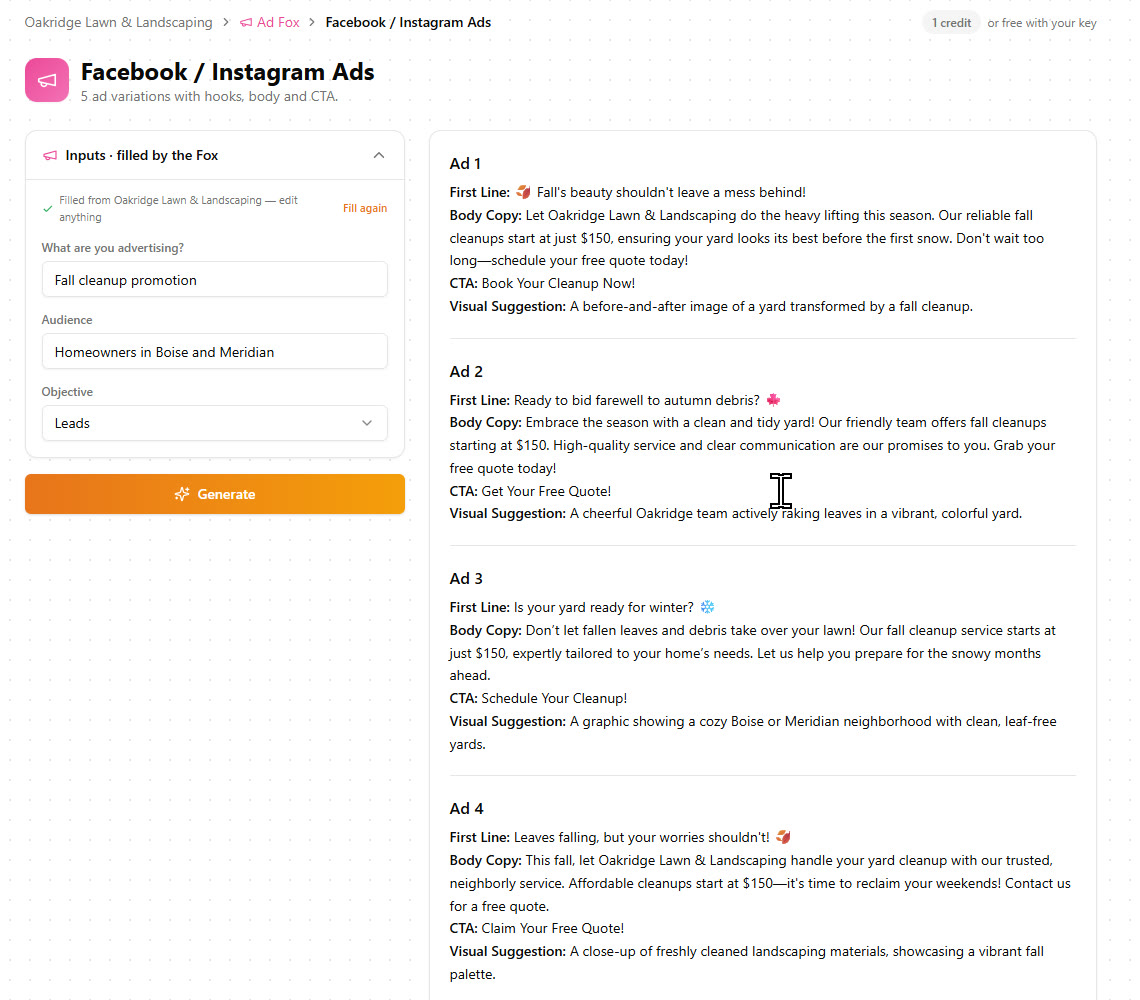
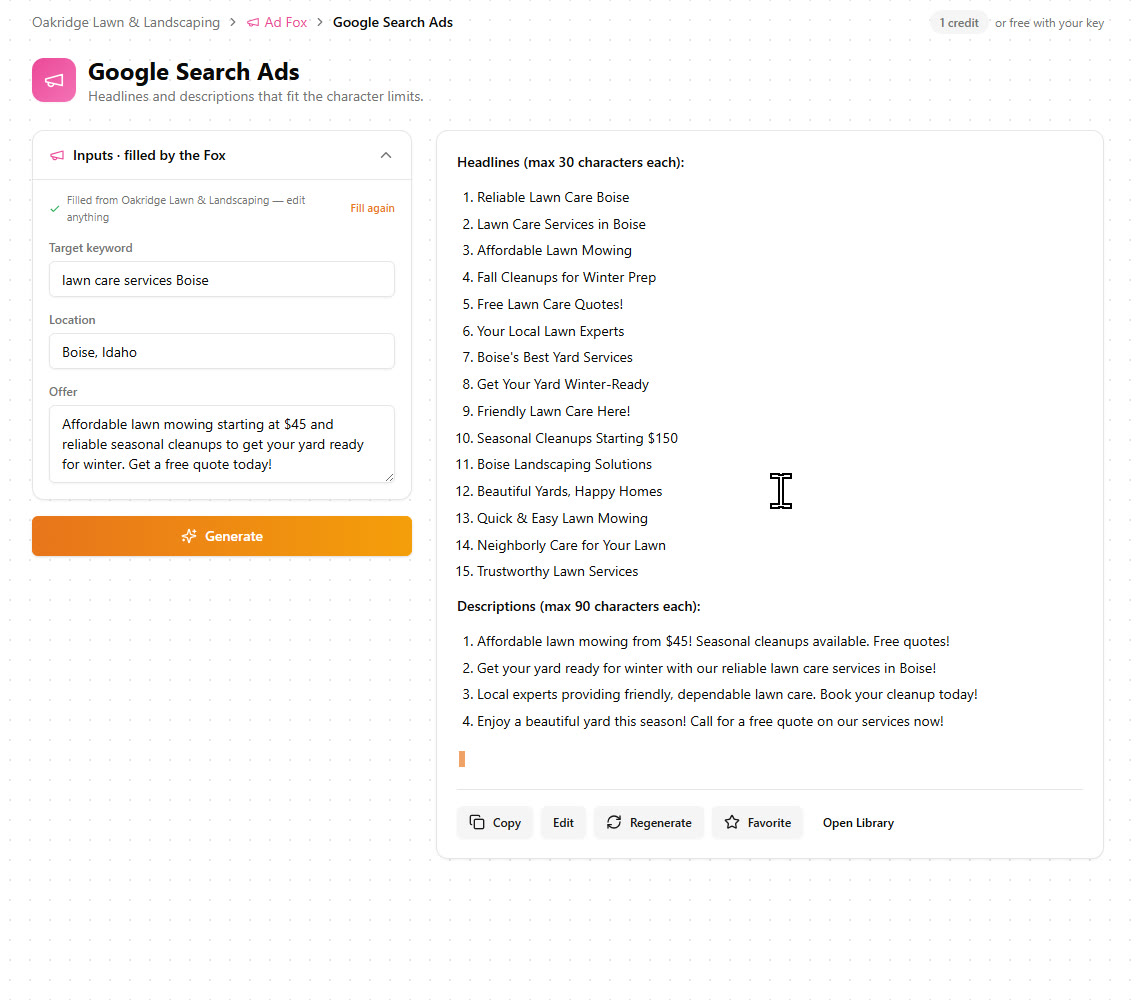
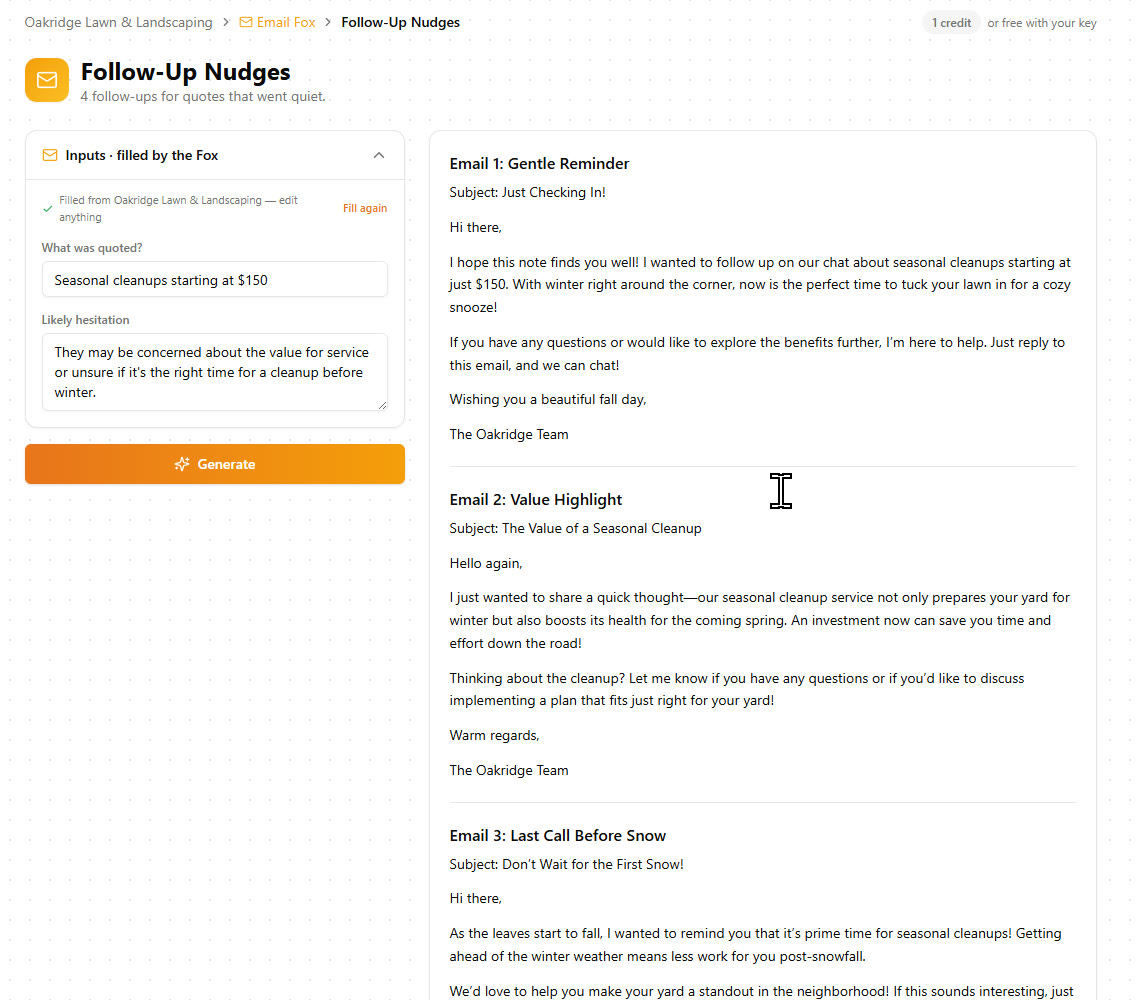
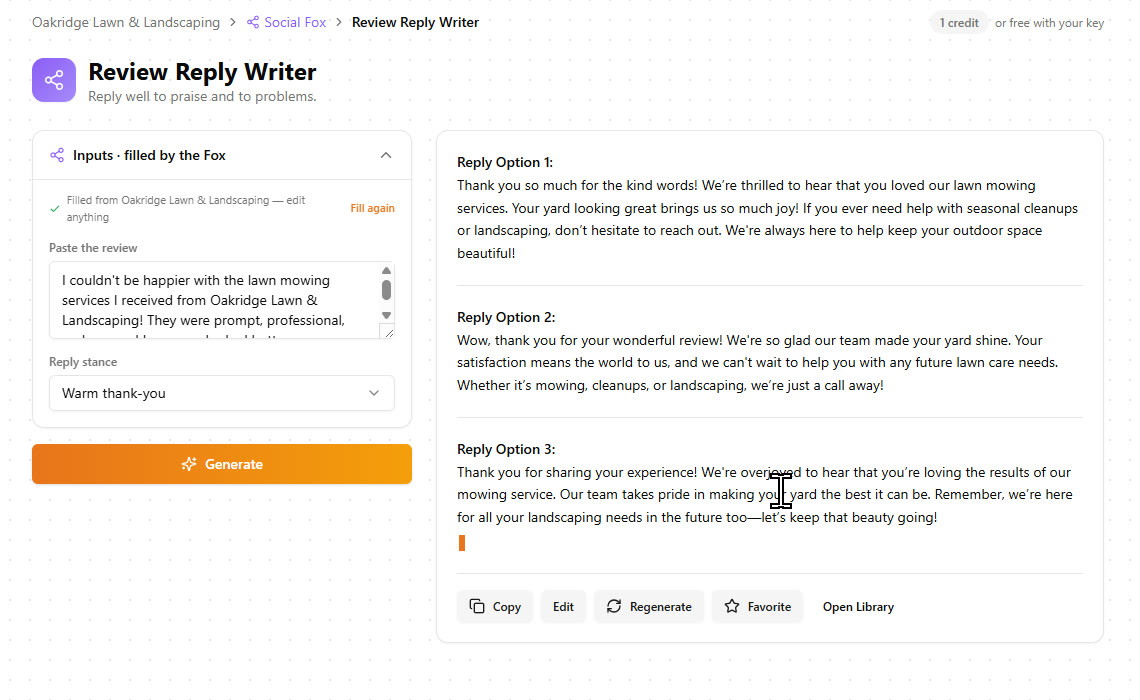
Step 3: Write the month (six tools, 8 credits)
This is where the training pays off. Every tool opened with its inputs already written, and I never typed a prompt.
| Tool | What came back | Time, credits |
|---|---|---|
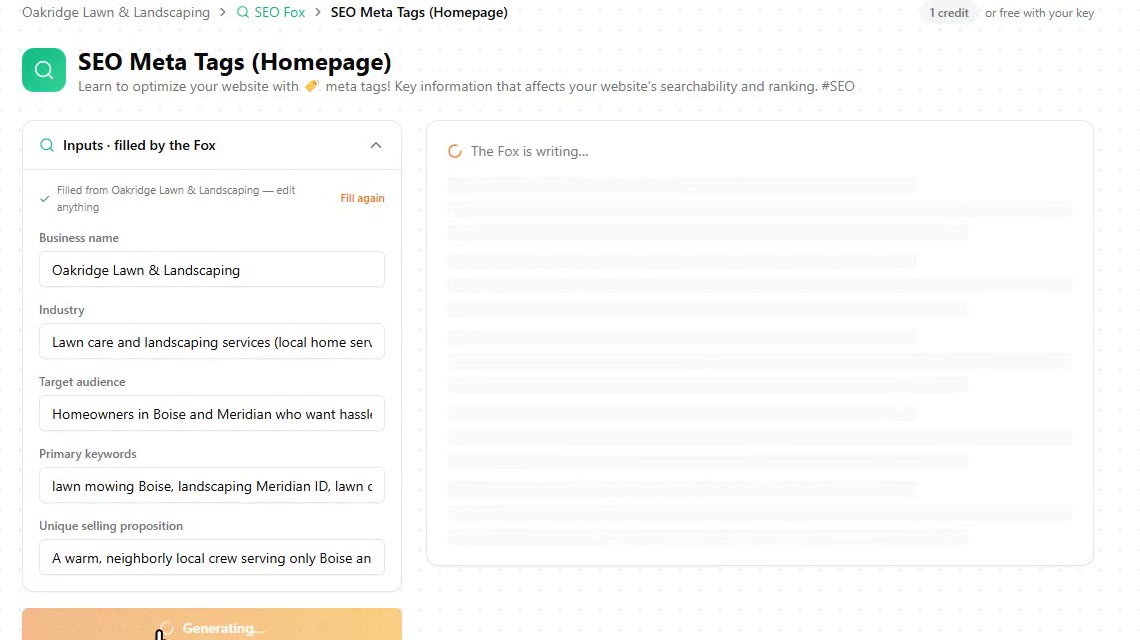
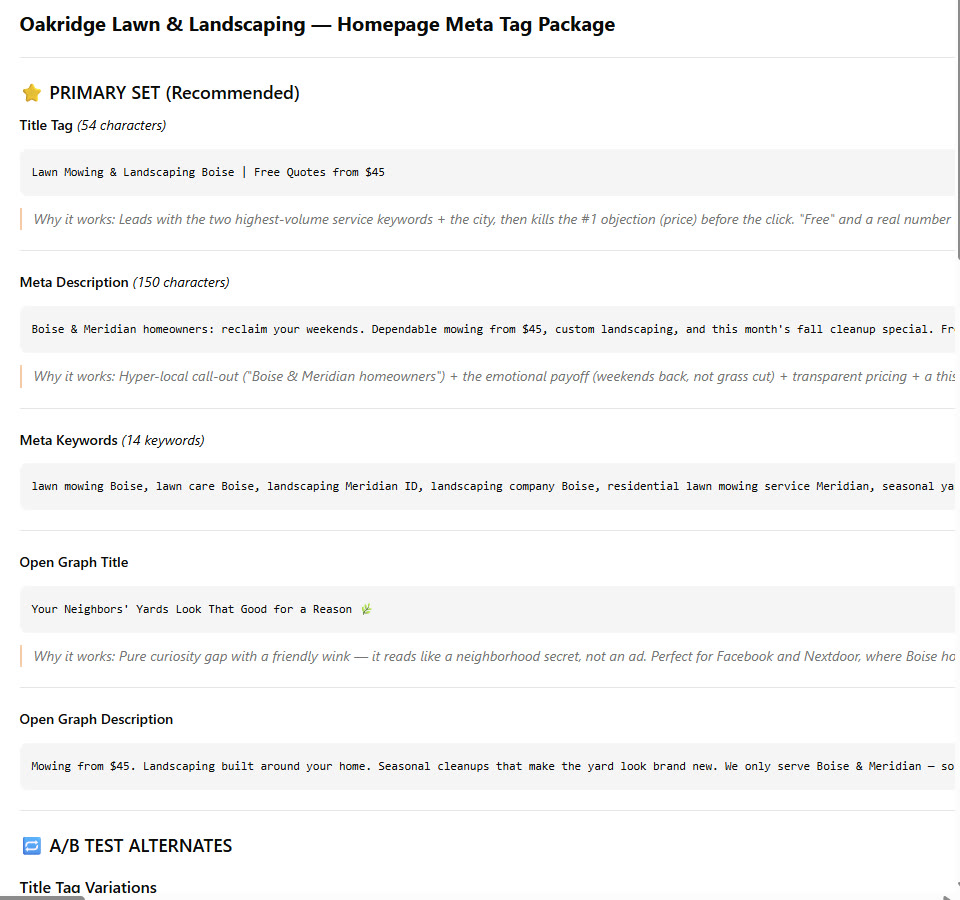
| SEO Meta Tags (Homepage) | A title tag and meta description with lawn mowing in Boise and the $45 starting price, meta keywords, Open Graph tags and alternatives to test | 40 s, 1 |
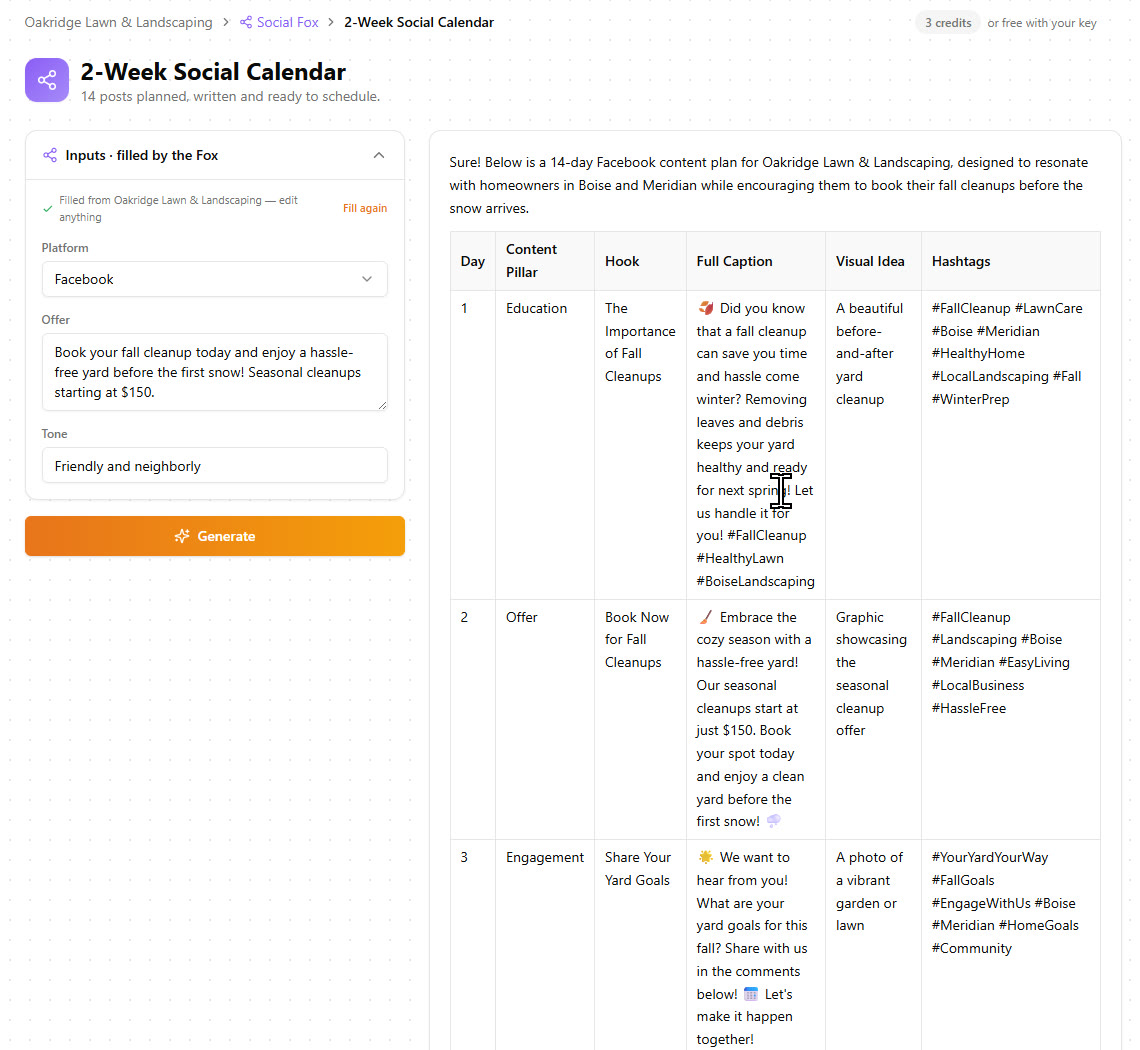
| 2-Week Social Calendar | A 14-day plan: content type, hook, full caption, picture idea and hashtags for every day | 20 s, 3 |
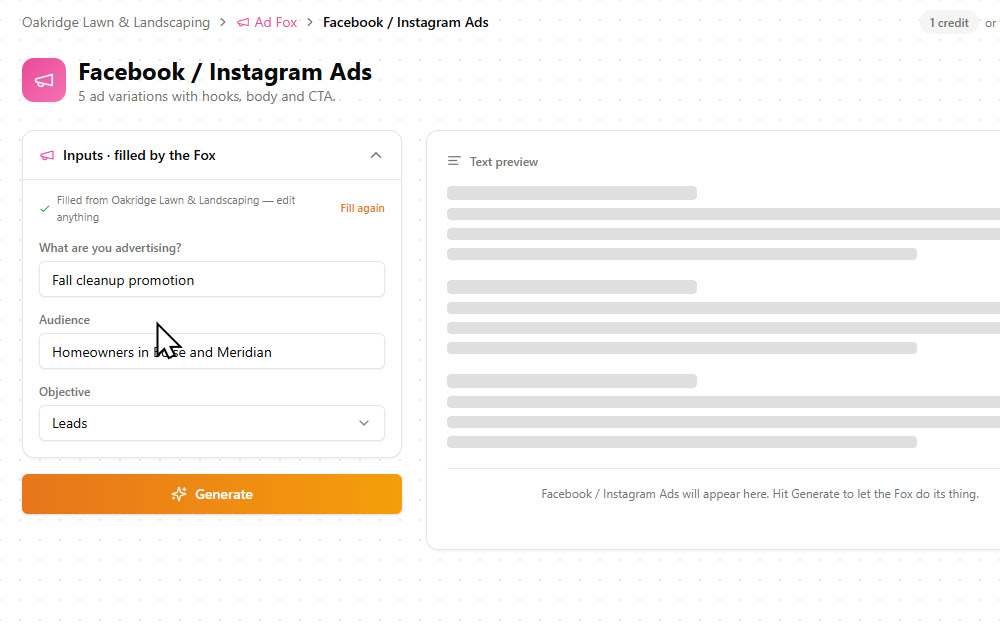
| Facebook / Instagram Ads | 5 ad variations, each with a first line, body copy, call to action and an image suggestion | 11 s, 1 |
| Google Search Ads | 15 headlines under 30 characters and 4 descriptions under 90 | 11 s, 1 |
| Follow-Up Nudges | 4 short emails for quotes that went quiet | 7 s, 1 |
| Review Reply Writer | 3 replies to choose from, in the same friendly tone | 9 s, 1 |
Step 4: Make the ad image, the voiceover and the clip (6 credits)
The three studios make files, not text. They do not fill in the form for you, so here you describe what you want.
| Studio tool | What came back | Time, credits |
|---|---|---|
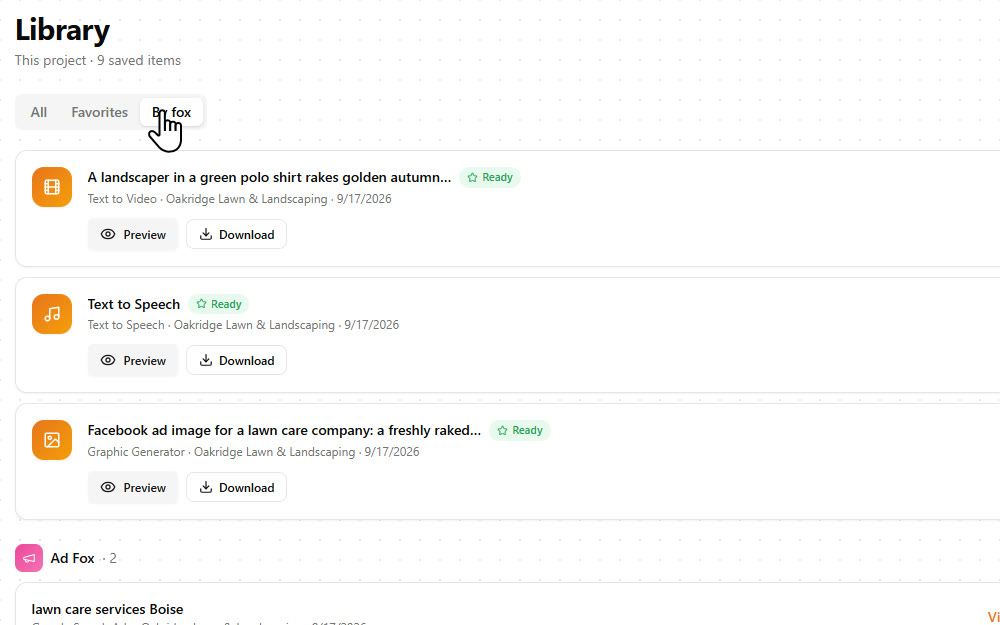
| Graphic Generator | A photoreal Facebook ad image with the headline and the business name spelled correctly | 1 min, 1 |
| Text to Speech | A 19-second radio-style ad read, voice Henry, American English | 1.5 min, 2 |
| Text to Video | A 6-second 720p clip with sound: a landscaper raking golden leaves | 2 min, 3 |

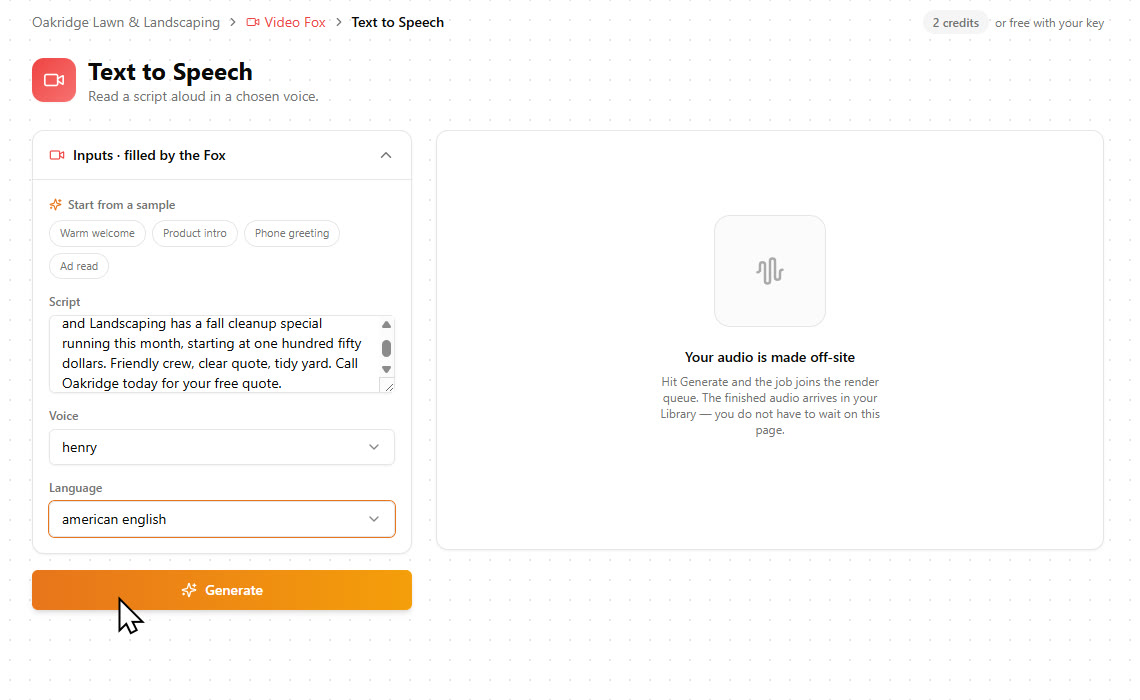
Jobs go to a render queue and land in the Library, so you can keep working while they finish.
Step 5: Hand it over from the Library
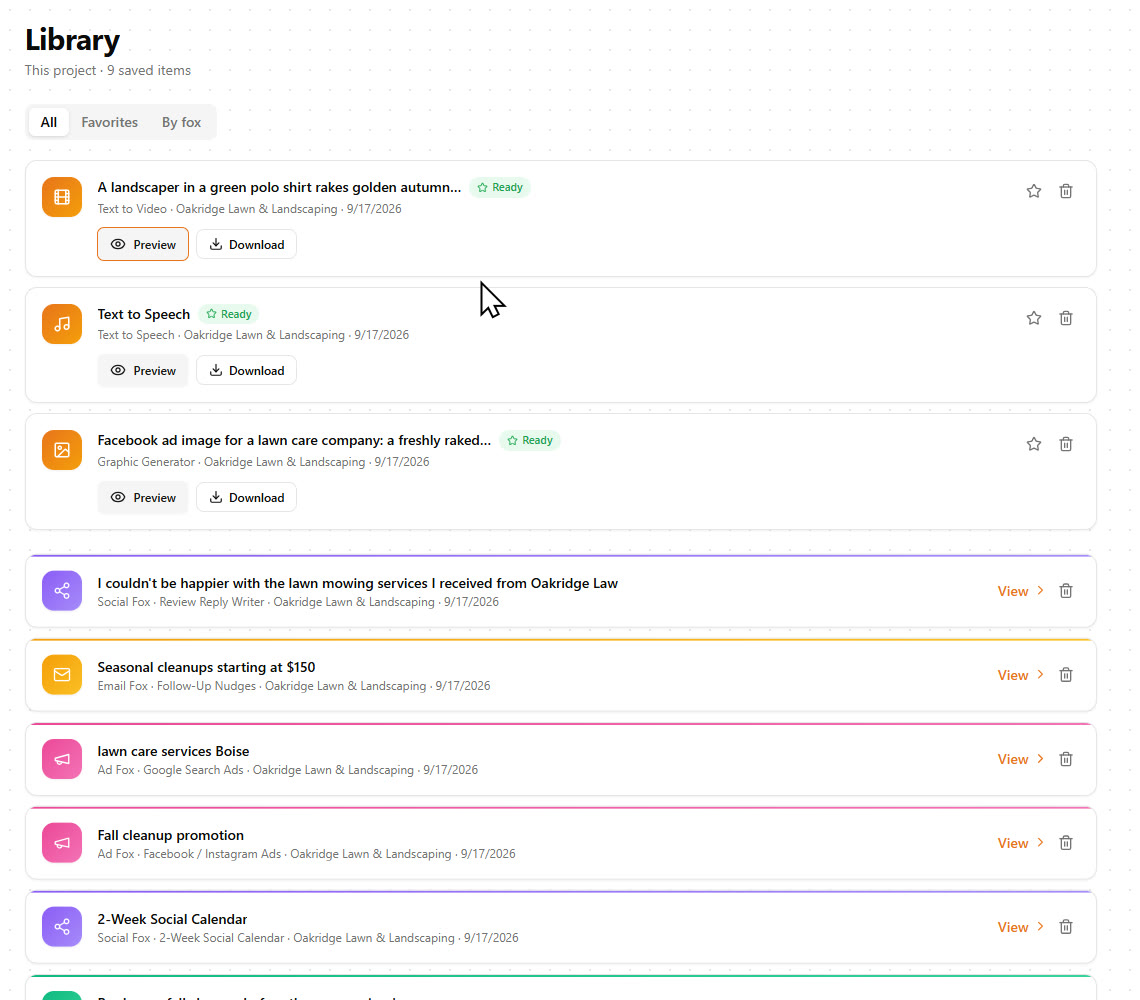
The Library is the delivery folder. Preview, download, copy, or filter by Fox. Next month you come back, change the offer in the brand profile and run the same tools again.
What the front end includes
Everything in this review ran on the front-end account.
| You get | Detail |
|---|---|
| Brand training from a website, Google Doc, file or text | Yes |
| Seven Foxes with 120 writing tools, plus the Audit Fox | Yes |
| Motion, Art and Sound studios (30 tools) | Yes |
| Daily credits, refilled at midnight UTC | 250 |
| Cost of short copy / long copy / image / audio / video | 1 / 3 / 1 / 2 / 3 |
| Trained Foxes and client workspaces, per the sales page | 1 and 1 |
| Hosting included, per the sales page | 12 months |
| Commercial license | Yes |
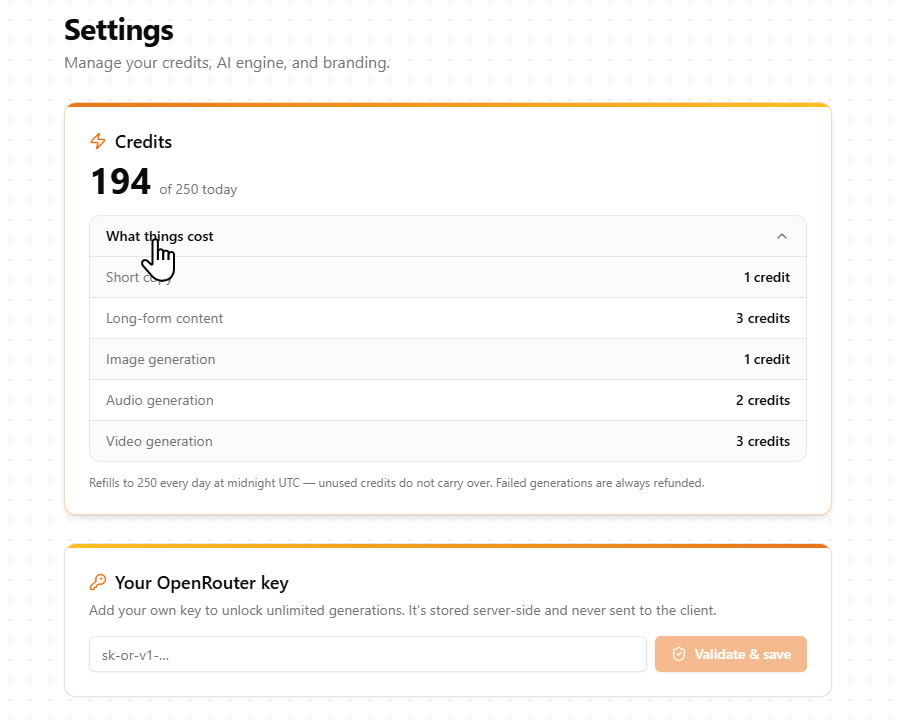
If you ever need more than 250 a day, Settings takes your own OpenRouter key, and then you pay OpenRouter for what you use instead of spending credits. For one or a few businesses I never came close.
5 Steps From a Client's Link to a Month of Marketing
1. Train the Fox
Paste the website and click Train. About 4 seconds later you have an editable brand profile with the services, prices, towns and tone.
2. Run the Audit Fox
Free and about 5 seconds: a readiness score and the problems ranked worst first, as a PDF you can send the owner.
3. Write the month
Open a tool, the form is already filled in, click Generate. Six tools gave me homepage meta tags, a 14-day calendar, ads, follow-ups and review replies for 8 credits.
4. Make the visuals and sound
Describe the ad image, the voiceover and the clip. They render in 1 to 2 minutes each and cost 6 credits together.

5. Deliver from the Library
Every file and every text piece sits in one Library with preview and download. Next month, change the offer and run it again.
Key Features & My Honest Take
- Brand training from one link, a Google Doc, a file or textThe best thing in the product. Four seconds, and it had all three prices, both towns and the tone. It reads the page you paste, so add more pages as sources for a bigger site.
- Editable brand profile with audience, tone, selling points, objections and goalEdit a field and every tool picks it up. The goal I typed showed up in the posts, the ads and the emails a minute later.
- Audit Fox with a downloadable PDFFree, fast, and a good door opener for local clients. It reasons from the profile and the site, so it is an opinion, not a measurement.
- Seven Foxes with 120 writing toolsThe featured tools (social calendar, Google Business posts, ad writers, follow-up nudges, offer builder) are the strong ones. The long tail is a template library, useful but plainer.
- Pre-filled inputs on every writing toolThis is what saves the time. I ran six tools without typing a prompt.
- Art Studio: graphic generator, logo creator, product brander, face swaps, background removerThe ad image came back with perfect text in about a minute. You write the prompt yourself, and you should check small print before using an image.
- Motion Studio: text to video, image to video, scene maker, upscaler, dubbingGood looking clips of about 6 seconds each in 720p with sound. Generate several and stitch them together for a longer ad or reel.
- Sound Studio: text to speech, voice cloner, music, sound effectsText to speech gave me a clean 19-second ad read. My account had 7 voices and 8 languages, so go by that number.
- One Library across all projectsSimple and it works: preview, download, favorite, filter by Fox.
- 250 credits a day, refilled dailyPlenty. A full client pack plus all my testing used 56. Your own OpenRouter key removes the limit if you ever hit it.
- In-app training video and a vendor bonus pageThe 14-minute walkthrough covers the whole flow. Watch it first.
Pros
- Four seconds from a link to a brand profile that had every price, both towns and the tone right.
- Every writing tool opens pre-filled, so a month of posts, ads and emails is a series of clicks, not prompts.
- The ad image had its headline and the business name spelled correctly, for 1 credit.
- The free Audit Fox PDF is a ready-made conversation starter for local clients.
- 250 credits a day is generous: the whole client pack used 8 for the writing and 6 for the media.
Cons
- It writes and creates, but it does not schedule or publish anything for you.
- Talking avatars are in the Max upgrade, not the front end.
- Three of the four upgrades are billed yearly, so read the pricing section before you click through the funnel.
Pricing details
FableFox AI is $37 one time on the front end, with a 30-day money-back guarantee. The sales page lists 12 months of hosting, a commercial license, one trained Fox and one client workspace. Everything in this review ran on that account.
FAQ
What is the verdict of this FableFox AI review?
Worth it at $37 if you write marketing for a business, yours or a client's. It learned a lawn care company from one link in 4 seconds, and the posts, ads, emails, ad image, voiceover and clip that followed were all usable. It will not publish anything for you.
Does FableFox AI read the whole website?
No, it reads the page you paste. Mine was a one-page site, about 2,000 characters. For a bigger site, add the services page, the about page or a document as extra sources in the same project.
How many credits do you get, and what do things cost?
250 credits a day, refilled at midnight UTC, and unused credits do not carry over. Short copy is 1 credit, long copy 3, an image 1, audio 2 and a video 3. A full client pack cost me 14 credits.
Do I need my own API key?
No. Everything in this review ran on the included credits. If you want more than 250 a day, you can add your own OpenRouter key in Settings and pay OpenRouter for what you use.
How long are the videos?
Each text to video clip is about 6 seconds, 1280 by 720, with sound, and mine took about 2 minutes to render. For a longer video you generate several clips and stitch them together.
Can I use what it makes for clients?
Yes, the front end includes a commercial license. The sales page lists one trained Fox and one client workspace on the front end, and unlimited ones in the Unlimited upgrade and the bundle.
Does it post to social media for me?
No. It writes the posts and the calendar and makes the images and clips. You copy or download them and publish them yourself.
Is there a monthly fee?
The front end is a one-time $37 with 12 months of hosting included according to the sales page. Three of the four upgrades are billed yearly, and the bundle is one time.
Last updated

Jonas Nielsen
Marketing software reviewer
I've tested 100+ marketing tools hands-on and publish full demos and honest verdicts on YouTube, where 4,800+ people follow along. I only recommend software I've actually logged into and used myself.