
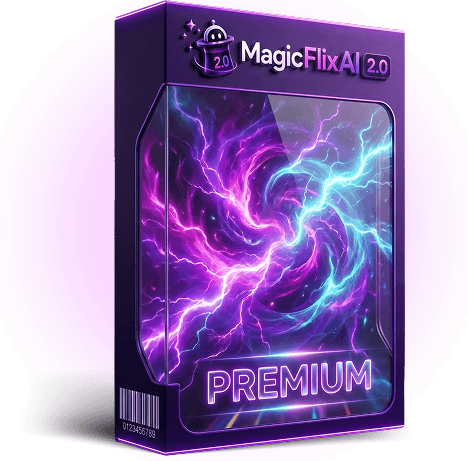
Hands-on review + bonuses
MagicFlixAI 2.0 Review: Full Demo, How To Use It and Bonuses
I used MagicFlixAI 2.0 to start a faceless horror channel from nothing: the AI brain, the voice, the first long-form video, the 30-day auto-posting schedule. This review shows every step and what came out.
4.5 / 5 my rating · product by Ben Murray

 Get MagicFlixAI 2.0 + My 15 Bonuses →
$37 launch price
Want every upgrade? Get the Bundle for $317 →My Verdict for MagicFlixAI 2.0
MagicFlixAI 2.0 bonus package
Free Bonuses When You Get MagicFlixAI 2.0 Here
Buy MagicFlixAI 2.0 through my link and you get two stacks: my exclusive bonuses, delivered automatically on your JVZoo receipt right after purchase, plus Ben's six official launch bonuses inside your members area. Both are built for the channel method above: picking the niche, producing the videos, and turning them into income. Ben's disappear when the launch ends on 24 August.
Bonus 1
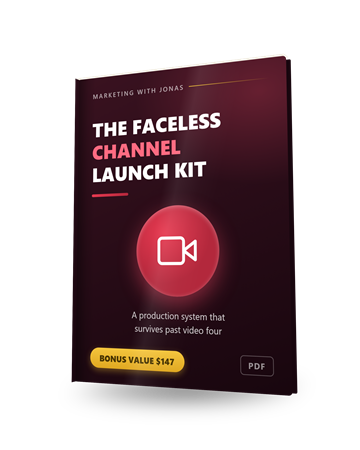
The Faceless Channel Launch Kit
A production system for running a video channel on an AI voice: which niches suit the format, the script skeleton that holds retention, where to source visuals, and how to keep the voice consistent across episodes. It is steps 1 to 3 above, written down as a checklist you can run every week.
$147 value
Bonus 2
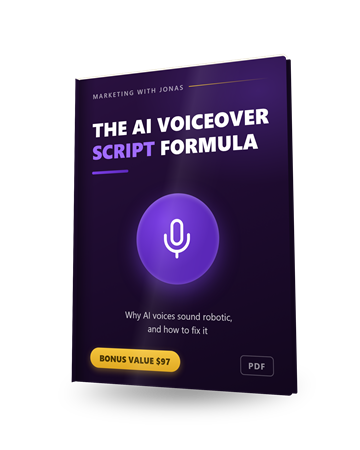
The AI Voiceover Script Formula
Why AI narration sounds robotic and the exact script edits that fix it: punctuation as timing, phonetic numbers, emphasis by word order. Use it in the script-review step, before you approve a render.
$97 value
Bonus 3
1-on-1 Personal Mentoring
A direct line to me on WhatsApp for questions about your niche, your channel or your first renders. Send text, voice notes, links or screenshots and I will tell you what I would change.
$497 value
Bonus 4
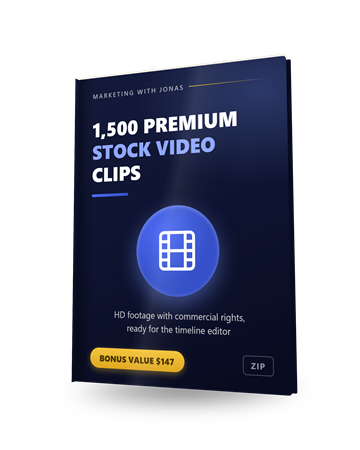
1,500 Premium Stock Video Clips (Commercial Rights)
Commercial rights to more than 1,500 HD clips in three bundles of city, coast and travel footage. Drop them into any scene from the timeline editor when you want real footage instead of a generated image, or build a POV or travel channel on them.
$147 value
Bonus 5
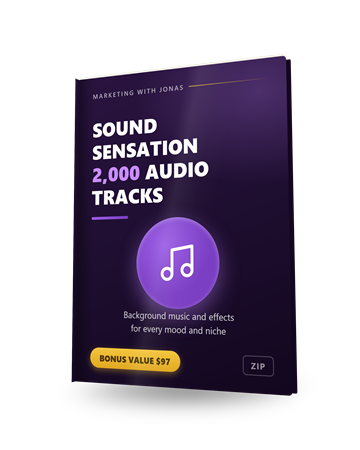
Sound Sensation: 2,000 Premium Audio Tracks and Effects
Two thousand background tracks and sound effects across every mood and niche, in five downloads. The app's music library covers the basics; this is for when a channel needs its own sound, or when you post the same video to platforms that want different audio.
$97 value
Bonus 6
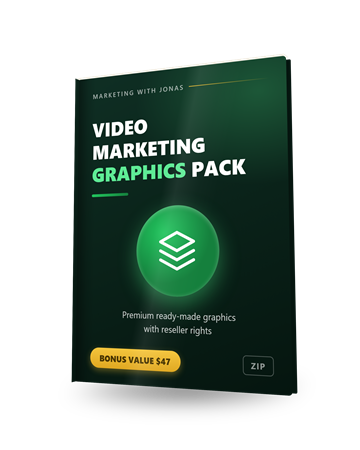
Video Marketing Graphics Pack (Reseller Rights)
Reseller rights to a pack of premium ready-made video graphics you can layer onto your videos in the editor's media step, so a finished video looks branded rather than templated.
$47 value
Bonus 7
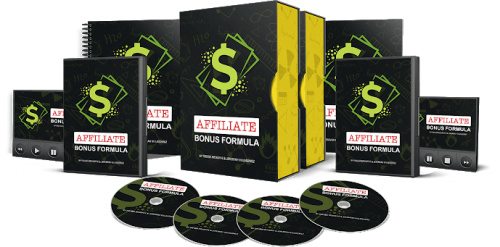
Affiliate Bonus Formula
How to build bonuses that lift your affiliate conversion rate, plus 10 bonus templates you can reuse. The affiliate route from the review, with the missing piece: the reason people buy through your link and not someone else's.
$97 value

Bonus 8
17 Private High-Ticket Webinar Affiliate Programs
Evergreen webinar affiliate programs paying 40 to 50 percent on products from $497 to $1,497; fifteen of the seventeen are free to join. Point a channel at one and a single sale pays for the app many times over.
$97 value
Bonus 9
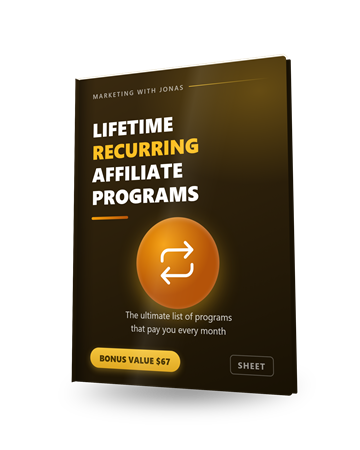
The Ultimate List of Lifetime Recurring Affiliate Programs
A spreadsheet of affiliate programs that pay for the life of the customer, so a video you post once can keep paying every month. Pairs with the high-ticket list above: one for big single commissions, one for the recurring floor.
$67 value

Bonus 10
$5 Million Affiliate Channel GPT
A custom GPT trained on Ben Murray's affiliate playbook. Once your channel is running, ask it which offers fit your niche and how to work them into your videos and descriptions. This is the affiliate route from step 4, with a coach attached.
$97 value
Bonus 11
YT Channel Automator
Diagnoses why a channel is not growing and tells you what to change. Run it after your first 30-day cycle to decide what to double down on.
$67 value
Bonus 12
$12,000/Month Faceless Channel Case Study
The niche, format and monetization mix behind a faceless channel that went from zero to a steady $12,000 a month. Read it before step 1; it will shape which niche you pick.
$67 value

Bonus 13
$3k/Month Agency Client Case Study
How a beginner landed a local business paying $3,000 a month for a faceless channel. This is the agency route: once your own channel runs, this shows how to sell the same thing.
$67 value
Bonus 14
100 Perfect AI Channels
A hundred channel blueprints: niche, video ideas, keywords and the money angle for each. If you do not have a niche in mind, pick one from here and hand it to the wizard in step 1.
$47 value
Bonus 15
AI Faceless Blogger Pro
Creates a matching faceless blog for your channel, so every video gets a written home for search traffic and affiliate links.
$47 value
Pricing and upgrades
Start at $37. Add an upgrade only if you need it.
Front EndStart here
MagicFlixAI 2.0 Premium
$37launch price
- Automatic mode, series tech and scheduling
- 1,000 videos a month, 50 channel series
- AI Brain brand training
- Image and video-clip modes, all the model dropdowns
- Affiliate finder, funnels, sponsorship discovery
- Commercial rights included at launch
- 30-day money-back guarantee
BundleEverything
MagicFlixAI 2.0 Bundle Deal
$317one-time
- Front end plus every upgrade below plus the Megabundle apps
- Coupon MAGIC takes $50 off at checkout
- The only purchase that needs no other decisions
- Cheaper than buying even half the OTOs separately
Optional upgrades
OTO 1
Fastpass Bundle
$230one-time
- Every upgrade in one purchase, applied to your existing licence
- The in-cart version of the bundle if you already bought the FE
OTO 2
Gold
$197one-time
- Unlimited series, renders and thumbnails
- Faster rendering, full HD
- Agency licence for 15 clients
- Extra channel themes and art styles
OTO 3
Elite
$127one-time
- 46 languages
- Removes MagicFlix branding from videos
- Channel Club preloaded themes
- DFY agency campaign and site
OTO 4
Platinum
$197one-time
- Whitelabel: your brand on the app
- 100 branded client accounts
- Team member seats
- Their affiliate programme with DFY setup
OTO 5
Audio2Video
$37one-time, separate app
- Turns podcasts and voice notes into videos
- Separate login, unlimited access
OTO 6
Voicely Special
$37one-time, separate app
- Advanced voiceover tool with emotion and emphasis control
- Separate login
Start with the $37 Premium front end. Everything in the 4 steps above is in it: the brain, automation, the model menu, the ranking tools and the monetization features, with 1,000 videos a month, which is more than one channel will use.
Gold is the upgrade with a real argument once you run more than one channel or sell channels to clients: unlimited renders, faster rendering and 15 agency seats. Elite is for non-English channels (46 languages) and anyone who cannot have the MagicFlix name on client videos. Platinum is for running it as your own branded platform. Audio2Video and Voicely are side tools.
If you already know you are all-in, the bundle with coupon MAGIC is the cheapest way to own everything. Only the front end and the bundle are linked above, because an upgrade without a front-end licence has nothing to upgrade.
Read the full written review
What MagicFlixAI 2.0 does, in one sentence
It runs a faceless video channel for you: it writes the stories, narrates them, builds the visuals, cuts the video, and posts to a schedule you set once. You pick the niche and the look. It does the daily work.
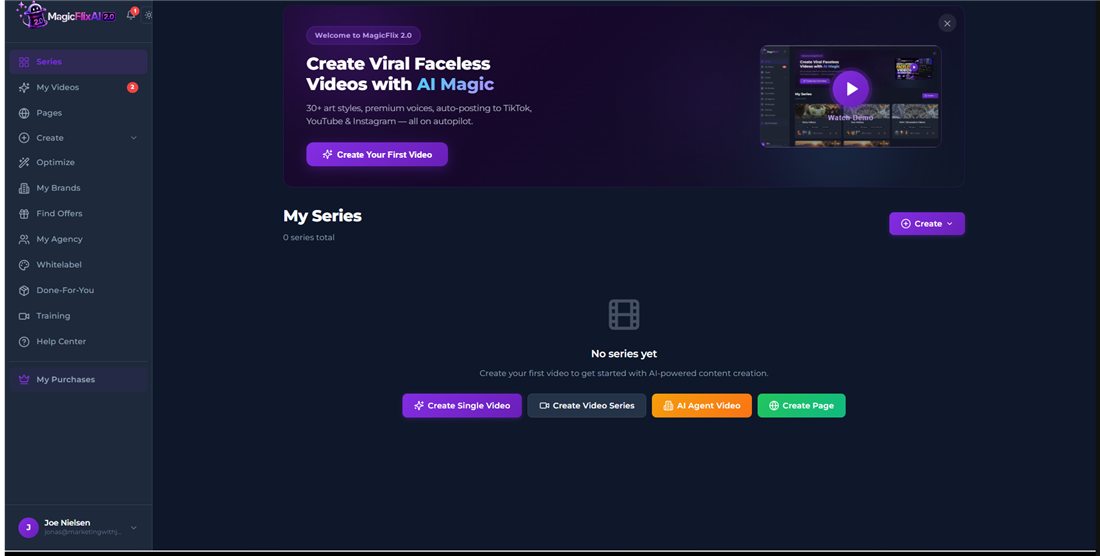
That is the promise on the sales page, and it is the promise that made me want to test it properly. Faceless channels are the one YouTube business a single person can run without being on camera, and the channels the sales page shows (a history channel at 95,000 subscribers, a psychology channel with 20-minute videos and millions of views, an AI ASMR channel) are exactly the kind of thing you picture yourself owning. So I did not just poke at features. I picked a niche and set up a complete channel inside the app: the brain, the voice and look, the first videos, and a 30-day posting schedule. Every step is below, so you can follow along with your own niche in mind.
The niche: horror stories. There is a real audience that falls asleep to scary story narrations every night, in short clips and, more importantly, in long videos, and long watch time is where YouTube ad revenue actually lives. If the app can produce a long-form horror story that holds together, the channel model works. Below is every step, what I clicked, how long it took, and the video that came out.
Who this is for
You want a YouTube, TikTok or Instagram channel that earns, and you do not want to be on camera or spend your evenings editing.
The solo faceless-channel builder
The core use case. Pick a niche you actually like, set the look and voice once, and the series mode creates and posts a video a day for 30 days at a time. Ad revenue from long-form is the long game; the app can also weave affiliate links and sponsorships in along the way.
The affiliate who needs traffic
Find Offers searches ClickBank, JVZoo, WarriorPlus and eight retail marketplaces from inside the app, and a saved offer feeds straight into a channel built around it. Commissions do not wait for the partner program.
The side-income agency
Once you can run one channel, you can run one for a local business and charge for it. The AI Agent mode clones a business into a channel, and the page builder makes the agency site to sell it. Client seats and whitelabel live in the upgrades.
Who should skip it: anyone expecting money without picking a niche and looking at what it makes. It automates the production; you still choose the channel, connect the account, and glance at the output. And if you want ad revenue this month, no tool can skip YouTube's partner thresholds, which is why the affiliate and sponsorship routes matter early on.
The 4 steps to profit with MagicFlixAI 2.0
The sales page lists five steps and a bonus step. In practice it is four, and once you have done them the app repeats steps 3 and 4 on its own. Here is the whole run on my horror channel.
Step 1: Create the AI brain (this is where you pick the niche)
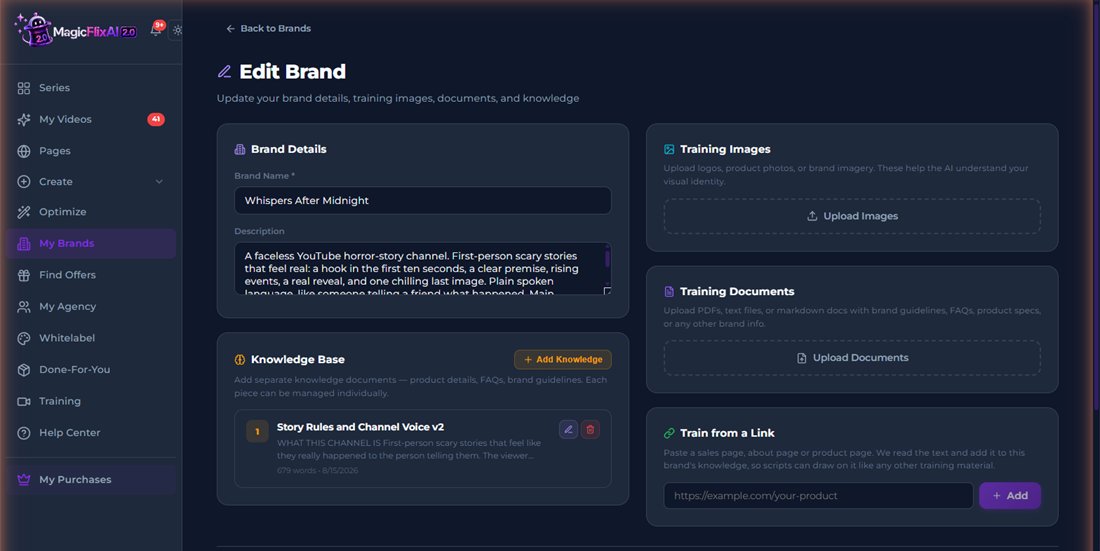
The AI brain is a brand profile the app writes from. Mine is called Whispers After Midnight. I gave it a short description (first-person scary stories that feel real, a deep calm male narrator, 7-to-10-minute videos for the main channel), then added one knowledge document with the story rules: a hook in the first two sentences, the premise in under sixty words, then a story structure in six parts that builds from one small wrong detail to a reveal the viewer actually understands, and one concrete final image. I did not invent that structure; I asked Claude, the AI assistant, for the shape of a scary story that keeps people watching, and pasted it in. I also planted one thing I could check for later: every video closes with 'Sleep well. If you can.' My first version of the rules was vaguer (build slowly, never fully explain), and the stories came back moody and hard to follow, so I rewrote them to be specific. That is the lesson of this step: the brain does exactly what its rules say, so make the rules concrete.
You can also upload files and images, or paste any URL and it reads the page into the brain. The whole thing took about four minutes. It is optional, but it is the difference between generic AI videos and a channel with a voice, and you will see it pay off in the script below.
Step 2: Give the channel its identity (voice and look)
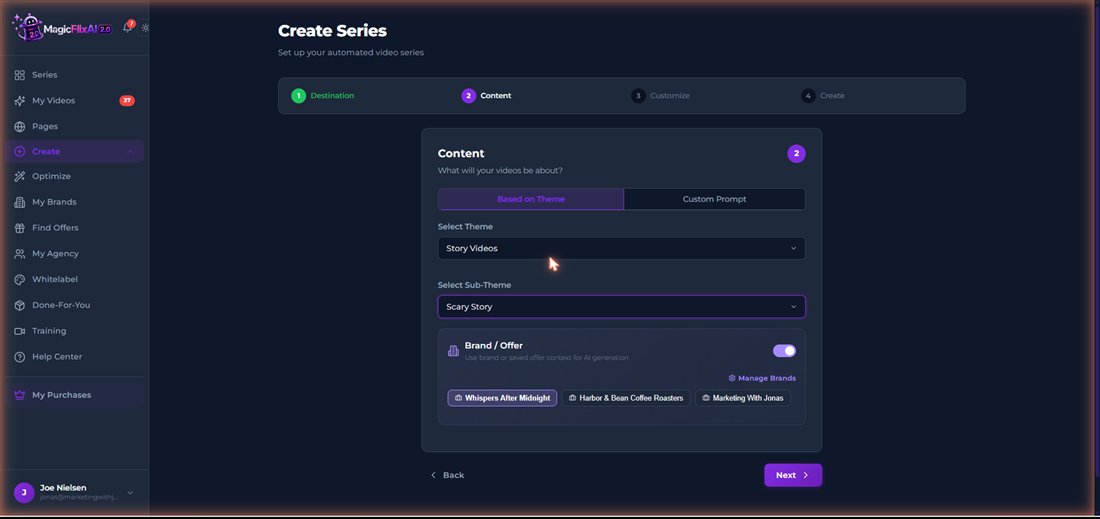
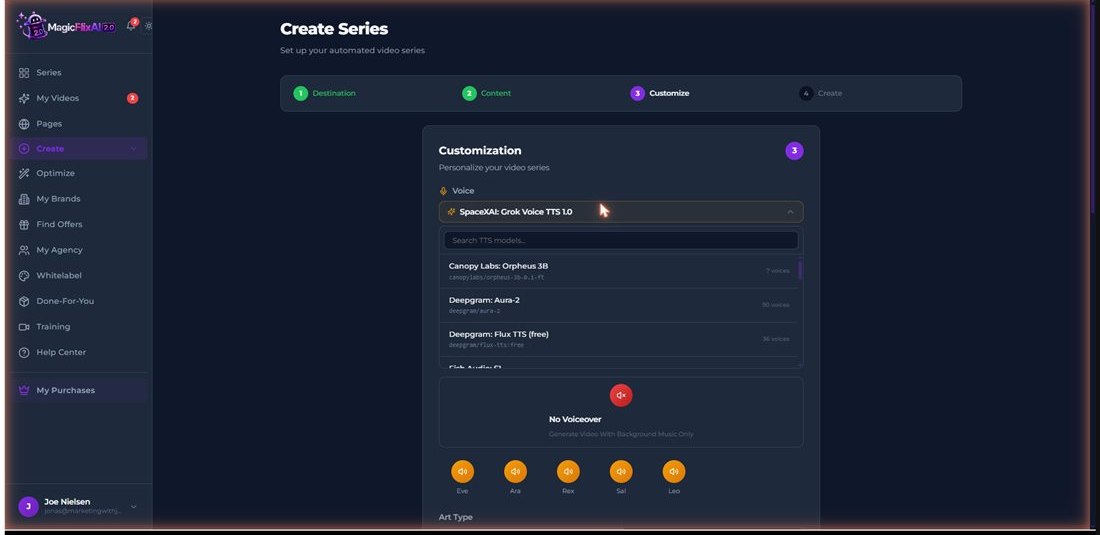
Pick a theme (Story Videos has Scary Story, Urban Legends, Conspiracy Theories, Bedtime Stories and more; there are 16 themes in total, or you type your own), toggle the brain on, then choose the voice, the visual style, the aspect ratio, subtitles and music. The music library even has a dedicated scary-stories set, which tells you the horror niche is a first-class citizen here.
On voices: ElevenLabs is not in the list, which was my first question, but 18 engines are, and several are top-tier: Google Gemini TTS, Microsoft MAI-Voice-2, Deepgram Aura-2 (90 voices), xAI Grok Voice, Kokoro and more. Every voice has a preview button. For a horror narrator I wanted deep and calm, and there are plenty of those; I went with Leo from the built-in engine, the Flat Art visual style and the scary-stories music, which is what you hear and see in the video below. You choose all this once for the channel; every video inherits it.
Step 3: Create the video (and edit it if you want)
This is the test that matters. I asked for a single 7-to-10-minute video with the brain on and gave it the premise in a custom prompt: a title, a one-line logline (a night-shift clerk serves the same silent customer at 3:12 every night, until he finds the man's face on a missing-person poster from 1994) and the beats I wanted. In series mode it invents the premise itself; I wanted to see how well it writes to a brief. Under a minute later it showed me a 33-scene, roughly 1,200-word script for review.
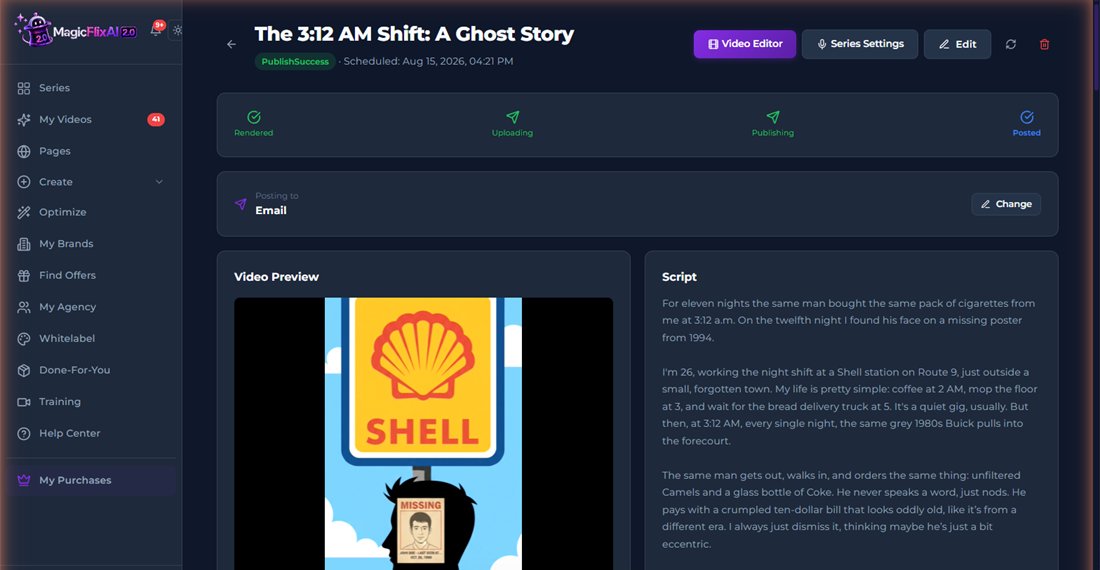
The script followed the rules from the brain without a word about them in the prompt, and it was better than I expected. The hook was genuinely good: two sentences in, I wanted to know what happened next. The structure held all the way through, from the first small wrong detail to a reveal that actually explains what the customer is, and it closed on the line I had planted, 'Sleep well. If you can.' Every long-form script I generated for this channel ended on that line. That is the AI brain working: it writes from what it knows about the channel, not just from the prompt. Every scene has an editable narration box and an editable image prompt, so you can fix anything before it renders. I approved it and let it render.
The render then does the rest: voiceover, one image per scene, music, subtitles if you want them, and a finished file. This one went from pressing Create to a finished 7-minute-12-second video in about ten minutes, and that includes the time I spent reading the script; the rest is a progress bar generating 33 images while you do something else. A 60-to-90-second Short with the same settings rendered in about five. There is nothing for you to do while it runs.

The 7-minute video, straight out of the app
- Settings
- Single video, custom prompt, 7 to 10 minutes, Flat Art, vertical 9:16 (see the note)
- Brain
- Whispers After Midnight, toggled on
- Voice
- Leo, deep male, built-in engine
- Script
- 33 scenes, about 1,200 words, ready in under a minute
- Render
- About ten minutes from Create to finished file
- Result
- 7 minutes 12 seconds, 1080 x 1920, 184 MB
- Subtitles
- Off, on purpose: a horror narration holds you better when you have to listen
This is the format the money is in: a seven-minute story a viewer can fall asleep to, written from the brain's rules and a one-paragraph premise. Judge the pacing, the visuals and the voice for yourself; it is what the app produced with the settings above. One confession: I left the aspect ratio on vertical, which is the shape TikTok and Instagram want. For a YouTube channel you would pick horizontal in step 2, and the app builds it the same way.
If you want to edit, you can use the built-in video editor
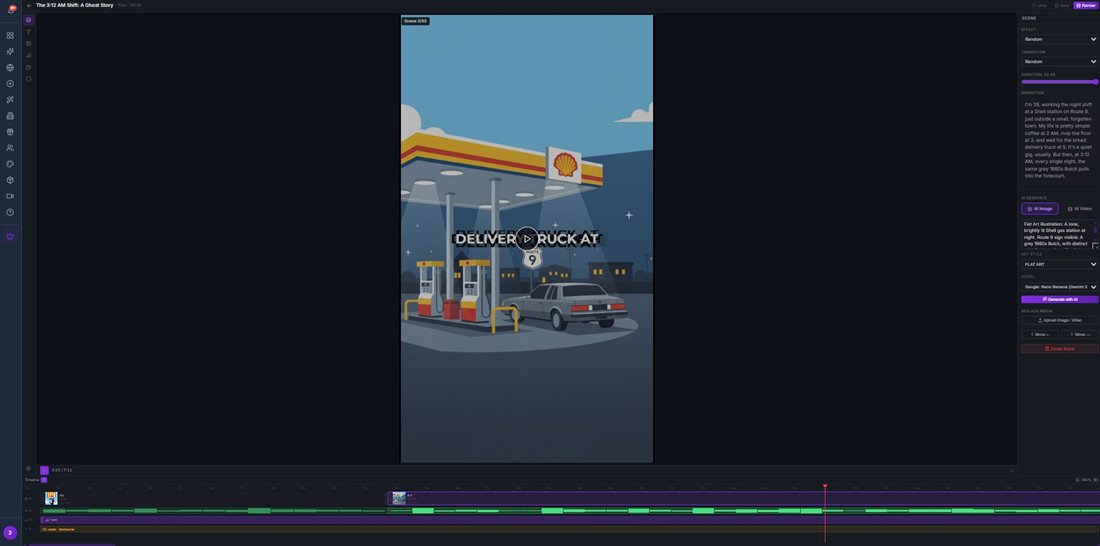
Every finished video opens in a real multi-track timeline. Per scene you can change the duration, effect and transition, rewrite the narration, regenerate the image with a different model, switch that one scene to an AI video clip, or drop in your own footage. For a horror channel you will rarely need it, and that is the point: manual mode is there when you want it, not required.
Step 4: Upload (and let the app rank it)
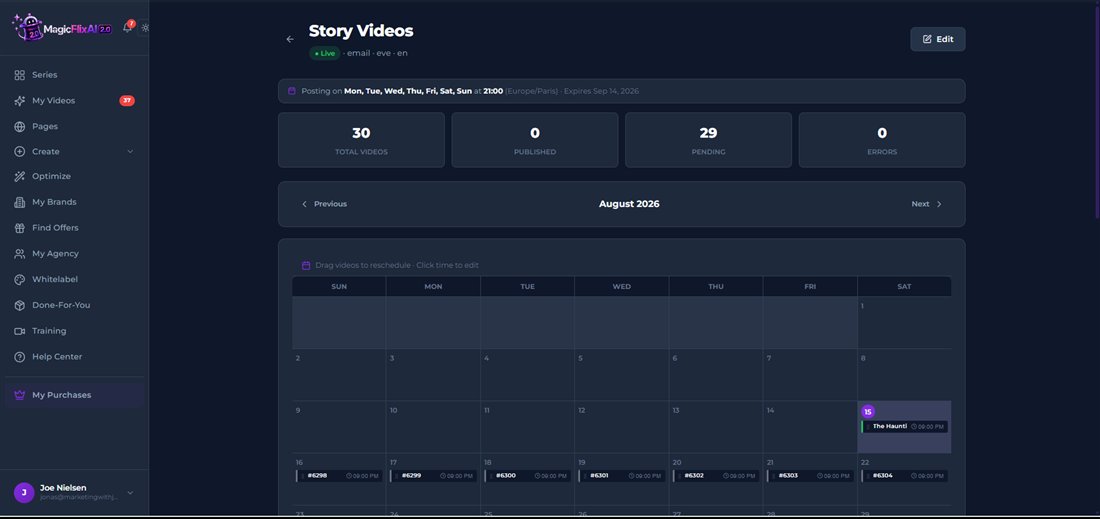
Uploading is where the automation lives. Connect your YouTube (or TikTok, Meta, LinkedIn, Pinterest, X, Reddit) account once, choose the posting days and time, and the app creates and posts on that schedule. I set my channel to every night at 9 PM and the calendar filled instantly with 30 scheduled videos, each already assigned its own project. It runs in 30-day cycles, then pauses for you to review and go again. Two honest notes: a social destination will not start until the account is connected (there is a step-by-step connection tutorial right there in the wizard), and there is an email destination if you would rather have the files sent to you and upload by hand.
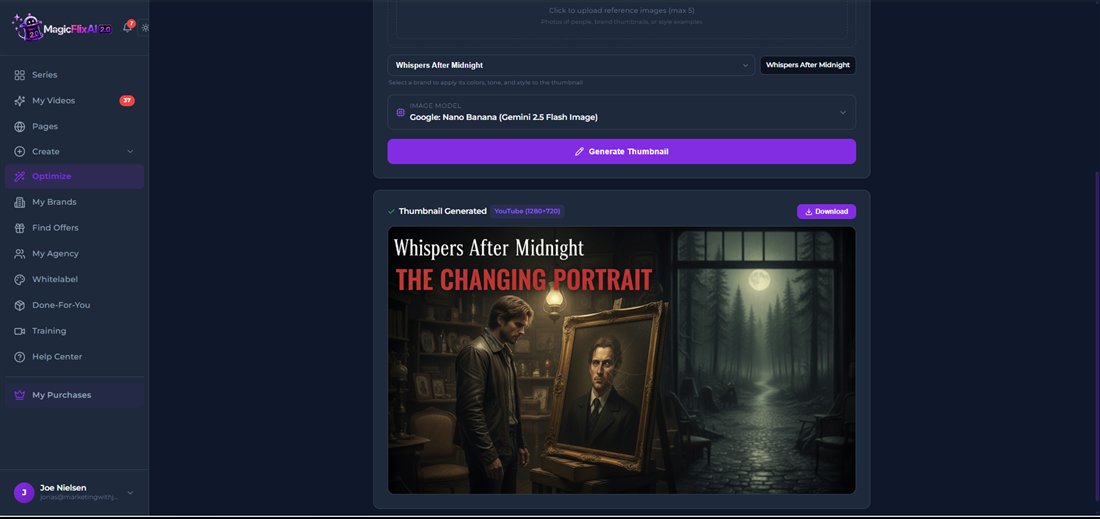
The ranking tools sit under Optimize and they are what turn a posted video into a found video: a title generator (for my cursed-painting story it gave me 'I Found a Painting of Myself. Then It Changed.' tagged as high click-through), a description optimizer, trending topics, long-tail keywords, hashtags per platform, and the thumbnail generator that can apply your channel's brand style. The thumbnail it made for me is above; usable straight away, with one caveat that applies to every AI image tool: check the text, mine had a typo in the channel name on the first go.
That is the loop. Steps 1 and 2 you do once per channel. Steps 3 and 4 the app repeats on its own. Your job becomes checking the calendar and looking at what performed.
The three modes: how much do you want the AI to do?
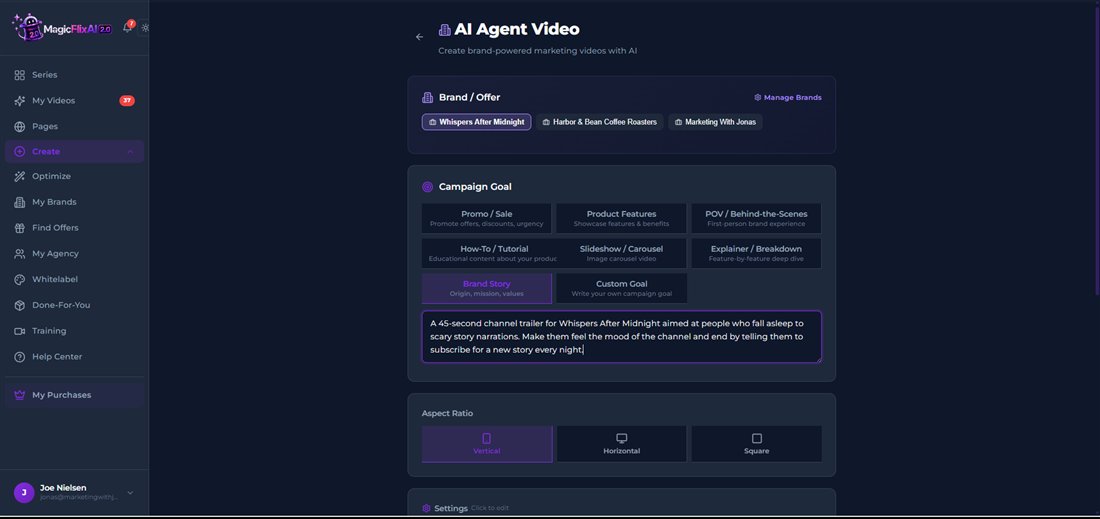
Manual mode is the single-video creator: you approve every script and can open the timeline editor. Full automation mode is the series: set the schedule and it creates and posts by itself. AI Agent mode is the new one, and it is not for stories: it makes marketing videos from a brand. You pick a brand profile and a campaign goal (promo, product features, POV, how-to, explainer, brand story, or your own) and it writes the video from the brain. I used it to make a 45-second channel trailer from nothing but the brain and a one-line brief; a local business would use it to make a promo from their website. Same engine, three levels of control.
The four ways it makes money beyond views
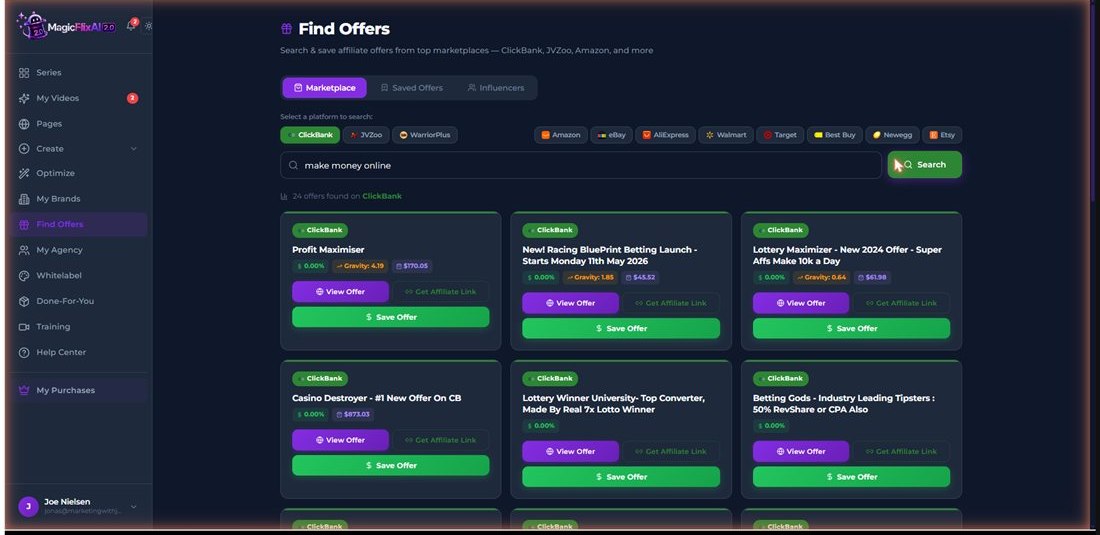
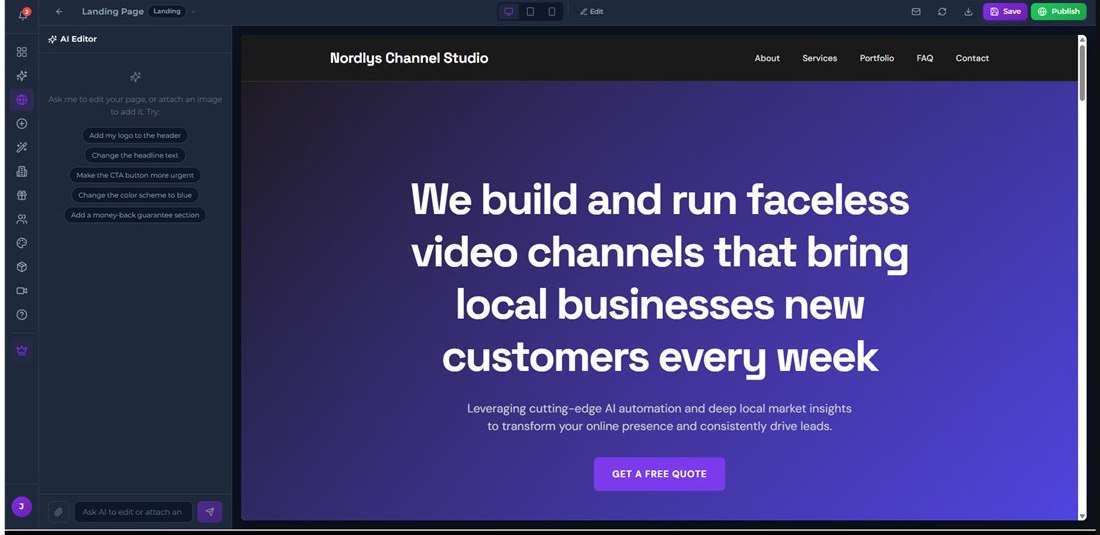
Views are the slow lane, so the app builds in faster ones. Affiliate offers: Find Offers searches ClickBank, JVZoo, WarriorPlus and eight retail marketplaces with commission and gravity data, and a saved offer plugs into a channel through the brain (raw marketplace results need your judgement; my first search surfaced betting offers). Sponsorships: an AI influencer finder across Instagram, TikTok and YouTube with follower filters, plus a media-kit page type. Agency clients: the page builder made me a complete agency landing page with lead capture in about 90 seconds; pair it with AI Agent mode to make a business's channel. Views: the normal creator programs, which the other three subsidise while you grow.
The models under the hood
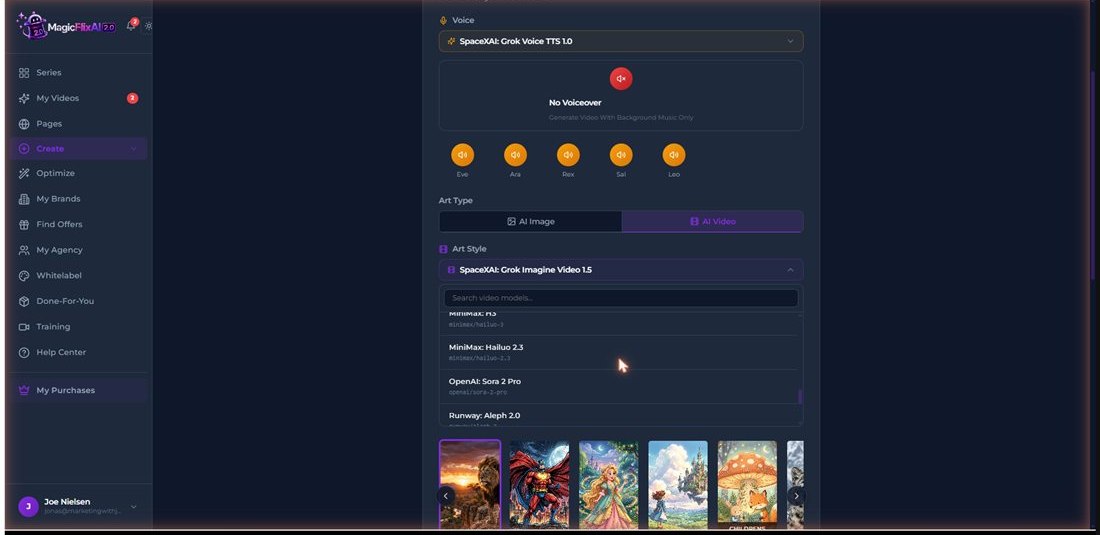
The dropdowns name the engines: 18 voice engines, 20+ video models (OpenAI Sora 2 Pro, Google Veo 3.1, Kling 3.0 Pro, Runway Gen-4.5, ByteDance Seedance 2.5) and image models from FLUX.2 Pro to Google's Nano Banana family, with an auto-router that picks for you. No API keys, I never entered one.
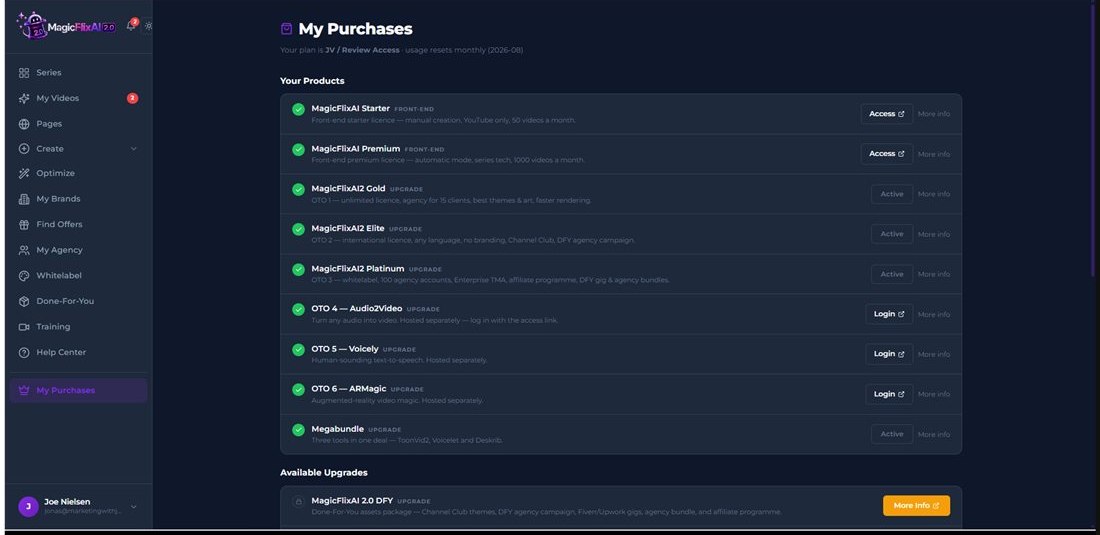
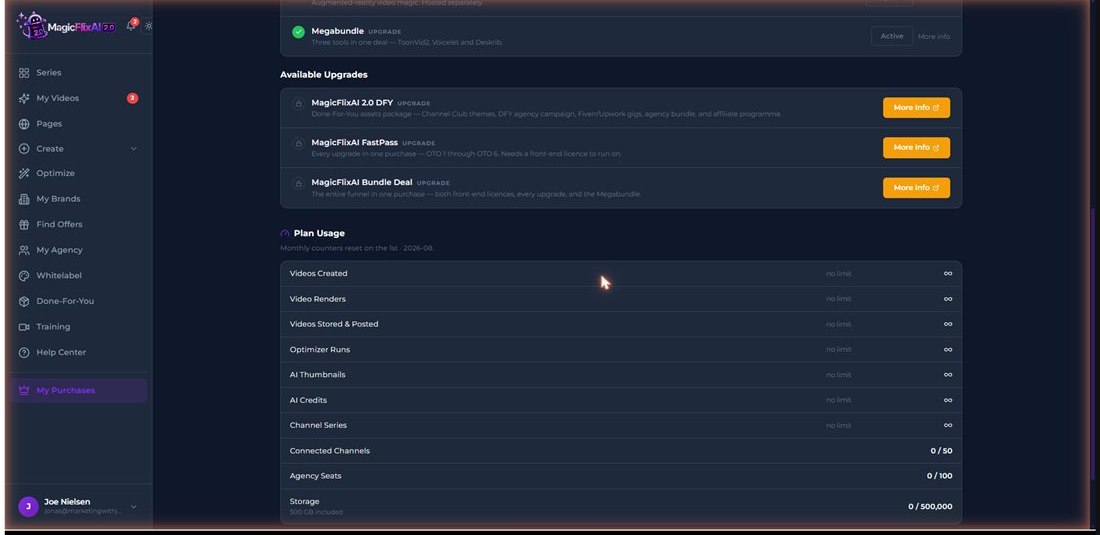
What the $37 front end includes (checked on the account)
| You want | Where it lives |
|---|---|
| Automatic mode, series scheduling, 1,000 videos a month, video-clip mode, the AI brain and the monetization tools | MagicFlixAI 2.0 Premium |
| Manual-only creation, YouTube only, 50 videos a month (automation is the whole point, so start with Premium) | MagicFlixAI 2.0 Starter |
| Unlimited renders, faster rendering, 15 agency clients, extra themes | Gold |
| 46 languages, no MagicFlix branding on videos, preloaded Channel Club themes | Elite |
| Whitelabel with 100 branded client logins on your own subdomain | Platinum |
| Audio-to-video, the Voicely voice tool, ARMagic | Later OTOs |
Fine print I verified in the account: finished videos auto-delete from storage after 30 to 60 days, so download the ones you want to keep (or let the app post them, which is the point). Videos cap at 10 minutes. Usage meters reset monthly.
The 4 Steps At A Glance
1. Create the AI brain (pick your niche)
Name the channel, describe the niche in two lines, add a story-rules document or a URL. Four minutes, done once. Every script the app writes for that channel comes from this.
2. Give it an identity (voice and look)
Choose the theme (Scary Story, Bedtime Stories, Tour History...), toggle the brain on, pick a voice from 18 engines, a visual style, aspect ratio, subtitles and music. Set once; every video inherits it.
3. Create the video (edit if you want)
Pick a length up to 10 minutes and press create. Approve the scene-by-scene script, or tweak any narration or image prompt first. It renders voice, visuals, subtitles and music. A timeline editor is there if you want it.
4. Upload on a schedule (then repeat 3 and 4 automatically)
Connect your channel, pick posting days and a time, and the series posts a video a day for 30 days. Optimize adds titles, hashtags, keywords and thumbnails so each upload gets found.
Key Features & My Honest Take
- Full automation: a video a day for 30 daysReal. My horror series filled a calendar with 30 scheduled videos the moment I created it, one every night at 9 PM. Connect the account once and it runs.
- AI brain brand training (text, files, images, URL)The feature I was most sceptical of, and it delivered: every script followed the story rules in my knowledge document and ended on the sign-off line I planted there, unprompted.
- Long-form videos up to 10 minutesThe format ad revenue lives in. The seven-minute story in this review came from a 33-scene, roughly 1,200-word script written in under a minute and rendered in about ten.
- 18 voice engines with previewsNo ElevenLabs, but Google Gemini TTS, Microsoft MAI-Voice-2, Deepgram Aura-2 (90 voices) and more, every one with a preview button. Leo, the narrator in my video, is from the built-in engine.
- 16 channel themes with sub-themesStory Videos alone has Scary Story, Urban Legends, Conspiracy Theories, Bedtime Stories. Every viral faceless format is here, and there is a custom prompt for anything that is not.
- Script approval with per-scene editingAutomation never means blind trust: every render pauses on an editable script. I approved mine as written, but the option is what makes hands-off safe.
- Optimize: titles, thumbnails, keywords, hashtagsThe title generator gave me a genuinely clickable horror title first try; the thumbnail generator made a YouTube-ready image in the channel's style in 25 seconds. Check the text on AI thumbnails.
- Three modes: manual, full automation, AI agentYou choose how much the AI does. Agent mode builds marketing videos from a brand's brain, which is how a channel becomes an agency service.
- Built-in monetization: affiliate finder, sponsorships, agency pagesFaster money than views: live marketplace search with a save-to-channel pipeline, an influencer finder, and a page builder that made a full agency site in 90 seconds.
- 50+ named models incl. Sora 2 Pro, Veo 3.1, KlingAll in the dropdowns, no API keys. Video-clip scenes look better than stills but render slower and cost more allowance; image mode is the workhorse for a story channel.
Pros
- It really does run the channel: I set a nightly schedule and 30 videos queued themselves in one click.
- The AI brain works: the story rules and sign-off line I put in its knowledge showed up in every script, unprompted.
- Long-form is real: a 33-scene, 1,200-word horror story scripted in under a minute and rendered end to end in about ten.
- Every render pauses on an editable scene-by-scene script, so hands-off never means unchecked.
- Titles and thumbnails from Optimize are usable as-is; the thumbnail matched my channel's brand style.
- 18 voice engines and 50+ visual models behind one interface, no API keys, at a one-time launch price.
- Monetization is built in: affiliate offers, sponsorship discovery and agency pages, so the channel can earn before the partner program.
Cons
- Subtitle settings are limited, nothing fancy available.
- Videos auto-delete from storage after 30 to 60 days, so download keepers or let the app post them.
- AI thumbnails and marketplace results still need a human glance: check text on thumbnails, and pick affiliate offers with judgement.
Pricing details
Front end is $37 at launch (18 August, 11am EDT) for the Premium licence, and the price nudges up every few hours through launch week, so it will not be exactly $37 for long. There is an early-bird window and the vendor has said the product moves to monthly pricing after launch, which for once I believe: metered AI video rendering costs them real money per render.
Two coupons exist: MAGIC takes $50 off the bundle, and UPGRADER gives MagicFlix 1.0 owners an extra discount (use the account email from 1.0, or the upgrade will not attach properly).
FAQ
What is the verdict of this MagicFlixAI 2.0 review?
Worth it at the launch price if you want a faceless channel and will actually run it: I built one from a blank account to a live 30-day posting schedule in an afternoon, and the videos it made are usable straight out of the app. Skip it if you want ad revenue without picking a niche, connecting a channel, or ever looking at what it posts.
Can it really make long videos, not just Shorts?
Yes, up to 10 minutes. I asked for a 7-to-10-minute horror story and got a 33-scene, roughly 1,200-word script in under a minute, which it rendered into the 7-minute video in this review with voice, visuals and music. Long-form takes longer to render than a Short because it generates an image per scene, but there is nothing for you to do while it runs.
How good are the voices? Is ElevenLabs included?
ElevenLabs is not in the list, but 18 engines are, including Google Gemini TTS, Microsoft MAI-Voice-2 and Deepgram Aura-2 with 90 voices, each with a preview button. Judge for yourself in the video above; the narrator is Leo, a deep male voice on the built-in engine.
Does the AI brain actually change the videos?
Demonstrably. I put a set of story rules and a specific sign-off line in my channel's knowledge document, and every script the app wrote for that channel followed the rules and ended on that line, word for word, without either being in the prompt. It writes from what it knows about the channel, not just from what you type.
Do I need API keys or other subscriptions?
No. I never entered an API key. The one connection you do need is your own channel: automatic posting to YouTube, TikTok or the other platforms requires connecting the account once. There is an email destination if you would rather have the files sent to you.
I own MagicFlix 1.0. Is 2.0 worth the upgrade?
The differences are the reason to upgrade: 2.0 adds the AI brain, video-clip generation, the full model menu, the ranking tools and the built-in monetization, and it runs series on autopilot. Use coupon UPGRADER on the same email as your 1.0 account so the discount attaches properly.
What are the coupon codes and when does launch pricing end?
MAGIC takes $50 off the bundle, and UPGRADER is the extra discount for 1.0 owners. Launch runs 18 to 24 August 2026 with the price rising every few hours from $37, and the vendor says it moves to monthly pricing afterwards. There is a 30-day money-back guarantee.
Last updated

Jonas Nielsen
Marketing software reviewer
I've tested 100+ marketing tools hands-on and publish full demos and honest verdicts on YouTube, where 4,800+ people follow along. I only recommend software I've actually logged into and used myself.