
Hands-on review + bonuses
PodShorts Review: Full Demo, How To Use It and Bonuses
My hands-on PodShorts review: I typed in one topic and the app found the format, built two AI hosts, wrote and performed the episode, and cut it into captioned clips. Here is every step, timed.
4.5 / 5 my rating · product by Abhi Dwivedi

 Get PodShorts + My 7 Bonuses →
$37 one-time
My Verdict for PodShorts
PodShorts bonus package
PodShorts Bonus Package: Free When You Buy Through My Link
Buy PodShorts through my link and you get two stacks: my PodShorts bonus package, delivered automatically on your JVZoo receipt right after purchase, plus Abhi's six launch bonuses inside your members area. Mine cover the part the software does not do for you: picking the offer that goes under the clips, and getting the channel to earn.
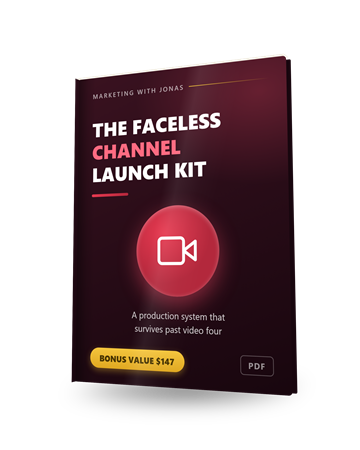
Bonus 1
The Faceless Channel Launch Kit
A production system for running a channel on AI voices: which niches suit the format, the script skeleton that holds retention, and how to keep the show consistent week after week. It is steps 1 to 3 above, written down as a checklist you can run every Sunday.
$147 value
Bonus 2
1-on-1 Personal Mentoring
A direct line to me on WhatsApp for questions about your niche, your blueprint, your first clips or which offer to put on the bio page. Send text, voice notes, links or screenshots and I will tell you what I would change.
$497 value
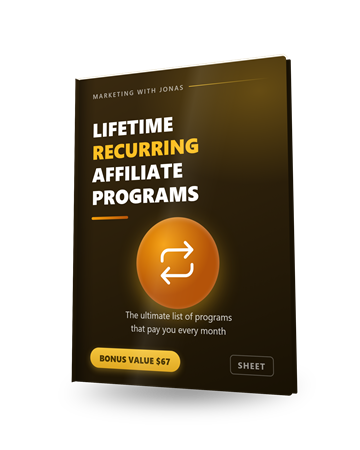
Bonus 3
The Ultimate List of Lifetime Recurring Affiliate Programs
A spreadsheet of affiliate programs that pay for the life of the customer. Pick one that fits your niche, put it in the monetisation URL in step 3, and a clip you post once keeps paying every month.
$67 value
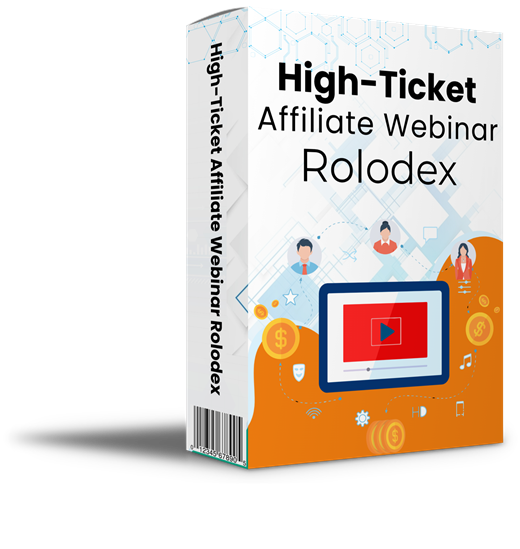
Bonus 4
17 Private High-Ticket Webinar Affiliate Programs
Evergreen webinar affiliate programs paying 40 to 50 percent on products from $497 to $1,497. One sale from a clip channel covers the software many times over.
$97 value
Bonus 5
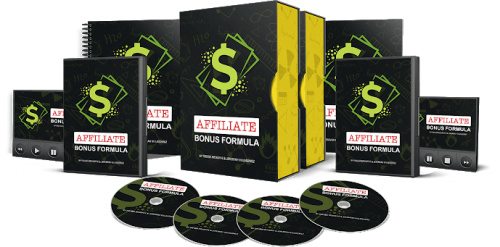
Affiliate Bonus Formula
How to build bonuses that lift your affiliate conversion rate, plus 10 bonus templates you can reuse. Once the clips send people to your bio page, this is how you make them buy through your link instead of someone else's.
$97 value
Bonus 6
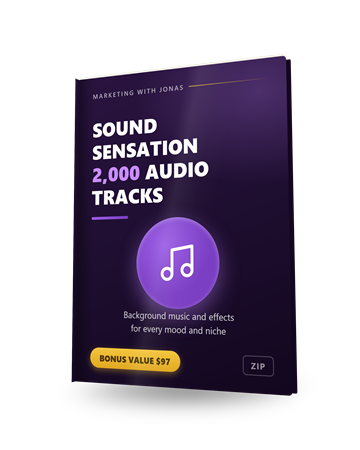
Sound Sensation: 2,000 Premium Audio Tracks and Effects
Background music and sound effects with commercial rights for the audio track in the clip editor, so your show does not sound like every other one using the default music dropdown.
$97 value
Bonus 7
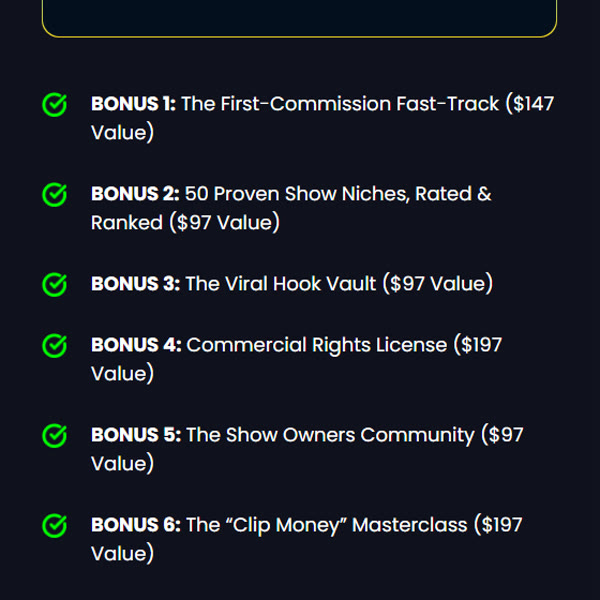
Abhi's six launch bonuses (listed on the sales page)
The First Commission Fast Track, 50 Proven Show Niches rated and ranked, the Viral Hook Vault, the Commercial Rights License, the Show Owners Community and the Clip Money Masterclass. The niches list is the one to open first: it feeds straight into the niche dropdown in step 1.
$832 value
Pricing and upgrades
Start at $37. Add an upgrade only if you need it.
Front EndStart here
PodShorts Premium
$37one-time
- 5 complete shows, 500 clips (up to 1,500 platform variants)
- Trend Radar, Blueprints, AI hosts, the episode wizard and the clip editor
- All AI engines built in, no API keys
- Publishing to TikTok, Instagram and YouTube, plus Facebook in Integrations
- Hosted monetised bio page
- Six launch bonuses, including the commercial rights license
- 14 day money back guarantee
BundleEverything
PodShorts Bundle Deal
$317per year
- Front end plus Scale, Agency, PodCoach AI and Amplify
- $50 off coupon on the sales page
- The only purchase that needs no other decisions
- Cheaper than buying the upgrades one by one
Optional upgrades
OTO 1
PodShorts Scale
$67one-time ($47 downsell)
- 100 channels
- 500 episodes a month
- For running many shows or many niches
OTO 2
PodShorts Agency
$197one-time ($97 downsell)
- White label dashboard
- Team seats and client logins
- Done for you agency website
OTO 3
PodCoach AI
$97per year ($67 downsell)
- 24/7 AI growth coach
- Advice on niche, format and posting
OTO 4
PodShorts Amplify
$67one-time ($47 downsell)
- 12 or more extra publishing networks
- SEO blog engine
My honest read on the funnel. Start with the front end. Five shows and 500 clips is more than one person will publish in months, and every step in this review ran on it. The one upgrade worth a look for a solo channel is Amplify, if you already post to networks beyond the big four. Scale and Agency are for running shows for clients, and if that is the plan the Bundle is the honest starting point rather than stacking upgrades one at a time.
Skip PodCoach AI unless you like the idea of an always on advisor. It is a yearly fee, and the blueprint already tells you what the format should be.
Read the full written review
What PodShorts does, in one sentence
You type in a topic, and PodShorts builds a podcast show around it: two AI hosts talk it through, and the app cuts the show into captioned vertical clips for TikTok, Instagram and YouTube. No recording, no camera, no editing.
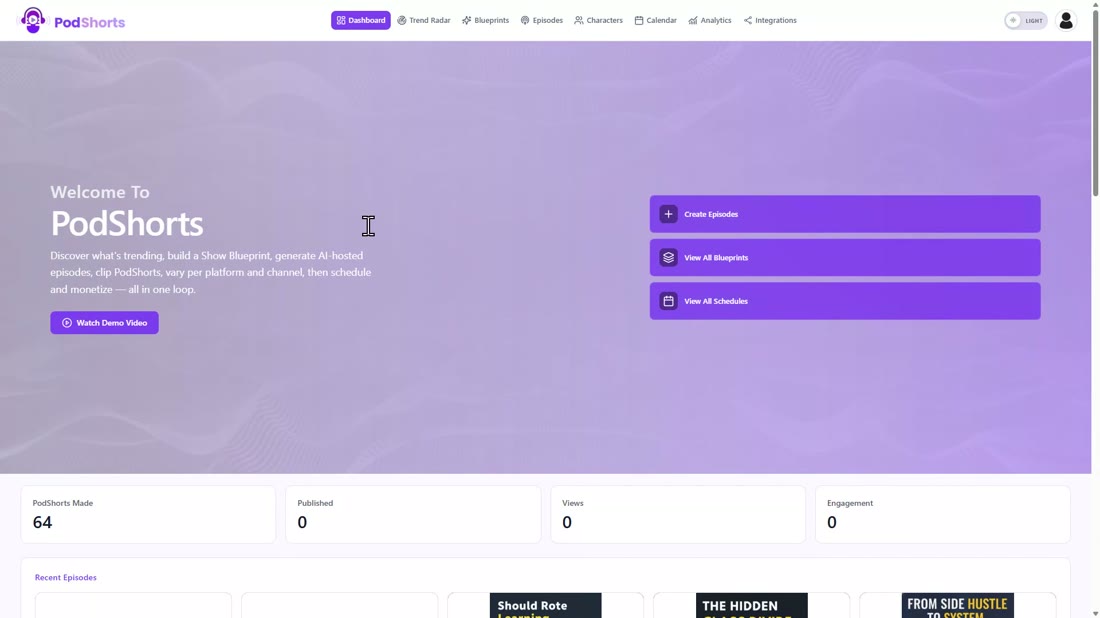
That is the promise on the sales page, and it is the one that made me want to test it properly. In this PodShorts review I did not poke at features. I picked a niche, built a complete show inside the app from a blank search to two rendered clips, and timed every step. The show is called Side Hustle Sundays, in the personal finance niche, about side hustles you can start next to a full time job. That is the buyer the sales page is talking to: someone with a day job who wants a faceless clip channel with an offer under every clip. Every step is below, with what I clicked, how long it took, and what came out.
Who this is for
You want a clip channel in a niche without ever recording anything, and you want the clips to carry a link that earns.
The affiliate who needs a content channel
The core use case. Pick a niche with obvious offers, let the app find the format and make the show, and put your link on the hosted bio page. The clips are the traffic, the bio page is where it turns into commissions.
The person who quit a faceless channel at the editing
The script, the voices, the captions and the render all happen in one queue. You pick angles and hosts and press create. The only editing left is optional.
The local marketer who wants a show for a client
Once you can run one show, a dentist or a realtor is just another niche in the dropdown. The white label dashboard and client seats live in the Agency upgrade.
Who should skip it: anyone who wants to clip real podcasts, because PodShorts does not do that and the vendor is open about it: Trend Radar copies the format of a trending show, never its audio or video. Skip it too if you want full control of the edit. The editor moves captions and adds text; it does not colour grade.
The 4 steps to profit with PodShorts
The dashboard lays the loop out in three cards: discover the formats that are working, generate an episode and clip it, then post the clips per platform. In practice it is four steps, and the last one repeats on its own once your accounts are connected. Here is the whole run on Side Hustle Sundays.
Step 1: Find a format that already works (Trend Radar and the Blueprint)
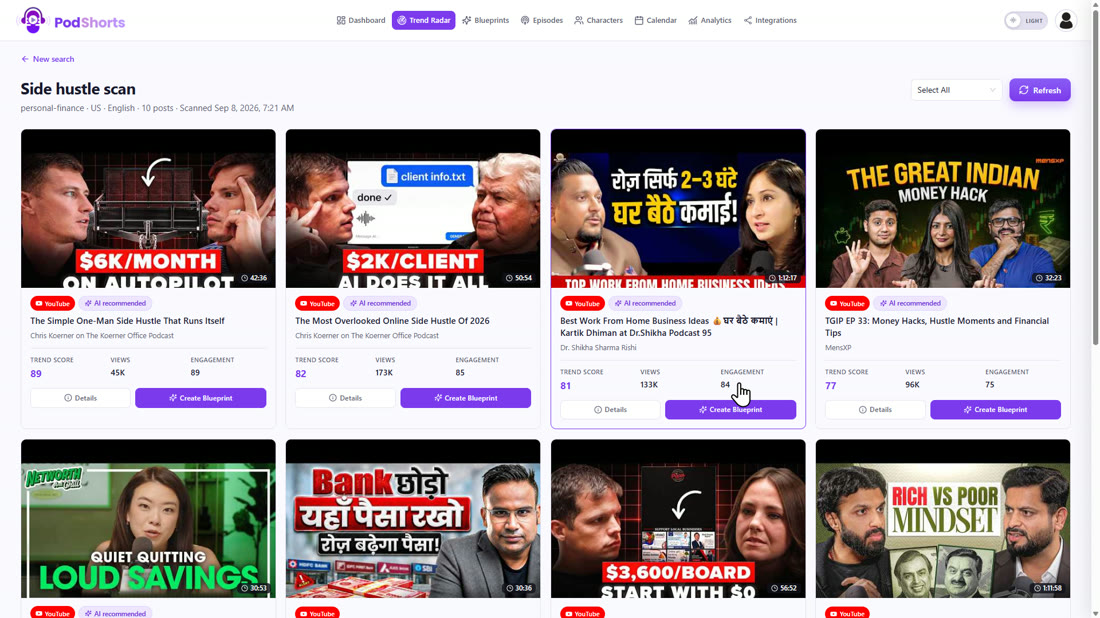
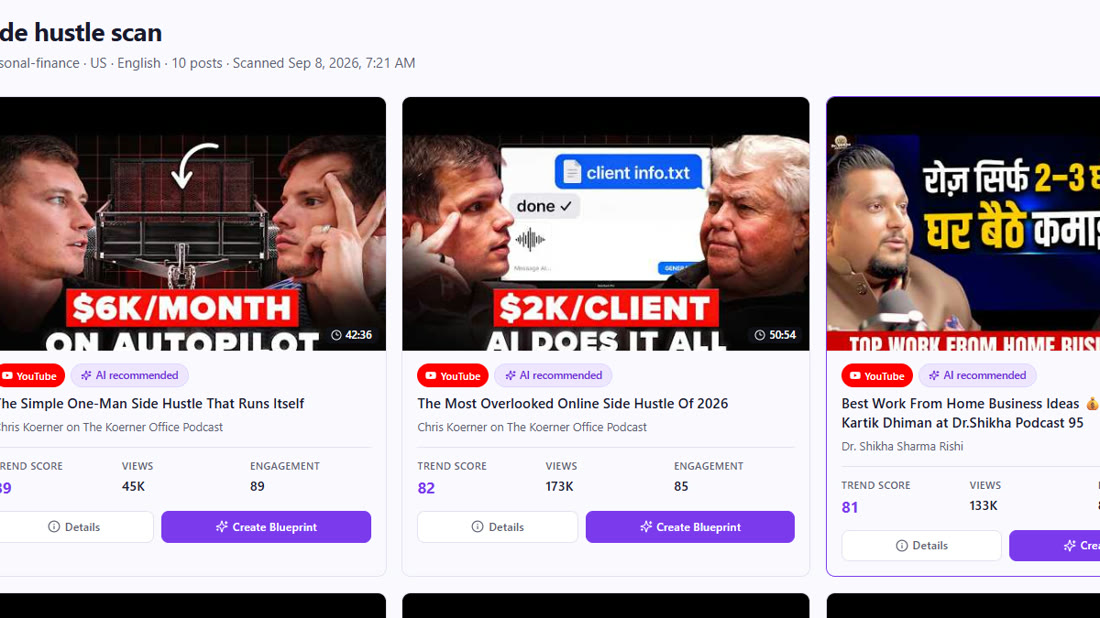
Instead of guessing what kind of show to make, Trend Radar scans YouTube for podcast episodes that are trending in your niche. I named the search, picked Personal Finance from a list of about thirty niches, left country and language on United States and English, and typed the keyword side hustle. The first scan on the account took about two and a half minutes; every search after that came back in about fifteen seconds. You get ten results, ranked, and the ones that fit best get an AI Recommended tag.
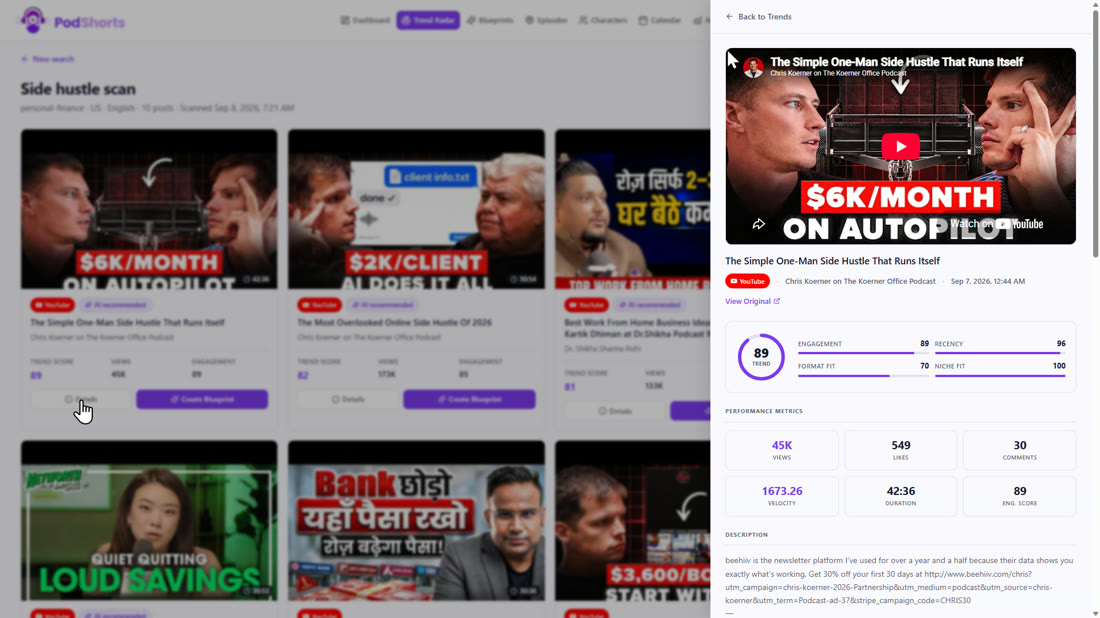
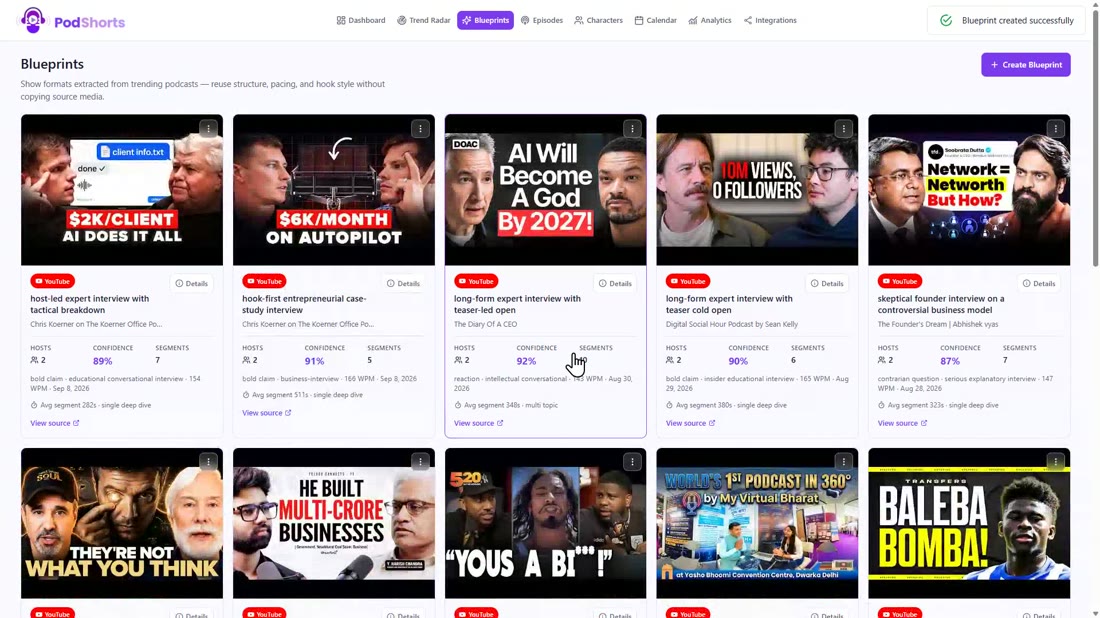
The top result was a side hustle episode with a trend score of 89. Click Create Blueprint and the app extracts the format of that show, not the content: structure, pacing, tone, host count. It says on the confirm dialog that no source audio or video is copied, and that matches what came out.
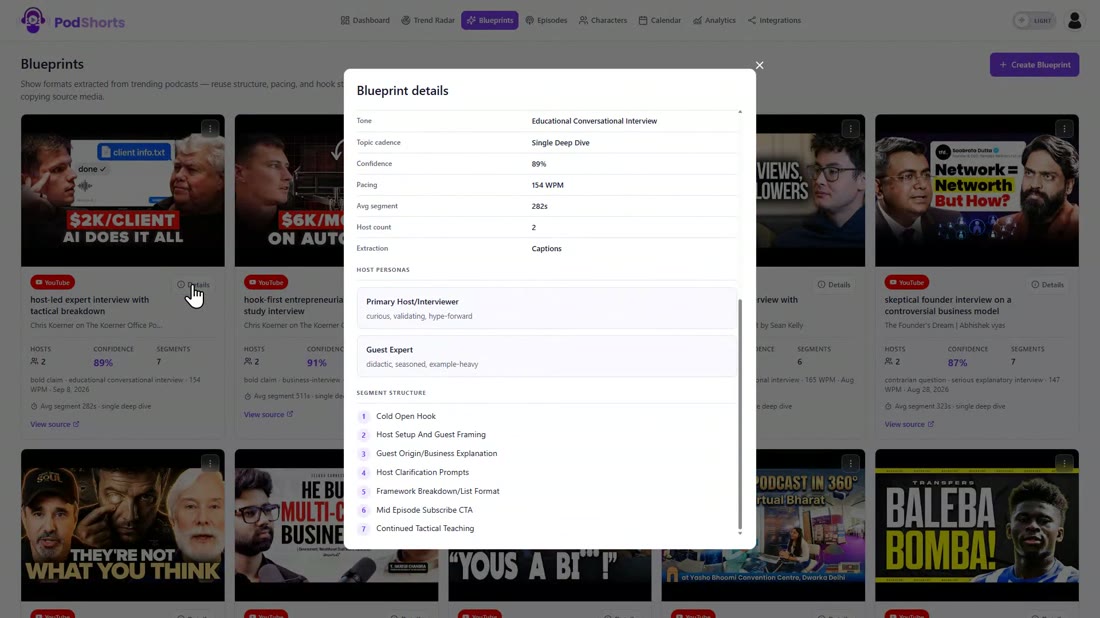
The blueprint it built is a host led expert interview with a tactical breakdown. Two hosts, an educational conversational tone, 154 words per minute, a confidence score of 89 percent. Scroll down and you get the host personas (a curious, validating interviewer and a seasoned, example heavy guest expert) and the segment structure: cold open hook, host setup, the guest's origin story, a framework breakdown, a mid episode subscribe call, then more teaching. That is the skeleton every episode in the show follows.
Step 2: Build the hosts
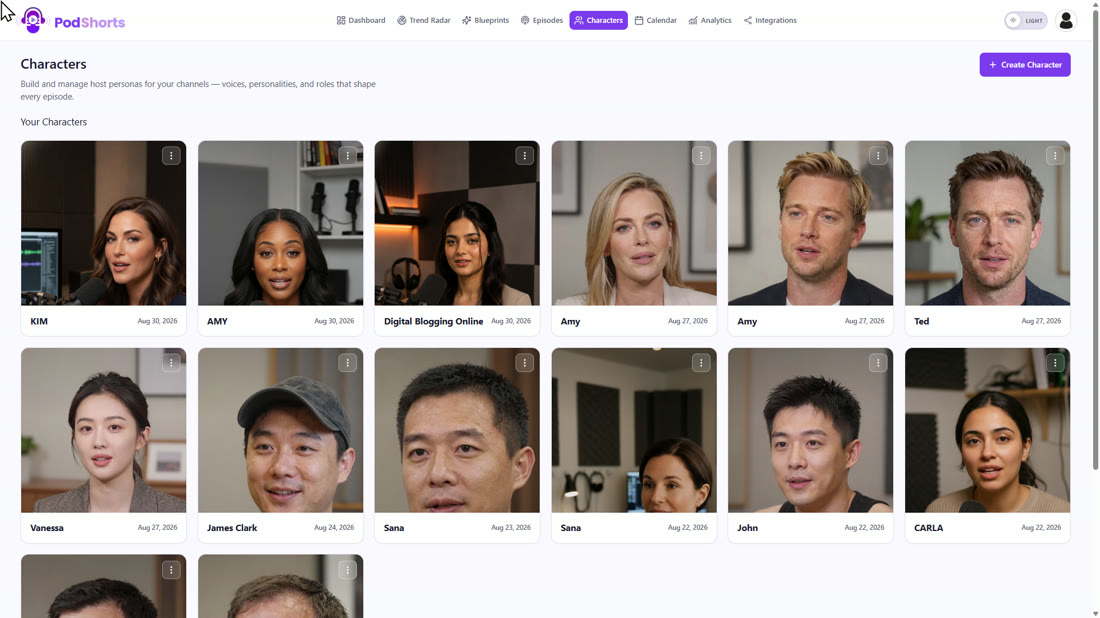
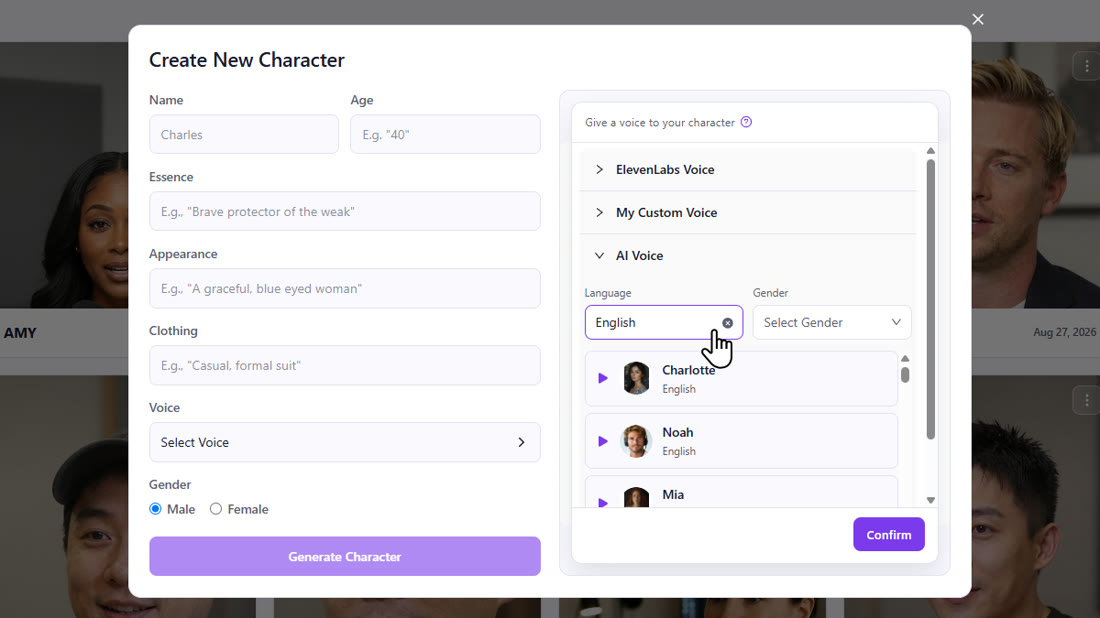
Hosts live on the Characters page. There is a gallery of ready made ones, and you can create your own two ways. Upload pairs a photo of yourself with a voice, which is the clone yourself option from the sales page. Generate builds a host from a plain English description: a name, an age, the essence (I typed a warm, practical money coach who has tried a dozen side hustles), the appearance and the clothing.
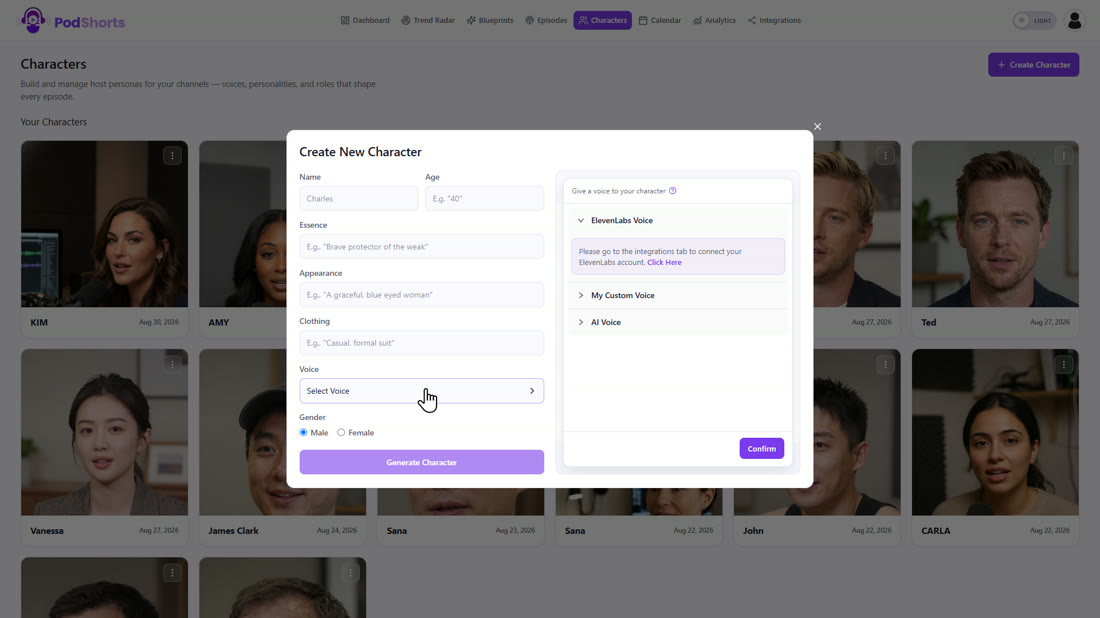
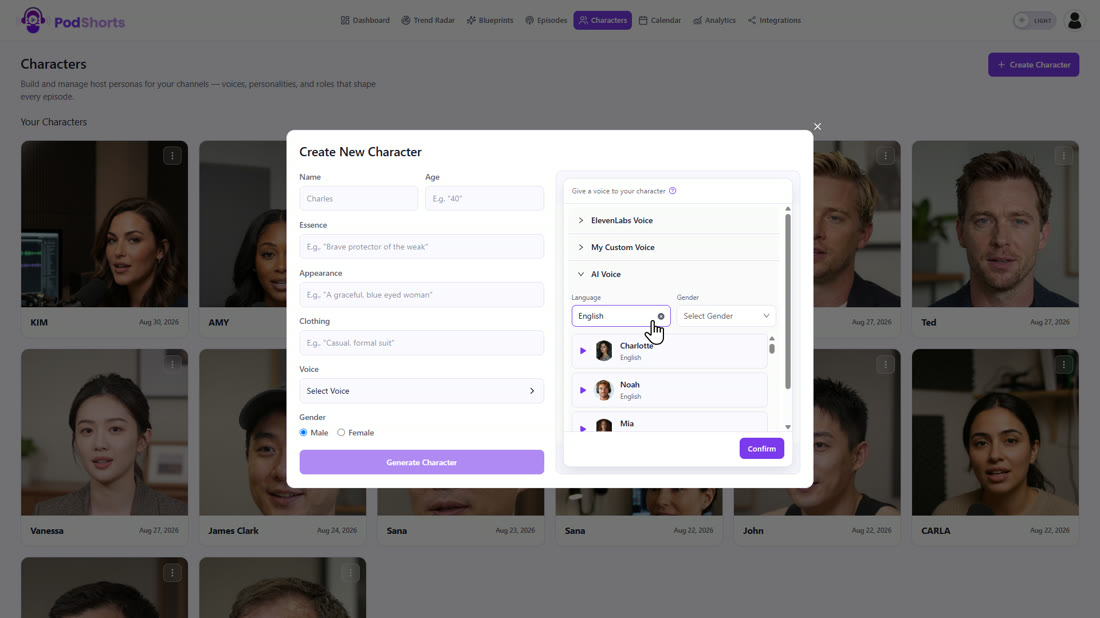
The voice picker is the part worth a look. You can connect your own ElevenLabs account, clone a custom voice, or pick from the built in AI voices, and there are about fifty in English alone with a preview button on each. For the show I used two of the ready made hosts, Ted and Vanessa, because I wanted a male and a female voice bouncing off each other.
Step 3: Generate the episode (the seven step wizard)
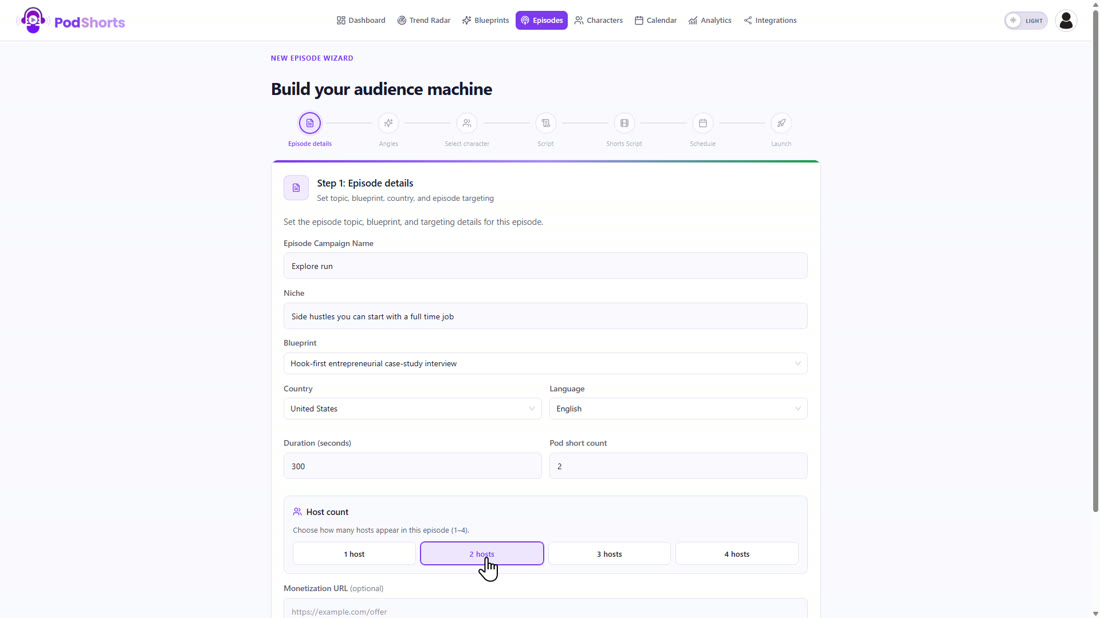
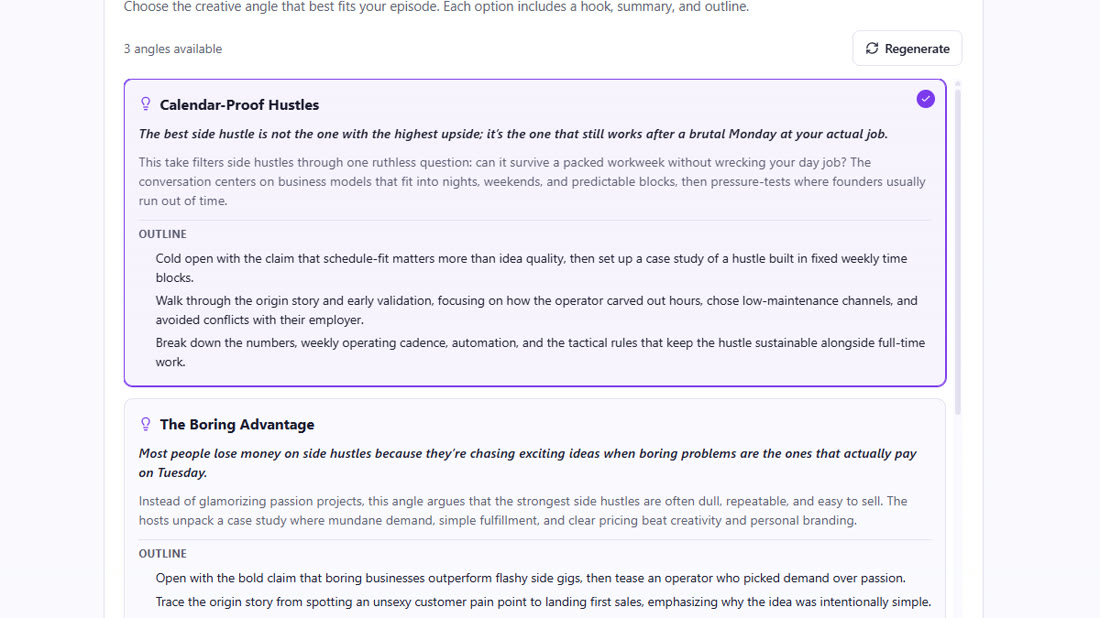
Episodes is where the show gets made, and it is a seven step wizard. Step one is the details: the show name, the topic (side hustles you can start with a full time job), the niche, the blueprint from step 1, how long the episode should be (the default is 300 seconds), how many shorts you want (default two) and how many hosts. There is an optional monetisation URL field, which is where your offer link goes.
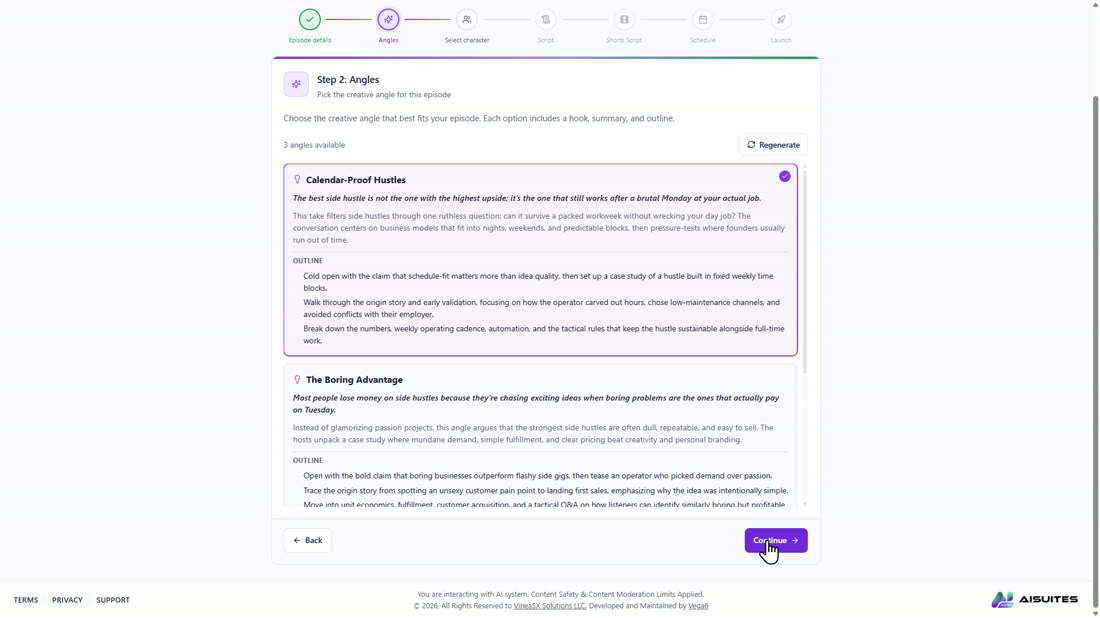
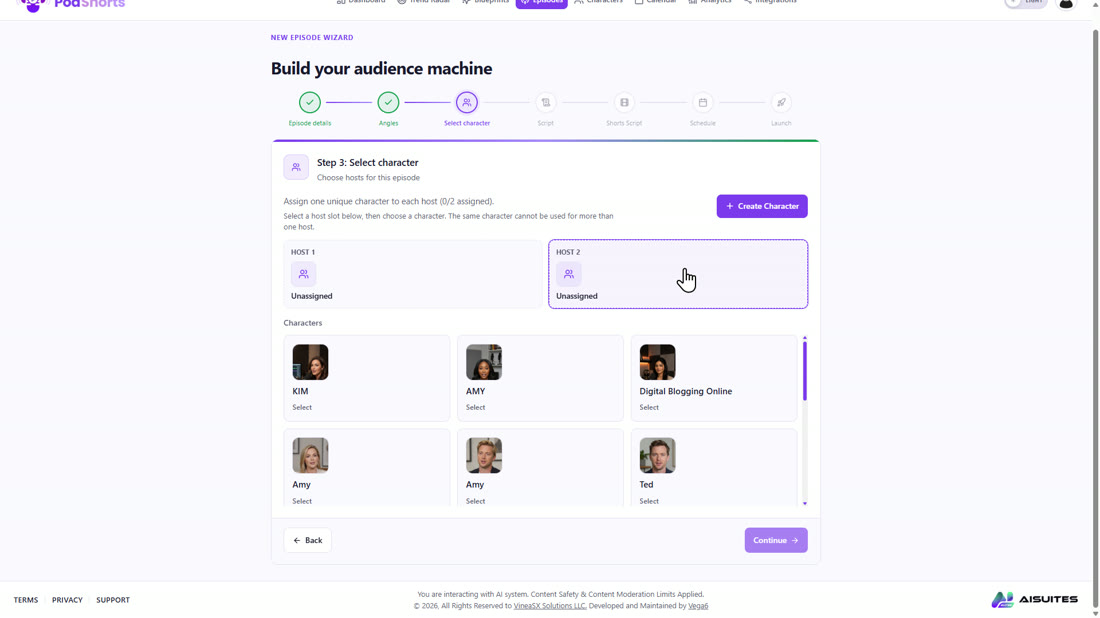
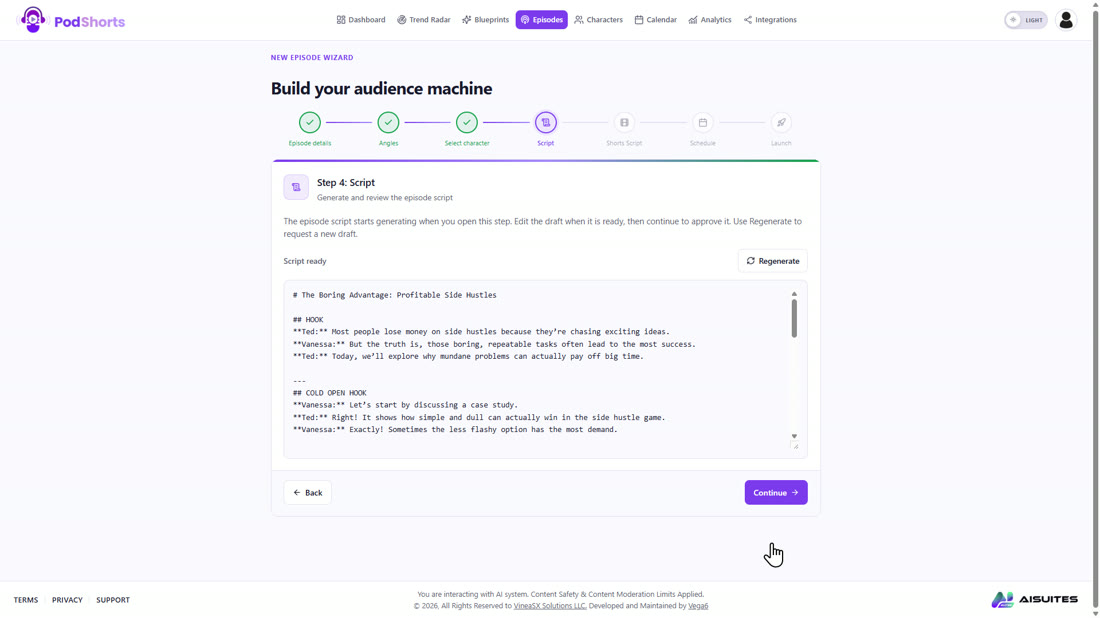
Step two pitches three angles for the episode, each with a hook, a summary and an outline, in under a minute. I took Calendar Proof Hustles. Step three is the hosts. Step four writes the full two host script and streams it onto the screen in about twenty seconds, in the sections the blueprint asked for: hook, cold open, setup, origin story, numbers, questions, verdict, call to action.
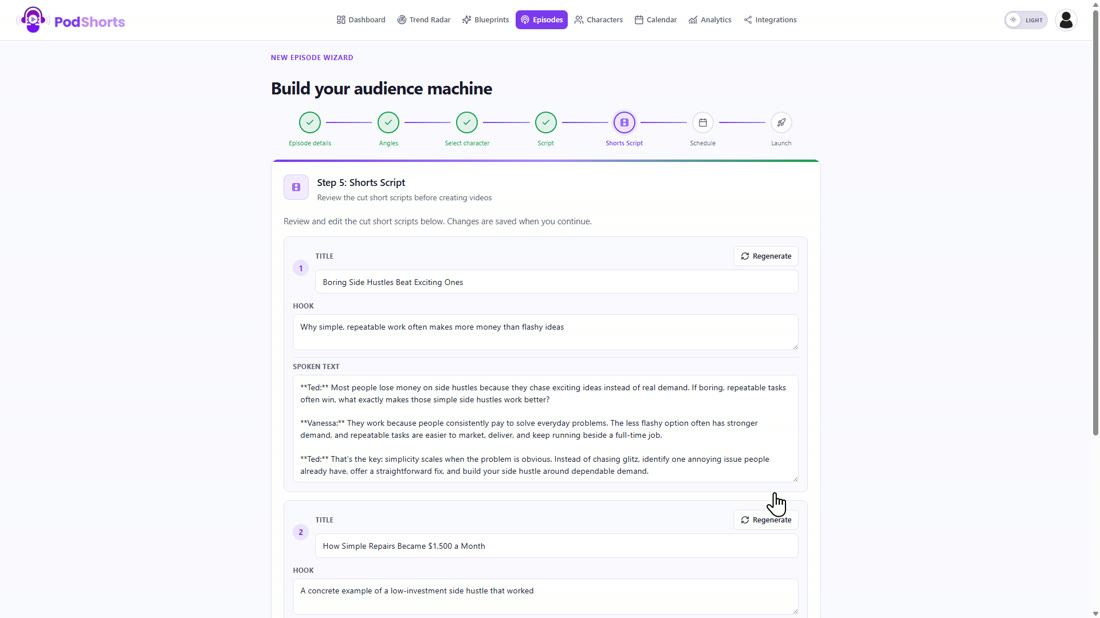
Step five cuts that into the shorts scripts, a title, a hook and the spoken text per clip, in about thirteen seconds. Step six is the schedule, where you post now, later, or leave it manual; I had no social accounts connected on the review account, so I scheduled later. Step seven picks the background music and launches.
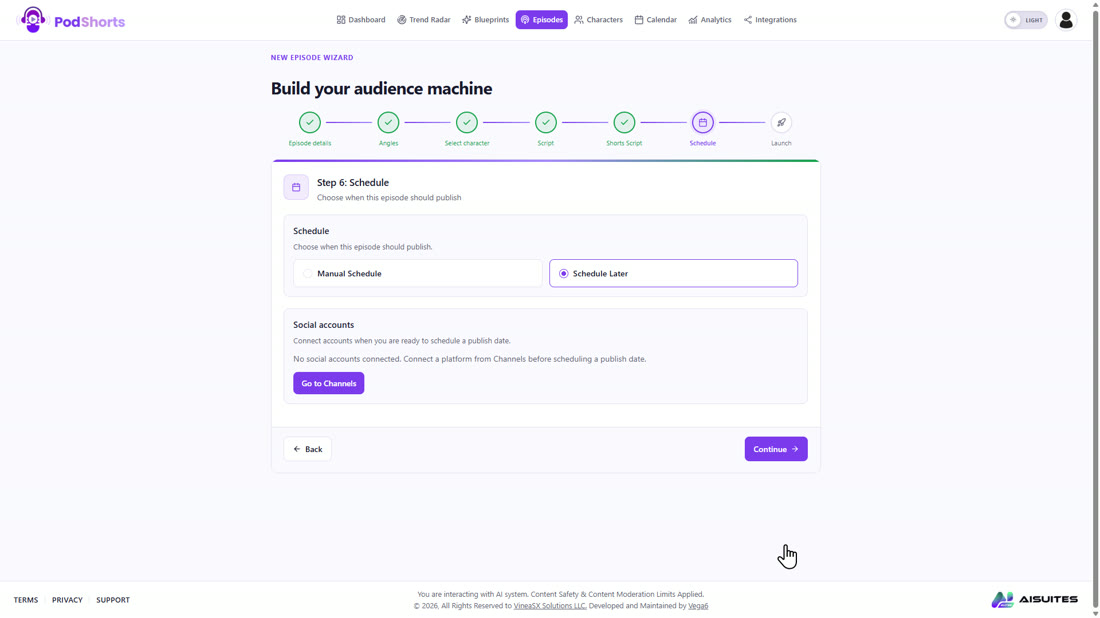
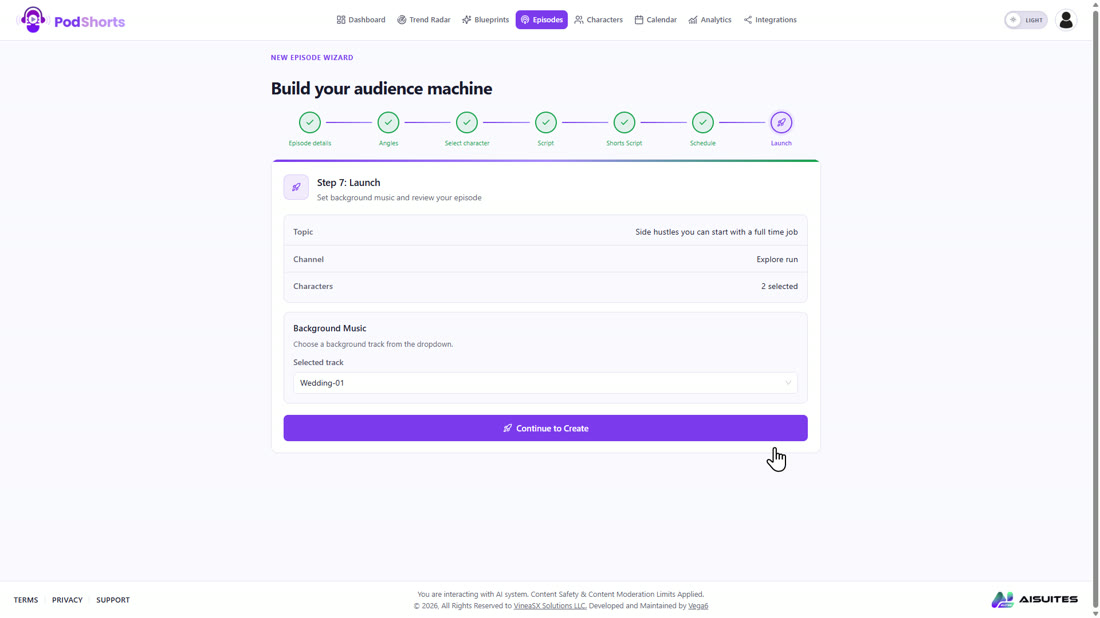
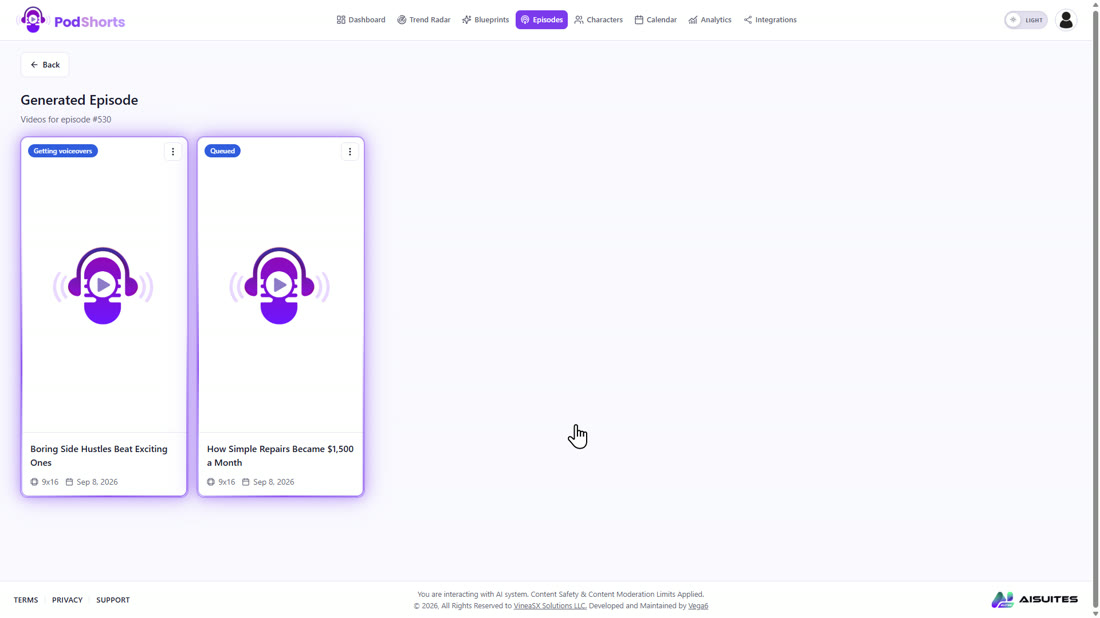
Then it renders. From queued to ready took about twenty five minutes for a 300 second episode with two clips, unattended. That is the slowest part of the whole loop and the one number I would want you to know before you buy.
Step 4: Check the clips, render, and schedule them
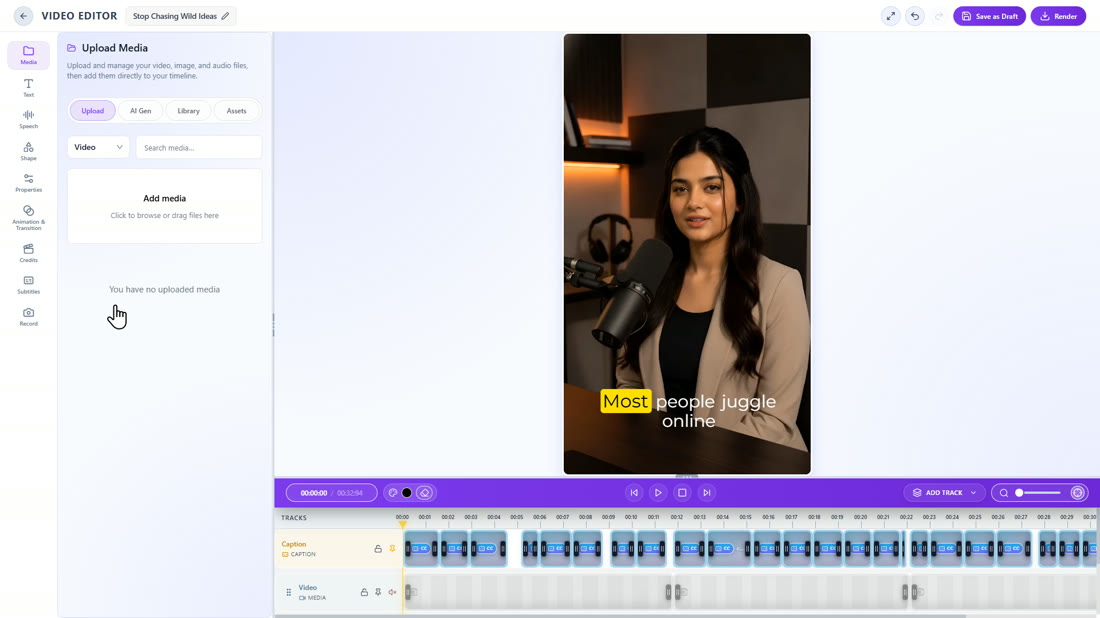
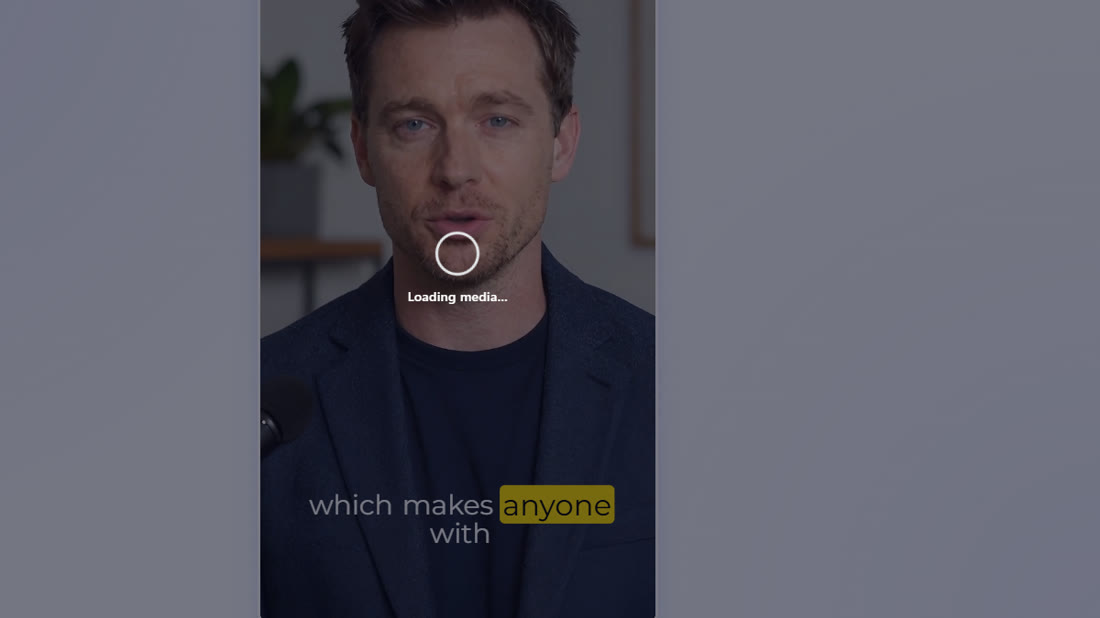
The episode comes back as two vertical clips, each with its own title card and the hosts on it, about thirty seconds each. Open one and you are in a proper little editor: every caption is its own block on the timeline, the left rail has media, text, speech, shapes, animation and a subtitles panel for the caption style. Ted and Vanessa actually talk, the captions burn in word by word, and for a thirty second clip in a feed it is exactly the look you see everywhere.
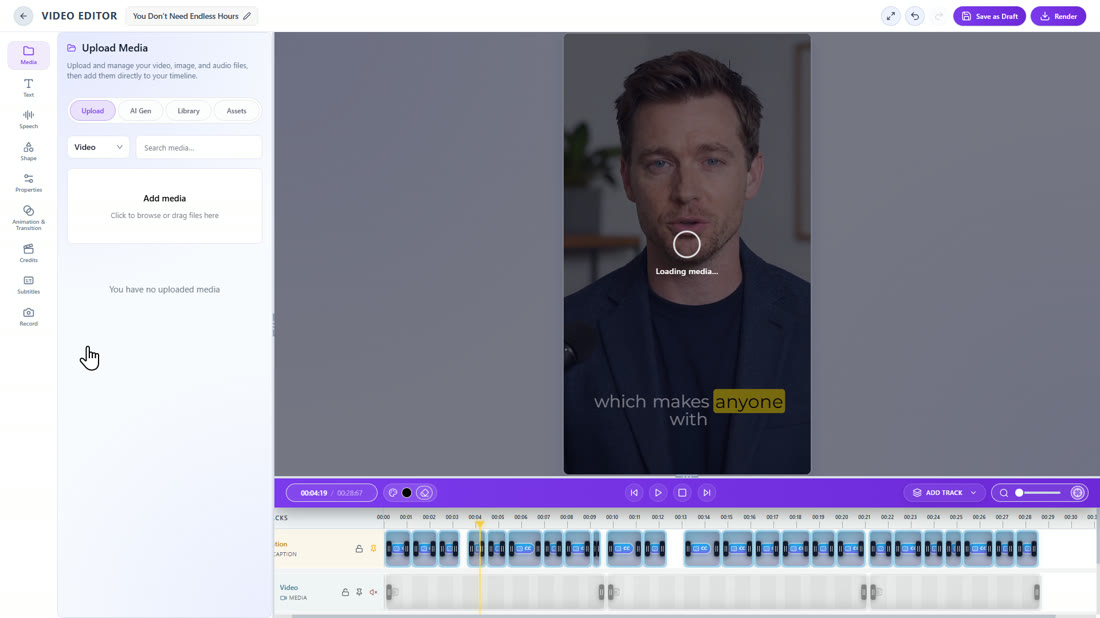
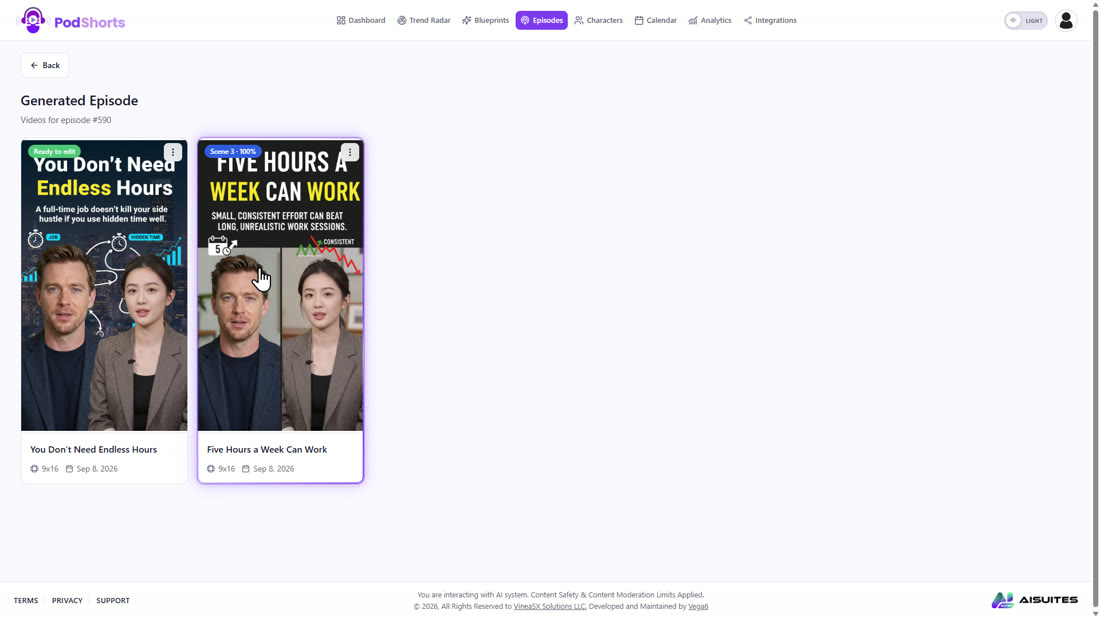
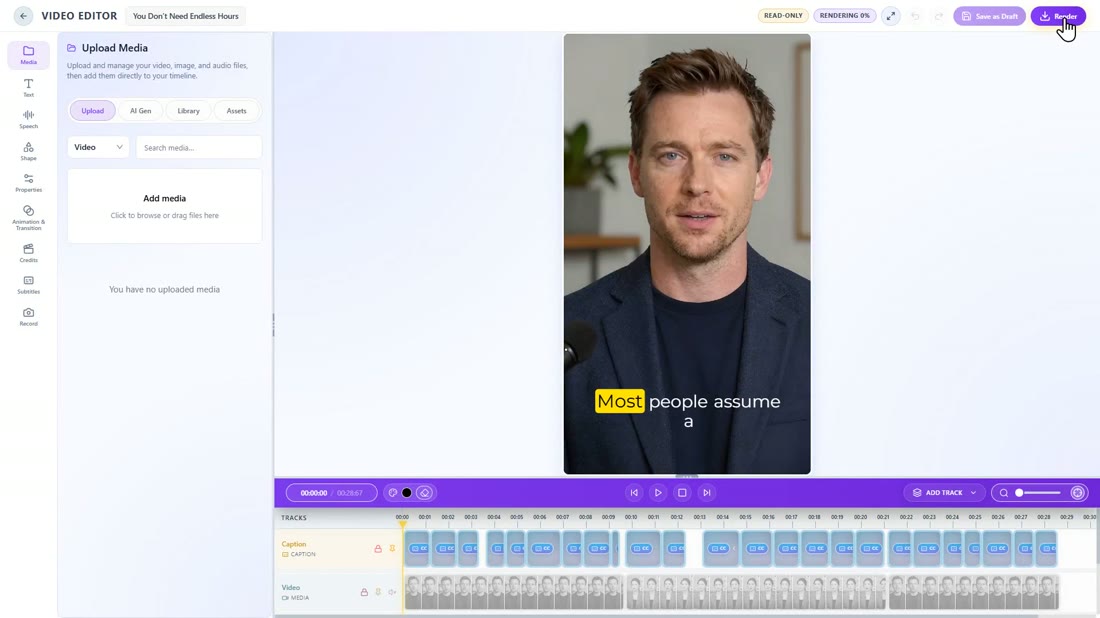
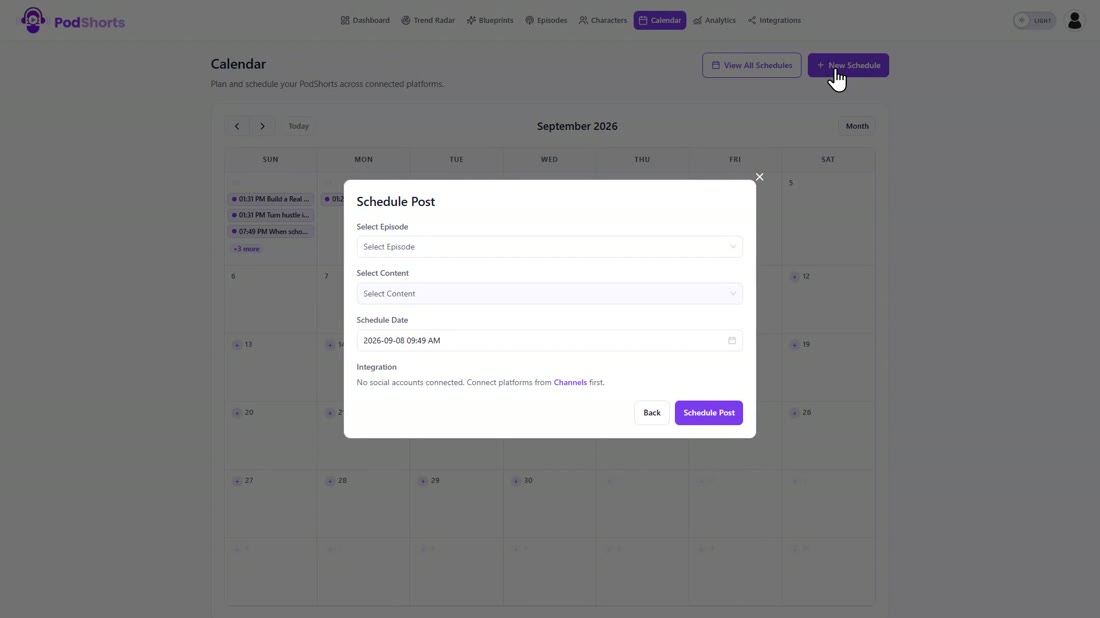
Render took about two minutes per clip and the finished file shows up on the episode page. Publishing is the Calendar, where a schedule picks the episode, the clip, the date and the platform, and the platforms themselves live under Integrations.
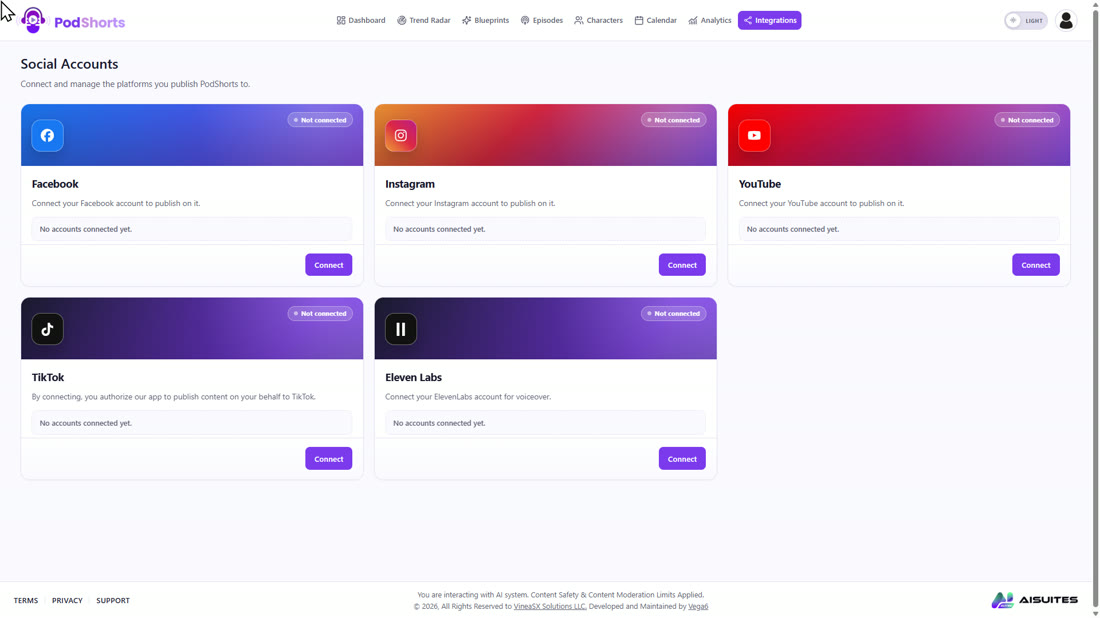
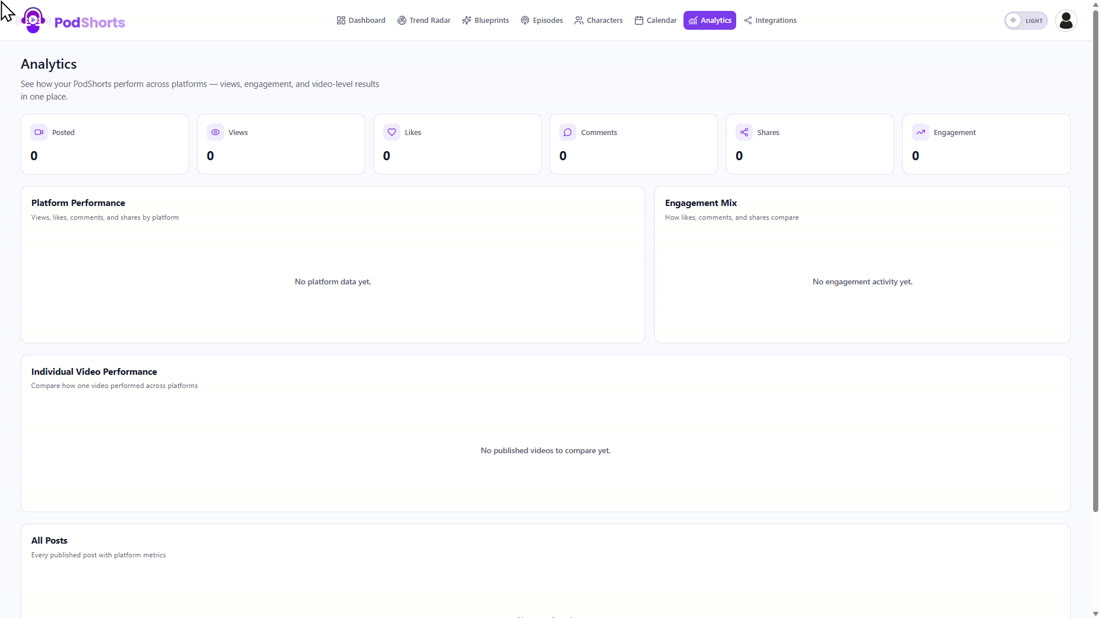
Connect Facebook, Instagram, YouTube and TikTok once and the scheduled clips go out on their own. Analytics tracks platform performance and per video engagement once they are live. The sales page also talks about a hosted bio page with offer rotation and click tracking; in the app that shows up as the monetisation URL in the wizard, and the bio page itself is where you send the profile link on every platform.
What I measured
Every number in this review comes from the review account, not the sales page.
| Action | Time or count |
|---|---|
| Trend Radar search | About 15 seconds (2.5 minutes the first time) |
| Results per search | 10, ranked, with trend score, views and engagement |
| Create Blueprint | About 25 seconds |
| Three episode angles | Under a minute |
| Full two host script | About 20 seconds, streamed live |
| Shorts scripts | About 13 seconds |
| Queued to ready (300 second episode, 2 clips) | About 25 minutes |
| Editor render | About 2 minutes per clip |
| Built in AI voices | About 50 in English, several hundred in total |
| Niches in the dropdown | 30 |
The honest take
For what it is built for, a faceless clip show in a niche you pick, it does the whole loop, and I have not seen another tool put trend research, hosts, scripts, clips and scheduling in one place at this price. Four things to know before you buy.
It does not clip real podcasts. Trend Radar copies the format of a trending show and nothing else. If you wanted to turn Joe Rogan into shorts, this is the wrong tool, and the vendor says so.
The editor is basic. You can move captions, change their style, add text and shapes, and swap media. You cannot colour grade or do anything a real editor would call editing. For a thirty second feed clip that is enough; for anything else it is not.
The hosts are AI hosts. They look good in a feed and the lip sync is solid, but you can tell if you look closely. Some niches will care about that more than others; personal finance did not bother me, a medical channel might.
Renders are slow. About twenty five minutes per episode in my test. It runs unattended, so it is a queue, not a wait, but this is not a click and post in sixty seconds thing.
What the $37 front end includes, checked on the account
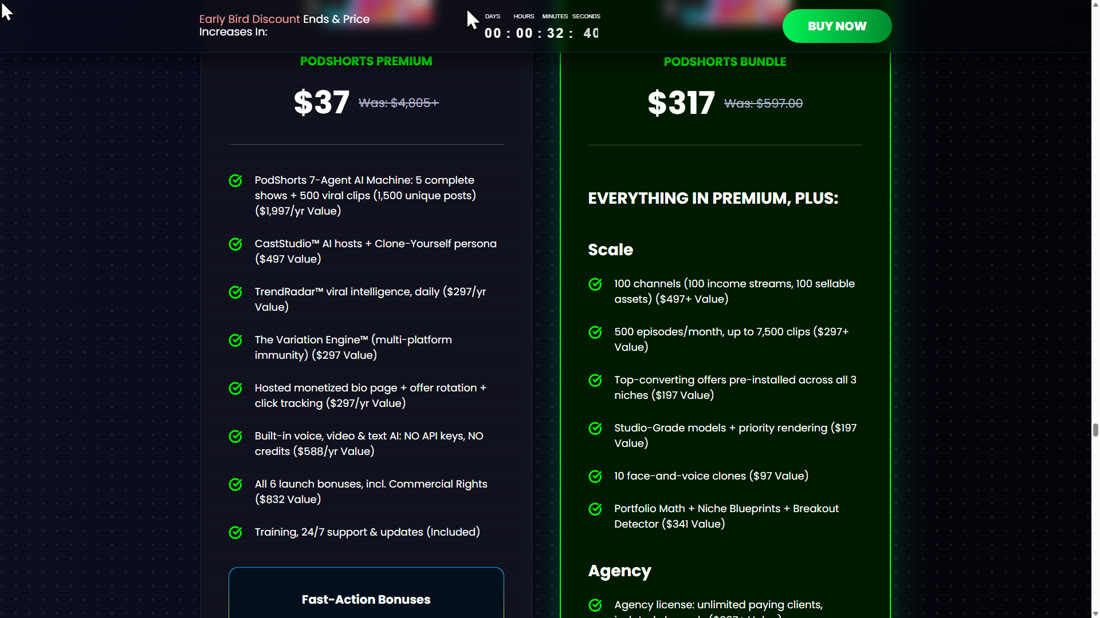
PodShorts Premium is the front end. It is listed at $37 in the headline and $39.97 in the buy box when I checked, one time. It includes the full app: five shows, 500 clips (up to 1,500 platform variants), all the AI engines with no API keys, the hosted bio page, TikTok, Instagram and YouTube publishing, training and support, and the six launch bonuses listed on the page, including the commercial rights license. There is a 14 day money back guarantee. Everything in the walkthrough above ran on the front end feature set except the character generator, which I did not need because the ready made hosts did the job.
4 Steps To Profit With PodShorts
1. Find a format that works
Trend Radar ranks ten trending podcasts in your niche in about fifteen seconds. Create Blueprint extracts the structure, pacing and tone of the best one. About 25 seconds.
2. Build the hosts
Pick ready made hosts, generate one from a description, or upload your own photo and voice. About fifty English AI voices with previews, or your own ElevenLabs account.
3. Generate the episode
Type the topic. The wizard pitches three angles, writes the two host script in twenty seconds, cuts the shorts scripts, and renders. About 25 minutes, unattended.
4. Check, render, schedule
Open a clip in the editor, fix a caption if you want, render in about two minutes, and put it on the calendar. Connected accounts post it for you.
Key Features & My Honest Take
- Trend Radar: ranked trending podcasts in your nicheThe best thing here. A real Personal Finance niche, the keyword side hustle, and ten ranked shows with a trend score, views and engagement in fifteen seconds. Two of my ten results were Hindi channels, so read the cards before you pick one.
- Show Blueprints extracted from a trending formatIt copies the skeleton, not the content: structure, pacing, tone, host personas, segment order. Mine came back at 89 percent confidence and every episode script followed it.
- AI hosts: ready made, generated, or cloned from your photoThe ready made hosts are good enough to ship with. The voice picker is the highlight: about fifty English AI voices with previews, plus your own ElevenLabs account if you have one.
- Seven step episode wizard with live script streamingThree angles, a full two host script in twenty seconds, shorts scripts in thirteen. Watching the script stream in is the moment the product clicks.
- Captioned 9:16 clips rendered with the hosts on screenExactly the look you see in every feed, word by word captions included. About thirty seconds each, and about twenty five minutes from queued to ready.
- Clip editor with caption, video and audio tracksA proper little editor for captions, text, shapes and media. Not a video editor. If you need one, you will export and use your own.
- Calendar, Integrations and Analytics for publishingFacebook, Instagram, YouTube and TikTok connect once; the calendar schedules per clip per platform. Analytics only fills up once clips are live, so I could not test the numbers.
- Hosted bio page with a monetisation URLThis is where the money part lives: the wizard takes an offer URL and the bio page is the link under every clip. Pick the offer before you make the show.
Pros
- Trend Radar and the blueprint mean you start from a format that is already working, not a guess.
- One typed topic to two finished, captioned clips without touching a camera, a microphone or a timeline.
- The script streams in live and follows the blueprint segment by segment. It reads like a real two host episode.
- About fifty English AI voices with previews, or connect your own ElevenLabs account. No API keys anywhere.
- Publishing is built in: calendar, four platforms, analytics, and a bio page for the offer link.
- Renders run unattended, so a queue of episodes is a queue, not an afternoon.
- One time price for the front end during the launch window, with a 14 day guarantee.
Cons
- It will not clip real podcasts. If that is what you wanted, this is the wrong product.
- The editor handles captions, text and media, not real video editing.
- The hosts are recognisably AI up close, which some niches will care about.
- About twenty five minutes from queued to ready per episode.
Pricing details
The front end is PodShorts Premium, listed at $37 in the headline and $39.97 in the buy box when I checked on 8 September, one time payment. The vendor says the one time price is a launch window deal and monthly pricing replaces it afterwards, so if the buy box still says one time when you read this, that is the deal to take.
The front end is a complete product: five shows, 500 clips, all the AI engines, the bio page, publishing to TikTok, Instagram and YouTube, and the six launch bonuses. Everything in the walkthrough above ran on it. The upgrades add volume, clients and more networks, not missing pieces.
The Bundle on the sales page is the front end plus every upgrade below for $317 a year, and there is a $50 off coupon on the page. If you buy the front end on its own, the same upgrades are offered one at a time after checkout at the prices below.
FAQ
What is the verdict of this PodShorts review?
Worth it at the one time price if you want a faceless clip channel in a niche and will actually run it: I went from a blank Trend Radar search to two rendered, captioned clips with AI hosts in one sitting, and about twenty five minutes of that was the app rendering on its own. Skip it if you want to clip real podcasts or need a real video editor.
Does PodShorts clip real podcasts?
No, and it says so. Trend Radar finds trending podcast episodes in your niche and Create Blueprint extracts their format (structure, pacing, tone, host count), but no source audio or video is copied. The episode is written and performed from scratch by the AI hosts.
How long does one episode take?
About half an hour of app time, most of it unattended. Angles took under a minute, the full script about twenty seconds, the shorts scripts about thirteen, and the render from queued to ready about twenty five minutes. Editor renders were about two minutes per clip.
Do I need ElevenLabs or any API keys?
No. The built in AI voices (about fifty in English) and video engines are included on the front end. Connecting your own ElevenLabs account is optional, under Integrations, if you want your own cloned voice.
Can I be the host myself?
Yes. Create Character has an Upload option that pairs a photo of you with a voice, and the voice picker accepts a custom cloned voice. I used two of the ready made hosts, Ted and Vanessa, for the show in this review.
What are the PodShorts OTOs?
Scale ($67, 100 channels and 500 episodes a month), Agency ($197, white label dashboard, team seats and a done for you agency site), PodCoach AI ($97 a year, an AI growth coach) and Amplify ($67, more publishing networks and a blog engine). The Bundle is all of them plus the front end for $317 a year with a $50 coupon on the page.
How do I get the bonuses?
Buy PodShorts through the link on this page. My bonuses are delivered on your JVZoo receipt right after purchase, and the vendor's six launch bonuses are inside the PodShorts members area.
Last updated

Jonas Nielsen
Marketing software reviewer
I've tested 100+ marketing tools hands-on and publish full demos and honest verdicts on YouTube, where 4,800+ people follow along. I only recommend software I've actually logged into and used myself.