
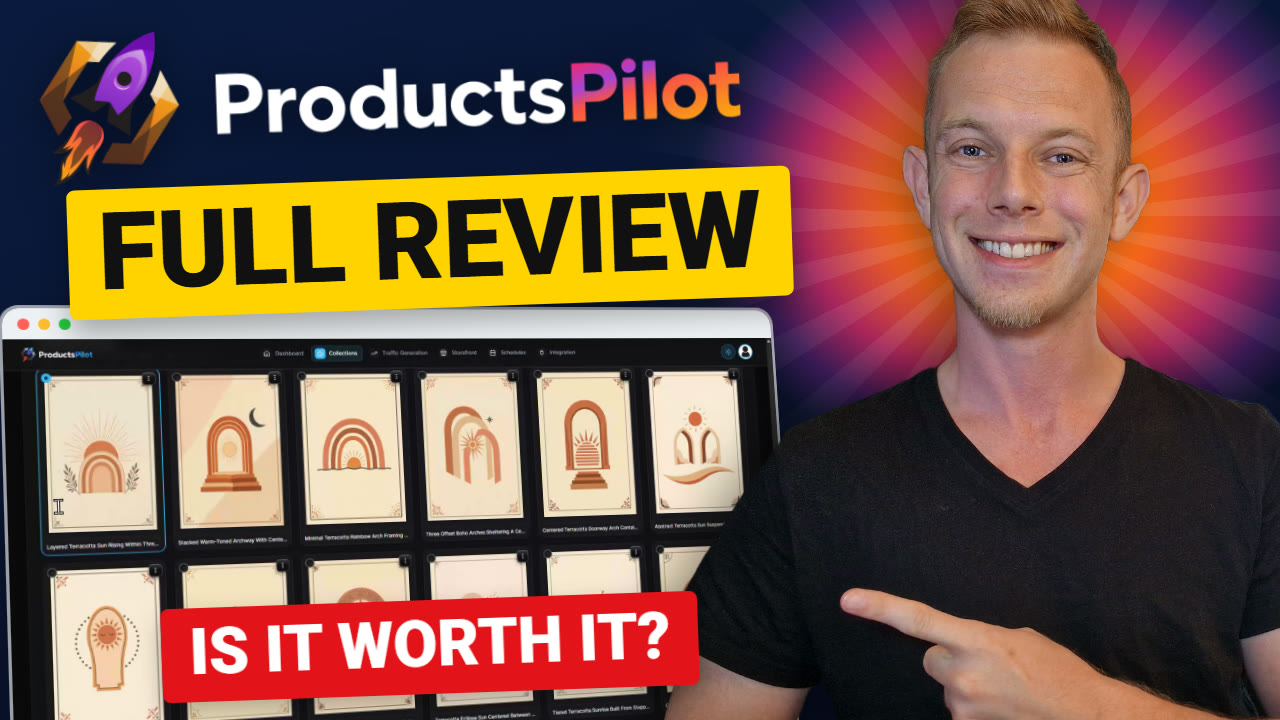
Hands-on review + bonuses
ProductsPilot Review: I Built a 15-Piece Etsy Wall Art Set From Scratch
My hands-on ProductsPilot review: I picked one niche, and the app designed a matching 15-piece boho wall art set, made the room mockups, wrote the Etsy listing and built the Pinterest pin and web story for it. Here is every step, timed.
4.5 / 5 my rating · product by Abhi Dwivedi
 Get ProductsPilot + My 18 Bonuses →
$37 one-time
Want every upgrade? Get the Bundle for $317 →My Verdict for ProductsPilot
ProductsPilot bonus package
ProductsPilot Bonus Package: Free When You Buy Through My Link
Buy ProductsPilot through my link and you get my ProductsPilot bonus package: most of it lands on your JVZoo receipt right after purchase, and two custom bonuses (Bio Link Builder and Traffic Vault) come from the ProductsPilot team by email. On top of that you get Abhi's launch bonuses inside your members area.
Bonus 1
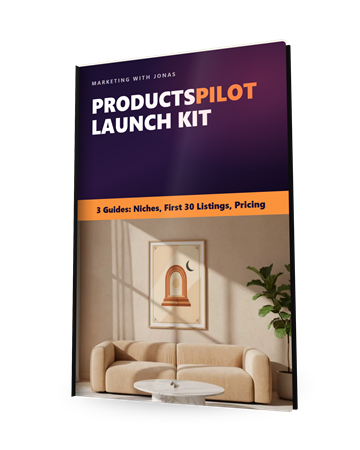
ProductsPilot Launch Kit
My three guides in one: the 4-point niche check plus 10 niches to test first, a four-week plan that turns 15 products into 30 listings, and how to build a price ladder around the price the app suggests.
$197 value
Bonus 2
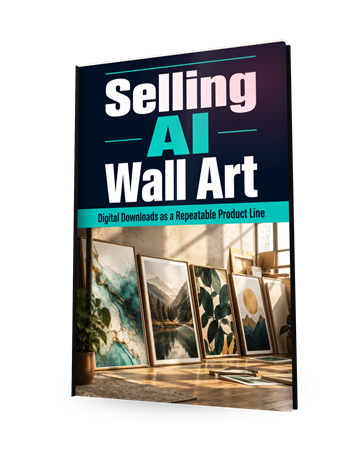
Selling AI Wall Art
A full guide to wall art as a repeatable product line: sizing and formats, pricing, listings that get clicked, and how to stand out from the lookalike flood. Exactly the set I built in the video.
$67 value
Bonus 3
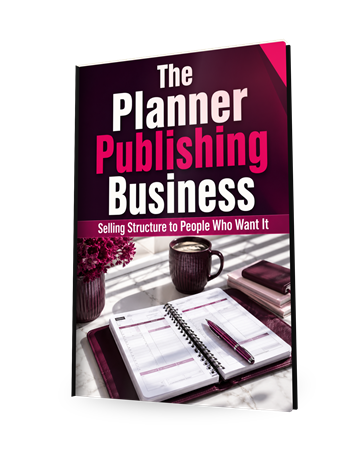
The Planner Publishing Business
Planners are the category the sales page leads with. This guide covers the interiors that sell, print vs digital, pricing and finding your first buyers.
$67 value
Bonus 4
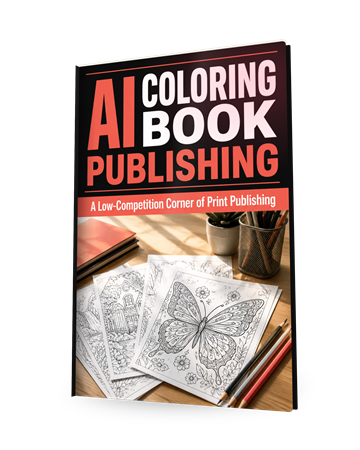
AI Coloring Book Publishing
A low-competition corner of printables: line art quality, book structure, niches and pricing. Pairs with the Kids and Low Content categories in the app.
$67 value
Bonus 5
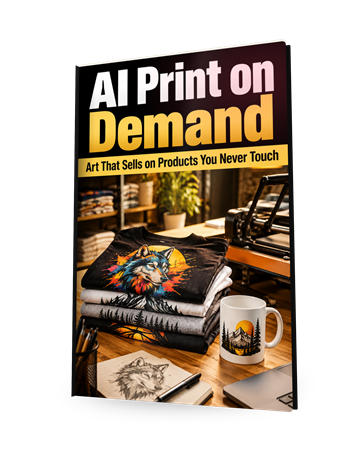
AI Print on Demand
Take the same designs onto shirts, mugs and posters without holding stock. Platform rules for AI art, niches and pricing, for the Printify listing packs.
$67 value
Bonus 6
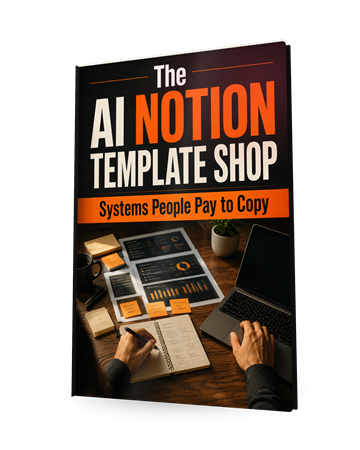
The AI Notion Template Shop
Templates are one of the product types ProductsPilot builds. This guide covers designing, pricing and selling digital templates to the buyers who want them.
$67 value
Bonus 7
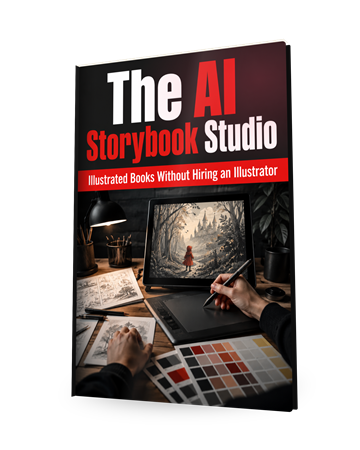
The AI Storybook Studio
Kids products sell. A guide to consistent characters, layouts and pricing for AI picture books, a natural next step from the kids worksheet sets.
$67 value
Bonus 8
Pinfluence Framework
Pinterest is where people search for printables. A 16-chapter system for boards, visual SEO and evergreen pins, so the pins ProductsPilot makes keep sending traffic.
$97 value
Bonus 9
Bio Link Builder
Build optimized bio link pages, a Linktree alternative. Put one link in every Pinterest, Instagram and TikTok profile and send visitors to your shop, your bundles and your freebies.
$67 value
Bonus 10
Traffic Vault
68 free traffic sources for 2026, beyond the obvious ones, with real traffic data per source. More places to send buyers to your listings on top of the pins and web stories ProductsPilot makes.
$147 value
Bonus 11
1-on-1 Personal Mentoring
A direct line to me on WhatsApp for questions about your niche, your first collections, your listings or your pins.
$497 value

Bonus 12Vendor Launch Bonus
The Red-Carpet Live Workshop
A single live workshop where the team walks the whole business on screen: which niches pay now, how many products to list before judging, pricing against the band, and what a normal first month looks like.
$997 value
Bonus 13Vendor Launch Bonus
The 30 Proven Niche Blueprints
Thirty researched niches with the demand picture, the price band buyers accept, the seasons they spike in and the style that sells. It takes the hardest decision in step 1 off your plate.
$297 value
Bonus 14Vendor Launch Bonus
The Listing Vault
The title structures, tag groupings and description frames that get found, per category, so you know why the generated listings look the way they do and can edit them with confidence.
$197 value

Bonus 15Vendor Launch Bonus
Founding Members Community
A private group of ProductsPilot owners comparing what is actually selling, by category and by season.
$197 value
Bonus 16Vendor Launch Bonus
The First 30 Days Checklist
One page: what to do on day one, day three, week two and week four, in order.
$97 value
Bonus 17Vendor Launch Bonus
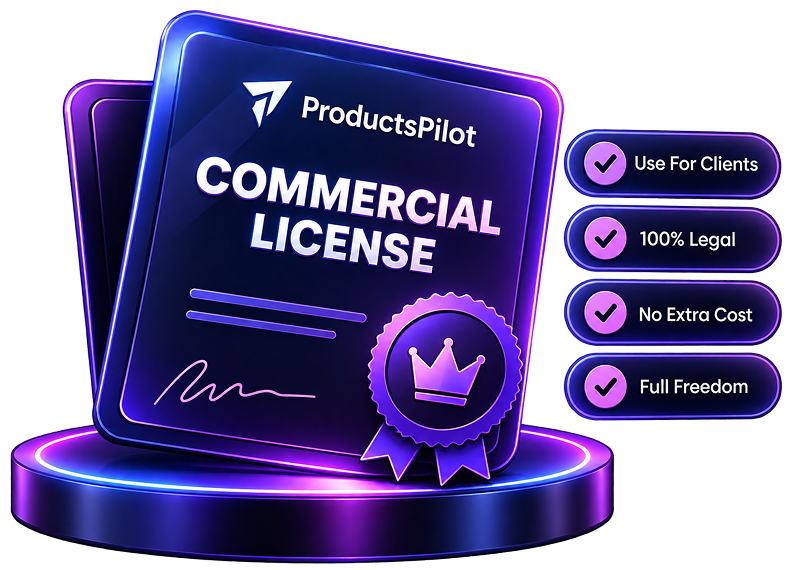
Commercial License to ProductsPilot
Sell ProductsPilot's product-building services to other sellers and businesses, included at no extra charge during the launch.
$197 value
Bonus 18Vendor Launch Bonus
VIP Training: Building Your Digital Product Business
How to run several product lines at once, pick the niches that convert and stack your marketplaces.
$97 value
Pricing and upgrades
Start at $37. Add an upgrade only if you need it.
Front EndStart here
ProductsPilot Premium
$37one-time
- 15 finished products a month
- All 8 product categories
- Niche finder, 20 styles, mockups
- Etsy and Gumroad listing packs
- 7-channel traffic builder
- 2 shops, full commercial rights
- 14-day money-back guarantee
BundleEverything
ProductsPilot Bundle
$317per year
- Front end plus every upgrade
- Coupon PILOT takes $50 off
- Lifetime version: $497 one time
Optional upgrades
OTO 1
Unlimited
$67per year
- Unlimited products
- Premium image model
- Bulk creation, priority queue, API
OTO 2
Diamond Storefront
$97per year
- Branded storefront
- Buyer capture and follow-ups
- Bundles and direct checkout
OTO 3
Platinum Agency
$97one-time
- 25 shops
- White label and client reports
- Team access
OTO 4
Elite Marketplace Multiplier
$67per year
- Low-content books for Amazon KDP
- 7 more marketplaces
My honest read on the funnel. Start with the $37 front end. 15 products a month is plenty of listings for a new shop, and every step in this review ran on it. Add Unlimited only once you are building more than 15 collections a month, and Elite if Amazon KDP is part of your plan. Platinum Agency is for running shops for clients.
Read the full written review
What ProductsPilot does, in one sentence
You pick a niche and a look, and ProductsPilot designs a complete, matching set of printable digital products, puts them in lifestyle mockups, writes the marketplace listing for Etsy, Gumroad, Printify and Shopify, and makes the Pinterest pins and web stories to promote it.
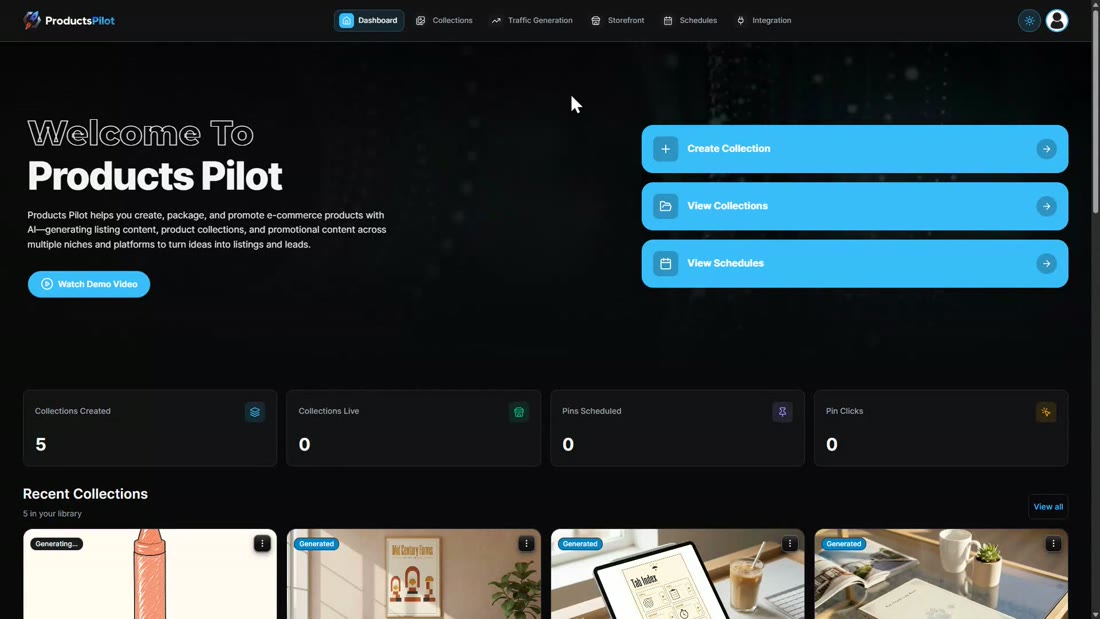
The buyer the sales page talks to wants an Etsy shop full of printables without having to design anything. So in this ProductsPilot review I did exactly that: I picked a real wall art niche, built a 15-piece set from scratch, and walked it all the way to a finished listing pack and promo content, timing every step.
Who this is for
You want to sell printable digital products and the design work is what has stopped you.
The beginner who wants an Etsy shop
Two decisions, a niche and a look, and you get a finished set, the mockups and a listing you can paste in. No design skills needed.
The seller who needs more listings
15 products a month on the front end, each one a set you can split into bundles, so the shop fills up fast.
The marketer who wants the traffic part done too
Pinterest pins, Google web stories, PDF guides and social posts are built from the same collection.
Who should skip it: anyone who already designs their own printables and just wants a listing tool, and anyone who expects the app to log into Etsy and post for them. ProductsPilot gives you a listing pack you paste in yourself.
How To Use ProductsPilot, step by step
Step 1: Pick a niche
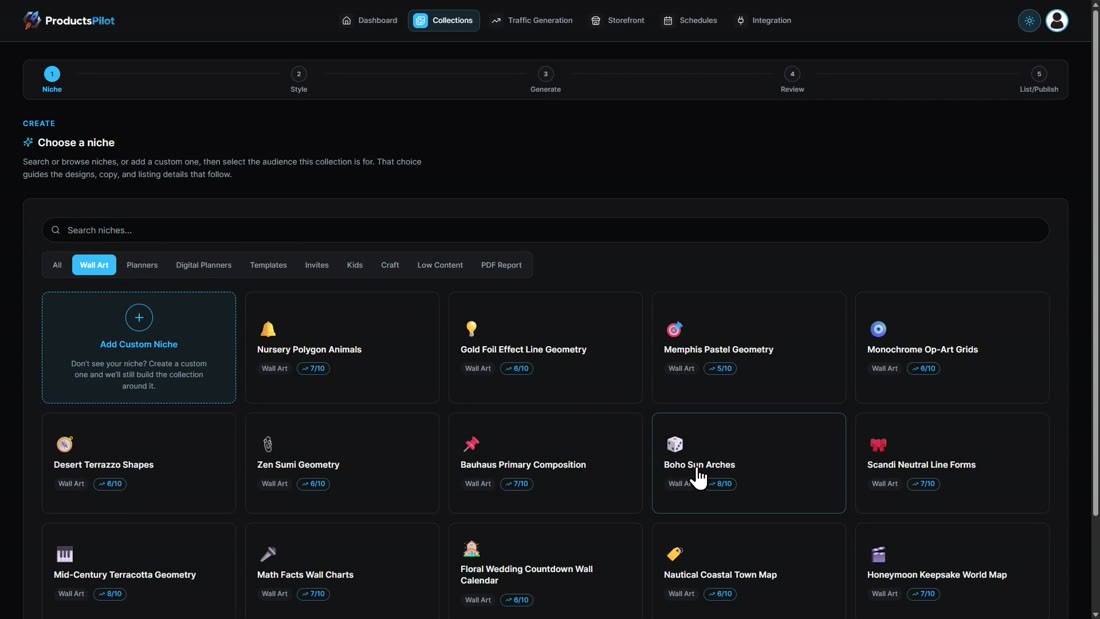
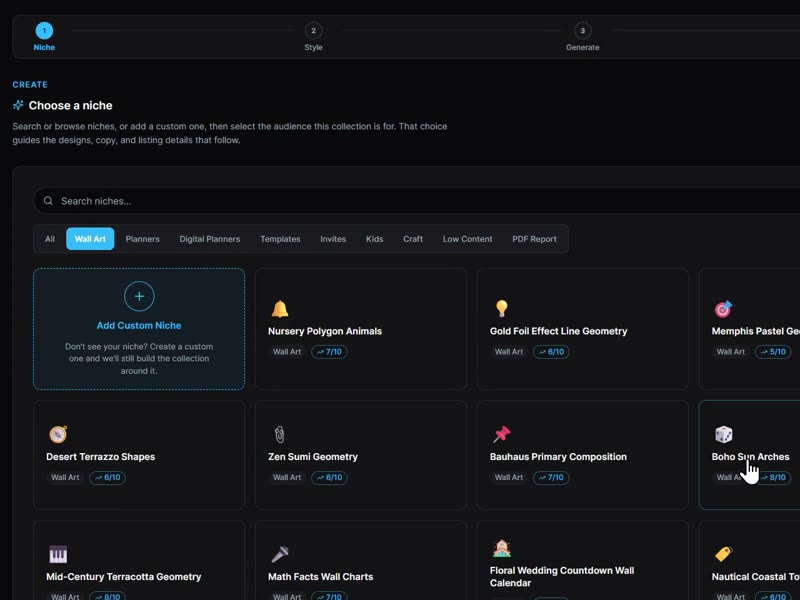
Create Collection opens on a list of niches you can search or browse by category: wall art, planners, digital planners, templates, invites, kids, craft, low content and PDF reports. Every niche carries a score out of ten, demand weighed against competition, and you can add a custom niche if yours is not listed. I clicked Wall Art and picked Boho Sun Arches at 8/10.
Step 2: Pick the look
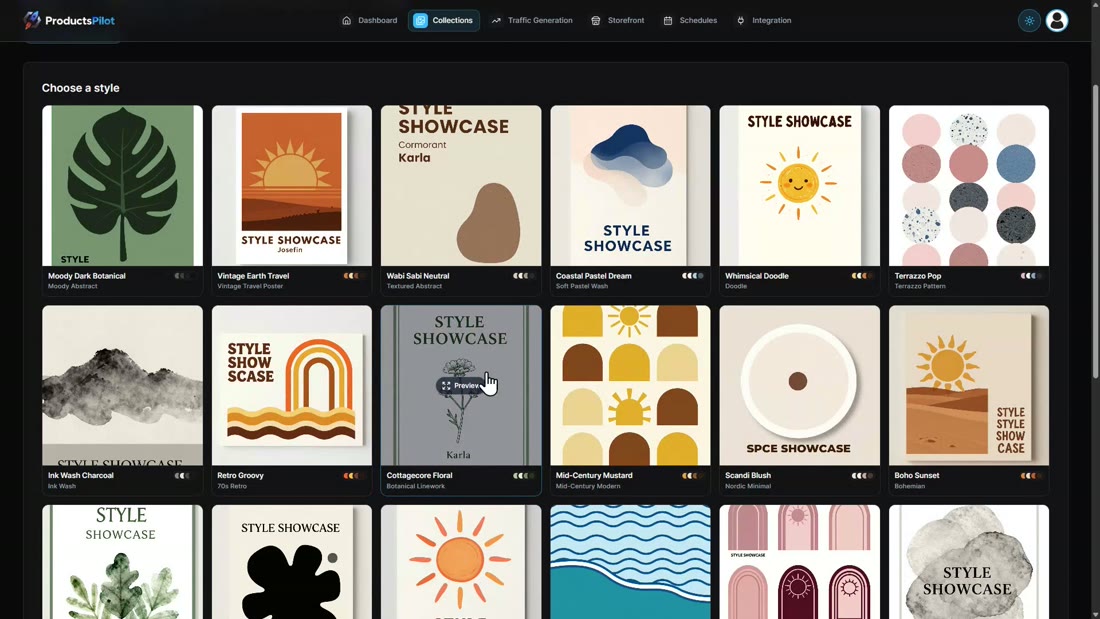
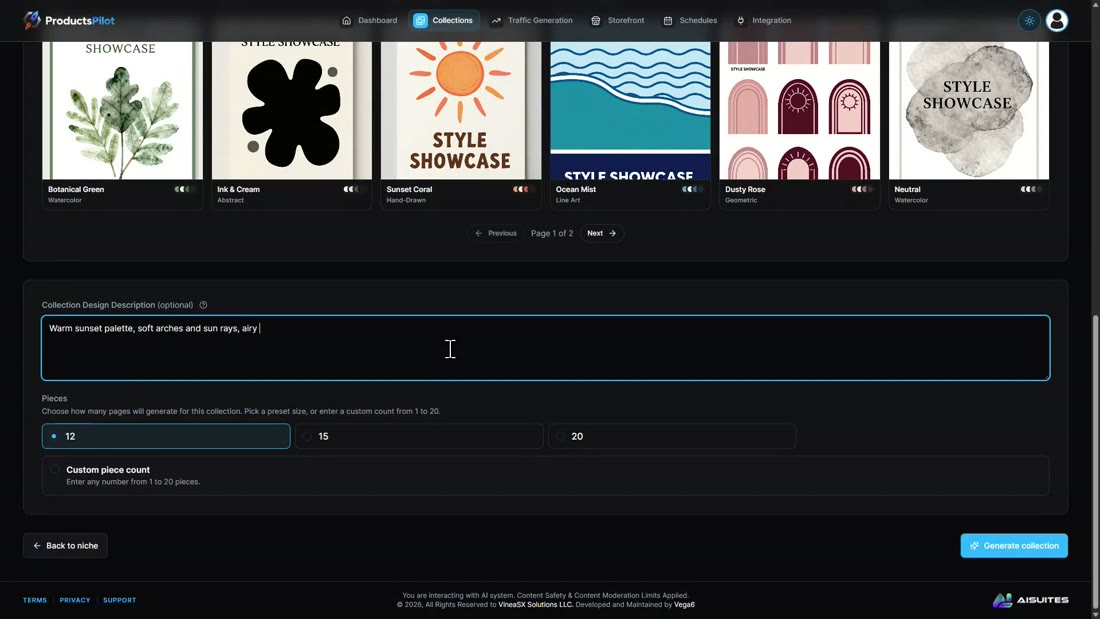
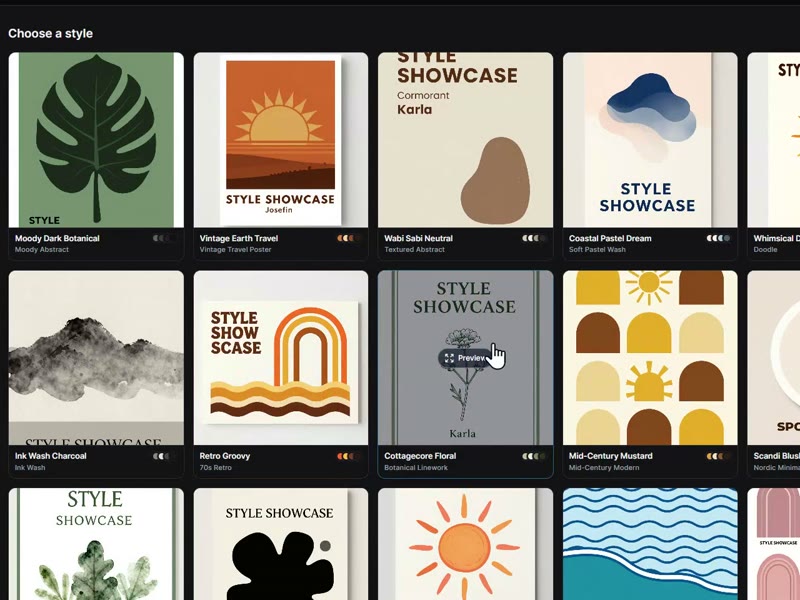
You get 20 style directions with a preview of each. I chose Boho Sunset, typed a short design note (warm sunset palette, soft arches and sun rays, airy and minimal) and set the collection to 15 pieces.
Step 3: Let it build the product
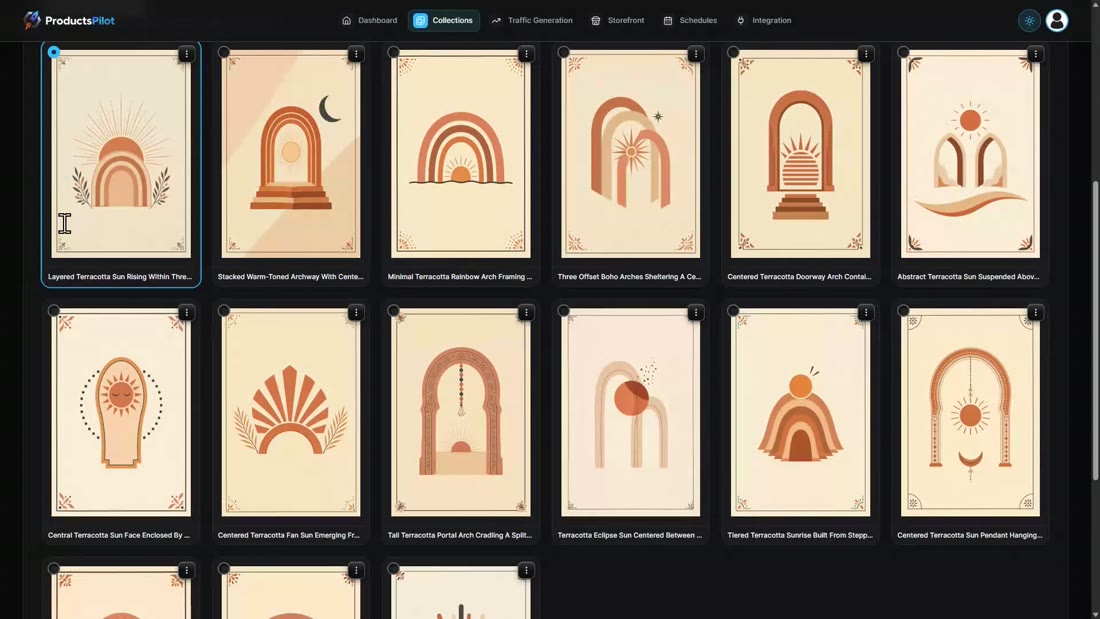
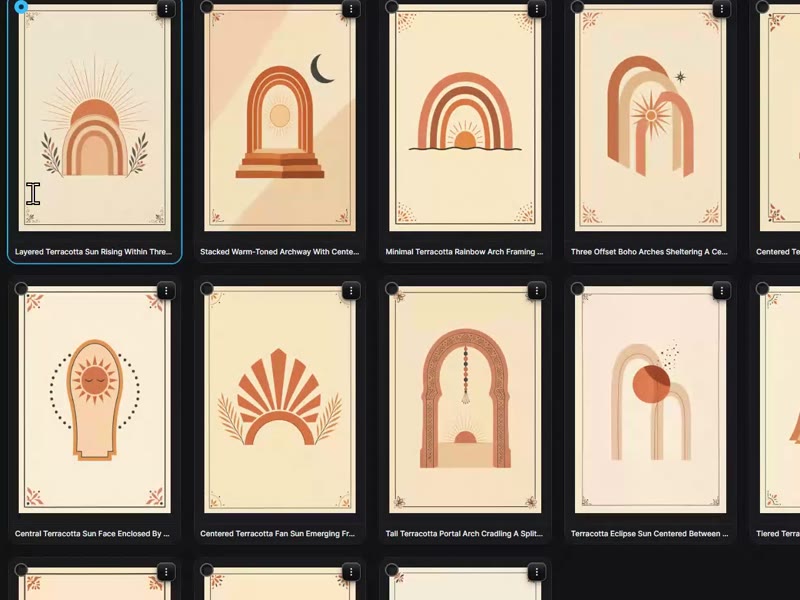
Generate collection researches keywords, locks the style and designs every piece in the background, so you can leave the page. My 15 pieces took about eight minutes. They came back as a real set: same palette, same frame, every piece titled. From the card menu you can preview, edit, regenerate or delete a piece.
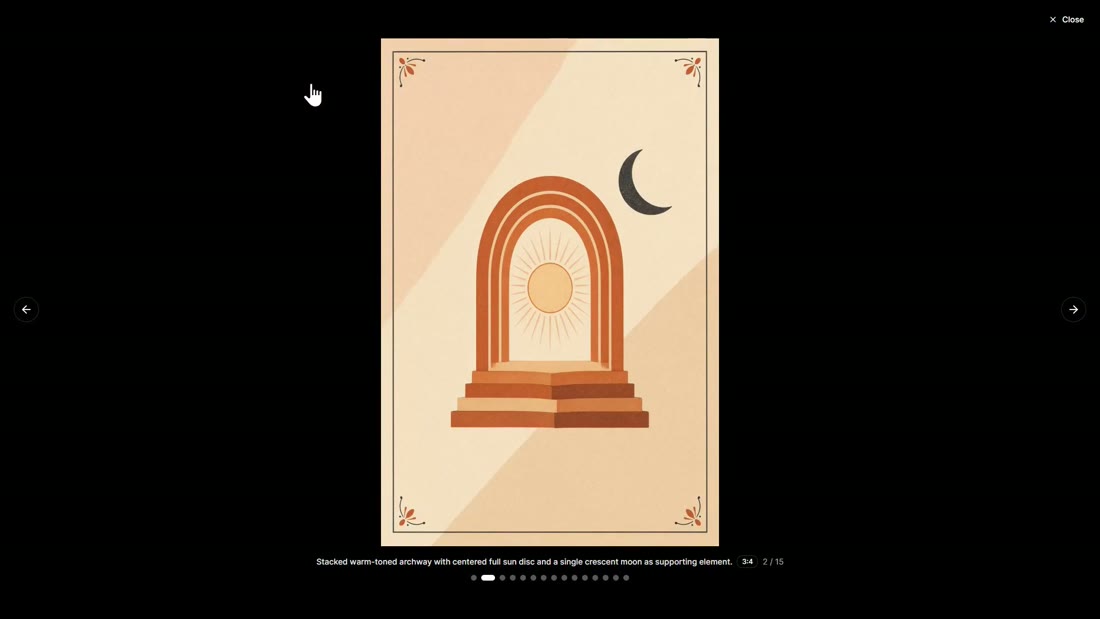
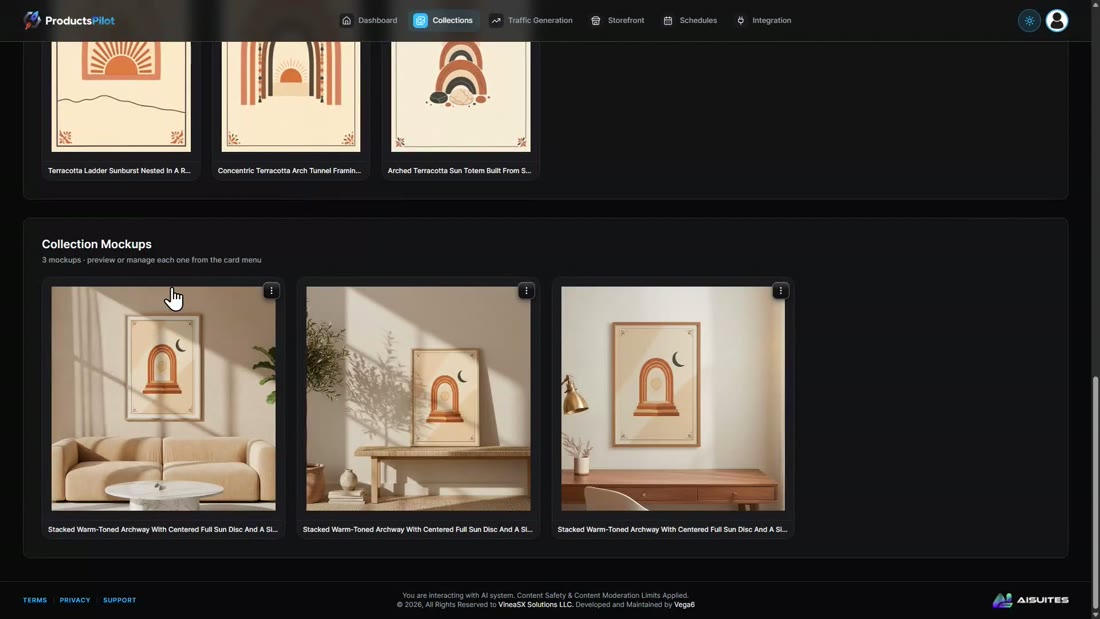
Then I selected my favourite piece and hit Generate Mockups. About 50 seconds later I had three lifestyle mockups with the print framed in a real looking room, which is the photo that goes first in a listing.
Step 4: Get the listing
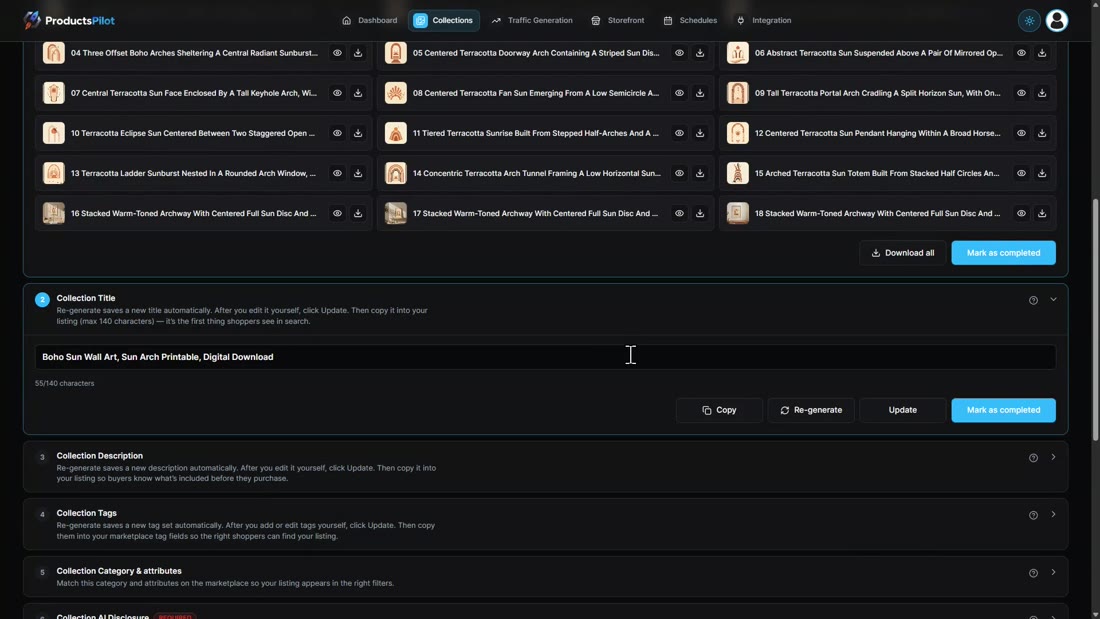
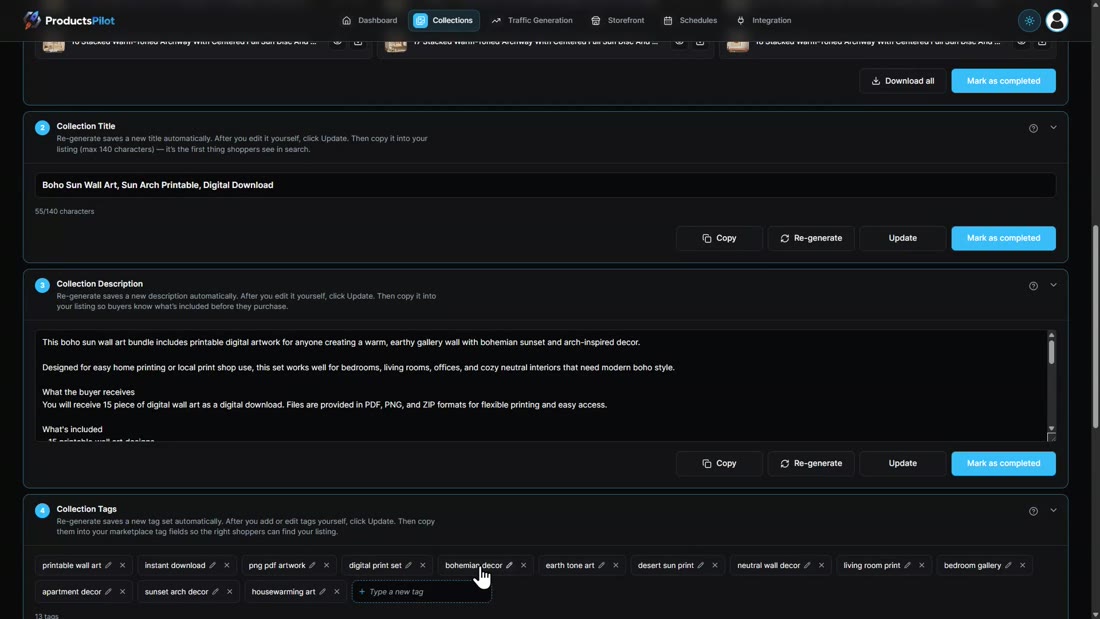
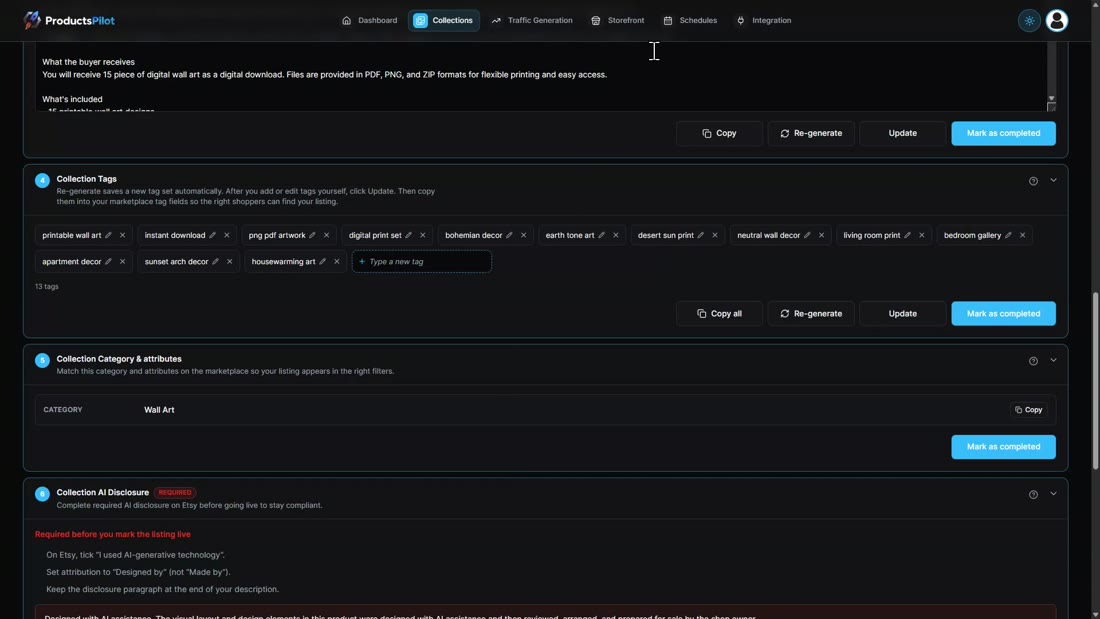
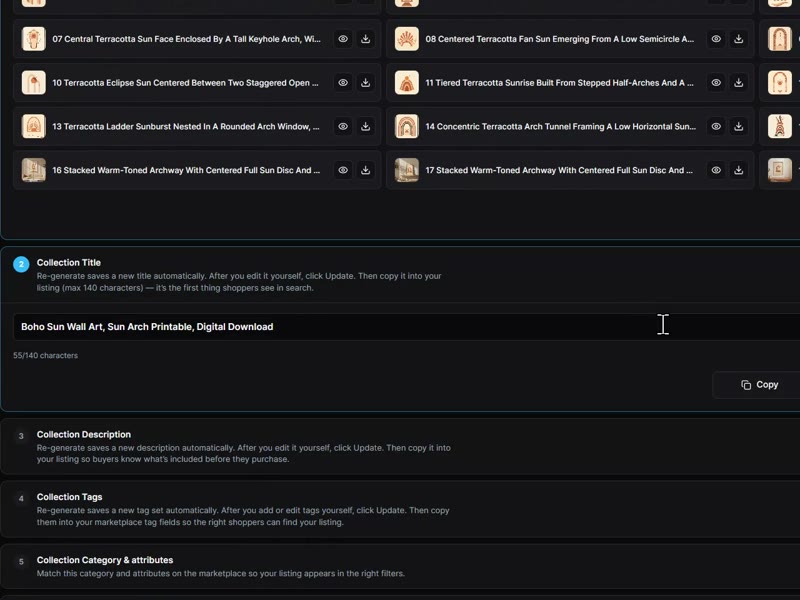
Next builds the listing as a ten-step checklist, separately for Etsy, Gumroad, Printify and Shopify: the images in upload order with a download all button, the title, a full description, 13 tags, the category, the AI disclosure Etsy requires (which box to tick plus the paragraph), a suggested price ($7 for my set), extra image ratios, and one ZIP of everything. The Gumroad version has its own title and copy. You paste it into your marketplace yourself, then paste the live URL back to mark it listed.
Step 5: Send it traffic
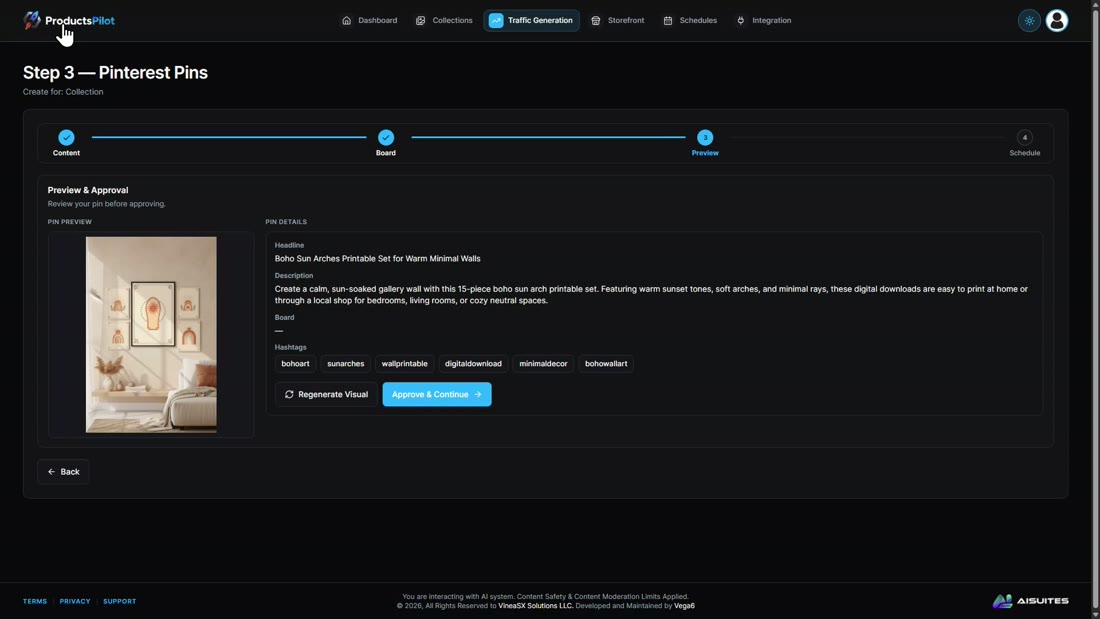
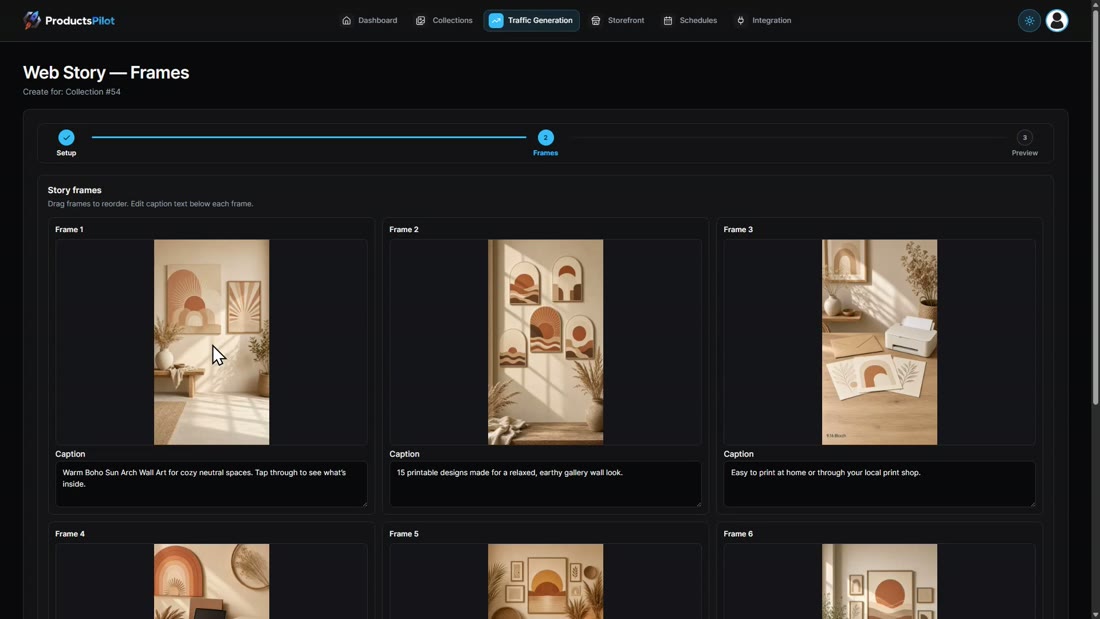
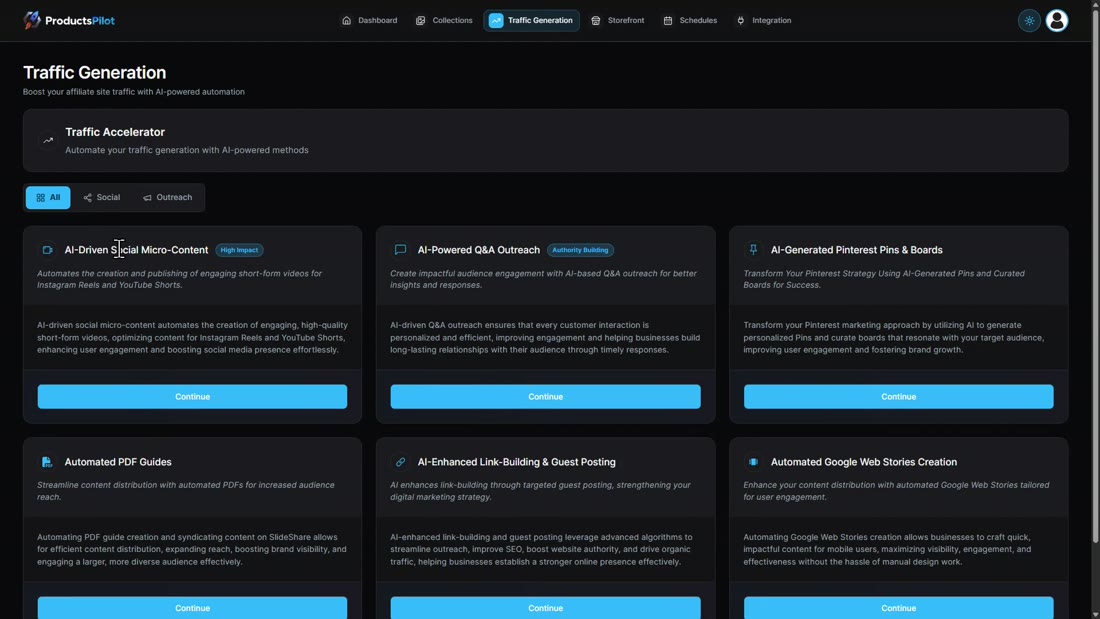
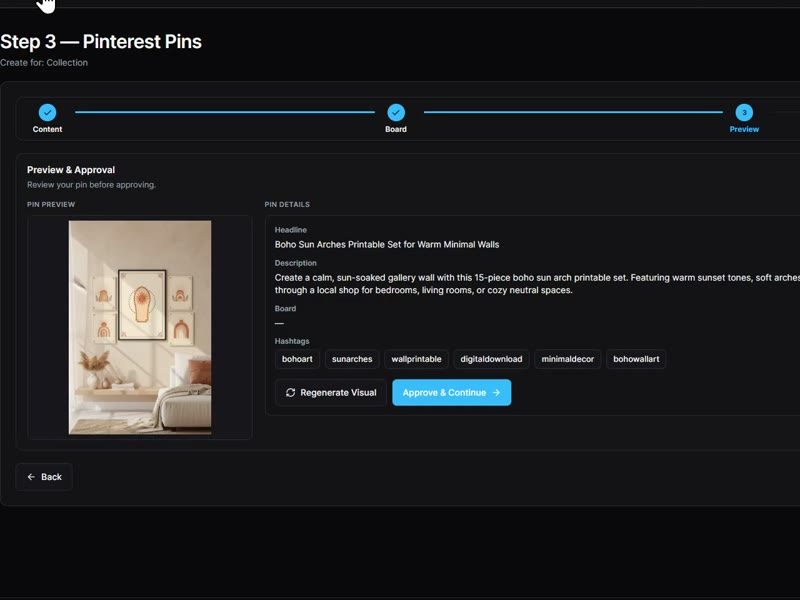
Traffic Generation has six tools: social micro-content videos, Q&A outreach, Pinterest pins and boards, automated PDF guides, link building and Google web stories. I left the pin headline empty and the AI wrote it, pulled hashtags from the product and made the pin image in about a minute. The web story came back as six frames with lifestyle images of the prints. Scheduling posts through the accounts you connect under Integration: Facebook, Instagram, LinkedIn, X, Reddit, Threads and Pinterest.
More than wall art
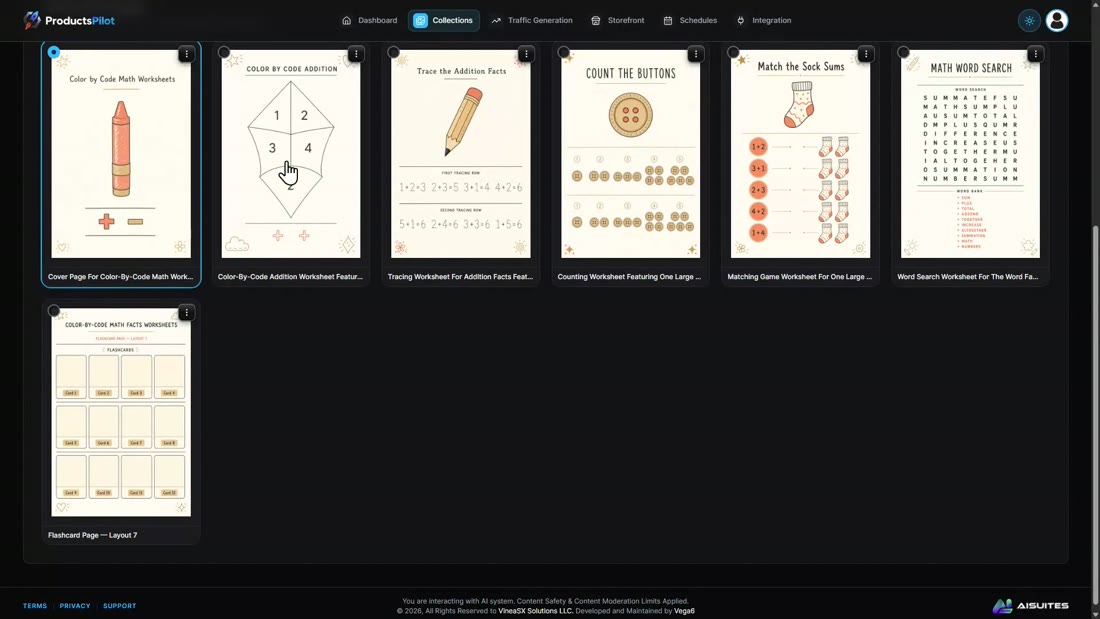
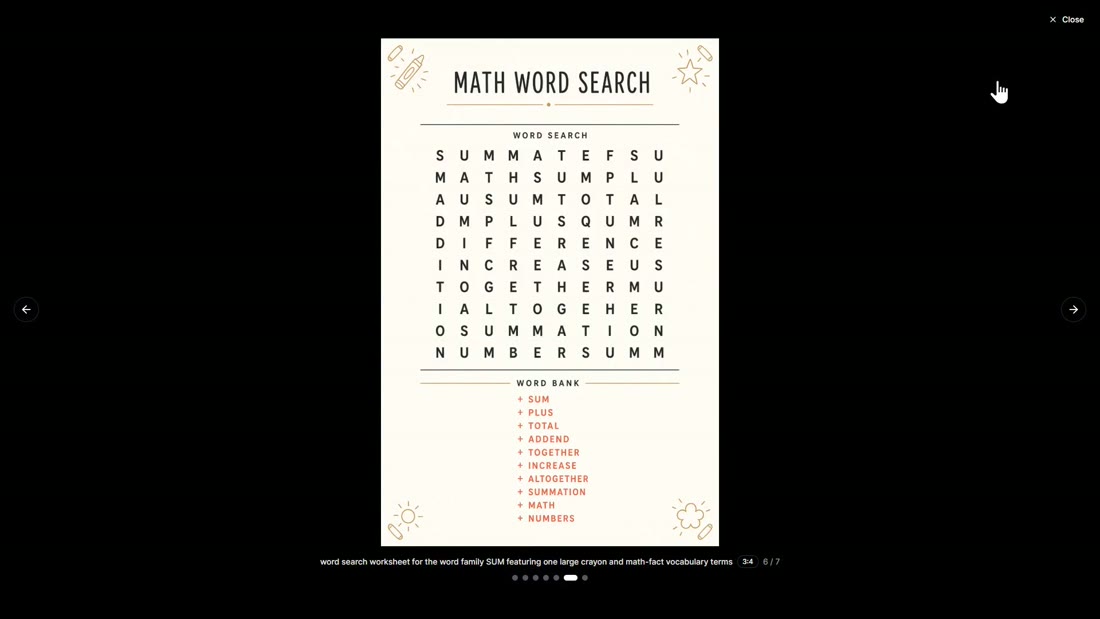
I also built a color by code math worksheet set for kids. Same flow, different buyer: it made a cover page, tracing sheets, counting and matching games and a math word search.
What I measured
Every number here comes from my own test.
| Action | Time or count |
|---|---|
| Styles to choose from | 20, each with a preview |
| Pieces per collection | 12, 15, 20 or custom (1 to 20) |
| 15-piece wall art collection | About 8 minutes |
| 12-piece wall art collection | About 6 to 7 minutes |
| Three lifestyle mockups | About 50 seconds |
| Etsy tags in the listing pack | 13 |
| Suggested price for my 15-piece set | $7 |
| Pinterest pin with image | About 1 minute |
| Google web story | 6 frames with captions |
5 Steps To A Finished Product With ProductsPilot
1. Pick a niche
Browse nine categories or search. Every niche is scored out of ten on demand against competition. I picked Boho Sun Arches at 8/10.
2. Pick the look
20 style directions with previews, an optional design note, and 12 to 20 pieces per collection.
3. Let it build the product
A matching set in about eight minutes for 15 pieces, then three lifestyle mockups in about 50 seconds.
4. Get the listing
Title, description, 13 tags, AI disclosure, a suggested price and one ZIP, written separately for Etsy, Gumroad, Printify and Shopify.
5. Send it traffic
Pinterest pins, Google web stories, PDF guides and social posts from the same collection, scheduled through your connected accounts.
Key Features & My Honest Take
- Niche finder with scores out of tenA real starting point instead of a blank page, and the custom niche option means you are never boxed in.
- 20 style directions with previewsThe previews make the choice easy. The optional design note is worth using; it steered my set nicely.
- Matching collections of up to 20 piecesThe best part. My 15 boho pieces looked like one designer made them, each with its own title.
- Lifestyle mockupsThree room scenes in under a minute from the piece you select. They look like real listing photos.
- Listing pack for Etsy, Gumroad, Printify and ShopifyTitle, description, tags, category, price and AI disclosure, written per marketplace. You paste it in yourself, which keeps your shop login out of the app.
- Traffic Generation toolsPins and web stories came out good. Posting needs your own Pinterest and social accounts connected.
- Kids, planners, templates, invites, craft, low content and PDF reportsThe same five steps work across all of them. Low-content books for Amazon KDP sit in the Elite upgrade.
Pros
- Two decisions, a niche and a look, get you a finished, matching product set.
- The designs look like one coherent collection, not random AI images.
- Lifestyle mockups in under a minute from any piece.
- The listing pack is written per marketplace, with the Etsy AI disclosure handled.
- Pinterest pins and web stories are built from the same collection.
- One-time price on the front end during the launch, with a 14-day money-back guarantee.
Cons
- You paste the listing into Etsy or Gumroad yourself; it does not post the listing for you.
- Posting pins and social content needs your own accounts connected.
- A full collection takes several minutes to generate, so plan to let it run in the background.
Pricing details
The front end is ProductsPilot Premium at $37 one time during the launch, with a 14-day money-back guarantee. The vendor says the price rises in steps during launch week and the product moves to monthly pricing after the launch closes on 5 October.
Premium is the full app from this review: 15 finished products a month, all eight product categories, mockups, the Etsy and Gumroad listing packs, two shops, the traffic builder and full commercial rights. The Bundle is everything plus all the upgrades for $317 a year (the coupon pilot takes $50 off), and there is a Lifetime Bundle for $497 one time.
FAQ
What is the verdict of this ProductsPilot review?
Worth it at the one-time launch price if you want to sell printables and the design work has held you back. In one sitting I went from a niche to a matching 15-piece set, mockups, an Etsy listing pack, a Pinterest pin and a web story. Skip it if you already design your own products or expect it to post listings for you.
Do I need design skills?
No. You pick a niche and a style, and optionally type a short design note. Everything else is generated.
Does ProductsPilot post to Etsy for me?
No. It writes the full listing pack (images, title, description, tags, price, AI disclosure) and you paste it into your marketplace. Then you paste the live URL back into the app to mark it listed.
How long does a collection take?
About eight minutes for 15 pieces in my test, running in the background. Mockups took about 50 seconds.
What are the ProductsPilot OTOs?
Unlimited ($67 a year), Diamond Storefront ($97 a year), Platinum Agency ($97 one time) and Elite Marketplace Multiplier ($67 a year). The Bundle is everything for $317 a year (coupon pilot for $50 off), or $497 one time for the Lifetime Bundle.
How do I get the bonuses?
Buy ProductsPilot through the link on this page. My bonuses are delivered on your JVZoo receipt right after purchase, and the vendor's launch bonuses are inside the members area.
Last updated

Jonas Nielsen
Marketing software reviewer
I've tested 100+ marketing tools hands-on and publish full demos and honest verdicts on YouTube, where 4,800+ people follow along. I only recommend software I've actually logged into and used myself.